1. บทนำและเรื่องอื่นๆview
The GE CYNC Smart LED Light Bulb, Full Color, offers advanced lighting control and customization for your home. This smart bulb allows you to select from millions of colors, including tunable white light, to create the perfect ambiance for any occasion. It integrates seamlessly with smart home ecosystems, enabling control via smartphone applications and voice commands through compatible devices.
คุณสมบัติที่สำคัญ ได้แก่:
- สเปktrumสีเต็มรูปแบบ: Access millions of colors to personalize your lighting.
- ไฟสีขาวปรับได้: Adjust white light from warm to cool tones, including settings that can sync with your body's sleep/wake cycle.
- การควบคุมอัจฉริยะ: Dim, change colors, set schedules, and create scenes directly from your smartphone using the Cync app.
- ความเข้ากันได้ของการควบคุมด้วยเสียง: Works with Amazon Alexa and Google Home for hands-free operation (requires a Cync or C by GE Smart Plug Hub for Alexa, or direct connection for Google Assistant).
- การเข้าถึงระยะไกล: Control your lighting from anywhere, ensuring you never come home to a dark house.
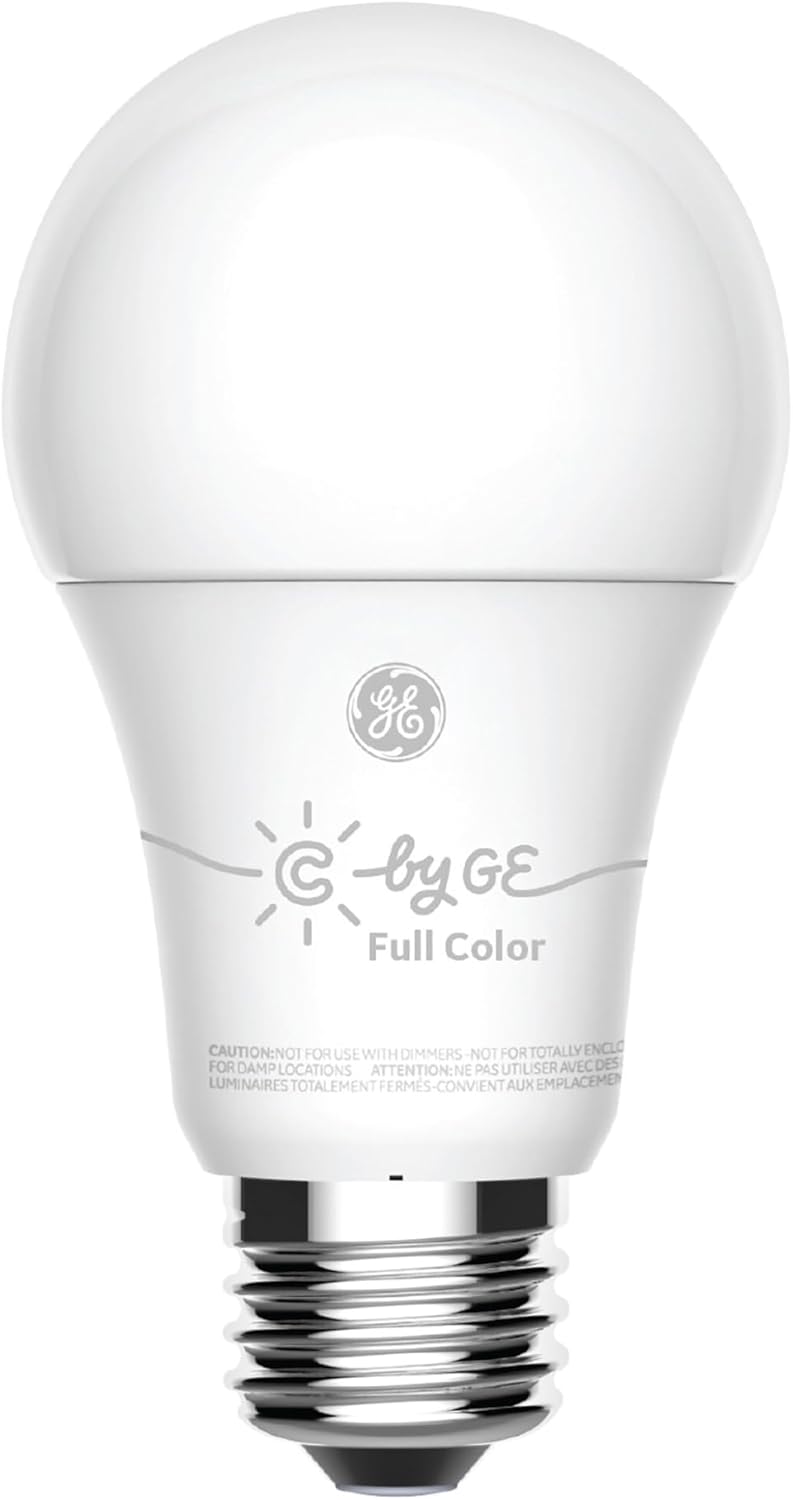
Figure 1.1: The GE CYNC Smart LED Light Bulb, Full Color.
2. ข้อมูลด้านความปลอดภัย
Please read all safety instructions before installing or using the GE CYNC Smart LED Light Bulb. Failure to follow these instructions may result in electric shock, fire, or other hazards.
- คำเตือน: Not for use with dimmers. This smart bulb is designed for smart dimming via the Cync app or compatible smart home systems, not traditional wall dimmers.
- คำเตือน: Not for use in totally enclosed luminaires. Ensure adequate ventilation around the bulb.
- คำเตือน: Not for use in damp locations. Use only in dry, indoor environments.
- Ensure the power is turned off at the switch before installation or removal.
- ห้ามถอดประกอบหรือดัดแปลงหลอดไฟ ไม่มีชิ้นส่วนใดที่ผู้ใช้สามารถซ่อมบำรุงเองได้ภายใน
- อุปกรณ์นี้ไม่ได้มีวัตถุประสงค์เพื่อใช้กับทางออกฉุกเฉิน

Figure 2.1: Product packaging highlighting features and important cautions.
3. เนื้อหาบรรจุภัณฑ์
Your GE CYNC Smart LED Light Bulb package includes:
- One (1) GE CYNC Smart LED Light Bulb, Full Color (Model: CLEDA1911C2/ST1P)

Figure 3.1: The smart bulb alongside its retail packaging.
4. การตั้งค่า
Follow these steps to set up your GE CYNC Smart LED Light Bulb:
- ดาวน์โหลดแอป Cync: ค้นหา "Cync" (formerly C by GE) in your smartphone's app store (iOS or Android) and download the application.
- ติดตั้งหลอดไฟ: Screw the GE CYNC Smart LED Light Bulb into a standard E26 medium base socket. Ensure the light fixture is turned off before installation.
- เปิดเครื่อง: Turn on the light fixture's power switch. The bulb should illuminate.
- เพิ่มอุปกรณ์ในแอป: Open the Cync app. Tap the "+" icon to add a new device and follow the on-screen instructions to pair your bulb. The app will guide you through the discovery and connection process.
Important Notes for Voice and Out-of-Home Control:
- For voice control with อเมซอนอเล็กซา and out-of-home control, you will need to pair your smart bulb with a Cync or C by GE Smart Plug Hub (sold separately).
- For voice control with ผู้ช่วย Google, no additional hub is required for direct integration.

Figure 4.1: The E26 Medium (Standard) bulb base.

Figure 4.2: Compatibility with Amazon Alexa and Google Home.
5. การดำเนินการ
Once your GE CYNC Smart LED Light Bulb is set up, you can control it using the Cync app or compatible voice assistants.
5.1 Using the Cync App
- เปิด/ปิด: Tap the bulb icon in the app to toggle the light on or off.
- dimming: ใช้แถบเลื่อนปรับความสว่างในแอปเพื่อปรับความเข้มของแสงตั้งแต่ 1% ถึง 100%
- การเลือกสี: Access the color palette to choose from millions of colors. You can also select specific white tones (warm to cool) to match your preference or time of day.
- ตารางเวลา: Set automated schedules for your lights to turn on or off at specific times, such as waking up with a gentle light or ensuring lights are off when you leave.
- ฉาก: Create custom lighting scenes for different activities or moods (e.g., "Movie Night," "Reading," "Party"). Scenes can combine specific colors, brightness levels, and even control multiple bulbs simultaneously.
- กลุ่ม: Group multiple Cync bulbs together to control them as a single unit, simplifying management of rooms or areas.
5.2 การควบคุมด้วยเสียง
After linking your Cync account to Amazon Alexa or Google Home, you can use voice commands:
- "อเล็กซ่า เปิดไฟห้องนั่งเล่น"
- "เฮ้ กูเกิล หรี่ไฟห้องนอนลงเหลือ 50%"
- "Alexa, change the kitchen light to blue."
- "Hey Google, set the 'Movie Night' scene."

รูปที่ 5.1: อดีตample of colored lighting in a bedroom setting.

รูปที่ 5.2: อดีตample of colored accent lighting in a kitchen.
6. การบำรุงรักษา
The GE CYNC Smart LED Light Bulb is designed for long-term, maintenance-free operation. As an LED product, it does not require bulb replacement.
- การทำความสะอาด: To clean the bulb, ensure the power is off at the switch. Use a soft, dry cloth to wipe the surface. Do not use liquid cleaners or abrasive materials.
- พื้นที่จัดเก็บ: If storing the bulb, keep it in a cool, dry place away from direct sunlight and extreme temperatures.
7 การแก้ไขปัญหา
If you encounter issues with your GE CYNC Smart LED Light Bulb, refer to the following common solutions:
- Bulb Not Responding/Offline:
- Ensure the light fixture's power switch is in the ON position.
- Check your Wi-Fi or Bluetooth connection. Ensure your smartphone is connected to the internet and Bluetooth is enabled.
- Restart the Cync app.
- If using Alexa, ensure your Cync Smart Plug Hub is powered on and connected.
- วงจรไฟฟ้า: Turn the light fixture off for 10 seconds, then turn it back on. This can often resolve minor connectivity glitches.
- ระดับความยากในการจับคู่:
- Ensure the bulb is within range of your smartphone during the initial pairing process.
- Confirm you have downloaded the correct "Cync" app.
- If the bulb was previously paired, you may need to perform a factory reset (refer to the Cync app's help section for specific reset procedures, which often involve a series of on/off cycles).
- สี/ความสว่างไม่สม่ำเสมอ:
- Ensure the bulb is not connected to a traditional dimmer switch.
- Verify the bulb's firmware is up to date via the Cync app.
- ปัญหาการเข้าสู่ระบบแอป: Some users have reported needing to re-login to the Cync app periodically. Ensure your app is updated to the latest version.
For more detailed troubleshooting or persistent issues, please refer to the help section within the Cync app or visit the official Cync support webเว็บไซต์.
8. ข้อมูลจำเพาะ
Detailed technical specifications for the GE CYNC Smart LED Light Bulb, Full Color:
| คุณลักษณะ | ข้อมูลจำเพาะ |
|---|---|
| ชื่อรุ่น | หลอดไฟ LED อัจฉริยะ GE CYNC |
| หมายเลขรุ่น | CLEDA1911C2/ST1P |
| ประเภทหลอดไฟ | นำ |
| ขนาดรูปร่างหลอดไฟ | เอ19 |
| ฐานหลอดไฟ | E26 ขนาดกลาง |
| สีอ่อน | Full Color (Millions of colors + Tunable White) |
| ความสว่าง | 800 ลูเมน |
| วัดtage | 10 วัตต์ |
| เทียบเท่าหลอดไส้ | 60 วัตต์ |
| อุณหภูมิสี | 2700 Kelvin (Tunable) |
| เล่มที่tage | 120 โวลต์ |
| เทคโนโลยีการเชื่อมต่อ | บลูทูธ |
| วิธีการควบคุม | App (Cync), Voice (Amazon Alexa, Google Assistant) |
| การใช้งานภายใน/ภายนอกอาคาร | ในร่ม |
| ชีวิตเฉลี่ย | 15,000 ชั่วโมง (ประมาณ 13.7 ปี โดยคิดจากวันละ 3 ชั่วโมง) |
| ขนาดสินค้า | กว้าง 2.44 นิ้ว x สูง 5.75 นิ้ว |
| น้ำหนักสินค้า | 2.89 ออนซ์ (0.08 กิโลกรัม) |
| ยูพีซี | 043168504270 |

Figure 8.1: Lighting Facts for the GE CYNC Smart LED Light Bulb.
9. การรับประกันและการสนับสนุน
The GE CYNC Smart LED Light Bulb comes with a limited warranty. For specific details regarding the warranty period and coverage, please refer to the product packaging or the official Cync webเว็บไซต์.
For technical support, product information, or to access the latest FAQs and troubleshooting guides, please visit the official Cync support portal or contact their customer service directly. Contact information can typically be found on the Cync website or within the Cync mobile application.
แหล่งข้อมูลออนไลน์:
- Cync Official Webเว็บไซต์: www.gelighting.com/cync
- Cync App: Available on iOS App Store and Google Play Store.


