1. บทนำ
The Osmo Genius Starter Kit for iPad & iPhone transforms your device into a hands-on learning tool, combining physical play with digital interaction. Designed for children aged 6-10, this kit offers five educational games that cover subjects like math, spelling, creativity, and problem-solving. Children interact with physical game pieces, and the Osmo Base and Reflector allow the device to 'see' and react to their real-life movements, bringing their creations and actions to life on screen.
Official Osmo overview video demonstrating the interactive learning experience.
2. อะไรอยู่ในกล่อง
Your Osmo Genius Starter Kit includes the following components:
- Osmo Base & Reflector for iPad
- Tangram pieces
- Numbers tiles
- Words tiles
- Stackable storage for each game
- Access to 5 Game Apps: Numbers, Tangram, Words, Newton, and Masterpiece
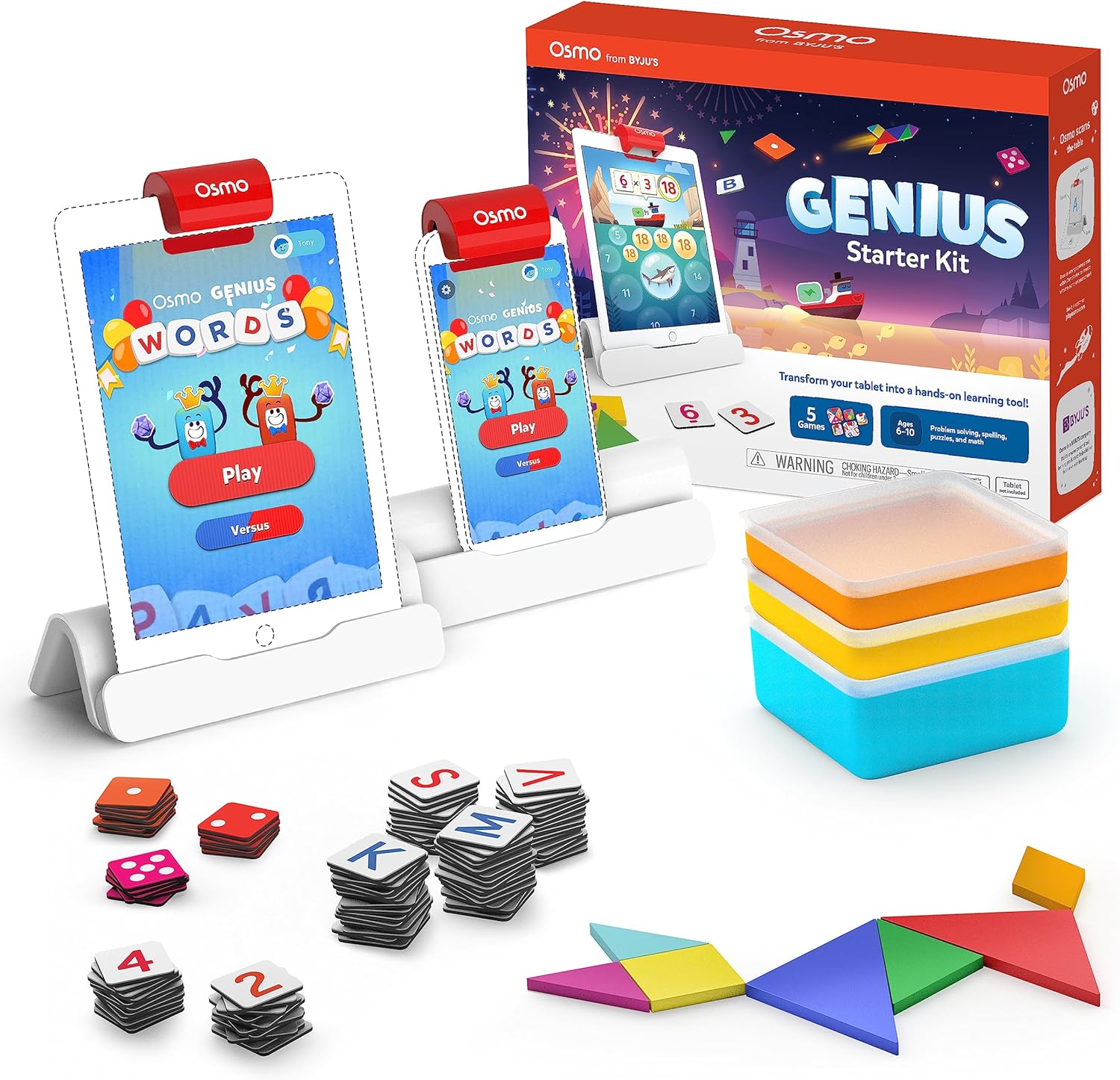
Image showing the Osmo Genius Starter Kit packaging, base, and included game pieces.
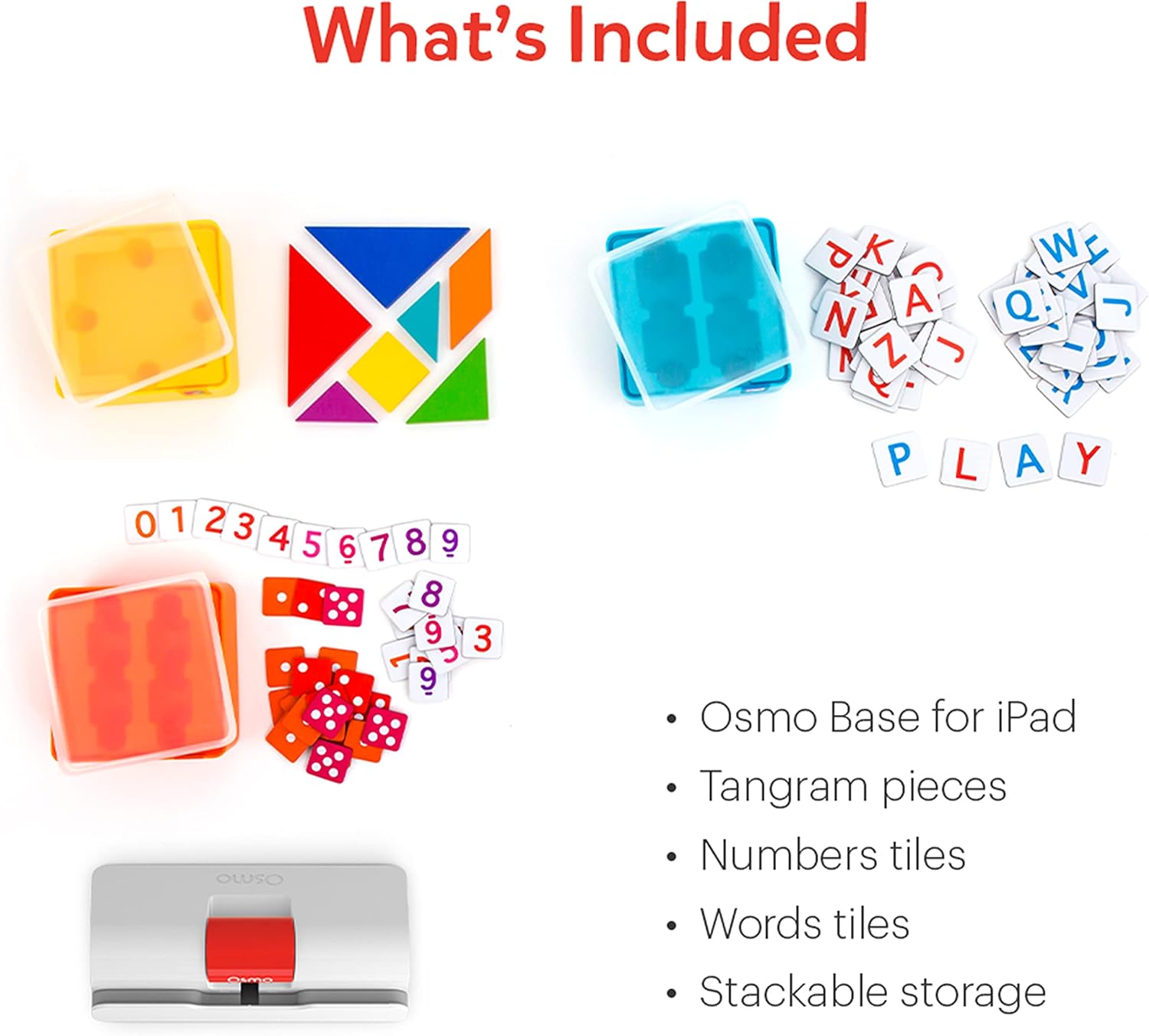
รายละเอียด view of the physical game pieces and their convenient stackable storage containers.
3. ความเข้ากันได้
The Osmo Genius Starter Kit is compatible with most iPad and iPhone models. Please verify your device's compatibility before use.
- iPad Compatibility: All iPads except Generation 1-4, Air Gen 1, & iPad Mini Gen 1-3. The new iPad 10th Gen, iPad Pro 11” (4th Gen), & iPad Pro 12.9” (6th Gen) are not currently compatible; compatibility coming later in 2023. iPad Reflector 2021 required for: iPad Mini 6, iPad Air 4-5, iPad Pro 11-inch & iPad Pro 12.9-inch. The minimum iOS version needed is iOS 15.
- ความเข้ากันได้ของ iPhone: iPhone 12, 12 Pro, 12 Pro Max, 13, 13 Pro, 13 Pro Max, 14, 14 Plus. No other iPhones are compatible. Requires the Osmo iPad base & 2021 reflector hardware. The minimum iOS needed is iOS 14.0.

Visual guide to compatible iPhone and iPad models for the Osmo system.
4. คำแนะนำในการตั้งค่า
Follow these steps to set up your Osmo Genius Starter Kit:
- Place your device in the Osmo Base: Ensure your iPad or iPhone is securely seated in the white Osmo Base. The device should be positioned vertically.
- Attach the Reflector: Gently place the red Osmo Reflector over the top edge of your device, ensuring it covers the front-facing camera. The reflector is crucial for the Osmo system to 'see' the physical game pieces on your table.
- Download Osmo Apps: ค้นหา
เอกสารที่เกี่ยวข้อง - 901-00011

Osmo Numbers และคู่มือผู้ใช้ Osmo Newton
คู่มือครอบคลุมการใช้ Osmo Numbers และ Osmo Newton พร้อมรายละเอียดเกี่ยวกับกลไกของเกม เคล็ดลับ และแนวทางปฏิบัติที่ดีที่สุดสำหรับประสบการณ์การเรียนรู้ที่น่าดึงดูด
เริ่มต้นใช้งาน Osmo Words
คู่มือ Osmo Words ฉบับสมบูรณ์ ครอบคลุมการตั้งค่าเกม การเล่นเกม โหมดต่างๆ การสร้างอัลบั้มแบบกำหนดเอง และแนวทางปฏิบัติที่ดีที่สุดเพื่อประสิทธิภาพสูงสุด เรียนรู้วิธีใช้แผ่นตัวอักษรเพื่อสะกดคำตามภาพ สำรวจโหมดเกมต่างๆ เช่น Adventure, Versus และ Zen รวมถึงค้นพบวิธีสร้างและแชร์อัลบั้มคำศัพท์ของคุณเอง
คู่มือการตั้งค่า Osmo สำหรับแท็บเล็ต Fire
คู่มือนี้ให้คำแนะนำทีละขั้นตอนสำหรับการตั้งค่าของเล่นเพื่อการศึกษา Osmo กับแท็บเล็ต Amazon Fire ครอบคลุมถึงความเข้ากันได้ของอุปกรณ์ การตั้งค่าฐาน การสร้างบัญชี การดาวน์โหลดเกม และโปรfile การจัดการ.
คู่มือการตั้งค่า Osmo สำหรับ iPad และแท็บเล็ต Fire
คู่มือการตั้งค่าที่ครอบคลุมสำหรับผลิตภัณฑ์ Osmo รวมถึง Osmo Creative Set และ Osmo Newton ซึ่งมีรายละเอียดเกี่ยวกับความเข้ากันได้ ขั้นตอนการตั้งค่า คำแนะนำการเล่นเกม และการแก้ไขปัญหา
เริ่มต้นใช้งาน Osmo Numbers กันเถอะ
คู่มือเกม Osmo Numbers เกมการศึกษาสำหรับเด็กเล็กที่เน้นแนวคิดทางคณิตศาสตร์ เช่น การนับ การบวก การลบ และการคูณ เรียนรู้วิธีการเล่น โหมดเกมต่างๆ และเคล็ดลับในการเพิ่มคะแนนและปลดล็อกเนื้อหาใหม่ๆ
Getting Started with Osmo Tangram
A guide to Osmo Tangram, detailing game features, levels, achievements, and best practices for an optimal experience. Learn how to play, navigate menus, and store your Tangram pieces.