1. บทนำ
The Elekpia Universal Remote Control is a direct replacement remote designed for compatibility with a vast array of Toshiba LCD, LED, 3D, HDTV, 4K UHD, and Smart TV models. This remote requires no programming or pairing; simply insert batteries, and it is ready for immediate use.
It is compatible with many original Toshiba remote models, including CT-90325, CT-90326, CT-90329, CT-8037, CT-90302, CT-90275, CT-90366, and more.
2. การตั้งค่า
To begin using your new universal remote control, follow these simple steps:
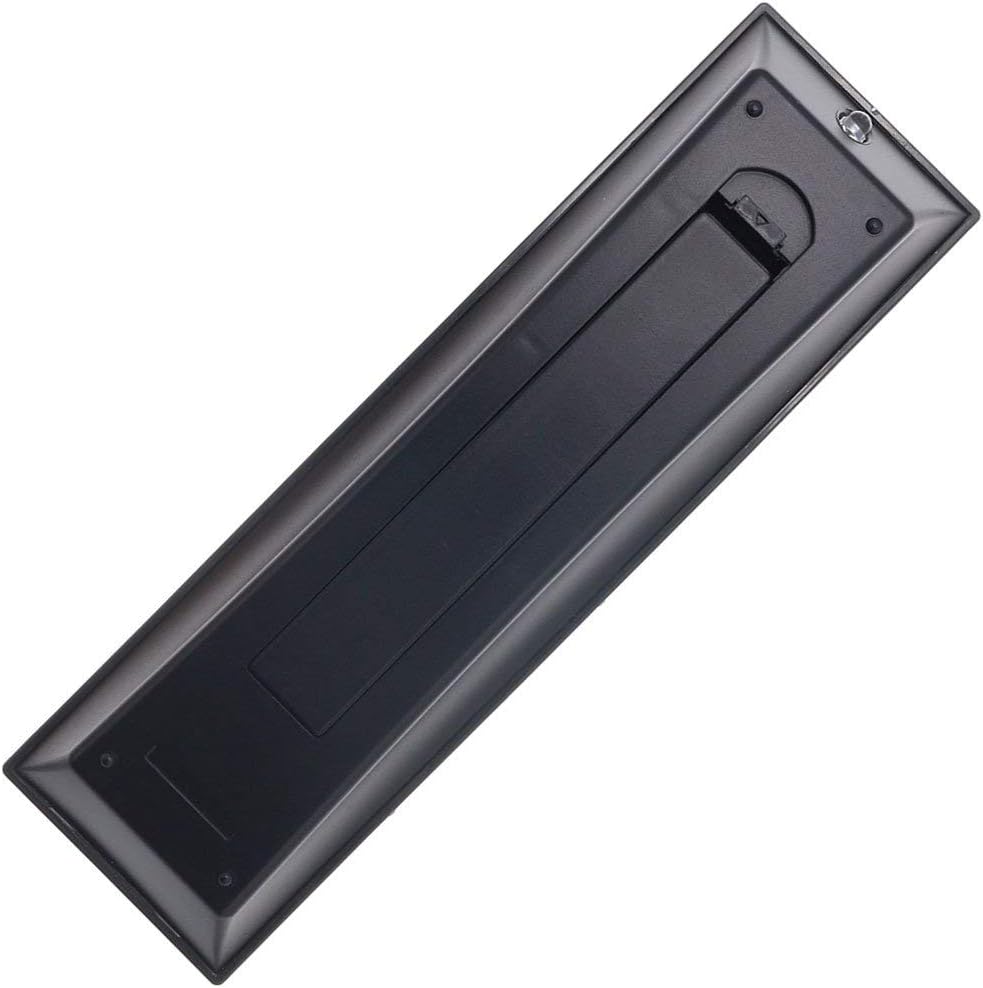
- การติดตั้งแบตเตอรี่: Locate the battery compartment on the back of the remote control. Slide the battery cover downwards to open it. Insert two new AAA batteries (not included), ensuring the positive (+) and negative (-) terminals align correctly with the indicators inside the compartment. Close the battery cover by sliding it back into place until it clicks securely.
- พร้อมใช้งาน: Once batteries are installed, the remote is ready for immediate operation with your compatible Toshiba TV. No additional programming, pairing, or code entry is required.

3. คู่มือการใช้งาน
The Elekpia Universal Remote Control features a standard layout for easy navigation and control of your Toshiba television. Below is a guide to the primary functions:
- ปุ่มเพาเวอร์ (ⓘ): Located at the top right, press to turn the TV on or off.
- ปุ่มป้อนข้อมูล: Cycles through available video input sources (HDMI, AV, Component, etc.).
- Number Buttons (0-9, 100, FAV): Used for direct channel selection. The "100" button may be used for three-digit channel numbers, and "FAV" for favorite channels if configured on your TV.
- การควบคุมระดับเสียง (VOL +/-): เพิ่มหรือลดระดับเสียง
- Channel Control (CH +/-): เปลี่ยนช่องโทรทัศน์ขึ้นหรือลง
- ปุ่มปิดเสียง: Silences the TV audio. Press again to restore sound.
- ปุ่มควบคุมทิศทาง (ขึ้น, ลง, ซ้าย, ขวา, ENTER): ใช้สำหรับนำทางเมนู เลือกตัวเลือก และยืนยันการเลือก
- ปุ่มเมนู: Accesses the TV's main menu for settings and adjustments.
- ปุ่มย้อนกลับ: กลับไปที่หน้าจอหรือเมนูก่อนหน้า
- ปุ่มออก: ออกจากเมนูหรือฟังก์ชันปัจจุบัน
- Playback Controls (EJECT, PAUSE/STEP, PLAY, STOP, SKIP, REW, FF): These buttons control media playback functions for connected devices (e.g., DVD player, USB drive) if supported by your TV.
- ปุ่มข้อมูล: แสดงข้อมูลเกี่ยวกับโปรแกรมหรืออินพุตปัจจุบัน
- C.CAPTION Button: เปิดหรือปิดคำบรรยาย
- ปุ่มเรียกคืน: สลับไปมาระหว่างปัจจุบันและก่อนหน้านี้ viewช่องเอ็ด
- CH RTN Button: กลับไปยังช่องก่อนหน้า
- PIC MODE / PIC SIZE: Adjusts picture mode and aspect ratio settings.
- SLEEP / FREEZE: Sleep timer and freeze frame functions, if supported by your TV.
4. การบำรุงรักษา
Proper care and maintenance will extend the life of your remote control:
- การทำความสะอาด: เช็ดรีโมทด้วยผ้าแห้งนุ่มๆ สำหรับคราบสกปรกฝังแน่น ให้เช็ดด้วยน้ำสะอาดเล็กน้อยampชุบผ้าด้วยน้ำหรือน้ำยาทำความสะอาดอ่อนๆ ที่ไม่ทำให้เกิดรอยขีดข่วน ห้ามใช้สารเคมีรุนแรงหรือวัสดุที่มีฤทธิ์กัดกร่อน
- การเปลี่ยนแบตเตอรี่: Replace batteries when the remote's response becomes sluggish or stops working. Always replace both batteries at the same time with new ones of the same type (AAA). Remove batteries if the remote will not be used for an extended period to prevent leakage.
- พื้นที่จัดเก็บ: เก็บรีโมทไว้ในที่แห้งและเย็น หลีกเลี่ยงแสงแดดโดยตรง อุณหภูมิที่สูงหรือต่ำเกินไป และความชื้นสูง
- หลีกเลี่ยงการหยด: ปกป้องรีโมตจากแรงกระแทก เพราะการตกอาจทำให้ส่วนประกอบภายในเสียหายได้
5 การแก้ไขปัญหา
หากคุณพบปัญหาเกี่ยวกับรีโมทคอนโทรล โปรดดูวิธีแก้ไขปัญหาทั่วไปต่อไปนี้:
| ปัญหา | สาเหตุที่เป็นไปได้ | สารละลาย |
|---|---|---|
| Remote is not working at all. | แบตเตอรี่หมดหรือใส่ผิด มีสิ่งกีดขวางระหว่างรีโมทและทีวี | Check battery polarity and replace with fresh AAA batteries. Ensure a clear line of sight to the TV's IR receiver. |
| ปุ่มบางปุ่มไม่ตอบสนอง | Low battery power. Button malfunction. | Replace batteries. If issue persists, the button may be faulty. |
| การทำงานระยะไกลมีเป็นระยะๆ | แบตเตอรี่อ่อน มีสัญญาณรบกวน | Replace batteries. Remove any potential sources of infrared interference (e.g., strong lights). |
| Remote does not control my TV. | TV is not a compatible Toshiba model. | Verify your TV is a Toshiba brand and model listed as compatible in the product description. This remote is specifically designed for Toshiba TVs. |
6. ข้อมูลจำเพาะ
- ยี่ห้อ: เอเล็คเปีย
- หมายเลขรุ่น: CT-90325
- อุปกรณ์ที่รองรับ: Toshiba Televisions (LCD, LED, 3D, HDTV, 4K UHD, Smart TV)
- แหล่งพลังงาน: 2 x แบตเตอรี่ AAA (ไม่รวม)
- สี: สีดำ
- ขนาดสินค้า : 6 x 1.8 x 0.7 นิ้ว (โดยประมาณ)
- น้ำหนักสินค้า: 2.71 ออนซ์ (โดยประมาณ)
- คุณสมบัติพิเศษ: Universal replacement for specified Toshiba TV remotes; No programming required.
7. การรับประกันและการสนับสนุน
For information regarding warranty coverage or technical support, please refer to the documentation provided with your purchase or contact the manufacturer directly. This remote is designed for straightforward plug-and-play operation, and most issues can be resolved by following the troubleshooting steps outlined in this manual.


