1. บทนำ
The Bewinner F920 is a versatile retractable Bluetooth earphone designed for business and sports use. It features a collar clip style, Bluetooth V4.1 connectivity, and a range of functions including call vibration, voice prompts, and an anti-lost alarm. This manual provides detailed instructions to help you get the most out of your device.
2. เนื้อหาบรรจุภัณฑ์
กรุณาตรวจสอบแพ็คเกจสำหรับรายการต่อไปนี้:
- 1 x Bewinner F920 Bluetooth Headset
- สายชาร์จ USB 1 เส้น
- 2 x Ear Caps (different sizes)
- เชือกมือ 1 เส้น
- 1 x คู่มือผู้ใช้ (เอกสารนี้)

รูปที่ 2.1: Package contents including the F920 earphone, USB charging cable, and ear caps.
3. การตั้งค่า
3.1 การชาร์จหูฟัง
Before first use, fully charge the earphone. Connect the provided USB cable to the charging port on the earphone and to a DC 5V power source (e.g., a computer USB port or a USB wall adapter). The charging time is less than 2 hours. A full charge provides over 80 hours of standby time, over 5 hours of talk time, and over 4 hours of music playback.
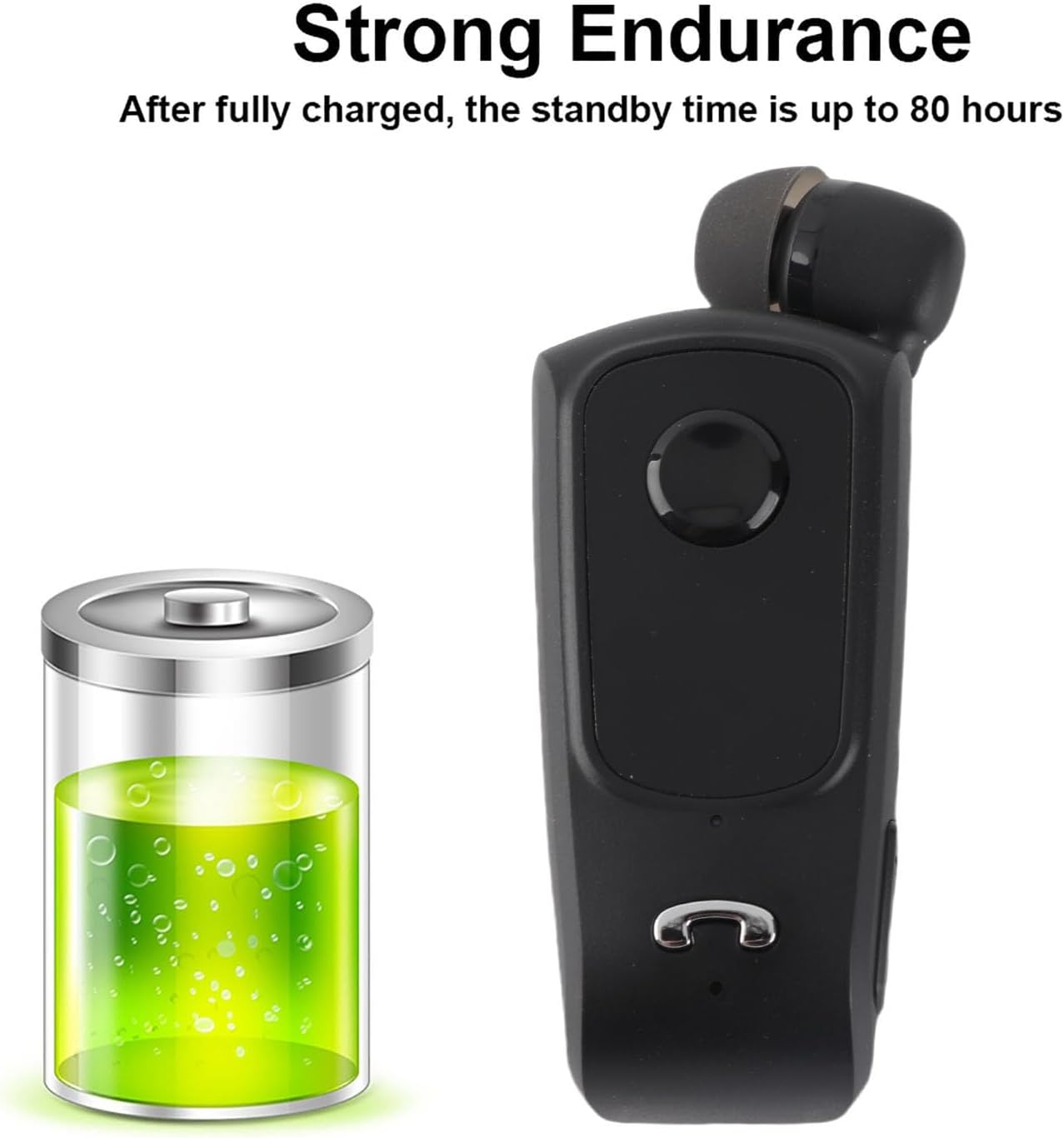
รูปที่ 3.1: The F920 earphone offers extended battery life with up to 80 hours of standby time.
3.2 การเปิด/ปิดเครื่อง
- การเปิดเครื่อง: กดปุ่มมัลติฟังก์ชั่นค้างไว้จนกว่าไฟแสดงสถานะจะกะพริบ
- วิธีปิดเครื่อง: กดปุ่มมัลติฟังก์ชันค้างไว้จนกว่าไฟแสดงสถานะจะดับ
3.3 การจับคู่บลูทูธ
To connect your F920 earphone to a device:
- Ensure the earphone is fully charged and powered off.
- กดปุ่มมัลติฟังก์ชันค้างไว้ประมาณ 5-7 วินาที จนกระทั่งไฟแสดงสถานะกะพริบเป็นสีแดงและสีน้ำเงินสลับกัน เพื่อระบุโหมดจับคู่
- บนโทรศัพท์มือถือหรืออุปกรณ์ที่รองรับบลูทูธ ให้เปิดใช้งานบลูทูธและค้นหาอุปกรณ์ที่ใช้งานได้
- Select "F920" from the list of found devices.
- Once connected, the indicator light will flash blue slowly, and you may hear a voice prompt confirming the connection.
The F920 supports connecting to two mobile phones simultaneously. After pairing with the first device, disable Bluetooth on the first device, then pair with the second device. Re-enable Bluetooth on the first device, and the earphone should connect to both.

รูปที่ 3.2: The F920 earphone can be connected to two mobile phones at the same time.
4. คู่มือการใช้งาน
4.1 ฟังก์ชั่นพื้นฐาน
- เล่น/หยุดเพลง: กดปุ่มมัลติฟังก์ชั่นหนึ่งครั้ง
- เพลงถัดไป: กดปุ่มปรับระดับเสียง + ค้างไว้
- แทร็กก่อนหน้า: กดปุ่มปรับระดับเสียง - ค้างไว้
- ปรับระดับเสียงขึ้น: กดปุ่มระดับเสียง +
- ลดเสียงลง: กดปุ่มปรับระดับเสียง -
4.2 การจัดการการโทร
- รับสาย: เมื่อมีสายเรียกเข้า ให้กดปุ่มมัลติฟังก์ชันหนึ่งครั้ง
- วางสาย: กดปุ่มมัลติฟังก์ชันหนึ่งครั้งระหว่างการโทร
- ปฏิเสธสาย: Press and hold the multi-function button for 2 seconds when a call comes in.
- โทรซ้ำหมายเลขล่าสุด: กดปุ่มมัลติฟังก์ชันสองครั้ง
The earphone features a call vibration function, ensuring you do not miss important calls. It also provides voice prompts for incoming calls.

รูปที่ 4.1: The F920 earphone includes a call vibration function to alert you to incoming calls.
4.3 Retractable Earphone
The F920 features a retractable earphone cord. To extend the earphone, gently pull it out. To retract, press the dedicated retraction button on the side of the device, and the cord will automatically retract into the unit. This design prevents tangling and makes storage convenient.

รูปที่ 4.2: Press the button to retract the earphone cord for tidy storage.
4.4 Anti-Lost Function
If your connected mobile phone exceeds the Bluetooth connection range (approximately 10 meters), the earphone will vibrate and sound an alarm to notify you, helping to prevent loss.
4.5 การสลับภาษา
The earphone supports switching between Chinese and English voice prompts. Refer to the specific instructions in the quick start guide for the button combination to change the language setting.
5. การบำรุงรักษา
- การทำความสะอาด: ใช้ผ้าแห้งนุ่มเช็ดทำความสะอาดหูฟัง ห้ามใช้สารเคมีรุนแรงหรือวัสดุที่มีฤทธิ์กัดกร่อน
- พื้นที่จัดเก็บ: เก็บหูฟังไว้ในที่แห้งและเย็น หลีกเลี่ยงแสงแดดโดยตรงและอุณหภูมิที่สูงหรือต่ำเกินไป
- การดูแลแบตเตอรี่ เพื่อยืดอายุการใช้งานแบตเตอรี่ ควรหลีกเลี่ยงการคายประจุแบตเตอรี่จนหมดบ่อยๆ ควรชาร์จอุปกรณ์เป็นประจำ แม้ว่าจะไม่ได้ใช้งานเป็นเวลานานก็ตาม
- การสัมผัสน้ำ: อุปกรณ์นี้ไม่กันน้ำ โปรดหลีกเลี่ยงการสัมผัสน้ำหรือความชื้นมากเกินไป
6 การแก้ไขปัญหา
If you encounter issues with your Bewinner F920 earphone, please refer to the following common solutions:
| ปัญหา | สาเหตุที่เป็นไปได้ | สารละลาย |
|---|---|---|
| หูฟังไม่เปิดใช้งาน | แบตเตอรี่ต่ำ | ชาร์จหูฟังอย่างน้อย 30 นาที |
| ไม่สามารถจับคู่กับอุปกรณ์ได้ | Earphone not in pairing mode; Bluetooth off on device; device too far | Ensure earphone is in pairing mode (red/blue flashing light). Turn on Bluetooth on your device. Move device closer to earphone (within 10m). |
| No sound during playback/calls | Volume too low; earphone not connected; incorrect audio output selected | Increase earphone and device volume. Verify earphone is connected. Check device audio settings to ensure F920 is selected as output. |
| Call vibration/anti-lost not working | Feature disabled; earphone out of range | Ensure earphone is connected. Check if the phone is within Bluetooth range for anti-lost function. |
หากปัญหายังคงมีอยู่หลังจากลองวิธีแก้ไขเหล่านี้แล้ว โปรดติดต่อฝ่ายสนับสนุนลูกค้า
7. ข้อมูลจำเพาะ
| คุณสมบัติ | ข้อมูลจำเพาะ |
|---|---|
| รุ่นสินค้า | เอฟ920 |
| สีของผลิตภัณฑ์ | สีดำ |
| ชิปผลิตภัณฑ์ | ความรับผิดชอบต่อสังคม |
| เวอร์ชันบลูทูธ | วี4.1 |
| ระยะทางบลูทู ธ | สูงถึง 10 เมตร (33 ฟุต) |
| ความถี่ | 2.4กิกะเฮิรตซ์ |
| ปริมาณการชาร์จtage | กระแสตรง 5 โวลต์ |
| เวลาในการชาร์จ | ไม่เกิน 2 ชั่วโมง |
| เวลาสนทนา | 5 ชั่วโมงขึ้นไป |
| เวลาดนตรี | 4 ชั่วโมงขึ้นไป |
| เวลาสแตนด์บาย | 80 ชั่วโมงขึ้นไป |
| ความจุของแบตเตอรี่ | 80มิลลิแอมป์ |
| ข้อตกลงที่รองรับ | Headset, Hands-Free, A2DP, AVRCP |
| ขนาดสินค้า | 6.89 x 2.95 x 1.18 นิ้ว (17.5 x 7.5 x 3 ซม.) |
| น้ำหนักสินค้า | 2.11 ออนซ์ (60 กรัม) |
8. ข้อมูลการรับประกัน
Specific warranty details for the Bewinner F920 earphone are not provided in this manual. Please refer to the product packaging or contact Bewinner customer support for information regarding warranty coverage and terms.
9. การสนับสนุนลูกค้า
For any quality problems or questions regarding your Bewinner F920 Retractable Bluetooth Earphone, please contact our professional customer service team. We are committed to resolving your issues promptly.
You can visit the official Bewinner store for more information and support: Bewinner Store on Amazon


