1. บทนำ
This manual provides detailed instructions for the safe and efficient use of your UGREEN Portable Wireless Magnetic Apple Watch Charger (Model 50944). This MFi certified charger is designed for convenience and compatibility with various Apple Watch Series models. Please read this manual thoroughly before use and retain it for future reference.
2. เนื้อหาบรรจุภัณฑ์
- 1 x UGREEN Portable Wireless Magnetic Apple Watch Charger
- 1 x คู่มือผู้ใช้
3. คุณสมบัติของผลิตภัณฑ์
- ได้รับการรับรอง MFI: Ensures full compatibility and safe charging for Apple Watch.
- การออกแบบพกพา: ขนาดกะทัดรัด น้ำหนักเบา เหมาะสำหรับการเดินทาง
- Magnetic Charging Module: Integrates MagSafe technology with inductive charging.
- ขั้วต่อ USB-A: Plugs directly into any standard USB-A port for power.
- การป้องกันหลายระดับ: มีระบบป้องกันในตัวเพื่อป้องกันกระแสไฟเกินและแรงดันไฟเกินtage, short-circuit, and over-temperature.
- การออกแบบสายคล้อง: Allows for easy attachment to bags or keychains.
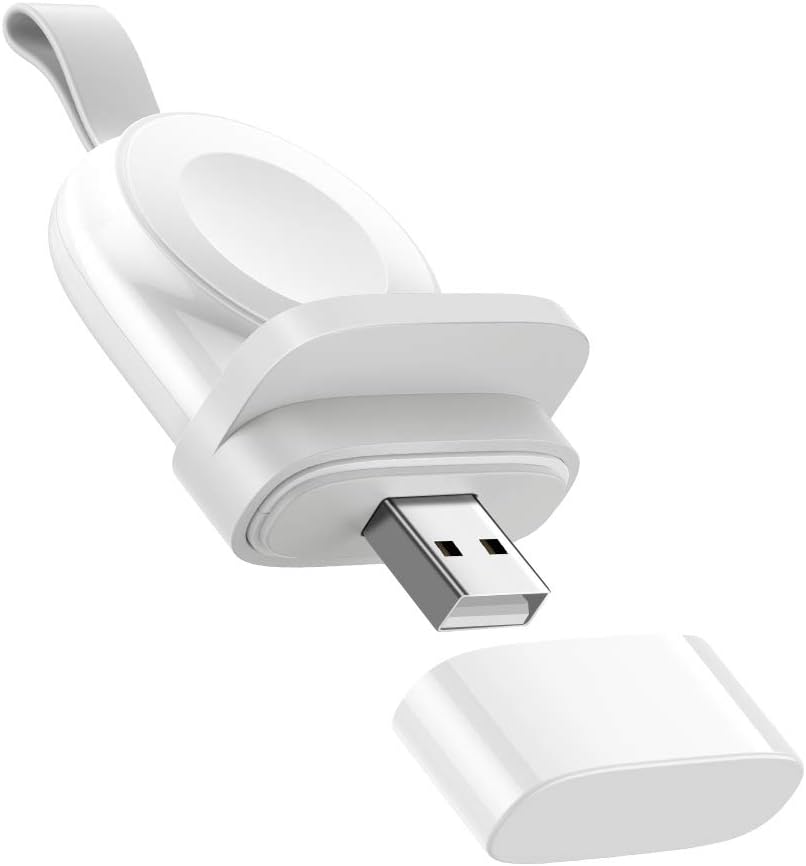
Image 3.1: The UGREEN Portable Wireless Magnetic Apple Watch Charger, showing its compact design and USB-A connector.

Image 3.2: A diagram illustrating the MFi certification and broad compatibility with various Apple Watch models, including Series 1 through 8 and SE.

Image 3.3: An exploded diagram illustrating the internal components and multiple protection layers of the charger, including over-current, over-voltage. ป้องกันไฟฟ้าลัดวงจร และอุณหภูมิเกิน
4. การตั้งค่า
- แกะ: นำที่ชาร์จออกจากบรรจุภัณฑ์อย่างระมัดระวัง
- ถอดฝาครอบ: Take off the protective cap from the USB-A connector.
- เชื่อมต่อกับพลังงาน: Insert the USB-A connector into a powered USB port (e.g., wall adapter, power bank, laptop, desktop computer). Ensure the power source provides sufficient output (e.g., 5V/2A for optimal charging).
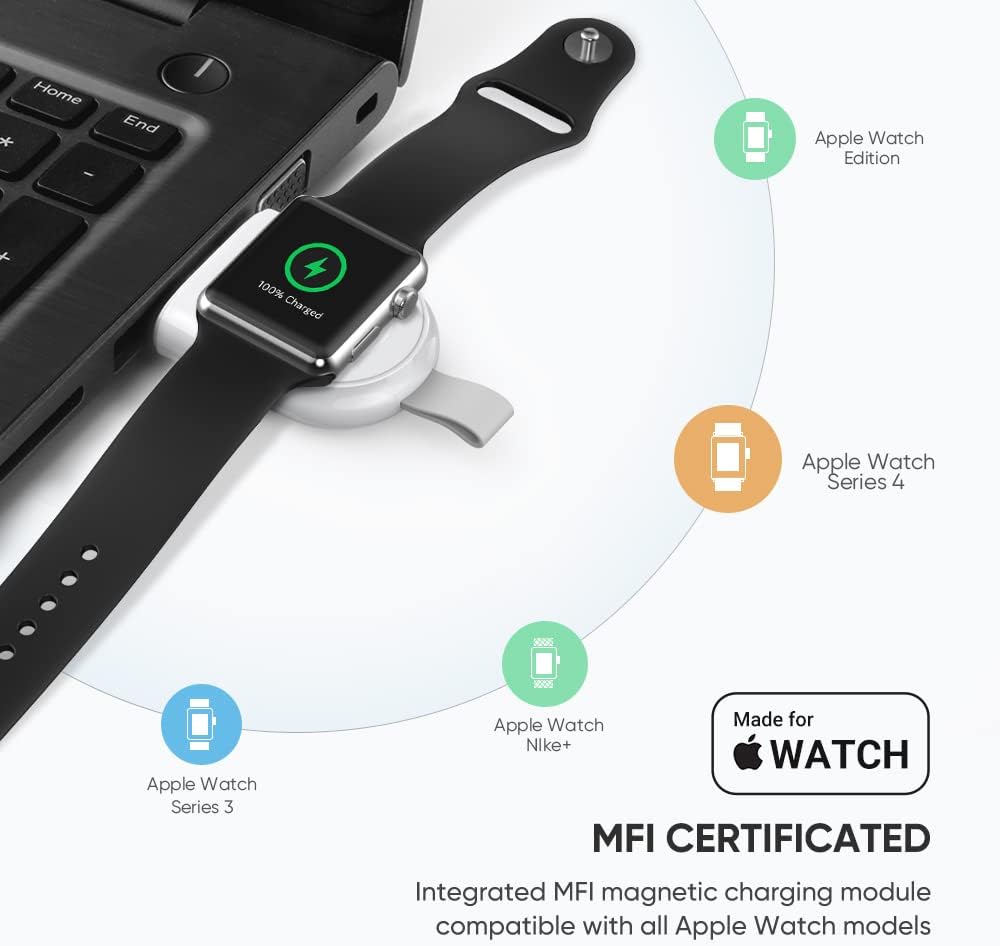
Image 4.1: An Apple Watch placed on the UGREEN portable charger, which is plugged into a laptop's USB port, demonstrating a typical setup.
5. คู่มือการใช้งาน
- วาง Apple Watch: Gently place your Apple Watch onto the magnetic charging module. The watch will automatically align and begin charging.
- ไฟแสดงสถานะการชาร์จ: Your Apple Watch screen will display a charging icon and battery percentage.
- เวลาในการชาร์จ: The charger is designed to fully charge your Apple Watch within approximately 2 hours, similar to the original charger.
- ปฐมนิเทศ: The charger can be used in various orientations depending on the USB port. If the watch hangs downwards, ensure it is securely attached to prevent accidental dislodgement. The included anti-slip component can help stabilize the watch if needed.

Image 5.1: An Apple Watch charging on the UGREEN portable charger, which is plugged into a wall outlet, illustrating the fast charging capability.
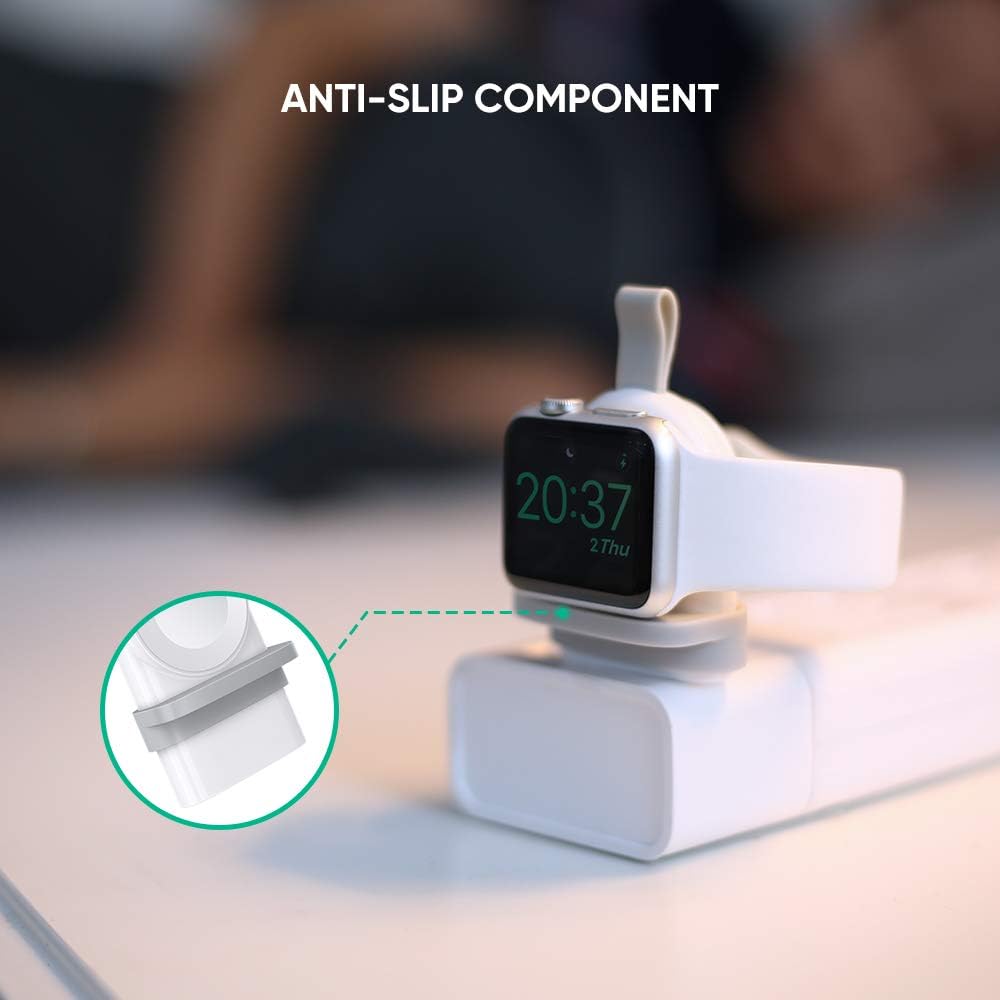
ภาพที่ 5.2: ภาพระยะใกล้ view of the anti-slip component on the UGREEN charger, designed to provide stability for the Apple Watch during charging.
Video 5.1: This video demonstrates the UGREEN Apple Watch Charger in use, showing how to connect it to a power source and place the Apple Watch for charging. It highlights the charger's portability and ease of use in various scenarios, including charging from a laptop, power strip, and power bank.
6. การบำรุงรักษา
- การทำความสะอาด: ใช้ผ้านุ่มและแห้งเช็ดทำความสะอาดเครื่องชาร์จ ห้ามใช้น้ำยาทำความสะอาดหรือสเปรย์
- พื้นที่จัดเก็บ: When not in use, store the charger in a cool, dry place. Replace the protective cap over the USB-A connector to prevent dust and damage.
- การจัดการ: หลีกเลี่ยงการทำที่ชาร์จตกหรือได้รับแรงกระแทกรุนแรง
7 การแก้ไขปัญหา
| ปัญหา | สาเหตุที่เป็นไปได้ | สารละลาย |
|---|---|---|
| Apple Watch ไม่ชาร์จ |
|
|
| ชาร์จช้า |
|
|
| เครื่องชาร์จจะรู้สึกอุ่นระหว่างการใช้งาน |
|
|
8. ข้อมูลจำเพาะ
| คุณสมบัติ | รายละเอียด |
|---|---|
| หมายเลขรุ่น | 50944 |
| ยี่ห้อ | ยูกรีน |
| เทคโนโลยีการเชื่อมต่อ | ไร้สาย, USB |
| ประเภทขั้วต่อ | USB Type A (Note: Product images and video show USB-A, despite some specifications listing USB Type C) |
| อุปกรณ์ที่รองรับ | Apple Watch Series 1/2/3/4/5/6/7/8/SE |
| คุณสมบัติพิเศษ | Portable, Magnetic Charger, Lightweight, Wireless, Travel |
| น้ำหนักสินค้า | 0.81 ออนซ์ |
| ขนาดแพ็คเกจ | 5.4 x 3.1 x 0.7 นิ้ว |
| Ampอีเรจ | 2 Amps |
| วัดtage | 10 วัตต์ |
| สี | สีขาว |
9. การรับประกันและการสนับสนุน
สำหรับข้อมูลการรับประกันหรือการสนับสนุนทางเทคนิค โปรดดูที่เว็บไซต์อย่างเป็นทางการของ UGREEN website or contact their customer service directly. Details can typically be found on the product packaging or the manufacturer's official channels.


