การแนะนำ
This manual provides essential information for the safe and efficient operation of your lightmaXX Vega Silent PAR I 14x 10W RGBWA LED PAR Spot. This LED PAR spot features 14x 10 Watt LEDs, RGBWA color mixing capabilities, and is designed for silent operation, making it suitable for various stage and event lighting applications. Please read this manual thoroughly before use and keep it for future reference.
การตั้งค่า
1. การแกะกล่อง
Carefully unpack the device and ensure all components are present and undamaged. Retain the original packaging for future transport or storage.
2. การติดตั้ง
The Vega Silent PAR I is equipped with a mounting bracket for flexible positioning. Ensure the fixture is securely mounted to a truss, stand, or other stable surface using appropriate clamps and safety cables. Always use a safety cable as a secondary attachment.

ภาพ: ด้านหน้า view of the lightmaXX Vega Silent PAR I LED PAR spot, showing the 14 LED lenses and the adjustable mounting bracket.

ภาพ: ด้านข้าง view of the lightmaXX Vega Silent PAR I, highlighting the robust heat sink design and the side adjustment knob for the mounting bracket.
3. การเชื่อมต่อไฟฟ้า
Connect the included power cable to the "POWER IN" socket on the rear panel of the fixture and then to a suitable power outlet. The fixture supports power linking via the "POWER OUT" socket for connecting multiple units.

Image: The included power cable, featuring an EU plug on one end and an IEC C13 connector for the fixture's power input.
4. การเชื่อมต่อ DMX (ไม่บังคับ)
For DMX control, connect a DMX controller to the "DMX IN" port using a 3-pin DMX cable. To daisy-chain multiple fixtures, connect the "DMX OUT" of the first fixture to the "DMX IN" of the next. Ensure the last fixture in the chain has a DMX terminator connected to its "DMX OUT" port.

Image: Rear panel of the lightmaXX Vega Silent PAR I, displaying the power input/output, DMX input/output, and the digital control display with navigation buttons.
คำแนะนำการใช้งาน
1. แผงควบคุมด้านบนview
The rear panel features a digital display and four control buttons: MENU, UP, DOWN, and ENTER. These buttons allow you to navigate through the fixture's settings and modes.

ภาพ: ระยะใกล้ view of the digital display and control buttons (MENU, UP, DOWN, ENTER) on the rear panel, used for configuring the PAR spot.
2. โหมดควบคุม DMX
To operate the fixture via DMX, set the DMX address using the control panel. Refer to the DMX channel chart (not provided in this manual, typically found in a separate DMX protocol document) for specific functions of each channel, including RGBWA color mixing, dimming, strobe, and built-in programs.
3. Standalone Modes
The fixture offers several standalone modes for operation without a DMX controller:
- โหมดอัตโนมัติ: Cycles through pre-programmed light shows. Use the UP/DOWN buttons to select different auto programs or adjust speed.
- โหมดใช้งานเสียง: The fixture reacts to sound via its built-in microphone. Adjust sensitivity using the control panel.
- โหมดสีคงที่: Select a fixed color by adjusting the intensity of Red, Green, Blue, White, and Amber LEDs.

Image: The lightmaXX Vega Silent PAR I projecting a vibrant red light beam, demonstrating its color output capabilities.
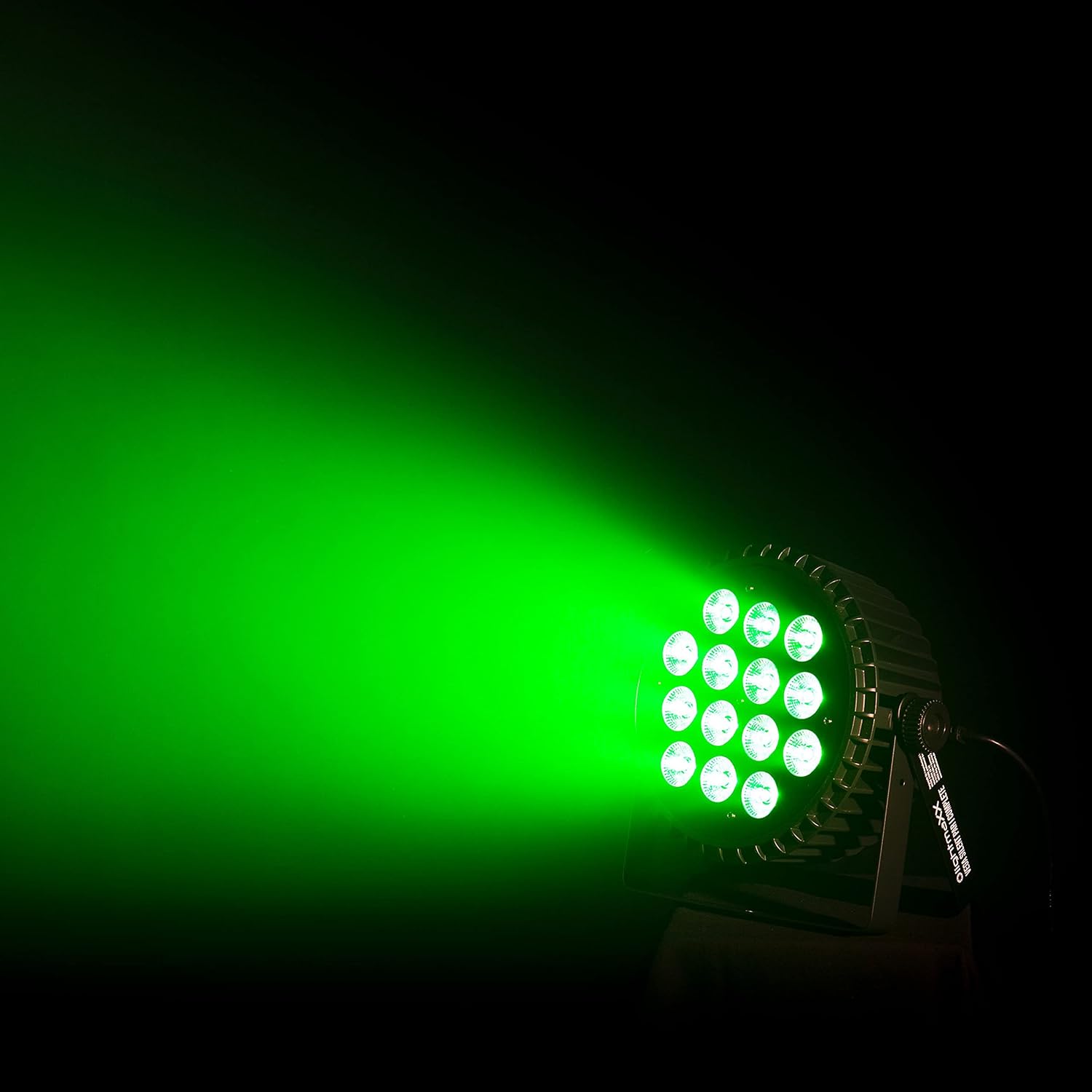
Image: The lightmaXX Vega Silent PAR I projecting a bright green light beam, showcasing another aspect of its RGBWA color mixing.
การซ่อมบำรุง
1. การทำความสะอาด
Regular cleaning of the lens and housing is recommended to ensure optimal light output and prevent overheating. Use a soft, lint-free cloth and a mild cleaning solution. Do not use abrasive cleaners or solvents.
2. การจัดเก็บ
When not in use, store the fixture in its original packaging or a suitable flight case in a dry, dust-free environment.
3. การตรวจสอบความปลอดภัย
ตรวจสอบสายไฟ สาย DMX และอุปกรณ์ยึดติดตั้งเป็นระยะๆ เพื่อดูว่ามีร่องรอยการสึกหรอหรือความเสียหายหรือไม่ เปลี่ยนชิ้นส่วนที่เสียหายทันที
การแก้ไขปัญหา
| ปัญหา | สาเหตุที่เป็นไปได้ | สารละลาย |
|---|---|---|
| อุปกรณ์ไม่เปิดใช้งาน | ไม่มีไฟเลี้ยง; สายไฟชำรุด; ฟิวส์ขาด. | Check power connection; test cable; replace fuse (if accessible and safe). |
| ไม่มีแสงเอาท์พุต | Dimmer at zero; incorrect mode; DMX signal issue. | Increase dimmer level; select appropriate mode; check DMX connections and address. |
| โคมไฟไม่ตอบสนองต่อสัญญาณ DMX | Incorrect DMX address; faulty DMX cable; no DMX signal. | Verify DMX address; test/replace DMX cable; ensure DMX controller is sending signal. |
| Unexpected behavior. | Interference; software glitch. | Restart the fixture; ensure proper grounding; consult support if issue persists. |
ข้อมูลจำเพาะ
| คุณสมบัติ | รายละเอียด |
|---|---|
| ยี่ห้อ | ไลท์แมกซ์XX |
| แบบอย่าง | Vega Silent PAR I 14x 10W RGBWA |
| ประเภทแหล่งกำเนิดแสง | LED (14x 10W RGBWA) |
| ขนาดสินค้า | 30 x 30 x 25.5 ซม. |
| น้ำหนักสินค้า | 3.22 กิโลกรัม |
| ผู้ผลิต | ไลท์แมกซ์XX |
| การอ้างอิงผู้ผลิต | LIG0015757-000 |
| ASIN | B07KXRFX2H |
| วันที่พร้อมใช้งานครั้งแรก | 28 พฤศจิกายน 2018 |
| ประเทศต้นกำเนิด | ประเทศเยอรมนี |
| ฉลากพลังงานของสหภาพยุโรป | G |
| รับประกันการอัปเดตซอฟต์แวร์จนถึง | ไม่ทราบ |
การรับประกันและการสนับสนุน
สำหรับข้อมูลการรับประกันและการสนับสนุนทางเทคนิค โปรดดูเอกสารที่แนบมากับสินค้าที่ซื้อ หรือติดต่อผู้ค้าปลีกของคุณ โปรดเก็บหลักฐานการซื้อไว้เพื่อใช้ในการเรียกร้องการรับประกัน


