1. บทนำ
This manual provides essential information for the proper setup, operation, and maintenance of your Eyeclops Digital Microscope & Camera. This device allows you to magnify objects up to 800 times, capture images, and record videos, making it suitable for exploring the microscopic world both indoors and outdoors.
อะไรอยู่ในกล่อง:
- 1 EyeClops Digital Microscope & Camera with built-in color screen
- สาย USB 1 เส้น
- 1 512MB MicroSD Card
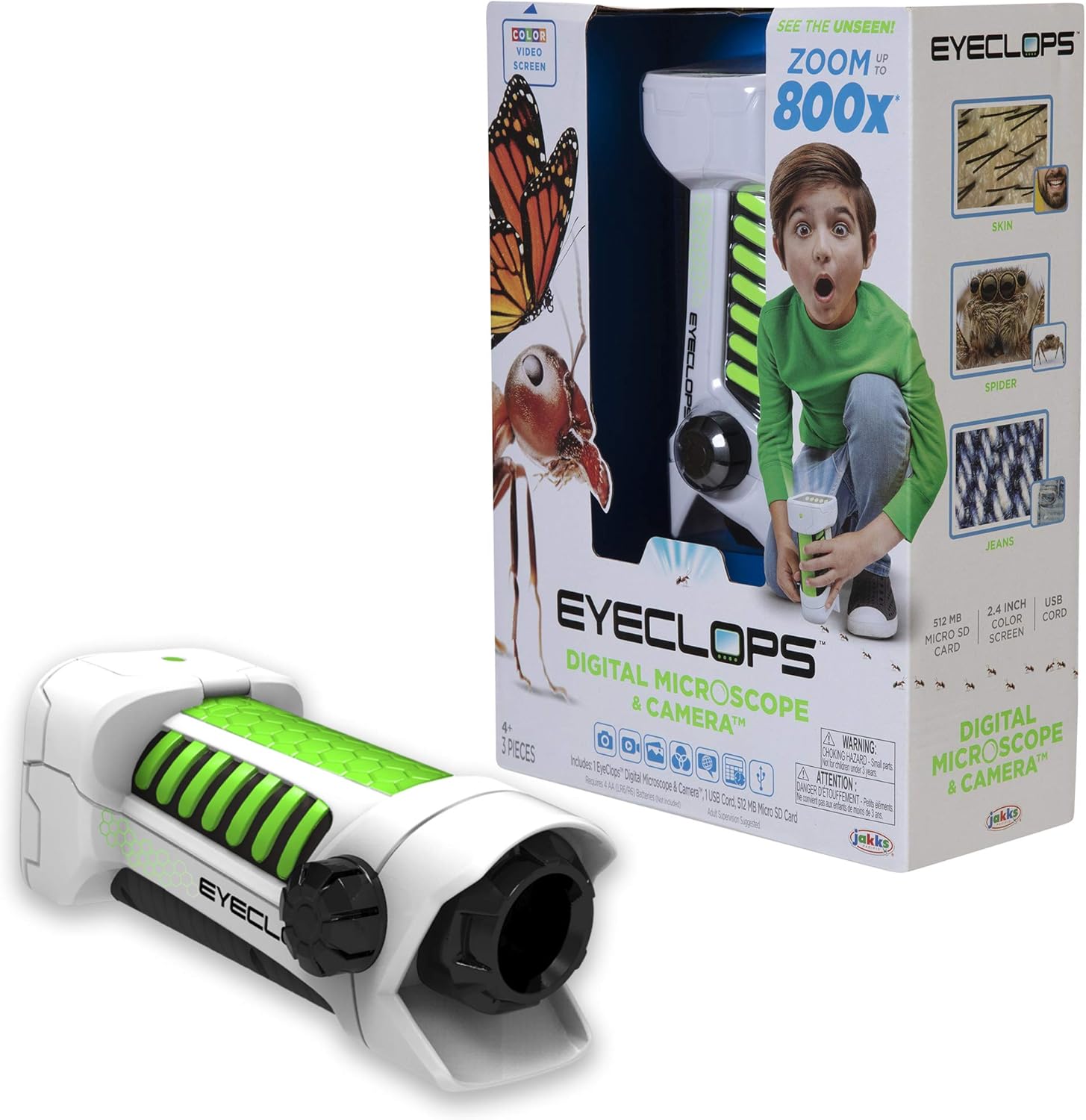
ภาพที่ 1.1: The Eyeclops Digital Microscope & Camera with its retail packaging. This image displays the device alongside its box, highlighting its compact design and the included accessories like the MicroSD card and USB cable.
2. ข้อมูลด้านความปลอดภัย
โปรดอ่านและทำความเข้าใจข้อควรระวังด้านความปลอดภัยต่อไปนี้ก่อนใช้งานอุปกรณ์:
- อันตรายจากการสำลัก: This product contains small parts and is not suitable for children under 3 years of age. Adult supervision is recommended for all users, especially younger children.
- ความปลอดภัยของแบตเตอรี่: Use only the specified battery type (4 AA batteries). Ensure correct polarity when inserting batteries. Do not mix old and new batteries, or different types of batteries. Remove batteries if the device will not be used for an extended period.
- สภาพแวดล้อม : หลีกเลี่ยงการสัมผัสอุปกรณ์กับอุณหภูมิที่สูงหรือต่ำเกินไป แสงแดดโดยตรง หรือความชื้น
3. การตั้งค่า
3.1 การติดตั้งแบตเตอรี่
- หาฝาปิดช่องใส่แบตเตอรี่บนอุปกรณ์
- ใช้ไขควงขนาดเล็กเปิดช่องใส่แบตเตอรี่
- Insert 4 AA batteries, ensuring the correct positive (+) and negative (-) polarity as indicated inside the compartment.
- ใส่ฝาปิดช่องใส่แบตเตอรี่และขันให้แน่นด้วยสกรู
3.2 การใส่การ์ด MicroSD
- ค้นหาช่องเสียบการ์ด MicroSD ที่ด้านข้างของอุปกรณ์
- Gently insert the included 512MB MicroSD card into the slot until it clicks into place. Ensure the card is oriented correctly.
- To remove the card, gently push it inward until it springs out.
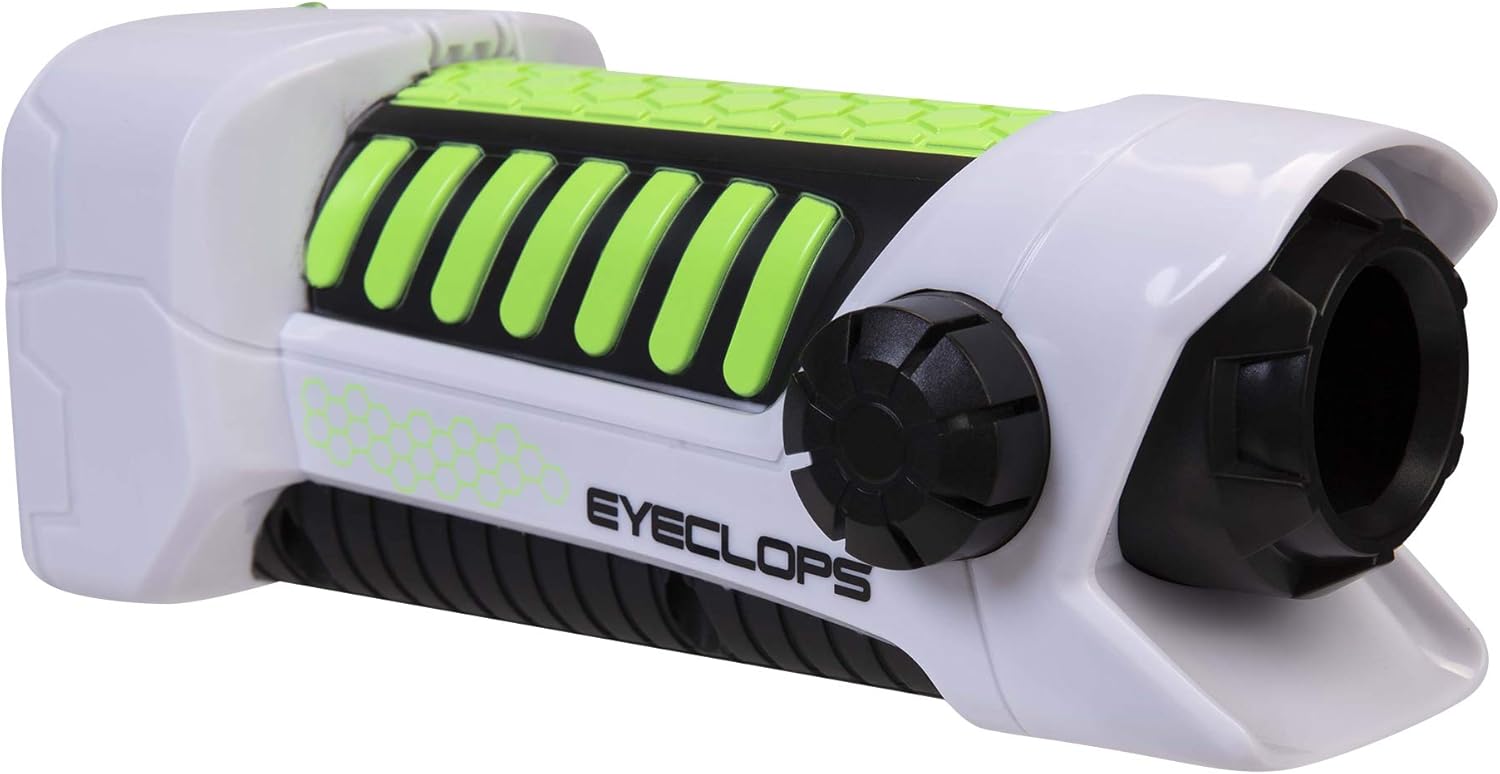
ภาพที่ 3.1: ด้านหนึ่ง view of the Eyeclops Digital Microscope, illustrating the general shape and location of external features such as the focus knob and lens. This view helps in identifying the MicroSD card slot and battery compartment.
4. คู่มือการใช้งาน
4.1 การเปิด/ปิดเครื่อง
- To power on the device, press and hold the Power button (usually located near the screen or grip).
- หากต้องการปิดเครื่อง ให้กดปุ่มเปิด/ปิดค้างไว้จนกว่าหน้าจอจะดับลง
4.2 Focusing and Zoom
- Point the lens of the microscope at the object you wish to observe.
- ปรับแต่ง ปุ่มปรับโฟกัส (typically located on the side of the device) until the image on the 2.4-inch color screen appears clear.
- The device offers up to 800x magnification. The zoom level can be adjusted using dedicated zoom buttons (often marked with '+' and '-' symbols) or by moving the device closer to or further from the object.
4.3 Taking Pictures and Recording Video
- เมื่อโฟกัสแล้วให้กดปุ่ม ปุ่มกล้อง (often indicated by a camera icon) to capture a still image.
- To record video, press the ปุ่มวิดีโอ (often indicated by a video camera icon). Press it again to stop recording.
- All captured images and videos are saved to the inserted MicroSD card.
4.4 Using as a Regular Camera
The Eyeclops Digital Microscope can also function as a regular camera. To use this feature, turn off the zoom function or adjust the focus for standard distance photography. This allows for capturing broader scenes or objects without extreme magnification.
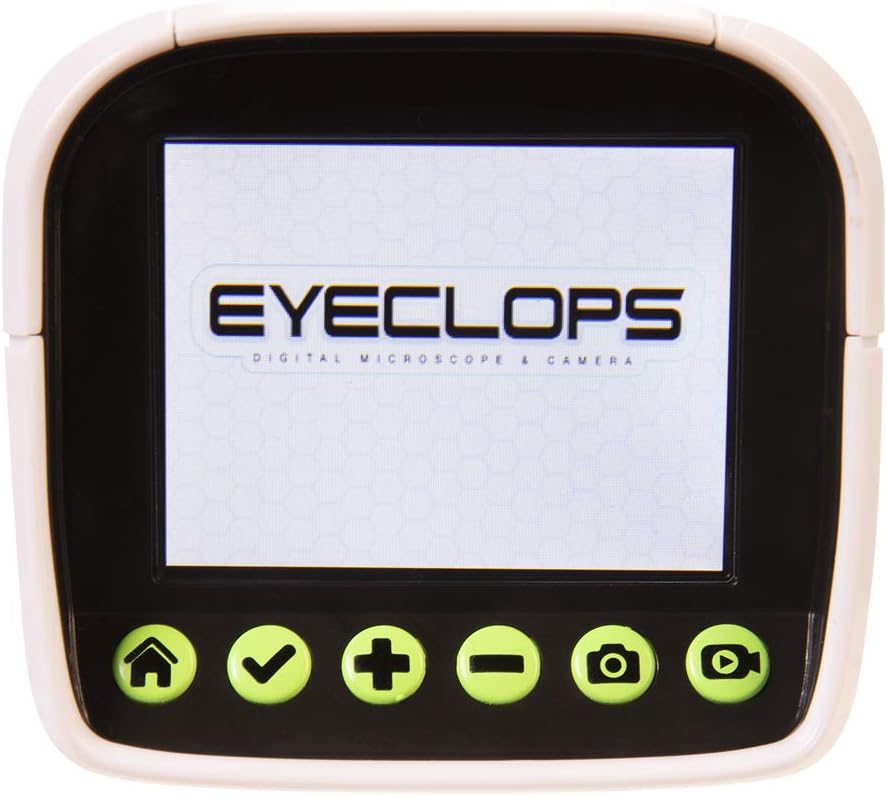
ภาพที่ 4.1: รายละเอียด view of the Eyeclops Digital Microscope's 2.4-inch color screen and its control buttons. The buttons typically include Home, Select/Confirm, Zoom In (+), Zoom Out (-), Camera, and Video functions.

ภาพที่ 4.2: A child actively using the Eyeclops Digital Microscope to observe a small object, demonstrating the handheld operation and the visual engagement with the magnified view.
5. การโอนข้อมูล
5.1 การโอนย้าย Fileผ่าน USB
- Connect the Eyeclops Digital Microscope to your Windows PC or Mac using the provided USB cable.
- The device should appear as a removable storage device on your computer.
- Navigate to the device's storage or the MicroSD card folder to access your pictures and videos.
- คัดลอกที่ต้องการ fileไปที่คอมพิวเตอร์ของคุณ
5.2 การโอนย้าย Files via MicroSD Card Reader
Alternatively, you can remove the MicroSD card from the microscope and insert it into a compatible card reader connected to your computer to transfer files.
6. การบำรุงรักษา
- การทำความสะอาด: Use a soft, dry cloth to clean the exterior of the device. For the lens and screen, use a specialized lens cleaning cloth and solution to avoid scratches. Do not use abrasive cleaners or solvents.
- พื้นที่จัดเก็บ: Store the microscope in a cool, dry place away from direct sunlight and extreme temperatures. Remove batteries if storing for extended periods to prevent leakage.
- การป้องกันเลนส์: The lens is designed to be slightly inset to prevent accidental touching. Avoid poking or scratching the lens.
7 การแก้ไขปัญหา
- อุปกรณ์ไม่เปิด:
- ตรวจสอบว่าใส่แบตเตอรี่ถูกต้องและขั้วถูกต้องหรือไม่
- เปลี่ยนแบตเตอรี่ AA ใหม่
- Blurry images/difficulty focusing:
- Ensure you are adjusting the Focus Knob slowly and precisely.
- Maintain a steady hand or place the object on a stable surface to minimize movement during observation or capture.
- Clean the lens if it appears smudged or dirty.
- ไม่สามารถโอนได้ fileกับคอมพิวเตอร์:
- ตรวจสอบให้แน่ใจว่าได้เสียบสาย USB เข้ากับกล้องจุลทรรศน์และคอมพิวเตอร์อย่างแน่นหนาแล้ว
- ลองใช้พอร์ต USB อื่นบนคอมพิวเตอร์ของคุณ
- Verify that the MicroSD card is properly inserted into the microscope.
- If issues persist, try using an external MicroSD card reader.
- ข้อผิดพลาดของการ์ด MicroSD:
- โปรดตรวจสอบให้แน่ใจว่าเสียบการ์ดถูกต้องแล้ว
- Try reformatting the card (this will erase all data, so back up first).
- If the problem continues, the card may be faulty and require replacement.
8. ข้อมูลจำเพาะ
| คุณสมบัติ | ข้อมูลจำเพาะ |
|---|---|
| หมายเลขรุ่น | 652331 |
| กำลังขยายสูงสุด | 800 เท่า |
| หน้าจอในตัว | หน้าจอสีขนาด 2.4 นิ้ว |
| พื้นที่จัดเก็บ | 512MB MicroSD Card (included) |
| การเชื่อมต่อ | ยูเอสบี |
| แหล่งพลังงาน | แบตเตอรี่ AA 4 ก้อน (ไม่รวม) |
| ขนาดสินค้า | 9 x 3.5 x 11 นิ้ว (22.86 x 8.89 x 27.94 ซม.) |
| น้ำหนักสินค้า | 14.8 ออนซ์ (420 กรัม) |
| อายุที่แนะนำ | 6 - 9 ปี |
| ผู้ผลิต | บริษัท แจ๊กส์ แปซิฟิค อิงค์ |
9. ข้อมูลการรับประกัน
For detailed warranty information, please refer to the documentation included with your product at the time of purchase or visit the official Eyeclops or Jakks Pacific Inc. webไซต์ เงื่อนไขการรับประกันโดยทั่วไปครอบคลุมถึงข้อบกพร่องในการผลิตเป็นระยะเวลาหนึ่งนับจากวันที่ซื้อ
10. การสนับสนุน
If you encounter issues not covered in this manual or require further assistance, please contact the manufacturer's customer support. Contact information can usually be found on the product packaging or the official Jakks Pacific Inc. webเว็บไซต์.
