1. บทนำ
This manual provides detailed instructions for the safe and efficient operation of your Pyramid Universal Compact Bench Power Supply, model PS12KX.5. This linear regulated power supply is designed to convert 115V AC input to a constant 13.8V DC output, providing up to 10 amps continuous and 12 amps surge current. It is suitable for various applications including powering cellular phones, CB radios, scanners, and HAM radios.
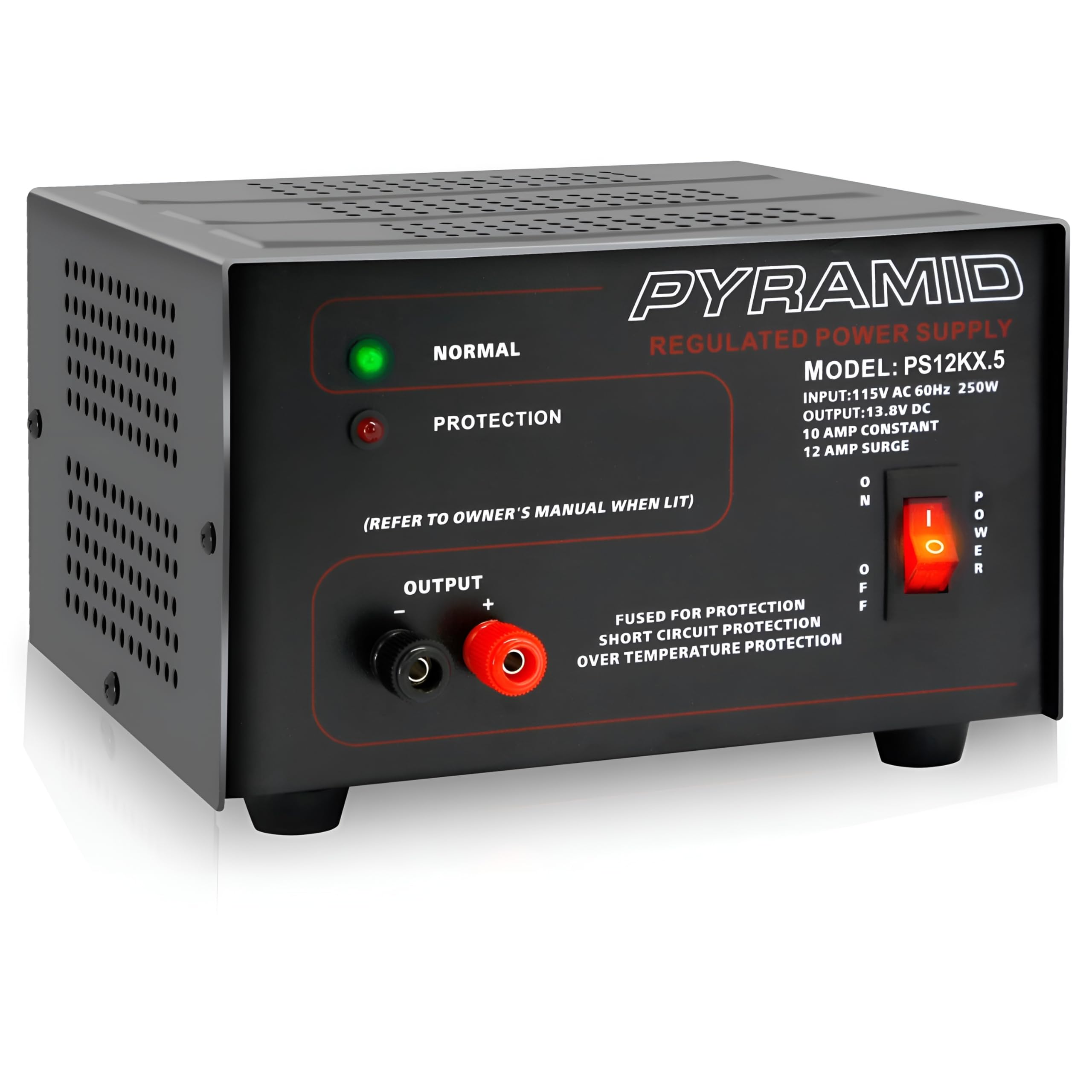
ภาพที่ 1.1: ด้านหน้า view of the Pyramid PS12KX.5 Bench Power Supply.
สำหรับการมองเห็นมากกว่าview สำหรับรายละเอียดเพิ่มเติมเกี่ยวกับผลิตภัณฑ์ โปรดชมวิดีโอต่อไปนี้:
วิดีโอ 1.1: ผลิตภัณฑ์อย่างเป็นทางการเสร็จสิ้นview of the Pyramid Universal Compact Bench Power Supply.
2. คำแนะนำด้านความปลอดภัยที่สำคัญ
- อ่านคำแนะนำทั้งหมด: Before operating the power supply, read and understand all safety and operating instructions.
- ใช้ในร่มเท่านั้น: This unit is designed for indoor use in dry locations. Do not expose it to rain or moisture.
- การระบายอากาศที่เหมาะสม: Ensure adequate ventilation around the unit. Do not block ventilation openings. The built-in cooling fan requires clear airflow.
- แหล่งพลังงาน : Connect the power supply only to a 115V AC, 60Hz outlet.
- การต่อลงดิน: ตรวจสอบให้แน่ใจว่าสายไฟต่อลงดินอย่างถูกต้อง
- หลีกเลี่ยงการโอเวอร์โหลด: Do not exceed the rated output current of 10 ampต่อเนื่องหรือ 12 amps surge. Overloading can cause damage to the unit and connected devices.
- การป้องกันไฟฟ้าลัดวงจร: The unit features electronic overload and short circuit protection. In case of a short circuit, the unit will automatically protect itself. Remove the short and cycle the power to reset.
- อุณหภูมิ: Do not operate the unit in excessively hot environments. The internal cooling fan helps manage temperature.
- การบริการ: อย่าพยายามซ่อมบำรุงเครื่องนี้ด้วยตนเอง แนะนำให้ช่างผู้ชำนาญการเป็นผู้ซ่อมบำรุงทุกครั้ง
3. สินค้าหมดview
3.1 แผงด้านหน้า
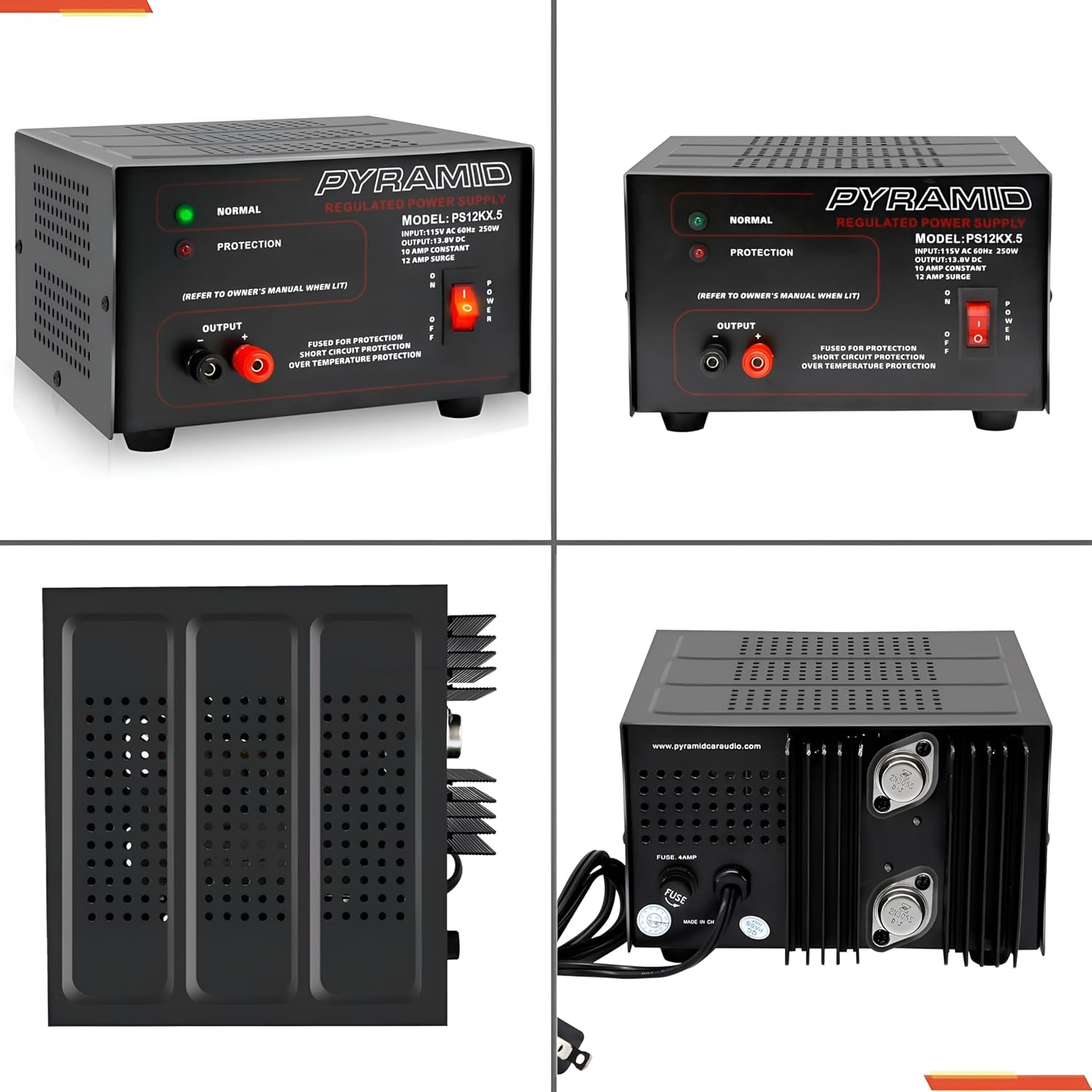
ภาพที่ 3.1: รายละเอียด view ของแผงด้านหน้า
- NORMAL LED (Green): Illuminates when the power supply is operating normally.
- PROTECTION LED (Red): Illuminates when the unit enters protection mode due to overload, short circuit, or over-temperature.
- OUTPUT Terminals: Red (+) for positive, Black (-) for negative DC output. These are screw-type terminals for secure connections.
- สวิตช์เพาเวอร์: Toggles the unit ON/OFF.
3.2 แผงด้านหลัง
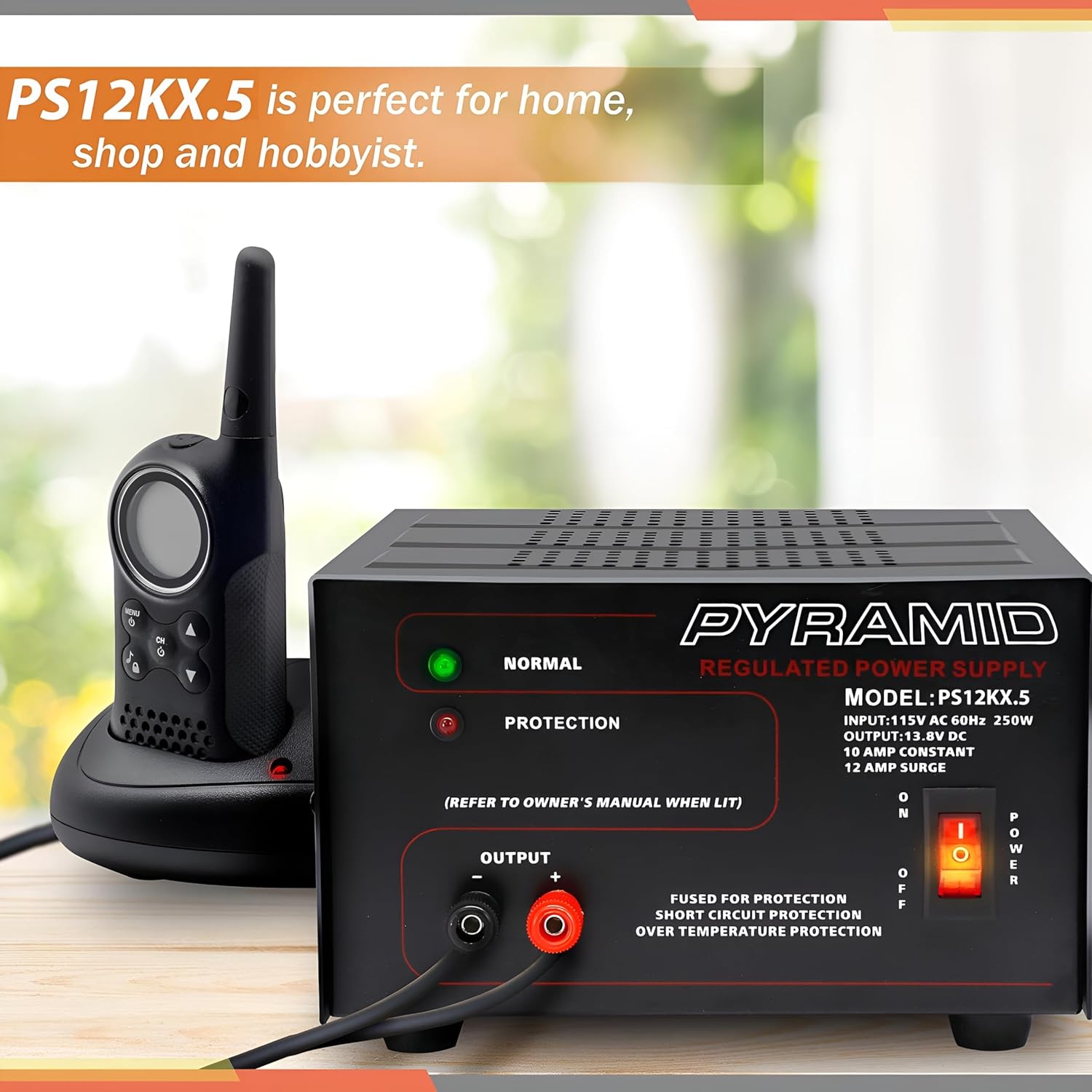
ภาพที่ 3.2: รายละเอียด view of the rear panel.
- อินพุตไฟฟ้ากระแสสลับ: Standard 3-prong AC power cord connection.
- พัดลมระบายความร้อน: ระบบจะทำงานโดยอัตโนมัติเพื่อระบายความร้อนระหว่างการใช้งาน
- ฟิวส์: Provides additional protection. Refer to specifications for fuse rating.
4. การตั้งค่า
- การจัดวาง: Place the power supply on a stable, flat surface. Ensure there is sufficient space around the unit for proper ventilation, especially around the side and rear cooling vents.
- การเชื่อมต่อไฟฟ้ากระแสสลับ: Ensure the power supply's ON/OFF switch is in the OFF position. Connect the supplied AC power cord to the AC input on the rear panel of the power supply, then plug the other end into a standard 115V AC, 60Hz wall outlet.
- DC Load Connection: Identify the positive (+) and negative (-) terminals on your DC device. Using appropriate gauge wire, connect the positive wire from your device to the RED (+) output terminal on the power supply. Connect the negative wire from your device to the BLACK (-) output terminal. Ensure all connections are tight and secure to prevent arcing or poor contact.
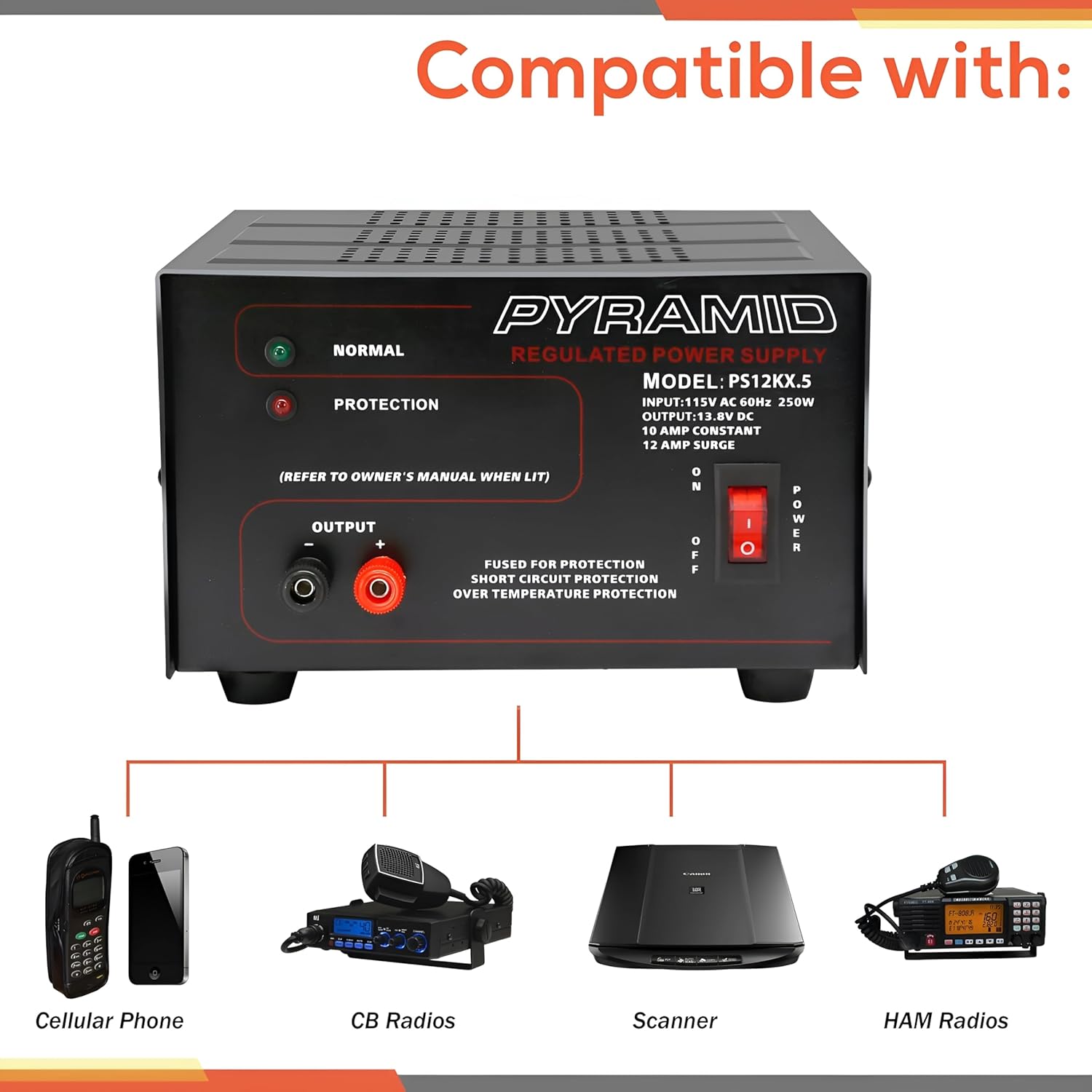
ภาพที่ 4.1: ด้านข้าง view illustrating cooling vents.
5. คู่มือการใช้งาน
- เปิดเครื่อง: After ensuring all connections are secure, flip the POWER switch on the front panel to the ON position. The green NORMAL LED should illuminate, indicating normal operation.
- การติดตาม: Observe the NORMAL LED. If the red PROTECTION LED illuminates, the unit has entered protection mode. Refer to the Troubleshooting section for guidance.
- หมดแรง: To turn off the power supply, flip the POWER switch to the OFF position. Disconnect the DC load if the device will not be used for an extended period.
6. การบำรุงรักษา
- การทำความสะอาด: Keep the power supply clean and free of dust. Use a soft, dry cloth for cleaning. Do not use liquid cleaners or aerosols.
- การระบายอากาศ : Regularly check that the cooling fan and ventilation openings are not obstructed by dust or debris. Blocked vents can lead to overheating.
- การเปลี่ยนฟิวส์: If the unit fails to power on and the fuse is suspected, disconnect the AC power cord and replace the fuse on the rear panel with one of the identical type and rating (refer to Specifications).
This section outlines common issues and their potential solutions. If you encounter a problem not listed here, or if the suggested solutions do not resolve the issue, contact customer support.
| ปัญหา | สาเหตุที่เป็นไปได้ | สารละลาย |
|---|---|---|
| No power, no LEDs illuminated. | Unit not plugged in; AC outlet faulty; Power switch OFF; Blown fuse. | Check AC power cord connection; Test AC outlet; Ensure Power switch is ON; Check and replace fuse if necessary (refer to Maintenance). |
| Red PROTECTION LED is illuminated. | Overload; Short circuit at output; Over-temperature. | Reduce load current; Check for short circuits at output terminals; Ensure adequate ventilation and allow unit to cool. Cycle power to reset. |
| No DC output, but NORMAL LED is on. | Loose DC output connections; Faulty DC device. | Check and tighten DC output terminal connections; Test DC device with another power source if possible. |
| Unit feels excessively hot. | ช่องระบายอากาศอุดตัน; โหลดเกินพิกัด | Ensure cooling fan and vents are clear; Reduce load current. |
8. ข้อมูลจำเพาะ
| คุณสมบัติ | ข้อมูลจำเพาะ |
|---|---|
| แบบอย่าง | PS12KX.5 |
| อินพุต Voltage | 115V AC, 60Hz, |
| ปริมาณการส่งออกtage | 13.8V DC (Fixed) |
| กระแสไฟขาออก (ต่อเนื่อง) | 10 Amps |
| Output Current (Surge) | 12 Amps |
| เอาท์พุต วัดtage | 250 วัตต์ |
| การออกแบบแหล่งจ่ายไฟ | Linear / Regulated |
| เทอร์มินัล | ประเภทสกรู |
| วิธีการทำความเย็น | Air (Built-in Fan) |
| การป้องกัน | Electronic Overload, Short Circuit, Over-Temperature, Fuse Protected |
| ขนาด (กว้าง x ยาว x สูง) | 7.9 x 7.2 x 4.7 นิ้ว |
| น้ำหนัก | 8.73 ปอนด์ |
| สี | สีดำ |
9. การรับประกันและการสนับสนุน
Pyramid products are designed for reliability and performance. This product is covered by a limited manufacturer's warranty against defects in materials and workmanship under normal use. Please retain your proof of purchase for warranty claims.
For technical support, warranty inquiries, or service, please contact Pyramid customer service. Contact information can typically be found on the manufacturer's webเว็บไซต์หรือรวมอยู่ในบรรจุภัณฑ์ของผลิตภัณฑ์
ผู้ผลิต: พีระมิด
Webเว็บไซต์: เยี่ยมชมร้าน Pyramid Store บน Amazon


