1. บทนำ
This manual provides detailed instructions for the operation and maintenance of your AUNA Worldwide Internet Radio. Please read this manual thoroughly before using the device to ensure proper function and to prevent damage. Keep this manual for future reference.
The AUNA Worldwide Internet Radio is a versatile audio system featuring Internet Radio, DAB/DAB+ and FM tuners, a CD player, Bluetooth connectivity, USB playback, and AUX input. It offers a wide range of listening options and convenient control features.
2. คำแนะนำด้านความปลอดภัย
- อ่านคำแนะนำทั้งหมดก่อนใช้งานอุปกรณ์
- อย่าวางอุปกรณ์ไว้ในที่ที่มีฝนหรือความชื้น เพื่อป้องกันไฟไหม้หรือไฟฟ้าช็อต
- ตรวจสอบให้แน่ใจว่ามีการระบายอากาศที่เหมาะสม อย่าปิดกั้นช่องระบายอากาศใดๆ
- วางอุปกรณ์บนพื้นผิวเรียบและมั่นคง
- ใช้เฉพาะอะแดปเตอร์แปลงไฟที่ให้มากับเครื่องเท่านั้น
- ถอดปลั๊กอุปกรณ์ในระหว่างที่มีพายุฝนฟ้าคะนองหรือเมื่อไม่ได้ใช้งานเป็นเวลานาน
- Do not attempt to repair the device yourself. Refer all servicing to qualified personnel.
3. เนื้อหาบรรจุภัณฑ์
โปรดตรวจสอบว่าสินค้าทั้งหมดมีอยู่และอยู่ในสภาพดี:
- 1 x AUNA Worldwide Internet Radio Unit
- อะแดปเตอร์ไฟฟ้า 1 ตัว
- 1 x รีโมทคอนโทรล
- 1 x User Manual (German, English, French)
4. สินค้าหมดview
The AUNA Worldwide Internet Radio features a sleek design with intuitive controls and a clear LCD display.

ภาพที่ 4.1: ด้านหน้า view of the AUNA Worldwide Internet Radio, showcasing the central LCD display, control knobs, buttons for various functions (USB, Audio In, Mode, Scan, Stop, Tuning, Back), and the CD slot. Two speaker grilles are visible on either side.

ภาพที่ 4.2: A close-up of the radio's LCD display, showing 'Internet Radio' mode with 'Burn FM' and 'AIM - Wicked Game' displayed. The volume knob and 'SELECT' button are prominent, along with power and mode buttons.
4.1 แผงควบคุมด้านหน้า
- ปุ่มเปิด/ปิด: Turns the unit on/off or into standby mode.
- จอแสดงผล LCD: Shows current mode, station information, time, and date.
- ปุ่มปรับระดับเสียง: ปรับระดับเอาต์พุตเสียง
- Select Knob/Button: นำทางเมนูและยืนยันการเลือก
- พอร์ต USB (5V 1A): For connecting USB storage devices and charging.
- AUDIO IN (3.5mm AUX): สำหรับเชื่อมต่อแหล่งเสียงภายนอก
- ปุ่มโหมด: Switches between different operating modes (Internet Radio, DAB, FM, CD, Bluetooth, USB, AUX).
- ปุ่มสแกน: Initiates station scanning in radio modes.
- Stop/Play/Pause Buttons: Controls playback for CD, USB, and Bluetooth.
- Tuning/Skip Buttons: Navigates through stations or tracks.
- ปุ่มย้อนกลับ: กลับไปยังเมนูหรือหน้าจอก่อนหน้า
- ปุ่มข้อมูล: Displays additional information about the current track or station.
- ปุ่มเมนู: Accesses the main system menu.
4.2 การเชื่อมต่อแผงด้านหลัง
- DC IN: การเชื่อมต่ออะแดปเตอร์ไฟ
- เสาอากาศยืดไสลด์: For DAB/DAB+ and FM reception.
5. การตั้งค่า
5.1 การเชื่อมต่อสายไฟ
- Connect the supplied power adapter to the DC IN port on the rear of the radio.
- Plug the power adapter into a standard wall outlet (220-240V ~ | 50/60Hz).
- Press the Power button on the front panel to turn on the device.
5.2 การตั้งค่าเสาอากาศ
Extend the telescopic antenna fully for optimal DAB/DAB+ and FM radio reception. Adjust its position to improve signal strength if needed.
5.3 การเชื่อมต่อเครือข่าย (Wi-Fi)
To access Internet Radio and Spotify Connect, the device requires a Wi-Fi connection.
- Upon first power-on, the radio will guide you through the initial setup, including Wi-Fi configuration.
- Alternatively, navigate to Menu > System Settings > Network > Wi-Fi Setup.
- อุปกรณ์จะสแกนหาเครือข่าย Wi-Fi ที่ใช้งานได้ เลือกเครือข่ายของคุณจากรายการ
- Enter your Wi-Fi password using the Select knob and buttons.
- เมื่อเชื่อมต่อแล้ว ไอคอน Wi-Fi จะปรากฏบนหน้าจอแสดงผล

ภาพที่ 5.1: A hand holding a smartphone with a Wi-Fi symbol, illustrating the wireless connectivity feature of the AUNA radio, which allows for remote control via an app.
6. คู่มือการใช้งาน
6.1 การควบคุมขั้นพื้นฐาน
- เปิด/ปิดเครื่อง: กดปุ่มเปิด/ปิด
- การปรับระดับเสียง: หมุนปุ่มปรับระดับเสียง
- การเลือกโหมด: Press the Mode button repeatedly to cycle through available sources (Internet Radio, DAB, FM, CD, Bluetooth, USB, AUX).
- การนำทางเมนู: Use the Select knob to scroll and press to confirm. Use the Back button to return.
6.2 วิทยุอินเทอร์เน็ต
Access thousands of radio stations from around the world via your Wi-Fi connection.
- Select 'Internet Radio' mode using the Mode button.
- Navigate through categories (e.g., Location, Genre, Popular) using the Select knob.
- เลือกสถานีเพื่อเริ่มเล่น
6.3 วิทยุ DAB/DAB+
Enjoy digital radio broadcasts with clear sound quality.
- Select 'DAB' mode.
- The radio will automatically scan for available DAB/DAB+ stations on first use or if you initiate a scan via the Menu.
- Use the Tuning/Skip buttons to browse through the station list.
6.4 วิทยุ FM
Tune into traditional analog FM broadcasts.
- เลือกโหมด 'FM'
- Press the Scan button to automatically search for and store available stations.
- Use the Tuning/Skip buttons for manual tuning or to navigate stored stations.
- The RDS function provides additional information like station name and program details.
เครื่องเล่นซีดี 6.5
Play your favorite audio CDs and MP3 CDs.

ภาพที่ 6.1: A close-up of the AUNA Worldwide Internet Radio, showing a CD being inserted into the slot-loading CD player, highlighting its capability to play physical media.
- Select 'CD' mode.
- Insert an audio CD or MP3 CD into the slot. The disc will be loaded automatically.
- Playback will start automatically. Use the Play/Pause, Stop, and Skip buttons to control playback.
6.6 การเชื่อมต่อบลูทูธ
สตรีมเสียงแบบไร้สายจากอุปกรณ์ที่รองรับบลูทูธของคุณ
- Select 'Bluetooth' mode. The radio will enter pairing mode, indicated on the display.
- On your smartphone, tablet, or other Bluetooth device, enable Bluetooth and search for 'AUNA Worldwide'.
- Select the radio from your device's list to pair. Once connected, you can stream audio.
6.7 การเล่น USB
เล่น MP3 และ WMA fileจากอุปกรณ์เก็บข้อมูล USB
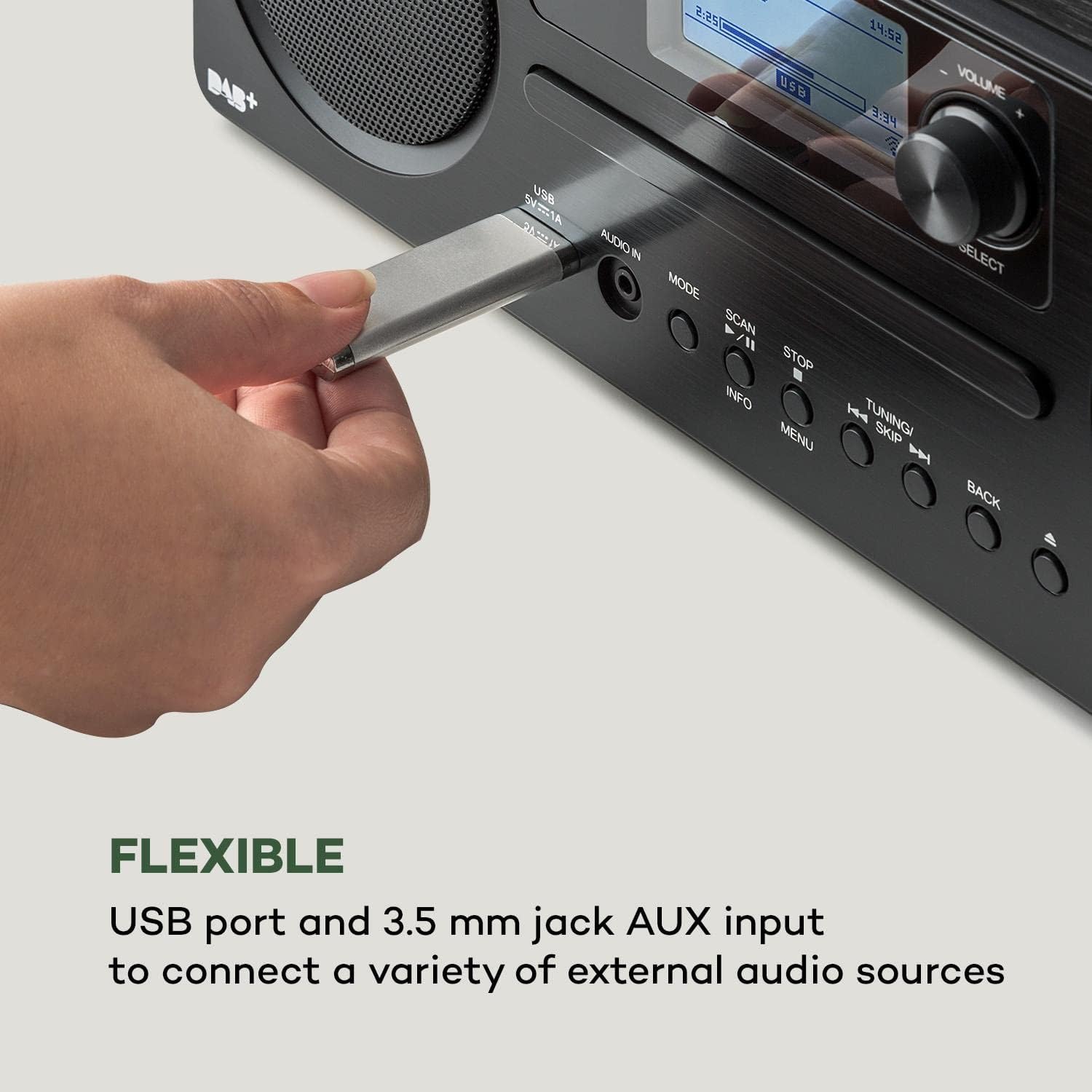
ภาพที่ 6.2: ภาพระยะใกล้ view of a USB stick inserted into the USB port on the front panel of the AUNA Worldwide Internet Radio, demonstrating its capability for playing media from external storage.
- Insert a USB storage device into the USB port on the front panel.
- Select 'USB' mode. The radio will automatically detect and display the content.
- นำทางผ่านโฟลเดอร์และ files using the Select knob and buttons. Use playback controls as needed.
อินพุต AUX 6.8 ช่อง
เชื่อมต่ออุปกรณ์เสียงภายนอกโดยใช้สายสัญญาณเสียงขนาด 3.5 มม.
- Connect your external audio device to the 'AUDIO IN' (3.5mm AUX) port on the front panel.
- Select 'AUX' mode.
- ควบคุมการเล่นจากอุปกรณ์ภายนอกที่เชื่อมต่ออยู่
6.9 การเชื่อมต่อ Spotify
Stream music directly from your Spotify account.
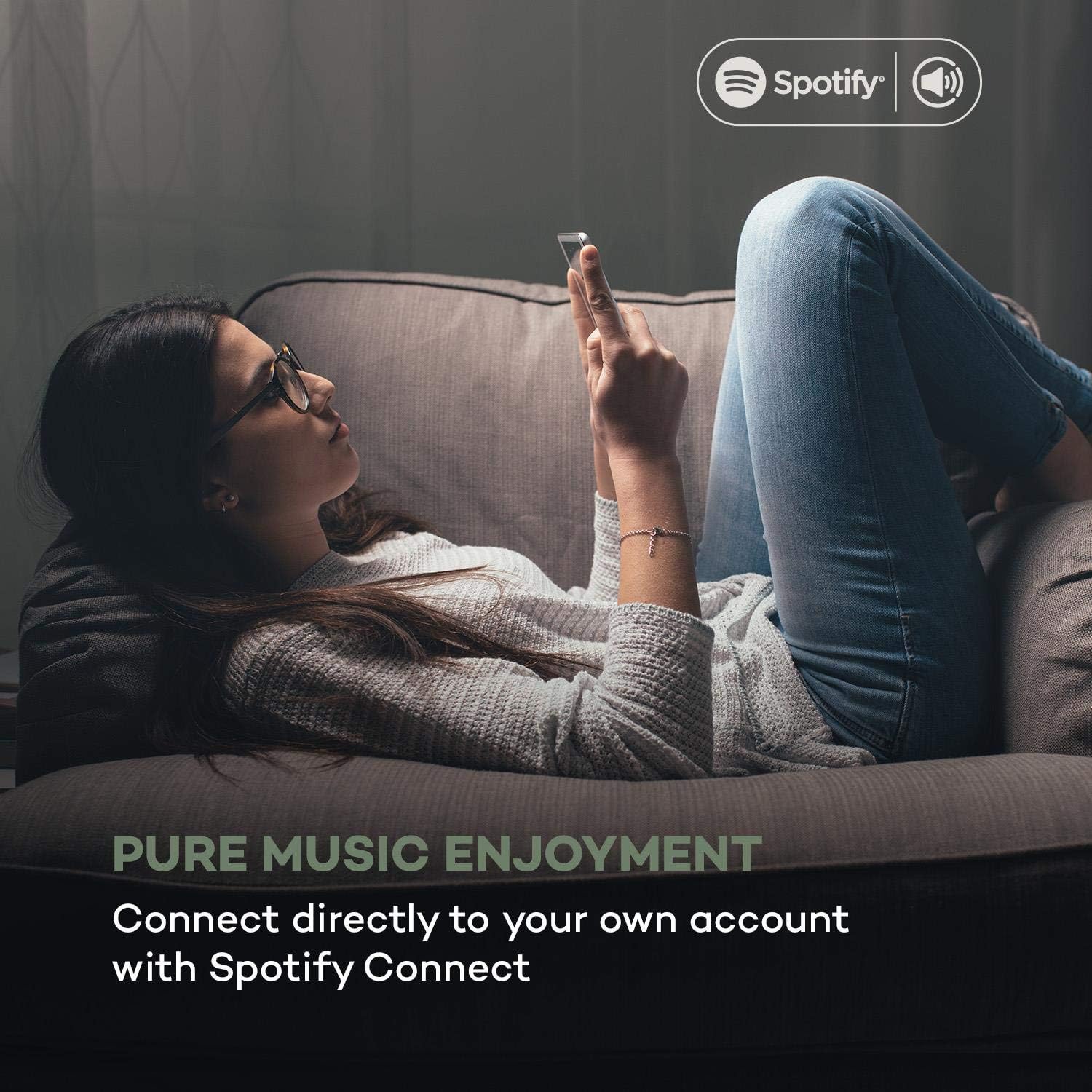
ภาพที่ 6.3: A person relaxing on a couch, using a smartphone with the Spotify logo visible, illustrating the convenience of Spotify Connect for streaming music directly to the AUNA radio.
- Ensure your radio is connected to the same Wi-Fi network as your smartphone or tablet running the Spotify app.
- เปิดแอป Spotify บนอุปกรณ์ของคุณ
- Play a song and select the 'Devices Available' icon.
- Choose your AUNA Worldwide radio from the list to start streaming.
6.10 UNDOK App Control
Control your radio remotely using the UNDOK app on your smartphone or tablet.

ภาพที่ 6.4: A screenshot of the UNDOK app interface on a smartphone, displayed next to the physical remote control for the AUNA radio, demonstrating the dual control options available to the user.
- Download the 'UNDOK' app from your device's app store.
- Ensure your radio and smartphone/tablet are connected to the same Wi-Fi network.
- Open the UNDOK app. It will automatically detect your AUNA radio.
- Select your radio within the app to gain full control over modes, stations, volume, and settings.
6.11 ฟังก์ชั่นปลุก
The radio includes dual alarm, sleep timer, and snooze functions.
- นำทางไปที่ Menu > Alarms to set up dual alarms with customizable sources (buzzer, radio) and schedules.
- ตั้งค่า ตัวตั้งเวลาปิดเครื่อง via the Menu to automatically turn off the radio after a set period.
- เมื่อสัญญาณเตือนดังขึ้น ให้กดปุ่ม งีบหลับ button (often the Select knob) to temporarily silence it.
7. การบำรุงรักษา
- การทำความสะอาด: ใช้ผ้านุ่มและแห้งเช็ดทำความสะอาดภายนอกตัวเครื่อง ห้ามใช้น้ำยาทำความสะอาดที่มีฤทธิ์กัดกร่อนหรือตัวทำละลาย
- เครื่องเล่นซีดี: Keep the CD slot free from dust and debris. Do not insert damaged or dirty CDs.
- พื้นที่จัดเก็บ: หากจะเก็บเครื่องไว้เป็นเวลานาน ควรถอดปลั๊กออกจากเต้ารับไฟฟ้าและเก็บไว้ในที่แห้งและเย็น
8 การแก้ไขปัญหา
| ปัญหา | สาเหตุที่เป็นไปได้ | สารละลาย |
|---|---|---|
| ไม่มีไฟฟ้า | ไม่ได้เสียบอะแดปเตอร์ไฟ ปลั๊กไฟใช้งานไม่ได้ | Check power adapter connection; try a different outlet. |
| ไม่มีเสียง | Volume too low; incorrect source selected. | Increase volume; ensure correct mode (e.g., Internet Radio, CD) is selected. |
| วิทยุออนไลน์เชื่อมต่อไม่ได้ | Wi-Fi connection issue; incorrect password. | Check Wi-Fi settings and password; ensure router is working; restart radio and router. |
| การรับสัญญาณวิทยุ DAB/FM ไม่ดี | เสาอากาศไม่ได้ยืดออก สัญญาณอ่อน | Fully extend and adjust the telescopic antenna; try repositioning the unit. |
| ซีดีไม่เล่น | ใส่ซีดีไม่ถูกต้อง ซีดีสกปรกหรือมีรอยขีดข่วน | ใส่แผ่นซีดีกลับเข้าไปให้ถูกต้อง ทำความสะอาดแผ่นซีดี หรือลองใช้แผ่นซีดีอื่นดู |
| บลูทูธไม่จับคู่ | Radio not in pairing mode; device too far. | Ensure radio is in Bluetooth mode; bring devices closer; restart Bluetooth on both devices. |
9. ข้อมูลจำเพาะ
- แบบอย่าง: MG2-2200-gfvd
- แหล่งจ่ายไฟ: 220-240 V ~ | 50/60 Hz (via power adapter)
- กำลังขับ: 2 x 5 วัตต์ RMS
- Supported Playback Formats: MP3, WMA, WAV, AAC, FLAC
- การเชื่อมต่อ: 1 x USB port (5 V, 1 A charging function), 1 x 3.5 mm jack AUX input, Bluetooth, Wi-Fi
- Radio Tuners: Internet Radio, DAB/DAB+, FM/AM
- คุณสมบัติพิเศษ: Spotify Connect, UNDOK App Control, LCD Display, Time and Date Display, Standby Function, Alarm Functions (Dual Alarm, Sleep Timer, Snooze), RDS Function
- ขนาด (กว้าง x สูง x ลึก): 35 x 12 x 20 ซม.
- น้ำหนัก: ประมาณ 2.6 กก.
- สี: สีดำ
10. การรับประกันและการสนับสนุน
AUNA products are designed and manufactured to the highest quality standards. In the unlikely event of a problem with your device, please refer to the troubleshooting section of this manual. If the issue persists, please contact your retailer or authorized service center for assistance.
Please retain your proof of purchase for warranty claims. Information regarding spare parts availability and software updates is not available at this time.


