การแนะนำ
This manual provides essential information for the installation, operation, and maintenance of your ZOTAC Gaming GeForce RTX 2080 Ti Blower graphics card. Please read this guide thoroughly before proceeding with installation to ensure proper setup and optimal performance.
สินค้าเกินview
The ZOTAC Gaming GeForce RTX 2080 Ti Blower is a high-performance graphics card designed for demanding gaming and professional applications. It features NVIDIA's Turing architecture, 11GB of GDDR6 memory, and a blower-style cooling solution.
- New Turing architecture for advanced graphics processing.
- 11GB 352-bit GDDR6 memory for high-bandwidth performance.
- Virtual Reality Ready for immersive experiences.
- 4K ready for ultra-high-definition gaming.
- Boost Clock 1545 MHz for enhanced speed.

ภาพ: ด้านหน้า view of the ZOTAC Gaming GeForce RTX 2080 Ti Blower graphics card, showcasing its black shroud and single blower fan.

Image: Backplate view of the ZOTAC Gaming GeForce RTX 2080 Ti Blower graphics card, featuring a metal backplate for structural rigidity and heat dissipation.
มีอะไรอยู่ในกล่อง
ตรวจสอบว่ามีส่วนประกอบทั้งหมดอยู่ในแพ็คเกจ:
- ZOTAC GAMING GeForce RTX 2080 Ti Blower Graphics Card
- 2 x Dual 6-pin to 8-pin power cables
- User Manual (Quick Installation Guide)
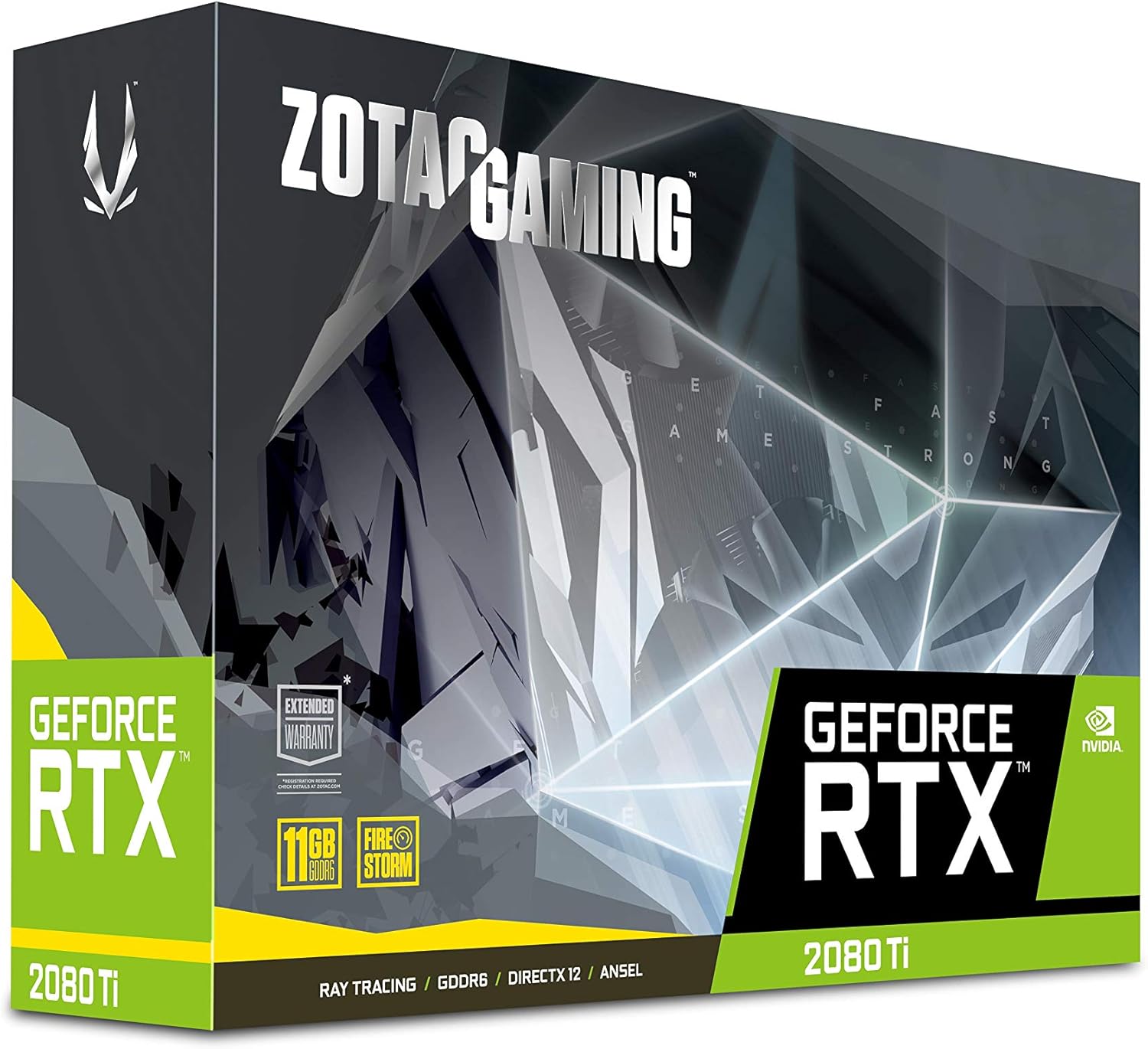
Image: The retail packaging for the ZOTAC Gaming GeForce RTX 2080 Ti Blower graphics card.

Image: The ZOTAC Quick Installation Guide, providing initial setup instructions.
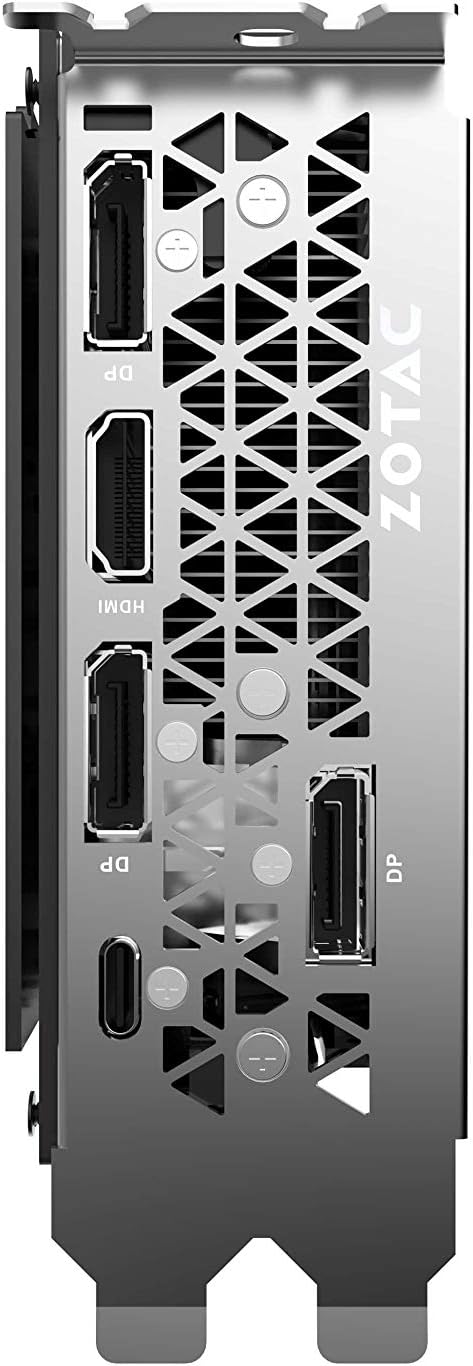
Image: The included 2 x Dual 6-pin to 8-pin power cables for connecting the graphics card to the power supply.
การติดตั้งและการตั้งค่า
ปฏิบัติตามขั้นตอนเหล่านี้เพื่อติดตั้งการ์ดกราฟิกของคุณ:
- เตรียมระบบของคุณ: ปิดคอมพิวเตอร์และถอดสายไฟออก เปิดเคสคอมพิวเตอร์
- ค้นหาสล็อต PCIe: ตรวจสอบหาสล็อต PCI Express 3.0 x16 ที่ว่างอยู่บนเมนบอร์ดของคุณ
- ติดตั้งการ์ด: Carefully align the graphics card with the PCIe slot and press down firmly until it is securely seated. Secure the card with the case's retention mechanism or screws.
- เชื่อมต่อพลังงาน: Connect the required 8-pin power connectors from your power supply to the graphics card. Use the provided 6-pin to 8-pin adapters if necessary.
- ปิดเคสและเชื่อมต่อจอแสดงผล: Close your computer case, reconnect the power cable, and connect your display cable(s) to the graphics card's output ports.
- ติดตั้งไดรเวอร์: เปิดเครื่องคอมพิวเตอร์ เมื่อระบบปฏิบัติการโหลดเสร็จแล้ว ให้ติดตั้งไดรเวอร์ NVIDIA เวอร์ล่าสุดจากเว็บไซต์ทางการของ NVIDIA webเว็บไซต์.

ภาพ: มุมเอียง view of the graphics card, illustrating its form factor for installation into a PCIe slot.
ความต้องการด้านพลังงาน
To ensure stable operation, your system must meet the following power specifications:
- พาวเวอร์ซัพพลายที่แนะนำ: 650-watt power supply or greater.
- การใช้พลังงานสูงสุด: 250 วัตต์
Note: Insufficient power supply can lead to system instability or damage.
การเชื่อมต่อ
The graphics card provides multiple display output options:
- พอร์ต DisplayPort 3 จำนวน 1.4 ช่อง
- 1 x HDMI 2.0B
- 1 x USB Type C XNUMX x สายเคเบิล
The card is capable of supporting quad simultaneous displays.
Image: The rear I/O panel of the graphics card, showing the DisplayPort, HDMI, and USB Type-C outputs.
ความเข้ากันได้ของซอฟต์แวร์
Ensure your system meets the following software requirements for optimal performance:
- ระบบปฏิบัติการ: Microsoft Windows 10/7 x64
- ไดรเวอร์: Game Ready Drivers (available from NVIDIA's official webงาน)
- API: Microsoft DirectX 12 API, Vulkan API, OpenGL 4.5
คำแนะนำการใช้งาน
After successful installation and driver setup, your ZOTAC Gaming GeForce RTX 2080 Ti Blower graphics card will automatically enhance your system's graphical capabilities. For best performance, ensure your drivers are always up-to-date. You can monitor card performance and temperatures using ZOTAC's FireStorm utility or other compatible third-party software.
การซ่อมบำรุง
Regular maintenance helps prolong the lifespan and performance of your graphics card:
- การกำจัดฝุ่น: Periodically clean dust from the fan and heatsink using compressed air. Ensure the system is powered off and unplugged before cleaning.
- การไหลเวียนของอากาศ: Maintain good airflow within your PC case to prevent overheating. Ensure no cables or other components obstruct the graphics card's fan.
- การอัปเดตไดรเวอร์: อัปเดตไดรเวอร์กราฟิกของคุณเพื่อรับประโยชน์จากการปรับปรุงประสิทธิภาพและการแก้ไขจุดบกพร่อง
การแก้ไขปัญหา
หากคุณพบปัญหา โปรดพิจารณาวิธีแก้ปัญหาทั่วไปต่อไปนี้:
- ไม่มีจอแสดงผล: Ensure the display cable is securely connected to the graphics card and the monitor. Verify the monitor is set to the correct input.
- ความไม่เสถียรของระบบ/การขัดข้อง: Check power connections to the graphics card. Ensure your power supply meets the recommended wattage. Update or reinstall graphics drivers.
- ความร้อนสูงเกินไป: Verify that the graphics card fan is spinning. Clean any dust buildup from the heatsink and fan. Ensure adequate case airflow.
- ปัญหาไดร์เวอร์: ทำการติดตั้งไดรเวอร์การ์ดจอเวอร์ชั่นล่าสุดจาก NVIDIA แบบใหม่หมดจด webเว็บไซต์.
If problems persist, consult the ZOTAC support webเว็บไซต์หรือติดต่อฝ่ายบริการลูกค้าของพวกเขา
ข้อมูลจำเพาะ
| คุณสมบัติ | ข้อมูลจำเพาะ |
|---|---|
| จีพียู | การ์ดจอ NVIDIA GeForce RTX 2080 Ti |
| แกน CUDA | 4352 |
| หน่วยความจำวิดีโอ | แรม 11GB GDDR6 |
| บัสหน่วยความจำ | 352 บิต |
| นาฬิกาเพิ่มกำลังเครื่องยนต์ | 1545 เมกะเฮิรตซ์ |
| นาฬิกาความจำ | 14.0 กิกะบิตต่อวินาที |
| พีซีไอ เอ็กซ์เพรส | 3.0 |
| การแสดงผลเอาท์พุต | 3 x DisplayPort 1.4, 1 x HDMI 2.0B, 1 x USB Type-C |
| รองรับการแสดงผลหลายจอ | Quad Simultaneous Display Capable |
| พาวเวอร์ซัพพลายที่แนะนำ | 650วัตต์ |
| การใช้พลังงาน | 250วัตต์ |
| ขนาด (กxยxส) | 10.55 x 4.45 x 1.5 นิ้ว |
| การรองรับระบบปฏิบัติการ | วินโดวส์ 10/7 x64 |
การรับประกันและการสนับสนุน
Your ZOTAC Gaming GeForce RTX 2080 Ti Blower graphics card may be eligible for an extended warranty. Registration is typically required to activate the full warranty period. Please refer to the official ZOTAC website for detailed warranty terms and conditions, and for information on how to register your product.
For technical support, driver downloads, and further assistance, visit the official ZOTAC support page:
ฝ่ายสนับสนุน ZOTAC Webเว็บไซต์

Image: Information regarding ZOTAC's 5-year warranty, which typically requires product registration.


