การแนะนำ
The Jaycar Laser Tag Battle Gun 2pk brings the excitement of video games into a real-world, active experience. This set includes two laser tag guns designed for interactive play, featuring built-in infrared receivers for accurate hit tracking and multiple gun modes for varied combat scenarios. Recommended for ages 8 and above, these guns encourage physical activity and strategic thinking.
Key features include full-color lighting, immersive sound effects, and vibrations to enhance the battle experience. Players can select from up to four team colors, and an interactive voice coach provides guidance during gameplay. The guns offer various firing effects, including Single Shot, Laser, Machine Gun, and Plasma Gun, with an effective infrared range of up to 60 meters.
ข้อมูลด้านความปลอดภัย
- คำแนะนำด้านอายุ: ผลิตภัณฑ์นี้เหมาะสำหรับผู้ใช้ที่มีอายุ 8 ปีขึ้นไป
- ความปลอดภัยของแบตเตอรี่: Use only the specified battery type and ensure correct polarity. Do not mix old and new batteries, or different types of batteries. Remove batteries if the product is not used for an extended period.
- ความปลอดภัยของดวงตา: เลเซอร์ tag guns use infrared light, which is generally safe. However, avoid pointing the infrared emitter directly into eyes at close range.
- อันตรายจากการสำลัก: เก็บชิ้นส่วนเล็ก ๆ ให้ห่างจากเด็กเล็ก
- การใช้งานกลางแจ้ง: While designed for active play, avoid using the guns in extreme weather conditions or near water.
- การกำกับดูแล: Adult supervision is recommended during play, especially for younger users.
เนื้อหาแพ็คเกจ
Your Jaycar Laser Tag Battle Gun 2pk package should contain the following items:
- 2 x Laser Tag Battle Guns (random mixture of 4 colors)
- คู่มือการใช้งาน (เอกสารนี้)
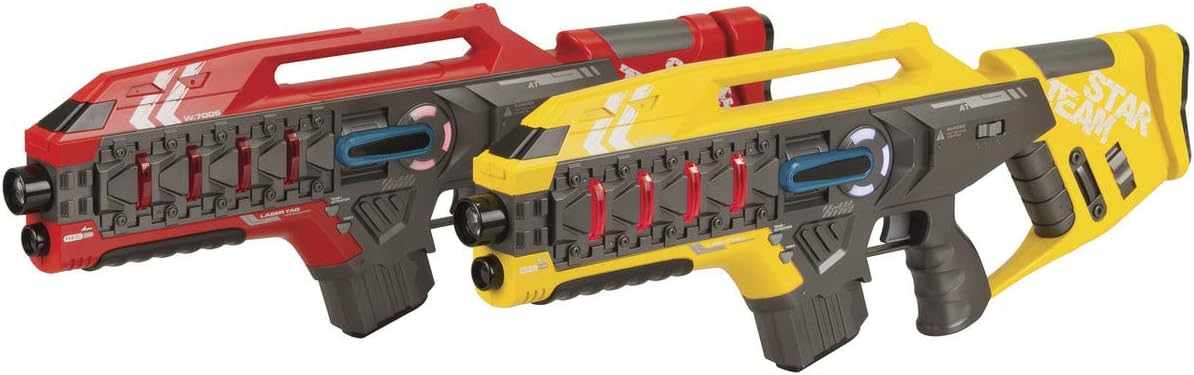
Image: Two Laser Tag Battle Guns (Red and Yellow).
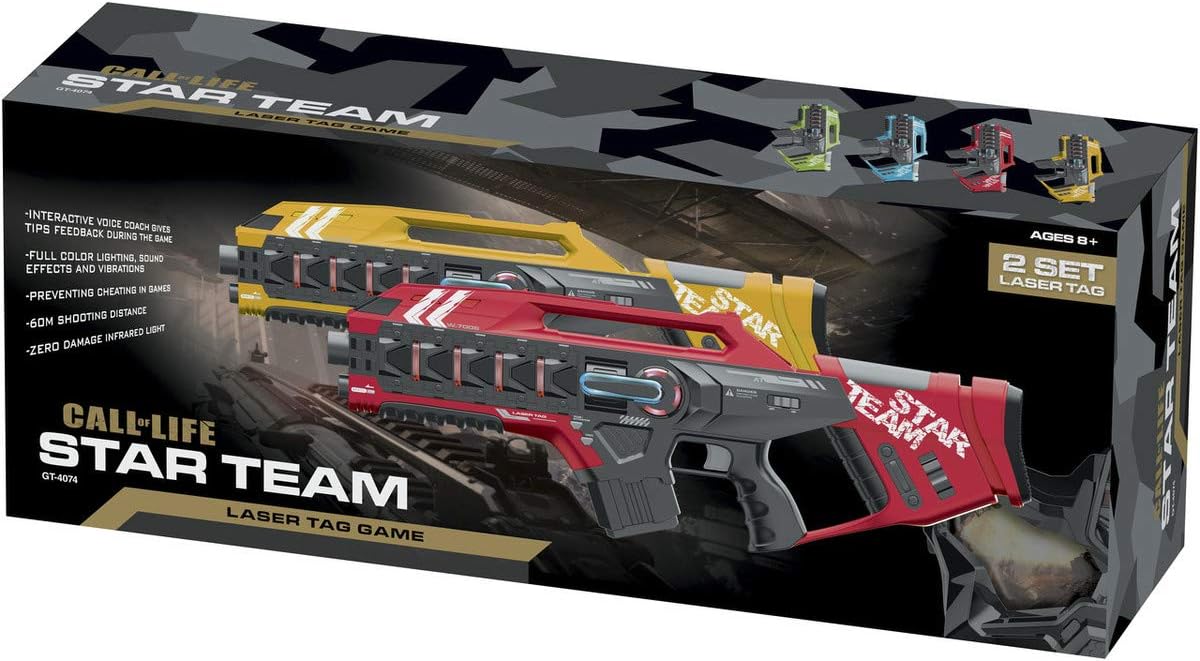
Image: Jaycar Laser Tag Battle Gun 2pk Retail Box.
การตั้งค่า
1. การติดตั้งแบตเตอรี่
- Locate the battery compartment on the underside of the laser tag ปืน.
- ใช้ไขควงขนาดเล็ก (ไม่ได้แถมมาให้) เปิดฝาช่องใส่แบตเตอรี่
- Insert the required number of AA batteries (not included), ensuring correct polarity (+/-) as indicated inside the compartment.
- ใส่ฝาปิดช่องใส่แบตเตอรี่และขันให้แน่นด้วยสกรู
2. เปิดเครื่อง
Once batteries are installed, locate the power switch, usually on the side or bottom of the gun. Slide the switch to the "ON" position. The gun will emit a startup sound and light up, indicating it is ready for play.
คำแนะนำการใช้งาน
1. การเลือกทีม
Upon powering on, the gun will prompt you to select a team. Press the "Team Select" button (refer to gun diagram for exact location) to cycle through the available team colors (e.g., Red, Blue, Green, Yellow). Confirm your selection by pressing the "Confirm" or "Fire" button, or wait for the voice prompt to confirm automatically.
2. Gun Modes
เลเซอร์ tag gun features multiple firing modes. Use the "Mode Select" button to switch between them:
- ช็อตเดียว: Standard firing mode, one shot per trigger pull.
- เลเซอร์: A continuous beam or rapid-fire laser effect.
- ปืนกล: Rapid-fire mode with continuous shooting while the trigger is held.
- Plasma Gun: A powerful, slower-firing shot with significant impact.
Each mode may have different damage values or reload times, adding strategic depth to gameplay.
3. Firing and Receiving Hits
- To Fire: Aim at an opponent's gun (which acts as the receiver) and pull the trigger. The gun will emit an infrared signal, sound effects, and vibrations.
- ได้รับการโจมตี: When your gun is hit by an opponent's infrared signal, it will vibrate, make a sound, and your "health" indicator (if present) may decrease. The interactive voice coach will provide feedback on hits received.
- กำลังโหลดซ้ำ: Some gun modes may require reloading. Listen for voice prompts or visual cues to know when to reload. A dedicated reload button may be present.

Image: Single Laser Tag Battle Gun (Red).
การซ่อมบำรุง
- การทำความสะอาด: Wipe the guns with a soft, dry cloth. Do not use abrasive cleaners or immerse the product in water.
- พื้นที่จัดเก็บ: Store the guns in a cool, dry place away from direct sunlight when not in use.
- การถอดแบตเตอรี่: If storing for an extended period, remove the batteries to prevent leakage and damage.
การแก้ไขปัญหา
| ปัญหา | สาเหตุที่เป็นไปได้ | สารละลาย |
|---|---|---|
| Gun does not power on. | แบตเตอรี่หมดหรือติดตั้งไม่ถูกต้อง | ตรวจสอบขั้วแบตเตอรี่ เปลี่ยนแบตเตอรี่ใหม่ |
| Gun not registering hits. | Obstruction between guns; out of range; infrared emitter/receiver blocked. | Ensure clear line of sight. Move closer to opponent (within 60m). Check for debris on sensors. |
| Sound/lights not working correctly. | Low batteries; internal malfunction. | เปลี่ยนแบตเตอรี่ หากปัญหายังคงอยู่ โปรดติดต่อฝ่ายบริการลูกค้า |
ข้อมูลจำเพาะ
- หมายเลขรุ่น: GT4074
- ยี่ห้อ: เจย์คาร์
- อายุที่แนะนำ: 8 ปีขึ้นไป
- ช่วงอินฟราเรด: สูงสุด 60 เมตร (ประมาณ 197 ฟุต)
- คุณสมบัติ: Full Colour Lighting, Sound Effects & Vibrations, Up to 4 Team Colour Selection, Interactive Voice Coach, Single Shot, Laser, Machine Gun & Plasma Gun Effects.
- ขนาดของผลิตภัณฑ์ (โดยประมาณ): ยาว 525 มม. กว้าง 33 มม. สูง 180 มม
- Packaged Weight (approx.): 1.39กก.
การรับประกันและการสนับสนุน
For warranty information or technical support, please refer to the purchase documentation or contact Jaycar customer service directly. Keep your proof of purchase for any warranty claims.
Jaycar Customer Service: Please visit the official Jaycar website or contact their support line for assistance.


