การแนะนำ
This manual provides detailed instructions for the setup, operation, maintenance, and troubleshooting of your NFL Bitty Boomers Wireless Bluetooth Speaker. Please read this manual carefully before using your speaker to ensure optimal performance and longevity.
Your Bitty Boomers speaker is an ultra-portable audio device designed for convenience and quality sound. Key features include:
- Ultra-Portable 2" Tall Speaker
- Bluetooth 5.0 Technology for wireless connectivity
- ระยะไร้สายสูงสุด 30 ฟุต
- Over 4 hours of music time on a single charge
- Rechargeable via Micro USB (cable included)
- Ability to connect two Bitty Boomers (BB5 Models Only) for True Wireless Stereo experience
- Includes a strap for easy attachment to backpacks or bags
การตั้งค่า
1. ชาร์จลำโพง
Before first use, fully charge your Bitty Boomers speaker. Locate the Micro USB charging port on the back of the speaker.

ภาพ: หลัง view of the Bitty Boomers speaker, highlighting the Micro USB charging port located at the bottom center. This port is used for recharging the speaker's internal battery.
- Connect the small end of the included Micro USB cable to the charging port on the speaker.
- ต่อปลายสาย USB ด้านที่ใหญ่กว่าเข้ากับแหล่งจ่ายไฟ USB (เช่น พอร์ต USB ของคอมพิวเตอร์ อะแดปเตอร์ติดผนัง USB)
- The LED indicator light will illuminate during charging and turn off when fully charged. A full charge typically takes approximately 1 hour.
2. การเปิด/ปิดเครื่อง
To power on the speaker, press and hold the power button (usually located on the bottom or side) for approximately 3 seconds until you hear an audible tone and the LED indicator light flashes.
To power off, press and hold the power button again for approximately 3 seconds until you hear an audible tone and the LED indicator light turns off.
คำแนะนำการใช้งาน
1. การจับคู่บลูทู ธ
Your Bitty Boomers speaker uses Bluetooth 5.0 for wireless connection to your devices.
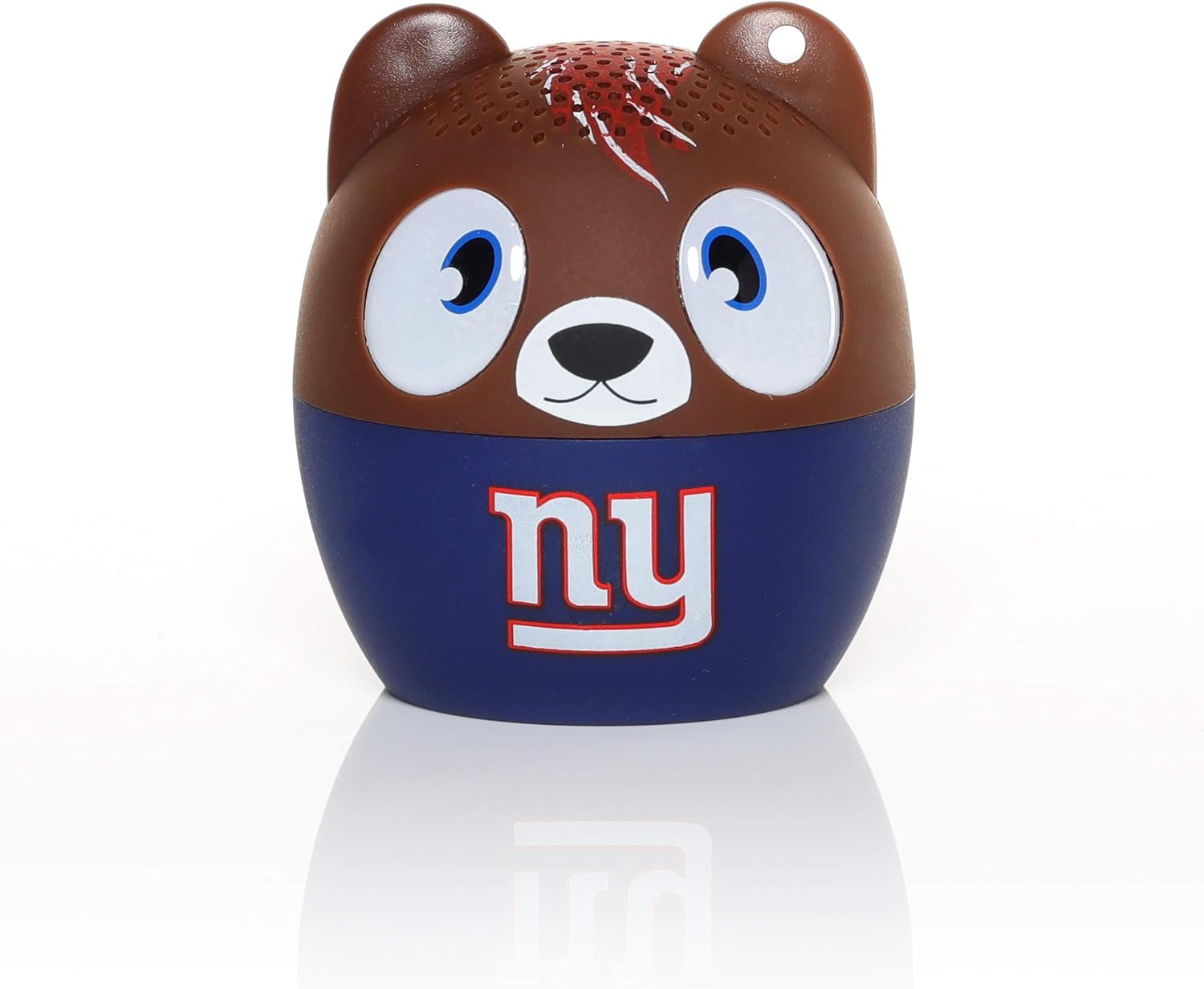
ภาพ: ด้านหน้า view of the Bitty Boomers speaker, featuring the New York Giants team logo. This is the primary visual of the speaker during operation.
- Ensure the speaker is powered on and within 30 feet of your Bluetooth-enabled device (smartphone, tablet, laptop, etc.).
- ลำโพงจะเข้าสู่โหมดจับคู่โดยอัตโนมัติ ซึ่งจะแสดงโดยไฟ LED กระพริบ
- บนอุปกรณ์ของคุณ ให้ไปที่การตั้งค่าบลูทูธ แล้วเปิดใช้งานบลูทูธ
- Scan for available devices. You should see "Bitty Boomers" or a similar name appear in the list.
- Select "Bitty Boomers" to connect. Once connected, the LED light will stop flashing and remain solid, and you will hear a confirmation tone.
2. True Wireless Stereo (TWS) Pairing (BB5 Models Only)
For an enhanced audio experience, you can connect two Bitty Boomers (BB5 models) together to create a true wireless stereo sound system.
- Ensure both Bitty Boomers speakers are powered off.
- เปิดลำโพงทั้งสองตัวพร้อมกัน ลำโพงจะพยายามจับคู่กันโดยอัตโนมัติ
- Once successfully paired with each other, one speaker will act as the master and the other as the slave. The master speaker's LED will flash, indicating it is ready to pair with your device.
- On your device, navigate to Bluetooth settings and connect to the master "Bitty Boomers" speaker as described in the "Bluetooth Pairing" section.
- Audio will now play through both speakers in stereo.
3. Using the Included Strap
The Bitty Boomers speaker comes with a strap for convenient portability. You can attach it to backpacks, bags, or keychains.
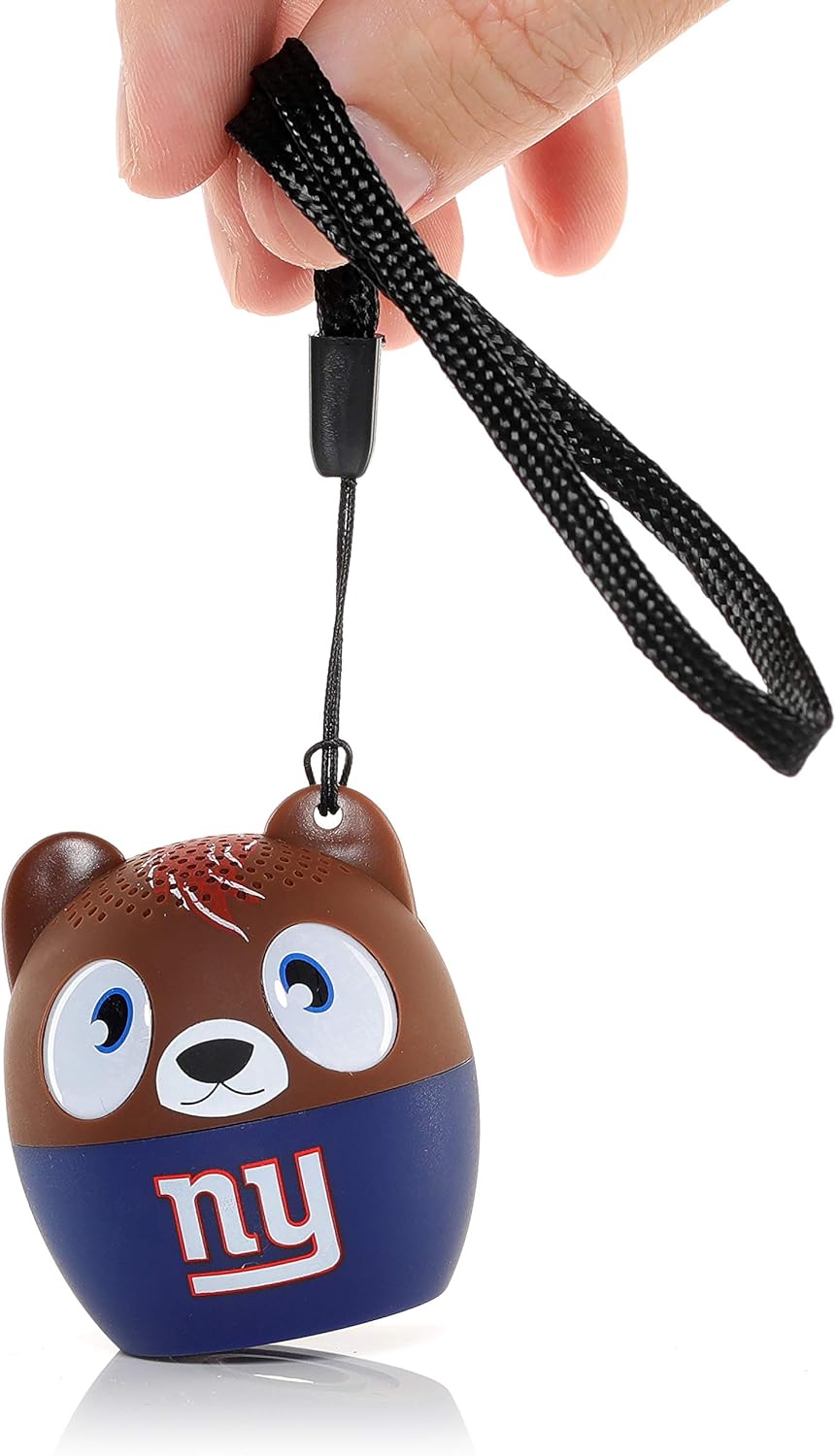
ภาพ: A hand holding the Bitty Boomers speaker by its black fabric strap, demonstrating how the strap can be used for portability and attachment to other items.
Thread the strap through the small loop located on the top of the speaker (often near one of the 'ears' for character models) and secure it as desired.
การซ่อมบำรุง
การทำความสะอาด
To clean your Bitty Boomers speaker, use a soft, dry, lint-free cloth. Do not use abrasive cleaners, solvents, or strong chemicals, as these may damage the speaker's finish or internal components. Avoid getting moisture into any openings.
พื้นที่จัดเก็บ
เมื่อไม่ได้ใช้งานเป็นเวลานาน ควรเก็บลำโพงไว้ในที่แห้งและเย็น หลีกเลี่ยงแสงแดดโดยตรงและอุณหภูมิที่สูงหรือต่ำเกินไป ขอแนะนำให้ชาร์จลำโพงให้เต็มก่อนจัดเก็บเป็นเวลานานเพื่อรักษาอายุการใช้งานของแบตเตอรี่
การดูแลแบตเตอรี่
The speaker contains a rechargeable lithium polymer battery. To maximize battery life:
- หลีกเลี่ยงการปล่อยแบตเตอรี่จนหมดบ่อยครั้ง
- อย่าให้ลำโพงโดนความร้อนหรือความเย็นมากเกินไป
- ควรชาร์จลำโพงเป็นประจำ แม้ว่าจะไม่ได้ใช้งานบ่อยก็ตาม
การแก้ไขปัญหา
| ปัญหา | วิธีแก้ปัญหาที่เป็นไปได้ |
|---|---|
| ลำโพงไม่เปิดเครื่อง | Ensure the speaker is fully charged. Connect it to a power source using the Micro USB cable and allow it to charge for at least 15 minutes before attempting to power on again. |
| ไม่สามารถจับคู่กับอุปกรณ์บลูทูธได้ |
|
| ไม่มีเสียงหรือเสียงเบา |
|
| Speaker disconnects frequently. |
|
ข้อมูลจำเพาะ
| คุณสมบัติ | รายละเอียด |
|---|---|
| ชื่อรุ่น | บิตตี้ บูมเมอร์ |
| หมายเลขรุ่น | BITTYNYG |
| ประเภทลำโพง | ลำโพงแบบพกพา |
| เทคโนโลยีการเชื่อมต่อ | บลูทูธ 5.0 |
| ช่วงสาย | สูงถึง 30 ฟุต (9.1 เมตร) |
| อายุการใช้งานแบตเตอรี่ | มากกว่า 4 ชั่วโมง |
| แหล่งพลังงาน | ใช้พลังงานจากแบตเตอรี่ (ลิเธียมโพลิเมอร์แบบชาร์จไฟได้) |
| พอร์ตชาร์จ | ไมโคร USB |
| ขนาดสินค้า (กxยxส) | ลึก 2 นิ้ว x กว้าง 2 นิ้ว x สูง 2 นิ้ว (5.08 x 5.08 x 5.08 ซม.) |
| น้ำหนักสินค้า | 2.4 ออนซ์ (68 กรัม) |
| กำลังขับสูงสุดของลำโพง | 3 วัตต์ |
| ส่วนประกอบที่รวมอยู่ | Power Cable (Micro USB), Strap |
ข้อมูลการรับประกัน
Your Bitty Boomers Wireless Bluetooth Speaker is covered by a การรับประกันจากผู้ผลิต 1 ปีการรับประกันนี้ครอบคลุมถึงข้อบกพร่องในวัสดุและฝีมือการผลิตภายใต้การใช้งานปกติ ไม่ครอบคลุมถึงความเสียหายที่เกิดจากการใช้งานผิดวิธี อุบัติเหตุ การดัดแปลงโดยไม่ได้รับอนุญาต หรือการสึกหรอตามปกติ
โปรดเก็บหลักฐานการซื้อของคุณไว้เพื่อเรียกร้องการรับประกัน
สนับสนุน
For further assistance, technical support, or warranty inquiries, please visit the official Bitty Boomers webหรือติดต่อฝ่ายบริการลูกค้า ข้อมูลการติดต่อมักจะอยู่บนบรรจุภัณฑ์ของผลิตภัณฑ์หรือเว็บไซต์ของผู้ผลิต webเว็บไซต์.
แหล่งข้อมูลออนไลน์:
- Bitty Boomers Amazon Store
- โปรดอ้างอิงถึงเอกสารทางการของผู้ผลิต webเว็บไซต์สำหรับข้อมูลสนับสนุนล่าสุด


