การแนะนำ
The Nyko Wireless Core Controller is designed to enhance your gaming experience across multiple platforms, including Nintendo Switch, Android devices, and PC. This controller features an ergonomic design, reliable Bluetooth connectivity, and a programmable turbo function. Please read this manual thoroughly to ensure proper setup and operation of your new controller.
สิ่งที่รวมอยู่
ตรวจสอบว่ามีรายการทั้งหมดอยู่ในแพ็คเกจ:
- 1x Nyko Wireless Core Controller
- สายชาร์จ USB Type-C 1 เส้น

Image: Contents of the Nyko Wireless Core Controller package, showing the controller and its USB Type-C charging cable.
คุณสมบัติ
The Nyko Wireless Core Controller offers a range of features for an optimized gaming experience:
- การเชื่อมต่อไร้สาย: Utilizes Bluetooth for a responsive, lag-free connection.
- การออกแบบตามหลักสรีรศาสตร์: Full-sized controller with comfortable grips for extended gameplay sessions.
- ฟังก์ชั่นเทอร์โบ: Programmable turbo button for any face buttons or triggers, allowing for rapid, automatic inputs.
- แบตเตอรี่แบบชาร์จไฟได้: Internal battery provides up to 20 hours of playtime, recharged via the included USB Type-C cable.
- การควบคุมการเคลื่อนไหว: Integrated gyroscope supports games requiring motion control.
- ข้อเสนอแนะการสั่นสะเทือน: มอบประสบการณ์การสัมผัสที่สมจริงระหว่างการเล่นเกม
- ความเข้ากันได้กับหลายแพลตฟอร์ม: Works with Nintendo Switch, Android, and PC.
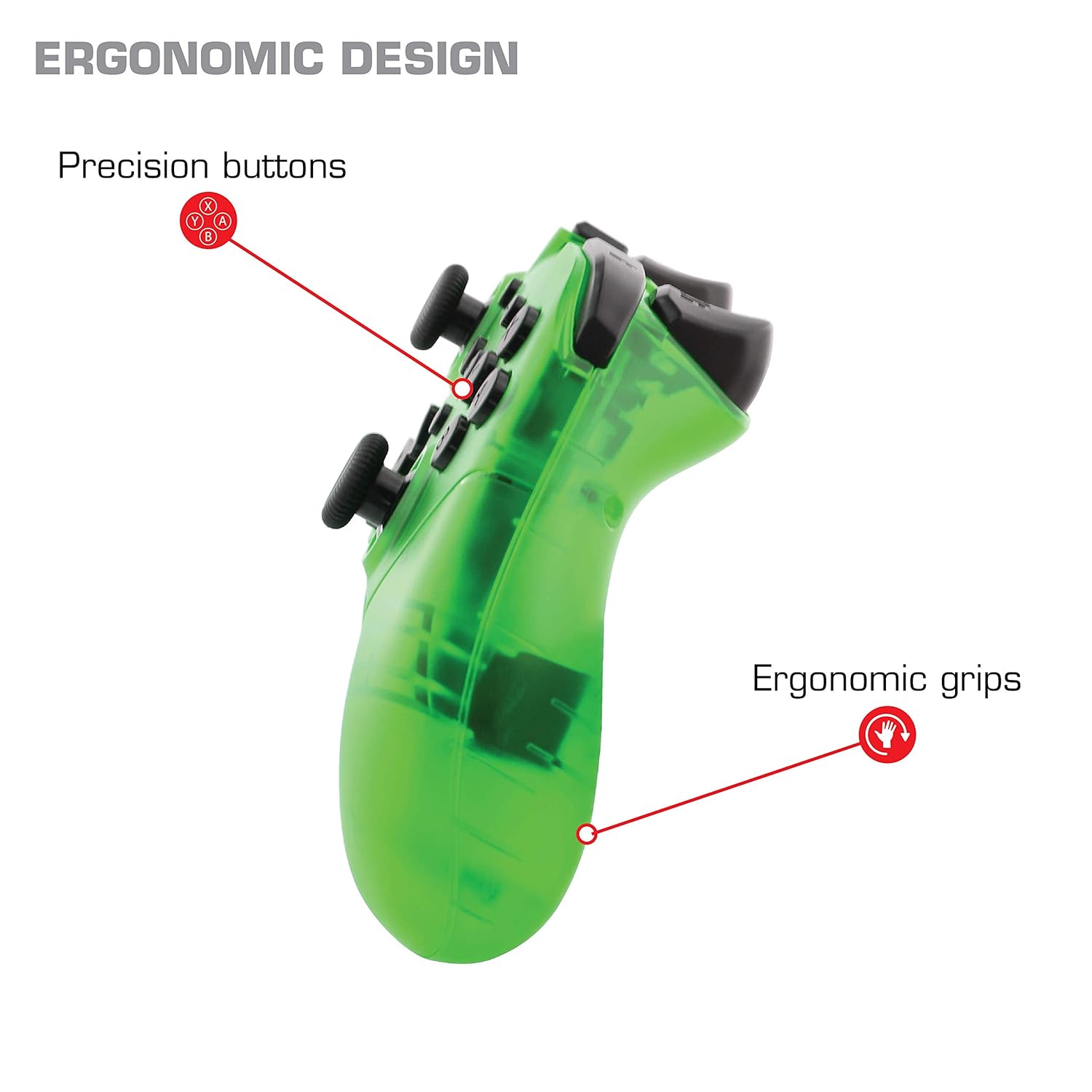
ภาพ: ระยะใกล้ view of the Nyko Wireless Core Controller highlighting its ergonomic design and precision buttons.

ภาพ: ด้านหน้า view of the Nyko Wireless Core Controller, indicating its compatibility with PC, the turbo feature, and LED player indicators.
Video: A comparison between the Nyko Wireless Core Controller and a standard Nintendo Switch Pro Controller, showcasing their similar layouts and features.
การตั้งค่า
การชาร์จเบื้องต้น
Before first use, fully charge the controller using the included USB Type-C cable. Connect the small end of the cable to the controller's USB-C port and the larger end to a USB power source (e.g., Nintendo Switch dock, PC, or USB wall adapter).
การเชื่อมต่อกับ Nintendo Switch
- โปรดตรวจสอบให้แน่ใจว่าเครื่อง Nintendo Switch ของคุณเปิดอยู่และอัปเดตซอฟต์แวร์ระบบเป็นเวอร์ชันล่าสุดแล้ว
- จากเมนู HOME เลือก "คอนโทรลเลอร์" > "เปลี่ยนกริป/ลำดับ"
- While on this screen, press and hold the SYNC button on the top of the Nyko controller for a few seconds until the player indicator LEDs begin to flash.
- Once the controller is recognized and paired, the player indicator LED(s) will light up solid.
- บันทึก: For the first connection, it may be necessary to connect the controller physically to the Switch dock via the USB-C cable to initiate pairing.
Pairing with Android/PC
- Ensure Bluetooth is enabled on your Android device or PC.
- บนอุปกรณ์ของคุณ ไปที่การตั้งค่าบลูทูธและค้นหาอุปกรณ์ใหม่
- Press and hold the SYNC button on the top of the Nyko controller until the player indicator LEDs begin to flash, indicating it's in pairing mode.
- Select "Nyko Core Controller" (or similar name) from the list of available devices on your Android/PC.
- Once paired, the player indicator LED(s) will light up solid.
คำแนะนำการใช้งาน
การควบคุมพื้นฐาน
The controller features standard button layouts including A, B, X, Y buttons, D-Pad, Left and Right Analog Sticks, L/R and ZL/ZR shoulder buttons, HOME, +, -, and Screenshot buttons. Refer to your game's instructions for specific button functions.
Programmable Turbo Functionality
The turbo function allows for rapid, repeated input of a button press. This can be set for multiple buttons simultaneously.

Image: Diagram of the Nyko Wireless Core Controller indicating which buttons are programmable for turbo functionality and which are not.
Enabling Turbo and Auto-Fire
- To enable Turbo: กดปุ่มค้างไว้ ปุ่มเทอร์โบ, then press any face button (Y, X, B, A) or trigger (L, R, ZL, ZR) you wish to have turbo functionality. While holding the assigned button, it will rapidly input.
- To enable Auto-Fire: กดปุ่มค้างไว้ ปุ่มเทอร์โบ, then press the desired button สองครั้ง. The button will now continuously input without needing to be held down.
Disabling Turbo and Auto-Fire
- To disable Turbo/Auto-Fire for a specific button: กดปุ่มค้างไว้ ปุ่มเทอร์โบ, then press the assigned button สองครั้ง.
- To reset all Turbo/Auto-Fire settings: กดปุ่มค้างไว้ ปุ่มเทอร์โบ และ (-) ปุ่ม พร้อมกัน
Changing the Speed of Turbo and Auto-Fire
This setting affects the speed of all active turbo/auto-fire enabled buttons.
- กดปุ่มค้างไว้ ปุ่มเทอร์โบ.
- To increase speed, tilt the right analog stick up.
- To decrease speed, tilt the right analog stick down.
- ปล่อยตัว ปุ่มเทอร์โบ when your desired speed is set.
การซ่อมบำรุง
การทำความสะอาด
ในการทำความสะอาดคอนโทรลเลอร์ ให้ใช้ผ้านุ่มและแห้ง สำหรับสิ่งสกปรกฝังแน่น ให้เช็ดเบาๆampชุบผ้าให้เปียกหมาดๆ หลีกเลี่ยงการใช้สารเคมีรุนแรง ตัวทำละลาย หรือน้ำยาทำความสะอาดที่มีฤทธิ์กัดกร่อน เพราะอาจทำให้พื้นผิวและส่วนประกอบภายในของตัวควบคุมเสียหายได้
การดูแลแบตเตอรี่
The controller contains a built-in Lithium Ion battery. To prolong battery life:
- หลีกเลี่ยงการปล่อยแบตเตอรี่จนหมดบ่อยครั้ง
- เก็บตัวควบคุมไว้ในที่แห้งและเย็นเมื่อไม่ได้ใช้งานเป็นเวลานาน
- อย่าให้ตัวควบคุมสัมผัสกับอุณหภูมิที่สูงหรือต่ำเกินไป
การแก้ไขปัญหา
Controller Not Connecting/Losing Connection
- ตรวจสอบแบตเตอรี่: Ensure the controller is fully charged. A completely drained battery may prevent initial connection.
- ซ่อมแซมตัวควบคุม: Follow the pairing instructions in the "Setup" section. For Nintendo Switch, try connecting via USB-C to the dock first.
- ระยะทางและการรบกวน: Ensure the controller is within range of the console/device and there are no major obstructions or sources of wireless interference.
- การอัปเดตระบบ: Ensure your Nintendo Switch console or PC operating system is up to date.
ปุ่มไม่ตอบสนอง
- ซิงค์ใหม่: Try re-syncing the controller with your device.
- เริ่มต้นใหม่อีกครั้ง: Power off and on both the controller and the console/device.
- ทำความสะอาด: ตรวจสอบให้แน่ใจว่าไม่มีเศษขยะติดอยู่รอบ ๆ ปุ่ม
Rumble is Too Strong
The controller's vibration feature is designed to provide strong feedback. If the rumble intensity is too high, check the in-game settings of the specific game you are playing, as some games allow for rumble intensity adjustment. The controller itself does not have a direct setting to adjust rumble strength.
ข้อมูลจำเพาะ
- หมายเลขรุ่น: 87264
- การเชื่อมต่อ: บลูทูธไร้สาย
- พอร์ตชาร์จ: ยูเอสบี ไทป์ ซี
- ประเภทแบตเตอรี่: ลิเธียมไอออน (รวมอยู่ด้วย)
- Approximate Playtime: นานถึง 20 ชั่วโมง
- ขนาดสินค้า : 6.3 x 2.76 x 5.91 นิ้ว
- น้ำหนักสินค้า: 10.6 ออนซ์
- ผู้ผลิต: ไนโกะ
- ความเข้ากันได้: นินเทนโด สวิตช์, แอนดรอยด์, พีซี
การรับประกันและการสนับสนุน
Nyko products are manufactured to high-quality standards. For specific warranty information, please refer to the warranty card included with your product or visit the official Nyko website. For technical support, troubleshooting assistance, or to inquire about replacement parts, please contact Nyko Customer Support through their official channels.
การสนับสนุนทางออนไลน์: www.nyko.com/support