สินค้าเกินview
The Yaheetech Computer Desk is a modern and versatile workstation designed for home or office use. It features a durable MDF construction, a removable sliding keyboard tray, and four wheels for mobility, two of which are lockable for stability. The desk also includes a bottom shelf suitable for a CPU or audio platform, providing ampพื้นที่เก็บข้อมูล

Image: The Yaheetech Computer Desk, showcasing its design with a laptop, books, and other items. The desk is black and features multiple shelves and a pull-out keyboard tray.

Image: The Yaheetech Computer Desk positioned in a room, demonstrating its compact size and suitability for various interior spaces.
ข้อมูลด้านความปลอดภัย
Always engage the brakes on the wheels to prevent the desk from moving during use.
To ensure safe assembly and use, please observe the following:
- It is recommended that 2 or more people participate in the assembly process.
- เก็บให้ห่างจากไฟหรือแหล่งความร้อนอื่นๆ
- Wear protective gloves during assembly to prevent injury.
- ผลิตภัณฑ์นี้ไม่ได้มีวัตถุประสงค์สำหรับการใช้งานของเด็ก
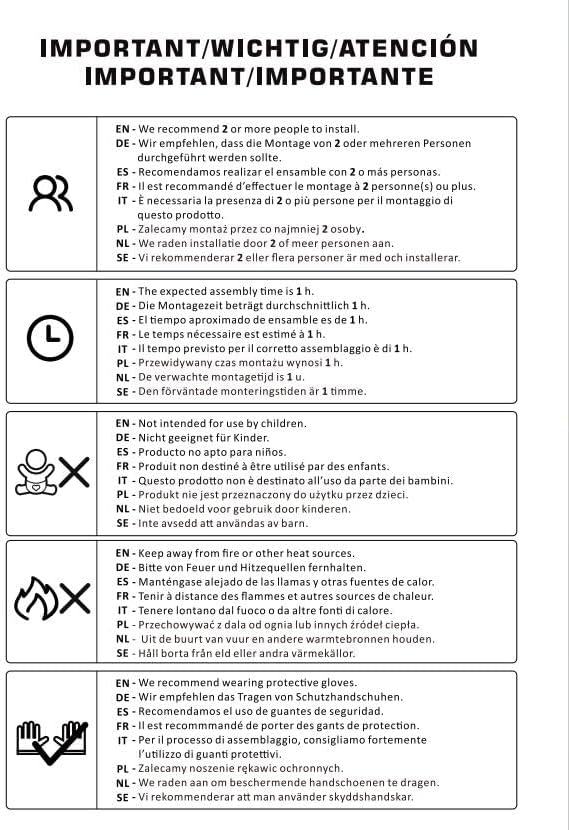
Image: A diagram illustrating important safety and assembly instructions, including recommendations for multiple people for assembly, estimated assembly time, keeping away from heat, and wearing protective gloves.
การติดตั้งและการประกอบ
The Yaheetech Computer Desk is designed for easy assembly. Please follow these steps carefully. It is recommended to use a pad or blanket to protect the product and your floor during assembly.
- แกะส่วนประกอบ: Carefully remove all parts from the packaging. Verify that all components and accessories listed in the included instruction manual are present.
- เตรียมพื้นที่ทำงาน: Lay out all components on a clean, flat surface, preferably covered with a protective pad to prevent scratches.
- ประกอบโครง: Begin by assembling the main frame of the desk according to the provided diagrams. Ensure all screws and fasteners are tightened securely.
- ติดตั้งล้อ: Attach the four wheels to the base of the desk. Ensure the two lockable wheels are positioned where they can be easily accessed for locking.
- ติดตั้งถาดวางคีย์บอร์ด: Install the sliding rails for the keyboard tray, then attach the keyboard tray itself. Ensure it slides smoothly.
- จัดวางชั้นวางของ: Insert the internal shelves into their designated slots.
- การตรวจสอบขั้นสุดท้าย: Once assembled, gently shake the desk to ensure stability. Re-tighten any loose fasteners if necessary.

Image: A detailed diagram showing the dimensions of the Yaheetech Computer Desk, including overall height, width, depth, and measurements for the keyboard tray and internal shelves.

Image: A visual guide illustrating the importance of careful unpacking and assembly, showing a damaged box and product if not handled properly, versus a properly assembled product from a well-handled box.
คำแนะนำการใช้งาน
The Yaheetech Computer Desk is designed for functional use in various settings.
- ความคล่องตัว: The desk is equipped with four wheels for easy movement. To move the desk, ensure the two lockable wheels are disengaged.
- ความเสถียร: Once the desk is in its desired position, engage the brakes on the two lockable wheels to secure the desk and prevent unintended movement during use.
- ถาดวางคีย์บอร์ด: The pull-out keyboard tray provides convenient storage for your keyboard and mouse. Gently pull the tray outwards for use and push it back in when not needed.
- พื้นที่จัดเก็บ: Utilize the various shelves for organizing books, documents, computer peripherals, or a CPU unit on the bottom shelf.
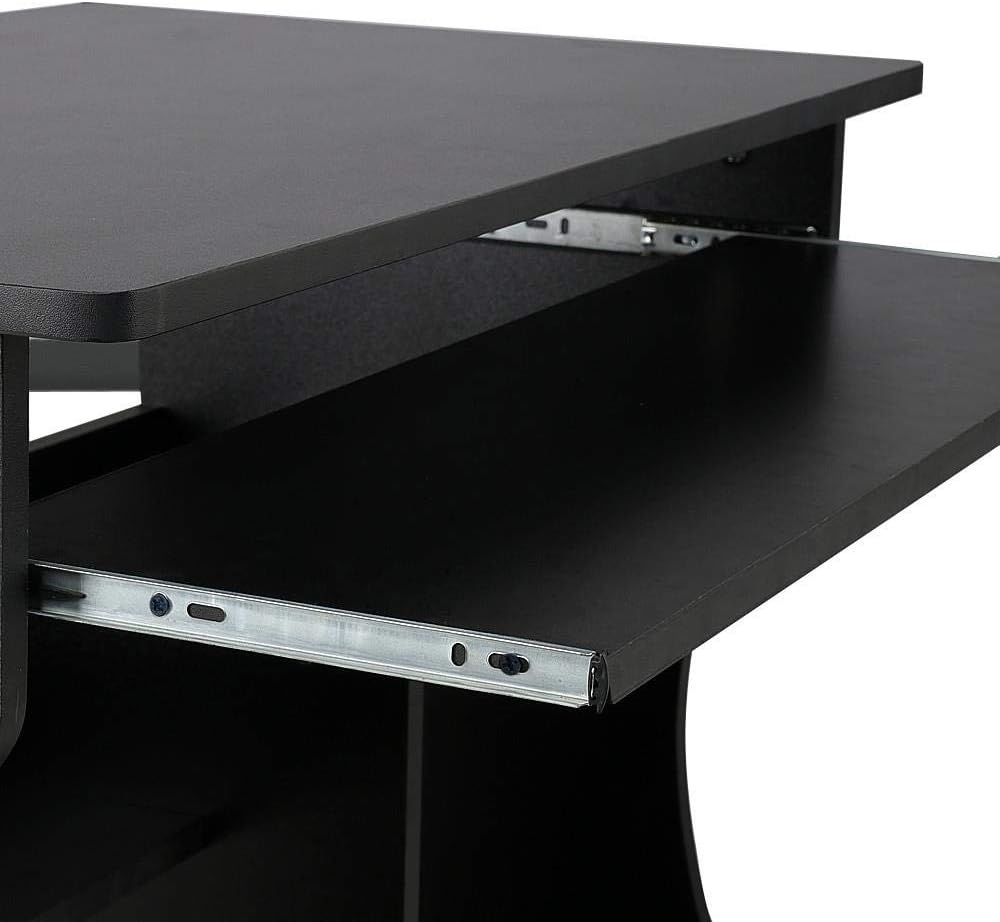
ภาพ: ภาพระยะใกล้ view of the desk's sliding keyboard tray, highlighting its smooth mechanism and design.

Image: A close-up of one of the desk's wheels, indicating its 360-degree rotation capability and the locking mechanism for stability.
การซ่อมบำรุง
Regular maintenance will help preserve the appearance and functionality of your Yaheetech Computer Desk.
- การทำความสะอาด: เช็ดพื้นผิวโต๊ะด้วยผ้าเนื้อนุ่มและแห้งamp ใช้ผ้าเช็ดทำความสะอาด หลีกเลี่ยงการใช้สารเคมีรุนแรงหรือน้ำยาทำความสะอาดที่มีฤทธิ์กัดกร่อน เพราะอาจทำให้พื้นผิวเสียหายได้
- การรั่วไหล: Immediately wipe up any spills to prevent staining or damage to the engineered wood material.
- ตัวล็อค: ตรวจสอบสกรูและตัวยึดทั้งหมดเป็นระยะเพื่อให้แน่ใจว่ายังแน่นอยู่ ขันให้แน่นอีกครั้งหากจำเป็นเพื่อรักษาความมั่นคง
- ล้อ: รักษาล้อให้ปราศจากเศษสิ่งสกปรกเพื่อการเคลื่อนที่ที่ราบรื่น หล่อลื่นหากจำเป็น

ภาพ: ภาพระยะใกล้ view of the desk's black surface, showing its texture and finish, which is easy to clean and maintain.
การแก้ไขปัญหา
| ปัญหา | สาเหตุที่เป็นไปได้ | สารละลาย |
|---|---|---|
| โต๊ะโยกเยกหรือไม่มั่นคง | Loose fasteners; uneven floor; wheels not locked. | Check and tighten all screws and bolts. Ensure the desk is on a level surface. Engage the brakes on the lockable wheels. |
| ถาดวางคีย์บอร์ดเลื่อนไม่ราบรื่น | Debris in rails; misaligned rails; lack of lubrication. | Clean the rails of any dust or debris. Check if the rails are properly aligned. Apply a small amount of silicone lubricant if needed. |
| Wheels are difficult to move. | Wheels are locked; debris caught in wheels. | Disengage the wheel brakes. Remove any hair or debris from the wheel casters. |
ข้อมูลจำเพาะ
- ยี่ห้อ: ยาฮีเทค
- แบบอย่าง: B07JFCTBQD
- สี: สีดำ
- วัสดุ: ไม้แปรรูป (MDF)
- ขนาดสินค้า (กว้าง x ยาว x สูง) : 80.1 x 48.1 x 76.2 ซม. (31.5 x 18.9 x 30 นิ้ว)
- น้ำหนักสินค้า: 19.2 กก. (42.3 ปอนด์)
- คุณสมบัติพิเศษ: Durable, Mobile (with 4 wheels, 2 lockable), Removable Keyboard Tray, Bottom CPU/Storage Shelf
การรับประกันและการสนับสนุน
For warranty information or technical support, please contact Yaheetech customer service through their official website or the retailer where the product was purchased. Please have your model number (B07JFCTBQD) and purchase date ready when contacting support.
หากต้องการข้อมูลเพิ่มเติม โปรดเยี่ยมชม Yaheetech brand page on Amazon.eg.


