1. สินค้าหมดview
The KADAMS K0007STHBL is a versatile digital clock designed for use in environments where water exposure is common, such as bathrooms and kitchens. It features a clear LCD display, a countdown timer, and monitors both temperature and humidity. Multiple installation options provide flexibility for placement.
คุณสมบัติหลัก:
- การแสดงเวลาแบบดิจิทัล: Shows time in 12-hour or 24-hour format.
- นาฬิกาจับเวลาถอยหลัง: Adjustable up to 99 minutes, with 10-minute and 1-minute increment buttons.
- การตรวจติดตามอุณหภูมิ: Displays temperature in Celsius (0°C-50°C) or Fahrenheit (32°F-122°F).
- การตรวจสอบความชื้น: Displays relative humidity from 20% to 95%.
- ความต้านทานน้ำ: IP24 rated for protection against splashing water.
- ตัวเลือกการติดตั้งหลายตัว: Includes a built-in stand, suction cup, and magnetic pad for flexible placement.

รูปที่ 1 : ด้านหน้า view of the KADAMS K0007STHBL Digital Shower Clock, displaying time, temperature, and humidity, with touch-sensitive buttons for timer control.
2. การตั้งค่า
2.1 การติดตั้งแบตเตอรี่
- ค้นหาช่องใส่แบตเตอรี่ที่ด้านหลังของนาฬิกา
- เปิดฝาช่องใส่แบตเตอรี่
- ใส่แบตเตอรี่ AAA สองก้อน (ไม่ได้รวมอยู่ในชุด) โดยตรวจสอบให้แน่ใจว่าขั้วบวก/ลบถูกต้อง
- ปิดฝาช่องใส่แบตเตอรี่ให้แน่น
2.2 Initial Time and Unit Settings
After battery installation, the clock will power on. Use the buttons on the back to set the time and preferred units (12/24-hour format, Celsius/Fahrenheit).
- Refer to the detailed instructions provided in the packaging for specific button functions for setting time and units.
2.3 ตัวเลือกการติดตั้ง
The clock offers several installation methods:
- ขาตั้งโต๊ะ: Utilize the integrated kickstand on the back for placement on flat surfaces like vanity benches or desks.
- ถ้วยดูด: Attach the provided suction cup to a clean, dry, smooth surface such as a mirror or glass shower door. For optimal adhesion, apply a small amount of moisture to the suction cup before pressing it firmly onto the surface. Regularly check the suction strength to prevent accidental falls.
- ติดผนัง: Use the hanging hole on the back to mount the clock on a wall using a screw (not included).
- แผ่นแม่เหล็ก: Attach the clock to metallic surfaces using the magnetic pad on its back.

Figure 2: Visual representation of the versatile mounting options available for the clock.
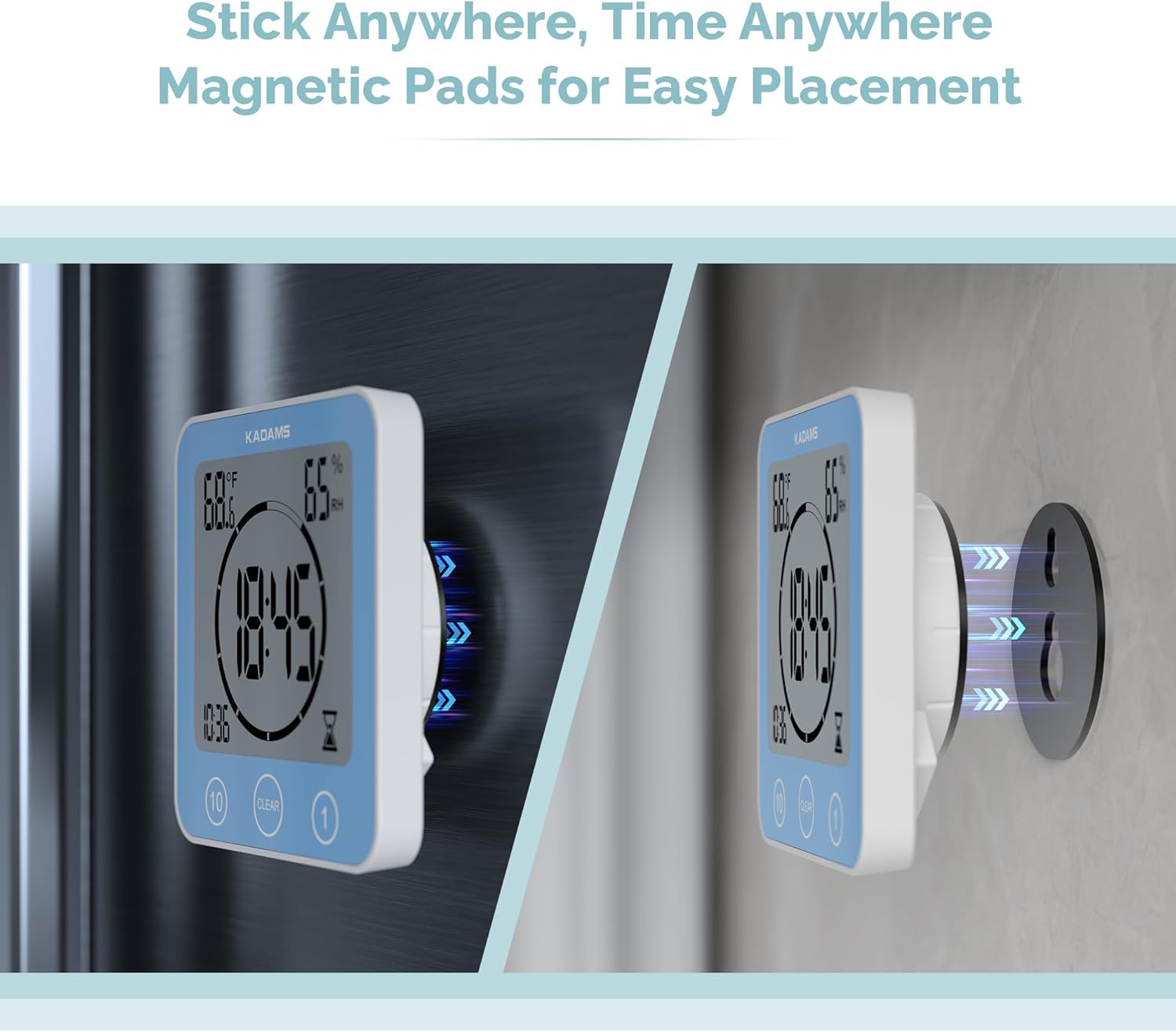
Figure 3: The clock demonstrating its magnetic mounting capability.
3. คู่มือการใช้งาน
3.1 แสดงเวลา XNUMX
The clock continuously displays the current time. You can switch between 12-hour and 24-hour formats during the initial setup or via the settings buttons on the back.
3.2 นาฬิกาจับเวลาถอยหลัง
The integrated countdown timer can be set for durations up to 99 minutes.
- การตั้งเวลา: Use the touch-sensitive buttons on the front face of the clock. Typically, there are buttons for adding 10 minutes and 1 minute.
- การเริ่มจับเวลา: Once the desired time is set, the timer will automatically begin counting down.
- Clearing the Timer: Press the "CLEAR" button on the front face to reset the timer to zero.
- เตือน: When the countdown reaches zero, an audible alarm will sound.

Figure 4: The clock functioning as a countdown timer in a bathroom setting.
3.3 การแสดงอุณหภูมิและความชื้น
The clock displays the ambient temperature and relative humidity. The temperature can be toggled between Celsius and Fahrenheit using the appropriate setting button on the back of the unit.

Figure 5: The clock displaying temperature and humidity while mounted in a shower.
4. การบำรุงรักษา
4.1 การทำความสะอาด
Wipe the clock with a soft, damp เช็ดด้วยผ้า หลีกเลี่ยงการใช้น้ำยาทำความสะอาดที่มีฤทธิ์กัดกร่อนหรือตัวทำละลาย เพราะอาจทำให้หน้าจอหรือตัวเครื่องเสียหายได้asing.
4.2 ความต้านทานต่อน้ำ
The clock has an IP24 rating, meaning it is protected against splashing water from any direction. It is not designed for submersion. Ensure the battery compartment is securely closed to maintain water resistance.

Figure 6: The clock demonstrating its water resistance in a bathroom environment.
4.3 การเปลี่ยนแบตเตอรี่
When the display dims or functions become erratic, it is time to replace the batteries. Follow the battery installation steps (Section 2.1) to replace the two AAA batteries.
4.4 Suction Cup Adhesion
For continuous secure mounting, periodically check the suction cup's adhesion. If it begins to loosen, remove, clean, and reapply with a small amount of moisture to the suction cup surface.
5 การแก้ไขปัญหา
- จอแสดงผลว่างเปล่าหรือมืดลง:
Check battery installation and replace with fresh AAA batteries if necessary. Ensure correct polarity.
- Segments of numbers are missing on the display:
This can indicate low battery power or potential moisture ingress. Replace batteries. If the issue persists, carefully open the battery compartment and inspect for any signs of moisture. Allow the unit to dry completely in a dry environment. If comfortable, and if the issue is persistent moisture, some users have reported success by applying a thin bead of silicone sealant around the edges of the casing after ensuring the interior is dry, to enhance the water seal. This should only be attempted if other solutions fail and with caution, as it may void any warranty.
- Buttons are unresponsive or erratic:
Ensure the clock is dry. Moisture on the touch-sensitive surface can interfere with operation. If the issue persists after drying and battery replacement, contact customer support.
- Suction cup does not hold:
Ensure the mounting surface is clean, dry, and smooth. Apply a small amount of moisture to the suction cup before pressing firmly. Avoid porous or textured surfaces. Periodically re-apply the suction cup.
6. ข้อมูลจำเพาะ
| ยี่ห้อ | คาดัมส์ |
| หมายเลขรุ่น | K0007STHBL |
| ประเภทจอภาพ | จอแอลซีดี |
| แหล่งพลังงาน | 2 x แบตเตอรี่ AAA (ไม่รวม) |
| ขนาดสินค้า | 105.7mm x 109.7mm x 41.5mm (approx. 4.16"W x 4.32"H x 1.63"D) |
| น้ำหนักสินค้า | 7 ออนซ์ (0.44 ปอนด์) |
| ระดับการต้านทานน้ำ | IP24 (กันน้ำกระเซ็น) |
| ช่วงอุณหภูมิ | 0°C - 50°C (32°F - 122°F) |
| ช่วงความชื้น | ความชื้นสัมพัทธ์ 20% - 95% |
| ประเภทการติดตั้ง | Table Stand, Suction Cup, Wall Mount (Hook), Magnetic Pad |
| ฟังก์ชั่นนาฬิกาปลุก | ใช่ |

Figure 7: Dimensions of the KADAMS K0007STHBL clock.
7. การรับประกันและการสนับสนุน
For warranty information or technical support, please refer to the documentation included with your product or contact KADAMS customer service directly. If you encounter any issues not covered in this manual, KADAMS support can provide further assistance.
โดยทั่วไปแล้ว ข้อมูลการติดต่อสามารถพบได้ในเว็บไซต์ของผู้ผลิต webไซต์หรือผ่านร้านค้าปลีกที่ซื้อผลิตภัณฑ์


