1. บทนำ
This manual provides essential information for the safe and efficient operation of your NEC C861Q-AVT2 86-inch 4K UHD LED LCD Display. The C861Q-AVT2 is designed for commercial environments, offering clear, detailed imagery with a 4K UHD resolution, 350 cd/m² brightness, and an anti-glare surface for optimal readability in various lighting conditions. Its robust design includes a full metal chassis, real-time temperature sensors, and integrated cooling fans for reliable 24/7 operation.
Key features include multiple connectivity options such as HDMI 2.0 and DisplayPort 1.2, an integrated media player for USB or SD card playback, and a Raspberry Pi Compute Module slot for direct source integration.
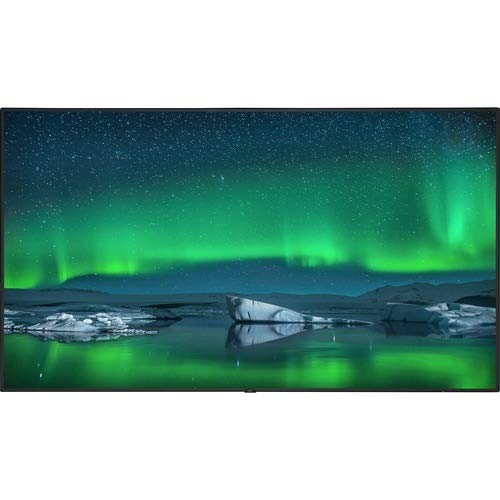
ด้านหน้า view of the NEC C861Q-AVT2 86-inch 4K UHD LED LCD Display, showcasing its slim bezel and large screen.
2. ข้อมูลด้านความปลอดภัย
Please read all safety instructions carefully before using the display. Failure to follow these instructions may result in electric shock, fire, or damage to the product.
- แหล่งพลังงาน: Connect the display only to the type of power source indicated on the label. Ensure the power cord is securely plugged into a grounded outlet.
- การระบายอากาศ : Do not block ventilation openings. Ensure adequate space around the display for proper airflow to prevent overheating.
- การสัมผัสของเหลว: Do not expose the display to rain, moisture, or spill liquids onto it. If liquid enters the display, disconnect power immediately and contact qualified service personnel.
- การทำความสะอาด: Unplug the display from the power outlet before cleaning. Use a soft, dry cloth. Do not use liquid cleaners or aerosol cleaners.
- การติดตั้ง: Ensure the display is mounted securely to a stable surface or wall using appropriate mounting hardware. If wall-mounting, use a compatible mount such as the WMK-3255S to meet ADA compliance requirements.
- การบริการ: อย่าพยายามให้บริการผลิตภัณฑ์นี้ด้วยตนเอง ส่งต่อการบริการทั้งหมดไปยังช่างบริการที่ผ่านการรับรอง
3. อะไรอยู่ในกล่อง
แกะกล่องอย่างระมัดระวังและตรวจสอบให้แน่ใจว่าสิ่งของทั้งหมดอยู่ในกล่อง:
- NEC C861Q-AVT2 86-inch 4K UHD LED LCD Display
- Stand (for table mounting)
- สายไฟ
- Remote Control (not explicitly listed but standard for displays)
- คู่มือการใช้งาน (เอกสารนี้)
4. การตั้งค่า
4.1 การติดตั้งจอแสดงผล
The NEC C861Q-AVT2 can be used with the included stand for table mounting or with a compatible VESA wall mount (sold separately).
- ขาตั้งโต๊ะ: Attach the provided stand to the display following the instructions in the separate stand assembly guide. Place the display on a stable, level surface.
- ติดผนัง: If wall-mounting, ensure the wall mount is rated for the display's weight (approximately 127.4 pounds or 57.8 kg). Follow the wall mount manufacturer's instructions carefully. For ADA compliance, consider using the WMK-3255S wall mount.
4.2 การเชื่อมต่ออุปกรณ์ภายนอก
The display offers various input ports:
- ช่องต่อ HDMI: Connect up to three HDMI devices (e.g., media players, computers) to the HDMI 2.0 ports.
- ดิสเพลย์พอร์ต: Connect DisplayPort devices to the DisplayPort 1.2 inputs. Daisy chain functionality is also supported.
- ยูเอสบี: Use the USB ports for connecting storage devices for the integrated media player or for service purposes.
- Raspberry Pi Compute Module Slot: Insert a compatible Raspberry Pi Compute Module for integrated source functionality.
4.3 การเชื่อมต่อสายไฟ
- Ensure all external devices are connected.
- Connect the power cord to the display's power input.
- เสียบปลายอีกด้านของสายไฟเข้ากับเต้ารับไฟฟ้าที่มีสายดิน
5. คู่มือการใช้งาน
5.1 การเปิด/ปิดเครื่อง
Press the power button on the display or the remote control to turn the display on or off. The power indicator light will illuminate when the display is on.
5.2 การเลือกอินพุต
Use the 'Input' or 'Source' button on the remote control to cycle through available input sources (HDMI 1, HDMI 2, HDMI 3, DisplayPort 1, DisplayPort 2, Internal Media Player, Raspberry Pi Module).
5.3 การตั้งค่าภาพ
Access the on-screen display (OSD) menu using the remote control to adjust picture settings such as:
- ความสว่าง
- ตัดกัน
- อุณหภูมิสี
- อัตราส่วนภาพ
- Advanced settings via SpectraView Engine for color, intensity, gamma, or uniformity control.
5.4 Integrated Media Player
The display features an integrated media player. Insert a USB drive or SD card containing audio, video, or image files into the designated slot. Select the 'Internal Media Player' input source to access and play your content.
6. การบำรุงรักษา
6.1 การทำความสะอาดจอแสดงผล
- หน้าจอ: เช็ดหน้าจอเบาๆ ด้วยผ้านุ่มที่ไม่เป็นขุย สำหรับรอยฝังแน่น ให้เช็ดเบาๆampen the cloth with water or a non-abrasive, display-safe cleaning solution. Do not spray liquid directly onto the screen.
- Casing: เช็ดคasinเช็ดทำความสะอาดด้วยผ้าแห้งนุ่มๆ หลีกเลี่ยงการใช้สารเคมีรุนแรงหรือวัสดุที่มีฤทธิ์กัดกร่อน
6.2 การระบายอากาศ
Ensure that the ventilation openings on the display are not obstructed. Proper airflow is crucial for maintaining optimal operating temperature and extending the lifespan of the display, especially during 24/7 operation.
7 การแก้ไขปัญหา
หากคุณพบปัญหาเกี่ยวกับการแสดงผล โปรดดูขั้นตอนการแก้ไขปัญหาทั่วไปต่อไปนี้:
- ไม่มีไฟฟ้า:
- Check if the power cord is securely connected to both the display and the electrical outlet.
- ตรวจสอบว่าเต้ารับไฟฟ้าใช้งานได้โดยเสียบอุปกรณ์อื่น
- ไม่มีสัญญาณ:
- Ensure the correct input source is selected on the display.
- Check the connection cables (HDMI, DisplayPort) between the display and the source device. Try a different cable if possible.
- ตรวจสอบว่าอุปกรณ์ต้นทางเปิดใช้งานอยู่และส่งสัญญาณออกมา
- คุณภาพภาพไม่ดี:
- ปรับการตั้งค่าภาพ (ความสว่าง ความคมชัด ความละเอียด) ผ่านเมนู OSD
- Ensure the source device is outputting a resolution compatible with the display's native 4K UHD resolution.
- ตรวจสอบดูว่าหน้าจอหรือสายเคเบิลมีรอยเสียหายทางกายภาพหรือไม่
- Display Overheating:
- Ensure adequate ventilation around the display. Clear any obstructions from the vents.
- หากปัญหายังคงอยู่ โปรดติดต่อฝ่ายสนับสนุนลูกค้า
8. ข้อมูลจำเพาะ
| คุณสมบัติ | ข้อมูลจำเพาะ |
|---|---|
| ยี่ห้อ | เอ็นอีซี |
| หมายเลขรุ่น | C861Q-AVT2 |
| ขนาดหน้าจอ | 86 นิ้ว |
| เทคโนโลยีการแสดงผล | LED-LCD |
| ปณิธาน | 4K UHD (3840 x 2160) |
| ความสว่าง | 350 ซีดี/ตรม. |
| คุณสมบัติพิเศษ | Anti-Glare Screen, Integrated ATSC Tuner, Flat Panel, Full Metal Chassis, Integrated Media Player, Raspberry Pi Compute Module Slot |
| อัตราการรีเฟรช | 60 เฮิรตซ์ |
| เทคโนโลยีการเชื่อมต่อ | USB, DisplayPort 1.2 (x2, daisy chain), HDMI 2.0 (x3) |
| ขนาดสินค้า | 2.9 x 75.9 x 43.3 นิ้ว (7.37 x 192.79 x 109.98 ซม.) |
| น้ำหนักสินค้า | 127.4 ปอนด์ (57.8 กก.) |
| ประเภทการติดตั้ง | Table Mount (VESA compatible for wall mount) |
| เวลาทำการ | 24/7 operation capable |
9. การรับประกันและการสนับสนุน
9.1 ข้อมูลการรับประกัน
This NEC C861Q-AVT2 display comes with a full 3-year commercial warranty. Please retain your proof of purchase for warranty claims.
9.2 การสนับสนุนลูกค้า
For technical assistance, troubleshooting beyond this manual, or warranty service, please contact NEC customer support. Refer to the contact information provided with your purchase documentation or visit the official NEC webเว็บไซต์สำหรับรายละเอียดการสนับสนุน


