1. บทนำ
The GEN GAME S3 Wireless Bluetooth 3.0 Gamepad is a versatile controller designed for cross-platform use with Android smartphones, tablet PCs, and personal computers. It combines a compact and lightweight design with broad compatibility, offering a classic layout and a rechargeable battery for extended gaming sessions.
This manual provides essential information on setting up, operating, and maintaining your S3 Gamepad to ensure optimal performance and longevity.

Image: The GEN GAME S3 Bluetooth Gamepad, showcasing การออกแบบและบรรจุภัณฑ์
2. เนื้อหาบรรจุภัณฑ์
โปรดตรวจสอบว่าสินค้าทั้งหมดมีอยู่ในแพ็คเกจของคุณ:
- 1 x S3 Bluetooth Gamepad
- 1 x สาย USB (สำหรับชาร์จ)
- 1 x คู่มือผู้ใช้ (เอกสารนี้)
3. การตั้งค่าและการเชื่อมต่อ
Follow these steps to connect your GEN GAME S3 Gamepad to your device:
- Power Off the Gamepad: Ensure the gamepad is powered off before initiating the connection process.
- เข้าสู่โหมดจับคู่:
- สำหรับ Android Devices / Firestick: กด .ค้างไว้ ปุ่ม X และ GEN GAME HOME button together for 3 seconds until the four LED lights flash rapidly. Then release the buttons.
- สำหรับ อุปกรณ์ iOS: กด .ค้างไว้ ปุ่ม Y และ GEN GAME HOME button together for 3 seconds until the four LED lights flash rapidly. Then release the buttons.
- เปิดใช้งานบลูทูธบนอุปกรณ์ของคุณ: Turn on the Bluetooth feature on your smartphone, tablet, or PC. Your device will begin searching for available Bluetooth signals.
- Select Gamepad for Connection:
- สำหรับ อุปกรณ์แอนดรอยด์: Select "GEN GAME" from the list of available devices.
- สำหรับ อุปกรณ์ iOS: Select "Newgamepad N1" from the list of available devices.
- การยืนยันการเชื่อมต่อ:
- When successfully connected to an อุปกรณ์แอนดรอยด์, เดอะ ไฟ LED 1 ดวง on the gamepad will illuminate.
- When successfully connected to an อุปกรณ์ iOS, เดอะ ไฟ LED 3 ดวง on the gamepad will illuminate.
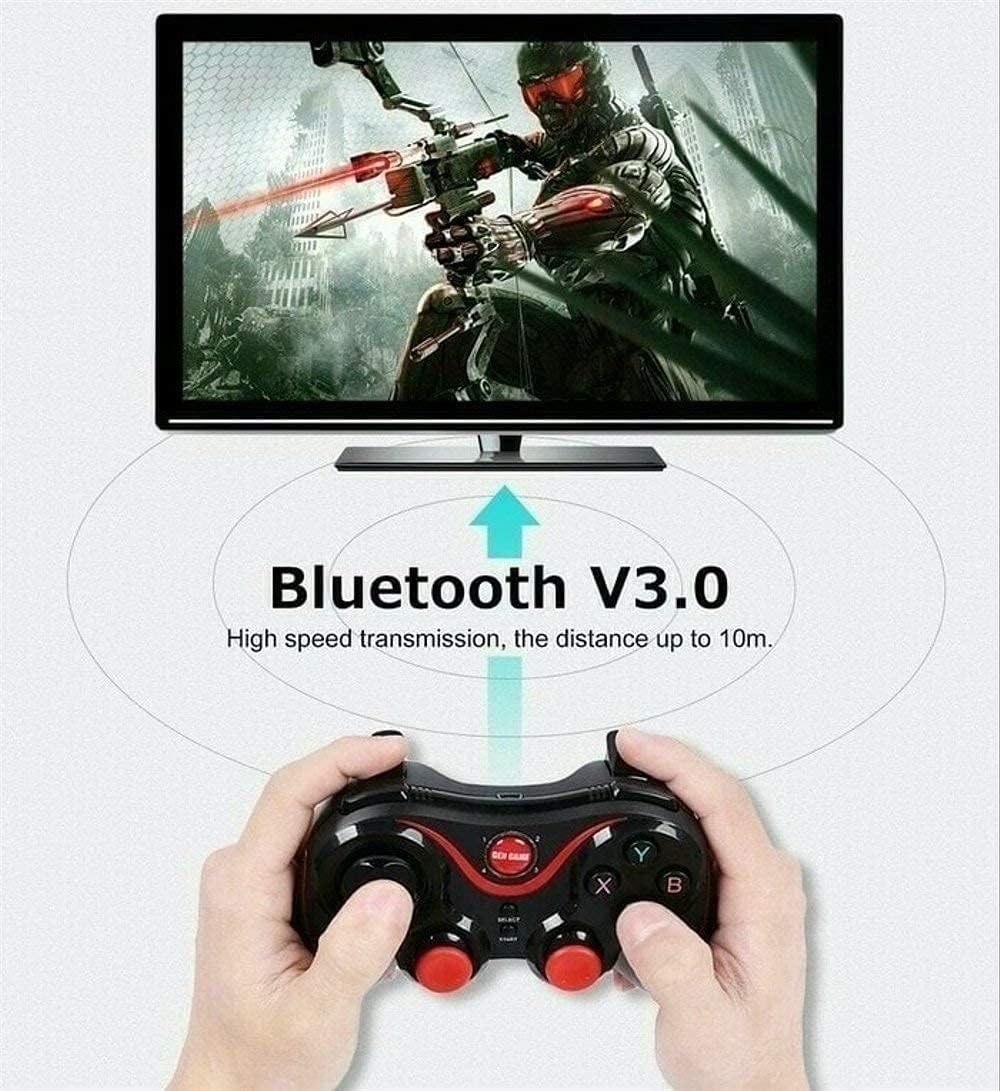
Image: Visual representation of the Bluetooth V3.0 connection process, highlighting the 10-meter range.
4. คู่มือการใช้งาน
4.1 โหมดการสลับ
Once connected, you can switch between gamepad mode and mouse mode by pressing the GEN GAME HOME button. This allows for versatile control depending on your application or game.
4.2 เค้าโครงปุ่มและฟังก์ชั่น
Familiarize yourself with the gamepad's buttons and their general functions:

Image: Detailed diagram illustrating the various buttons and interfaces on the S3 Gamepad, including Direction button, Home button, Select/Start buttons, USB interface, L2/R2 buttons, and LED indicators.
- ปุ่มทิศทาง: สำหรับการป้อนทิศทาง
- ปุ่มโฮม: เปิด/ปิดเครื่อง, สลับโหมดการทำงาน
- ปุ่มเลือกและปุ่มเริ่ม: Standard game control functions.
- ปุ่ม A/B/X/Y: ปุ่มการกระทำ
- ปุ่ม L1/R1: กระดุมไหล่
- ปุ่ม L2/R2: ปุ่มทริกเกอร์
- อินเทอร์เฟซ USB: For charging the gamepad.
- ไฟแสดงสถานะ LED: Shows connection status and charging status.
4.3 การใช้งานที่วางโทรศัพท์
The gamepad includes a retractable holder designed to securely fit a wide range of smartphones, allowing for a portable gaming setup.

Image: The S3 Gamepad demonstrating its retractable phone holder, designed to accommodate various phone sizes.
5. คุณสมบัติหลัก
- ความเข้ากันได้ของ Android: Supports Android 3.2 or above system devices.
- การเชื่อมต่อบลูทูธ 3.0: Wireless transmission operable within 10 meters, no USB dongle required.
- แบตเตอรี่แบบชาร์จไฟได้: Built-in Li-battery provides approximately 20 hours of continuous play after a full charge. Features energy-saving mode upon disconnection.
- การออกแบบตามหลักสรีรศาสตร์: Crafted for comfortable and enjoyable play, offering ultimate flexibility, precision, and ease of control.
- การใช้งานข้ามแพลตฟอร์ม: Play games on Bluetooth-enabled Android phones, tablets, and PCs.
6. ข้อมูลจำเพาะ
| คุณสมบัติ | รายละเอียด |
|---|---|
| หมายเลขรุ่น | S3 |
| การเชื่อมต่อ | บลูทูธ 3.0 |
| ช่วงสาย | สูงสุด 10 เมตร |
| ประเภทแบตเตอรี่ | Built-in Rechargeable Li-battery |
| อายุการใช้งานแบตเตอรี่ (โดยประมาณ) | 20 hours continuous play |
| ขนาดแพ็คเกจ | 20.2 x 13.6 x 6.6 ซม. |
| น้ำหนัก | 200 กรัม |
7 การแก้ไขปัญหา
- แป้นเกมไม่เชื่อมต่อ: Ensure the gamepad is fully charged. Verify you are using the correct button combination (X for Android, Y for iOS) to enter pairing mode. Make sure Bluetooth is enabled on your device and that the gamepad is within the 10-meter range.
- Compatibility with specific games: Please note that this gamepad does not support the PUBG game. Compatibility with other games may vary; refer to the game's requirements or settings for controller support.
- การเชื่อมต่ออุปกรณ์ iOS: For iOS devices, your phone may require jailbreaking for full compatibility with the gamepad.
- พฤติกรรมที่ไม่คาดคิด: If the gamepad behaves unexpectedly, try powering it off and on again, then re-establishing the Bluetooth connection.
8. การบำรุงรักษา
- การทำความสะอาด: Use a soft, dry cloth to clean the gamepad. Avoid using harsh chemicals or abrasive materials that could damage the surface.
- พื้นที่จัดเก็บ: เก็บเกมแพดไว้ในที่แห้งและเย็น หลีกเลี่ยงแสงแดดโดยตรงและอุณหภูมิที่สูงหรือต่ำเกินไป
- การดูแลแบตเตอรี่ เพื่อยืดอายุการใช้งานแบตเตอรี่ ควรหลีกเลี่ยงการปล่อยให้แบตเตอรี่หมดจนเกลี้ยงบ่อยๆ ชาร์จจอยเกมเป็นประจำ แม้ว่าจะไม่ได้ใช้งานเป็นเวลานานก็ตาม
- หลีกเลี่ยงการหยด: ควรปกป้องจอยเกมจากการตกหล่นและการกระแทก เพราะอาจทำให้ชิ้นส่วนภายในเสียหายได้
9. การรับประกันและการสนับสนุน
Specific warranty information for the GEN GAME S3 Gamepad is not provided within this manual. Please refer to the product packaging, your purchase receipt, or the official Gen Game webเว็บไซต์สำหรับข้อกำหนดและเงื่อนไขการรับประกันโดยละเอียด
For technical support or further assistance, please contact the retailer or manufacturer through their official support channels.