1. บทนำ
This manual provides detailed instructions for the safe and efficient operation, setup, and maintenance of your Bernina 590 Sewing and Embroidery Machine. Please read this manual thoroughly before using the machine to ensure optimal performance and longevity.
2. คำแนะนำด้านความปลอดภัย
ปฏิบัติตามข้อควรระวังด้านความปลอดภัยขั้นพื้นฐานเสมอเมื่อใช้เครื่องใช้ไฟฟ้า เพื่อลดความเสี่ยงต่อการเกิดไฟไหม้ ไฟฟ้าช็อต หรือการบาดเจ็บต่อบุคคล
- Ensure the machine is unplugged before cleaning, lubricating, or performing any user servicing.
- วางนิ้วให้ห่างจากชิ้นส่วนที่เคลื่อนไหวทั้งหมด ต้องใช้ความระมัดระวังเป็นพิเศษรอบ ๆ เข็มจักรเย็บผ้า
- Use the correct needle plate. The wrong plate can cause the needle to break.
- ห้ามใช้เข็มที่งอ
- Do not pull or push fabric while stitching. This may deflect the needle, causing it to break.
- สวมแว่นตานิรภัย
- Never operate the machine with any air openings blocked. Keep ventilation openings of the sewing machine and foot controller free from the accumulation of lint, dust, and loose cloth.
3. สินค้าหมดview
The Bernina 590 is a versatile machine designed for both sewing and embroidery tasks, offering advanced features for precision and ease of use.
คุณสมบัติหลัก:
- Automatic Thread Cutter: Performs three steps in one: cuts the thread, positions the needle, and lifts the presser foot.
- Bernina Hook: Ensures consistent and precise stitches at speeds up to 1,000 stitches per minute.
- Bernina Dual Feed: Moves fabric evenly from both top and bottom, easily activated and deactivated.
- Embroidery Capabilities: Maximum embroidery area of 400 x 150 mm, includes 275 embroidery designs and 8 embroidery alphabets.
- หน้าจอสัมผัสสี: Intuitive interface for machine control and stitch selection.
- ไฟ LED: Provides bright illumination of the work area.
- Invisible Secure Stitch and Intelligent Tie-off Recognition: Ensures high-quality embroidery results.
- Precise Motif Positioning: Allows accurate placement of embroidery designs on hooped fabric.
- On-screen Guides: Sewing and embroidery guides provide direct assistance and answer questions.
ส่วนประกอบของเครื่อง:


4. การตั้งค่า
Before operating your Bernina 590, ensure it is properly set up.
4.1 การเชื่อมต่อแหล่งจ่ายไฟเบื้องต้น
- วางเครื่องบนพื้นผิวเรียบและมั่นคง
- เชื่อมต่อสายไฟเข้ากับเครื่องแล้วจึงเสียบเข้ากับเต้ารับไฟฟ้าที่เหมาะสม
- เปิดเครื่องโดยใช้สวิตช์เปิดปิดหลัก
4.2 การร้อยด้ายเครื่องจักร
Follow the numbered threading path indicated on the machine for the upper thread. For the bobbin, refer to the following illustration:

4.3 Attaching the Presser Foot and Needle
Ensure the correct presser foot and needle are installed for your chosen task.

5. คู่มือการใช้งาน
5.1 Sewing Operations
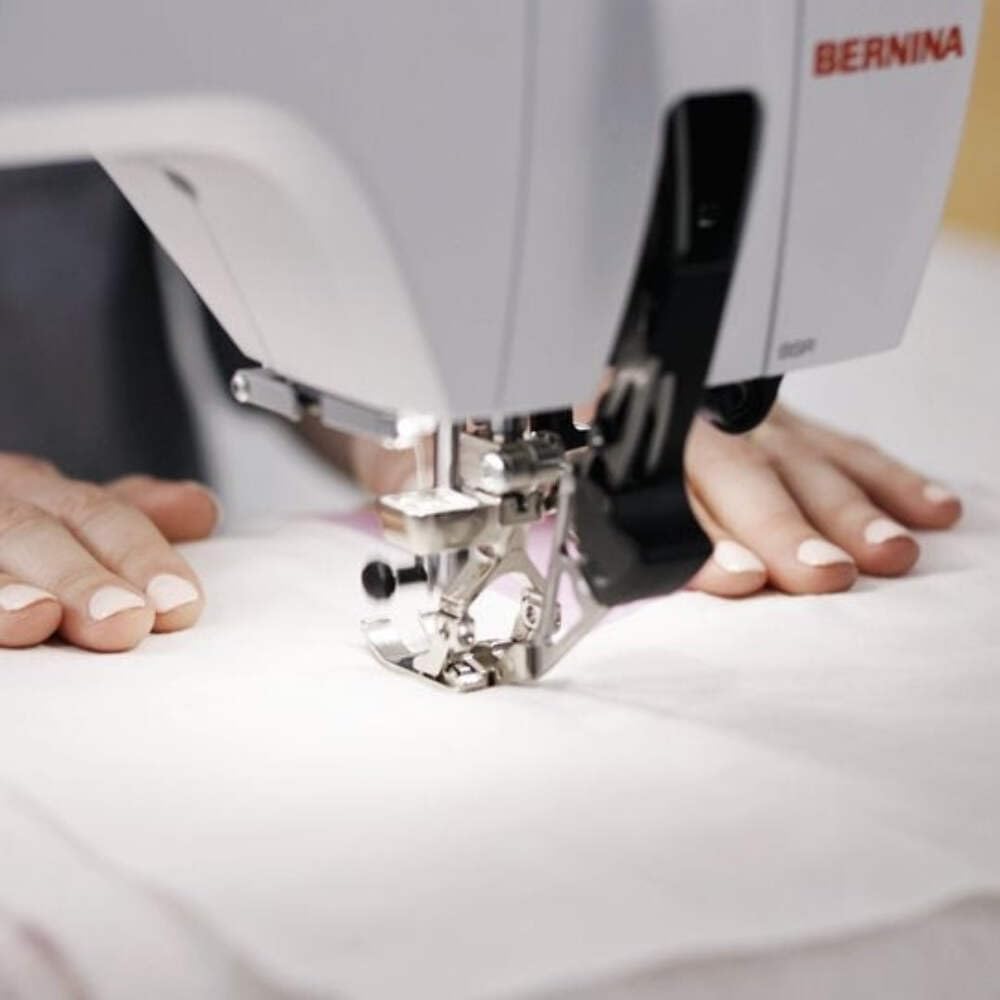
Select your desired stitch pattern and adjust settings using the color touchscreen. The Bernina 590 offers precise control for various sewing projects.
- การเลือกรูปแบบการเย็บ: Navigate the touchscreen to choose from a wide range of utility and decorative stitches.
- Bernina Dual Feed: Activate the dual feed for even fabric transport, especially useful for challenging materials.
- Automatic Thread Cutter: Utilize this feature to automatically cut threads at the end of a seam.
5.2 Embroidery Operations
Attach the embroidery module and hoop your fabric to begin embroidery projects.
- การเลือกการออกแบบ: Choose from 275 built-in embroidery designs or load your own.
- Motif Positioning: Use the precise motif positioning feature to align your design accurately on the fabric.
- Embroidery Guide: Follow the on-screen guide for step-by-step assistance during embroidery.

6. การบำรุงรักษา
Regular maintenance ensures the smooth operation and extends the lifespan of your Bernina 590.
- การทำความสะอาด: Regularly clean the bobbin area, feed dogs, and needle plate to remove lint and dust. Use a small brush provided with the machine.
- การหล่อลื่น: Refer to the machine's internal instructions for specific lubrication points and frequency.
- การเปลี่ยนเข็ม: Replace needles frequently, especially when working with different fabric types or if the needle shows signs of wear.
- การอัปเดตซอฟต์แวร์: Check the official Bernina website for any available software updates for your machine.
7 การแก้ไขปัญหา
This section addresses common issues you might encounter. For more complex problems, contact Bernina support.
| ปัญหา | สาเหตุที่เป็นไปได้ | สารละลาย |
|---|---|---|
| ข้ามตะเข็บ | เข็มไม่ถูกต้อง เข็มงอ การร้อยด้ายไม่ถูกวิธี | เปลี่ยนเข็ม ร้อยด้ายใหม่ ตรวจสอบให้แน่ใจว่าใช้เข็มชนิดที่ถูกต้องสำหรับเนื้อผ้า |
| ด้ายแตก | Incorrect tension, poor quality thread, burr on needle plate, incorrect threading. | Adjust tension, use quality thread, check for burrs, re-thread machine. |
| เครื่องไม่สตาร์ท | Power cord not connected, main switch off, foot control issue. | Check power connections, ensure switch is on, inspect foot control. |
8. ข้อมูลจำเพาะ
Detailed technical specifications for the Bernina 590 Sewing and Embroidery Machine.
- แบบอย่าง: Bernina 590
- ขนาด (แพ็คเกจ): 58 x 50 x 48 ซม.
- น้ำหนัก(สินค้า): 15 กก.
- Maximum Embroidery Area: 400 x 150 มม.
- Maximum Embroidery Speed: 1000 ฝีเข็มต่อนาที
- Included Embroidery Designs: 275
- Embroidery Alphabets: 8
- Hook System: Bernina Hook
- แสดง: หน้าจอสัมผัสสี
- แสงสว่าง: นำ

9. การรับประกันและการสนับสนุน
For warranty information, please refer to the documentation provided with your purchase or visit the official Bernina website. For technical support, service, or to order parts, please contact your authorized Bernina dealer or Bernina customer service.
Bernina Official Webเว็บไซต์: www.bernina.com


