การแนะนำ
This manual provides essential instructions for setting up, operating, maintaining, and troubleshooting your Huawei Watch GT Fashion smartwatch. Please read this manual thoroughly to ensure proper use and to maximize the device's features.

Image: Huawei Watch GT Fashion Smartwatch with a brown leather strap, displaying a digital watch face with time and step count.
การตั้งค่า
1. การชาร์จครั้งแรก
Before first use, fully charge your Huawei Watch GT Fashion. Connect the charging cradle to a power adapter and place the watch onto the cradle, ensuring the charging contacts align. The watch will display a charging indicator.
2. การจับคู่กับสมาร์ทโฟนของคุณ
- Download the Huawei Health App จากแอปสโตร์ของสมาร์ทโฟนของคุณ (Google Play Store สำหรับ Android, Apple App Store สำหรับ iOS)
- ตรวจสอบให้แน่ใจว่าได้เปิดใช้งานบลูทูธของสมาร์ทโฟนของคุณแล้ว
- Open the Huawei Health App, navigate to Devices, and select "Add device". Choose your Huawei Watch GT Fashion from the list.
- Follow the on-screen prompts on both your watch and smartphone to complete the pairing process. Confirm the pairing code if prompted.
System Requirements: Android 4.4 or later; iOS 9.0 or later.
3. การอัปเดตซอฟต์แวร์
After pairing, the Huawei Health App may prompt you to update the watch's software. It is recommended to perform these updates to ensure optimal performance and access to the latest features. Ensure your watch is sufficiently charged before starting an update.
คำแนะนำการใช้งาน
การนำทางพื้นฐาน
- หน้าจอสัมผัส: ปัดขึ้น ลง ซ้าย หรือขวา เพื่อนำทางผ่านเมนูและการแจ้งเตือน แตะเพื่อเลือกรายการ
- ปุ่มบน: กดเพื่อเข้าถึงรายการแอปหรือกลับไปยังหน้าจอหลัก
- ปุ่มล่าง: Customizable for quick access to a specific function, such as workout modes.

Image: The Huawei Watch GT Fashion highlighting its 1.39" AMOLED touchscreen and ultra-slim 10.6 mm profile.
การติดตามสุขภาพ
- Heart Rate Monitoring (TruSeen 3.0): The watch continuously monitors your heart rate using innovative sensors, providing real-time data. Access heart rate graphs via the Huawei Health App.
- Sleep Tracking (TruSleep 2.0): In collaboration with Harvard Medical School CDB Center, the watch identifies common sleep issues and offers over 200 suggestions to improve sleep quality.
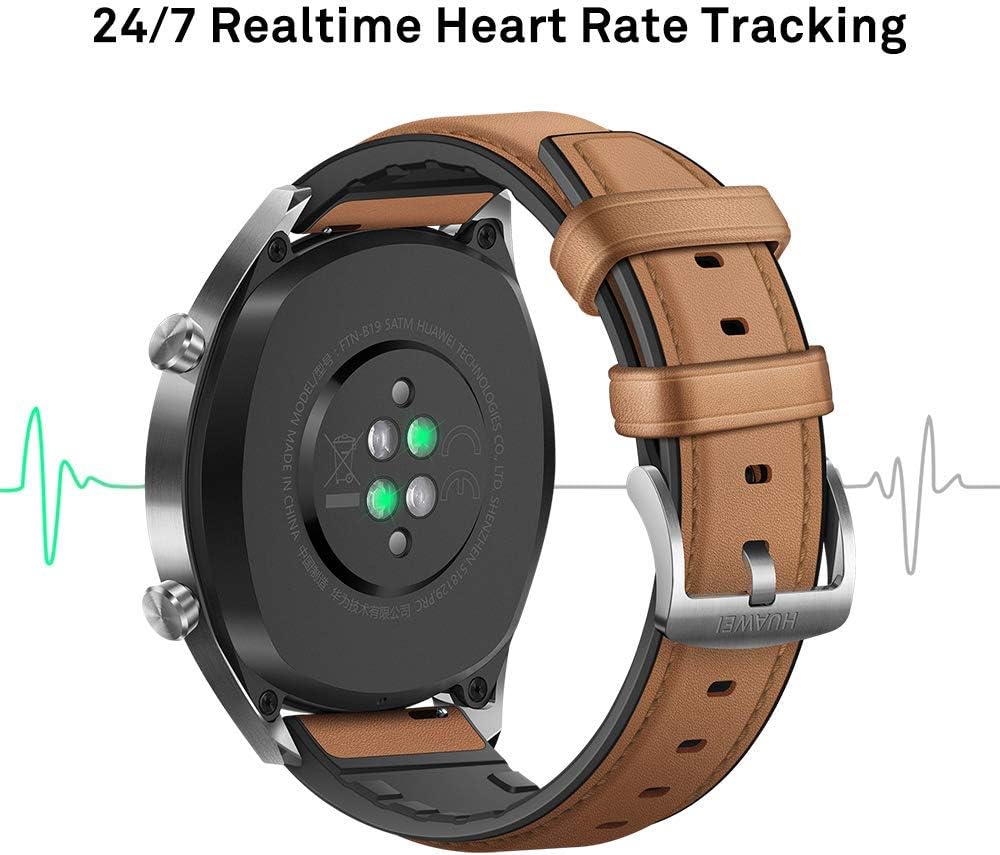
ภาพ: ด้านหลัง view of the Huawei Watch GT Fashion, illustrating the optical heart rate sensors for 24/7 real-time tracking.
Activity Tracking and GPS
- โหมดมัลติสปอร์ต: The watch supports various indoor and outdoor sports modes, including running, cycling, swimming, and more. Select your activity from the watch's menu to start tracking.
- การระบุตำแหน่ง GPS: Equipped with 3 global satellite positioning systems (GPS, GLONASS, GALILEO), the watch offers fast and precise positioning for outdoor activities.
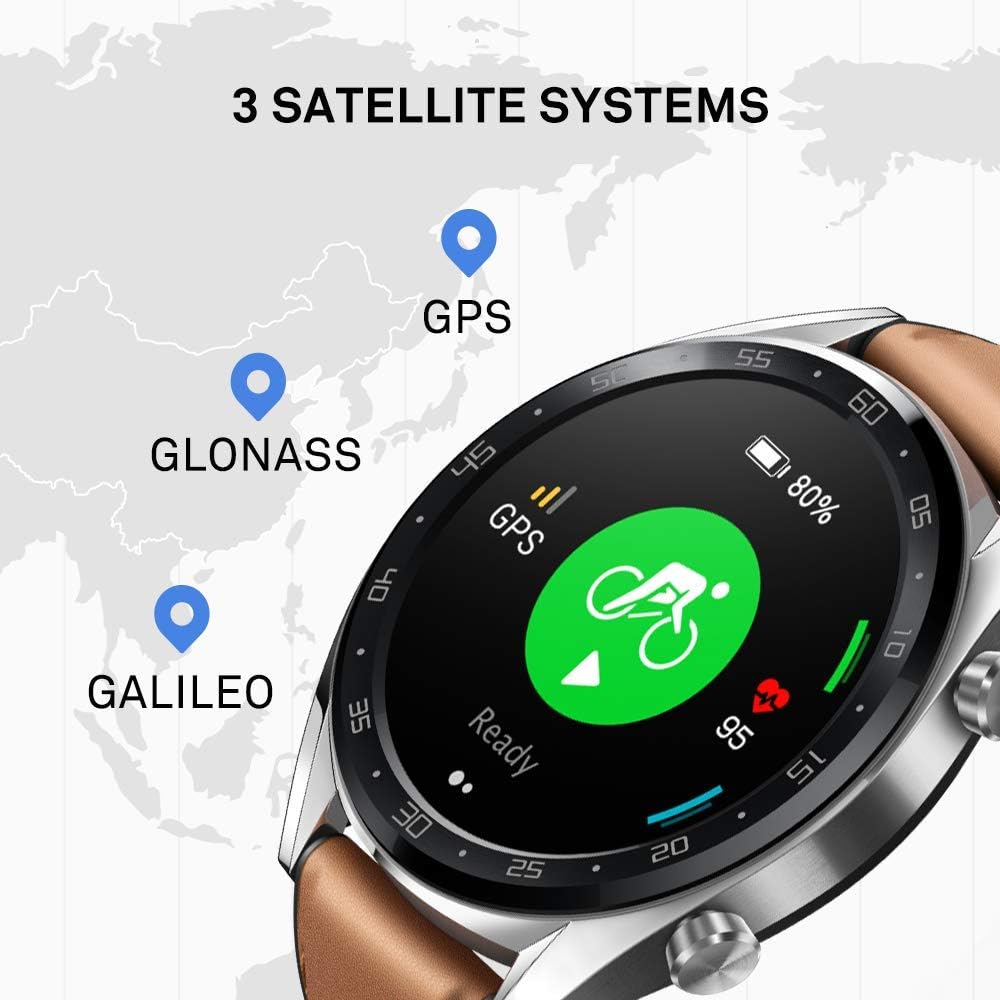
Image: The Huawei Watch GT Fashion screen showing icons for GPS, GLONASS, and GALILEO satellite systems, indicating global positioning capabilities.
การแจ้งเตือนและคุณสมบัติอื่นๆ
- การแจ้งเตือนอัจฉริยะ: Receive call, message, and app notifications directly on your wrist when connected to your smartphone.
- ความต้านทานน้ำ: The watch is water-resistant up to 50 meters, suitable for swimming and shallow water activities. Avoid hot water or steam.
- อายุการใช้งานแบตเตอรี่: The watch offers up to two weeks of battery life under typical usage conditions (heart rate monitor on, 90 mins exercise/week). Battery life varies with usage.

Image: An infographic detailing battery life scenarios for the Huawei Watch GT Fashion: 2 weeks with heart rate and exercise, 30 days with notifications only, and 22 hours with all activity modes and GPS on.
การซ่อมบำรุง
การทำความสะอาดนาฬิกาของคุณ
- ควรทำความสะอาดนาฬิกาเป็นประจำasinและสายรัดที่นุ่มสบายamp ผ้า.
- ตรวจสอบให้แน่ใจว่าหน้าสัมผัสสำหรับชาร์จที่ด้านหลังของนาฬิกาสะอาดและแห้งเพื่อป้องกันปัญหาในการชาร์จ
- หลีกเลี่ยงการใช้สารเคมีรุนแรงหรือวัสดุที่มีฤทธิ์กัดกร่อน เพราะอาจทำให้พื้นผิวของนาฬิกาเสียหายได้
เปลี่ยนสาย
The Huawei Watch GT Fashion uses standard 22mm interchangeable straps. To replace the strap, locate the quick-release pins on the underside of the strap and slide them to detach. Attach a new strap by reversing the process.
การดูแลแบตเตอรี่
- Charge the watch using only the provided charging cradle and a compatible power adapter.
- Avoid exposing the watch to extreme temperatures, which can affect battery life and performance.
- If storing the watch for an extended period, charge it to approximately 50% to preserve battery health.
การแก้ไขปัญหา
นาฬิกาไม่เปิดหรือชาร์จไม่เข้า
- Ensure the charging contacts on both the watch and cradle are clean and free of debris.
- ตรวจสอบว่าสายชาร์จและอะแดปเตอร์ไฟทำงานถูกต้อง
- ลองใช้แหล่งพลังงานอื่น
ปัญหาการจับคู่
- ตรวจสอบให้แน่ใจว่าได้เปิดใช้งานบลูทูธบนสมาร์ทโฟนของคุณแล้ว และนาฬิกาอยู่ในระยะที่สามารถใช้งานได้
- รีสตาร์ททั้งสมาร์ทโฟนและนาฬิกาของคุณ
- Unpair the watch from your smartphone's Bluetooth settings and attempt to pair again through the Huawei Health App.
- ตรวจสอบให้แน่ใจว่าแอป Huawei Health ได้รับการอัปเดตเป็นเวอร์ชันล่าสุด
Inaccurate Heart Rate or GPS Data
- สำหรับการวัดอัตราการเต้นของหัวใจ ตรวจสอบให้แน่ใจว่าสวมนาฬิกากระชับกับข้อมือ ไม่แน่นหรือหลวมเกินไป
- สำหรับการใช้งาน GPS โปรดตรวจสอบให้แน่ใจว่าคุณอยู่ในพื้นที่กลางแจ้งโล่งที่มีทัศนวิสัยชัดเจน view ของท้องฟ้า
- Sync your watch with the Huawei Health App regularly to ensure updated satellite data.
รีเซ็ตนาฬิกา
If issues persist, you may need to reset your watch to factory settings. This will erase all data on the watch. Navigate to Settings > System > Reset บนนาฬิกาของคุณ ยืนยันการดำเนินการเมื่อได้รับแจ้ง
ข้อมูลจำเพาะ
| ชื่อรุ่น | Watch GT Fashion |
| หมายเลขรุ่น | 55023253 |
| แสดง | หน้าจอ AMOLED ขนาด 1.39 นิ้ว ความละเอียด 454 x 454 พิกเซล |
| ขนาด | 1.06 x 4.65 x 4.65 ซม. (0.42 x 1.83 x 1.83 นิ้ว) |
| น้ำหนัก | 46 กรัม (ไม่รวมสาย) |
| อายุการใช้งานแบตเตอรี่ | สูงสุด 13 วัน (การใช้งานทั่วไป) |
| เซ็นเซอร์ | Accelerometer, Gyroscope, Magnetometer, Optical Heart Rate, Ambient Light, Barometer |
| การเชื่อมต่อ | Bluetooth BT4.2, BLE, GPS (GPS, GLONASS, GALILEO) |
| ความต้านทานต่อน้ำ | 5 ATM (50 เมตร) |
| ความต้องการของระบบ | Android 4.4 or later; iOS 9.0 or later |
ข้อมูลการรับประกัน
Your Huawei Watch GT Fashion is covered by a limited warranty. For detailed warranty terms and conditions, please refer to the warranty card included with your product or visit the official Huawei webไซต์สำหรับภูมิภาคของคุณ โปรดเก็บหลักฐานการซื้อไว้เพื่อใช้ในการเรียกร้องการรับประกัน
สนับสนุน
หากต้องการความช่วยเหลือเพิ่มเติม การสนับสนุนด้านเทคนิค หรือ view frequently asked questions, please visit the official Huawei support webเว็บไซต์:
consumer.huawei.com/en/support/
You can also contact Huawei customer service through the contact information provided on their support page.


