1. บทนำ
The TechniSat DIGITRADIO 230 OD is a robust and versatile DAB+ construction site radio designed for demanding environments. It offers a wide range of audio options including DAB+, FM radio, Bluetooth streaming, and AUX-in connectivity. Its durable casing provides protection against impacts, and with an IP65 rating, it is resistant to dust and water. The integrated rechargeable battery ensures flexible operation without trailing cables, making it an ideal companion for various work settings.

รูปที่ 1.1: The DIGITRADIO 230 OD in a typical construction site environment, demonstrating its robust design.
2. ข้อมูลด้านความปลอดภัย
Please read all safety instructions carefully before operating the device. Keep this manual for future reference.
- คุณสมบัติกันน้ำและฝุ่น (IP65): The DIGITRADIO 230 OD is protected against dust ingress and low-pressure water jets from any direction. While robust, avoid submerging the device or exposing it to high-pressure water. Ensure all port covers are securely closed to maintain IP65 rating.
- ความปลอดภัยของแบตเตอรี่: The device contains an integrated rechargeable Lithium-ion battery. Do not expose the battery to excessive heat, direct sunlight, or fire. Do not attempt to replace the battery yourself. Use only the provided power adapter for charging.
- แหล่งจ่ายไฟ: Only use the power adapter supplied with the device. Ensure the power cable is not damaged or placed in a position where it can be tripped over.
- การระบายอากาศ : Do not block any ventilation openings. Ensure adequate airflow around the device.
- การทำความสะอาด: Disconnect the device from the power supply before cleaning. Use a soft, dry cloth. Do not use liquid cleaners or aerosols.

รูปที่ 2.1: The radio features an IP65 rating, indicating protection against dust and water splashes.
3. เนื้อหาบรรจุภัณฑ์
โปรดตรวจสอบว่าสินค้าทั้งหมดมีอยู่และอยู่ในสภาพดี:
- TechniSat DIGITRADIO 230 OD unit
- Integrated rechargeable battery pack
- อะแดปเตอร์แปลงไฟ
- คู่มือการใช้งาน (เอกสารนี้)
4. สินค้าหมดview
4.1 ด้านหน้า View

รูปที่ 4.1: ด้านหน้า view of the DIGITRADIO 230 OD, showing the display, control buttons, and speakers.
The front panel features the main display, control buttons, and stereo speakers. The robust design includes protective elements on the sides.
- แสดง: แสดงข้อมูลสถานี เวลา และตัวเลือกเมนู
- ปุ่มควบคุม:
- เส้นทาง: สลับโหมดระหว่าง DAB+, FM, Bluetooth และ AUX
- เมนู: Accesses menu settings for the current mode.
- เล่น: (Function varies by mode, e.g., play/pause for Bluetooth).
- ข้อมูล: Displays additional information (e.g., program details, signal strength).
- ตั้งค่าล่วงหน้า: Accesses stored favorite stations.
- ปุ่มปรับระดับเสียง: Located on the top panel, control audio output level.
- Tuning/Scan Knobs: Located on the top panel, used for station tuning and scanning.
4.2 ด้านหลัง View และการเชื่อมต่อ

รูปที่ 4.2: หลัง view of the DIGITRADIO 230 OD, highlighting the AUX input, USB port, and integrated power cable storage.
The rear panel provides connectivity options and convenient storage for the power cable.
- อินพุต AUX: 3.5mm jack for connecting external audio devices. Features a protective cover.
- พอร์ต USB: For charging external mobile devices. Features a protective cover.
- Integrated Power Cable Storage: Allows for neat storage of the power cable when not in use or during transport.
- เสาอากาศ: Integrated antenna for radio reception.
5. การตั้งค่า
5.1 การเปิดเครื่องอุปกรณ์
The DIGITRADIO 230 OD can be powered either by its integrated rechargeable battery or directly from the mains power supply.
- แหล่งจ่ายไฟหลัก: Unwind the integrated power cable from its storage compartment on the rear of the device. Plug the power adapter into a suitable wall socket. The device will automatically begin charging the internal battery if it is not full.
- พลังงานแบตเตอรี่: The integrated Lithium-ion battery provides up to 10 hours of playback on a full charge. To use battery power, simply disconnect the device from the mains. Ensure the battery is sufficiently charged before portable use.
5.2 การตั้งค่าเบื้องต้นและการใช้งานครั้งแรก
Upon first power-on, the radio may perform an automatic scan for available DAB+ stations. Follow any on-screen prompts.
- Connect the radio to a power source or ensure the battery is charged.
- Press the power button (if available, otherwise it powers on when connected to mains or battery).
- The display will light up. If it's the first use, a DAB+ scan may start automatically.
- เมื่อการสแกนเสร็จสิ้น วิทยุจะปรับไปยังสถานีแรกที่รับได้
6. คู่มือการใช้งาน
6.1 โหมดวิทยุ DAB+
DAB+ (Digital Audio Broadcasting Plus) offers a wide range of digital radio stations with enhanced sound quality.
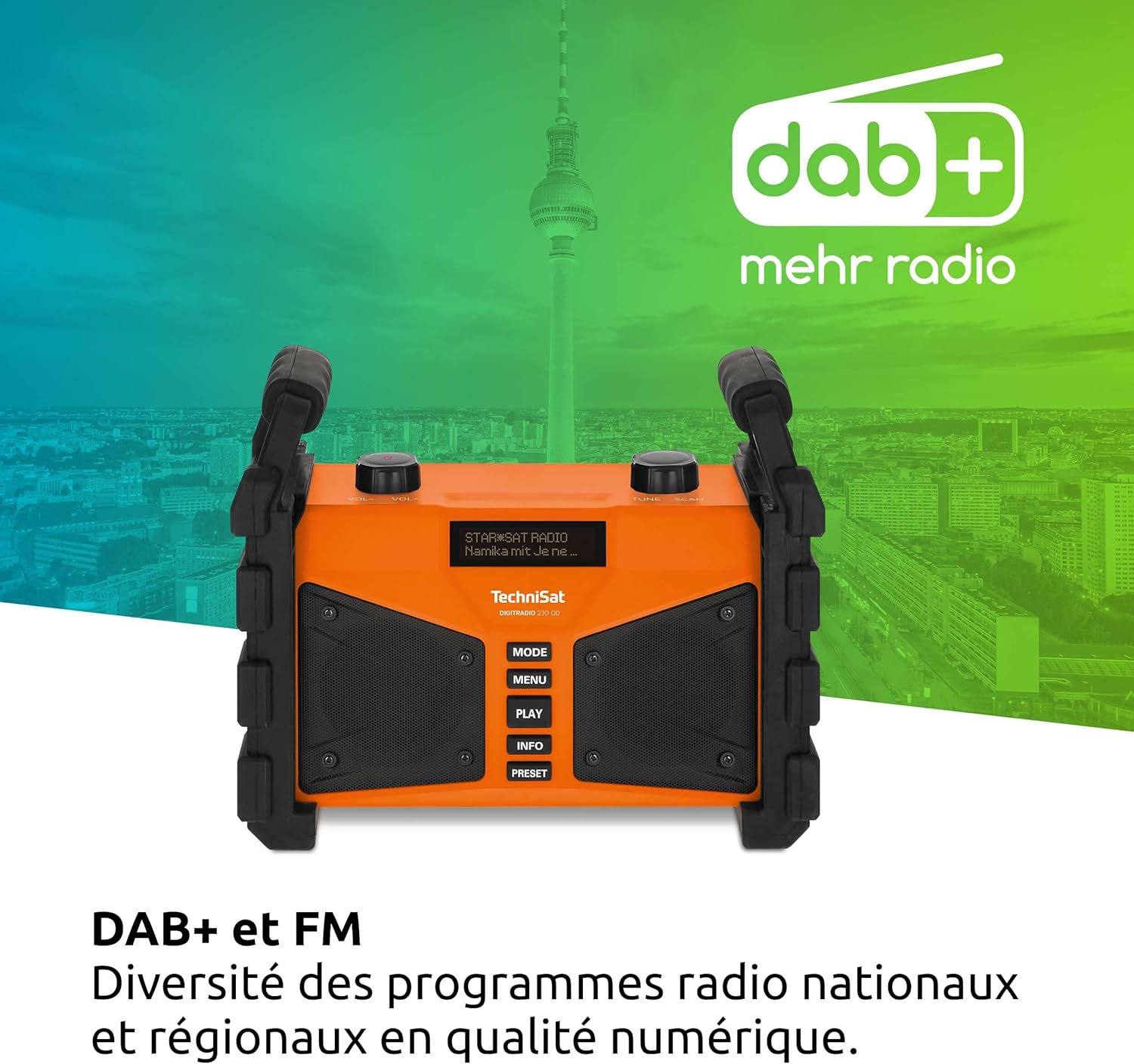
รูปที่ 6.1: The radio displaying DAB+ functionality, indicating digital radio reception.
- กดปุ่ม โหมด กดปุ่มค้างไว้จนกว่าจะปรากฏคำว่า "DAB+"
- If no stations are found, perform a full scan by pressing เมนู, then navigating to "Full Scan" and confirming.
- ใช้ TUNE/SCAN knob to scroll through the list of available stations. Press the knob to select a station.
- กด ข้อมูล ถึง view details such as program type, signal strength, and bit rate.
- การบันทึกค่าที่ตั้งล่วงหน้า: หากต้องการบันทึกสถานีโปรด ให้กดปุ่มค้างไว้ พรีเซ็ต ปุ่ม ใช้ปุ่ม TUNE/SCAN knob to select a preset number, then press the knob to confirm.
- การเรียกคืนค่าที่ตั้งไว้ล่วงหน้า: กดปุ่มสั้นๆ พรีเซ็ต ปุ่ม จากนั้นใช้ปุ่ม TUNE/SCAN knob to select your desired preset.
โหมดวิทยุ FM 6.2
The radio also supports traditional FM radio reception with RDS (Radio Data System).
- กดปุ่ม โหมด กดปุ่มไปเรื่อยๆ จนกว่าจะแสดงคำว่า "FM"
- ใช้ TUNE/SCAN knob to manually tune to a frequency. Press and hold the knob to automatically scan for the next available station.
- If RDS data is available, the display will show station name and program information.
- การบันทึกค่าที่ตั้งล่วงหน้า: Follow the same procedure as for DAB+ presets (press and hold พรีเซ็ต).
- การเรียกคืนค่าที่ตั้งไว้ล่วงหน้า: Follow the same procedure as for DAB+ presets (briefly press พรีเซ็ต).
6.3 การสตรีมบลูทูธ
เชื่อมต่อสมาร์ทโฟนหรืออุปกรณ์ที่รองรับบลูทูธเพื่อสตรีมเสียงแบบไร้สาย

รูปที่ 6.2: Wireless music enjoyment by streaming audio from a smartphone to the radio via Bluetooth.
- กดปุ่ม โหมด button until "Bluetooth" is displayed. The radio will enter pairing mode, indicated by a flashing Bluetooth icon or message on the display.
- On your mobile device, enable Bluetooth and search for available devices. Select "DIGITRADIO 230 OD" from the list.
- Once paired, the radio will confirm the connection. You can now play audio from your device, and control playback (play/pause, skip) using your mobile device or the radio's เล่น ปุ่ม.
6.4 Audio Quality and Equalizer
The DIGITRADIO 230 OD delivers rich stereo sound. You can adjust the audio output to your preference using the integrated equalizer.

รูปที่ 6.3: Illustration of the radio's excellent stereo sound quality.
- To access the equalizer settings, press the เมนู button and navigate to the "Equalizer" option.
- ใช้ TUNE/SCAN knob to select from preset equalizer modes or to manually adjust bass and treble levels.
6.5 AUX In Mode
Connect external audio sources such as MP3 players or older devices using a 3.5mm audio cable.
- Open the protective cover for the AUX input on the rear of the radio.
- Connect one end of a 3.5mm audio cable to the AUX input on the radio and the other end to the headphone jack or audio output of your external device.
- กดปุ่ม โหมด button until "AUX In" is displayed.
- ควบคุมการเล่นและระดับเสียงจากอุปกรณ์ภายนอกของคุณ
- Remember to close the protective cover after use to maintain the IP65 rating.
6.6 การชาร์จ USB
The USB port on the rear of the radio can be used to charge external mobile devices.
- Open the protective cover for the USB port on the rear of the radio.
- Connect your mobile device's charging cable to the USB port on the radio.
- Ensure the radio is powered on (either by mains or battery) for charging to occur.
- Remember to close the protective cover after use to maintain the IP65 rating.
7. การบำรุงรักษา
Proper maintenance ensures the longevity and optimal performance of your DIGITRADIO 230 OD.
- การทำความสะอาด: Disconnect the radio from the power supply. Use a soft, dry, lint-free cloth to clean the exterior. For stubborn dirt, a slightly damp สามารถใช้ผ้าเช็ดได้ แต่ต้องระวังอย่าให้ความชื้นเข้าไปในช่องเปิดใดๆ ห้ามใช้น้ำยาทำความสะอาดที่มีฤทธิ์กัดกร่อนหรือตัวทำละลาย
- ฝาปิดพอร์ต: Always ensure the protective covers for the AUX and USB ports are securely closed when not in use to maintain the IP65 dust and water resistance.
- การดูแลแบตเตอรี่ For optimal battery life, avoid fully discharging the battery frequently. If storing the radio for an extended period, charge the battery to approximately 50-70% and store in a cool, dry place. Recharge every few months to prevent deep discharge.
- พื้นที่จัดเก็บ: ควรเก็บวิทยุไว้ในที่แห้งและปราศจากฝุ่นเมื่อไม่ได้ใช้งาน
8 การแก้ไขปัญหา
If you encounter issues with your DIGITRADIO 230 OD, please refer to the following common problems and solutions:
| ปัญหา | สาเหตุที่เป็นไปได้ | สารละลาย |
|---|---|---|
| ไม่มีไฟเลี้ยง / อุปกรณ์ไม่เปิดใช้งาน | Battery is discharged; Power cable not connected or faulty. | Connect the radio to mains power and allow the battery to charge. Check the power cable connection. |
| Poor DAB+ or FM reception. | Weak signal; Antenna not positioned correctly; Interference. | Relocate the radio to an area with better reception. Ensure the integrated antenna is fully extended and oriented for best signal. Perform a full scan in DAB+ mode. |
| ไม่สามารถจับคู่บลูทูธได้ | Radio not in pairing mode; Bluetooth disabled on mobile device; Device too far. | Ensure the radio is in Bluetooth mode and actively searching for devices. Enable Bluetooth on your mobile device. Move the mobile device closer to the radio. |
| การชาร์จผ่าน USB ไม่ทำงาน | Radio not powered on; USB cable faulty; Device not compatible. | Ensure the radio is powered on. Try a different USB cable. Some devices may draw too much power or are not compatible with the charging output. |
| เสียงผิดเพี้ยนหรือเบาเกินไป | Volume too low; Audio source issue; Equalizer settings. | Adjust the volume on the radio and the connected audio source (if applicable). Check equalizer settings in the menu. |
9. ข้อมูลจำเพาะ
| คุณสมบัติ | รายละเอียด |
|---|---|
| ยี่ห้อ | เทคนิแซท |
| หมายเลขรุ่น | 0000/3907 |
| สี | ส้ม |
| เทคโนโลยีการเชื่อมต่อ | อุปกรณ์เสริม, บลูทูธ, USB |
| เทคโนโลยีการปรับแต่ง | แต้ม+/เอฟเอ็ม |
| แถบความถี่วิทยุที่รองรับ | DAB+/DAB, FM (87.5-108 MHz) |
| คุณสมบัติพิเศษ | Integrated battery (up to 10 hours playback), IP65 dust and water resistant, Robust construction, USB interface for charging external devices, Bluetooth audio streaming, Digital radio DAB+, FM radio with RDS, Suitable for construction sites, Favorite station memory, Adjustable equalizer |
| พอร์ต USB รวม | 1 |
| อุปกรณ์ที่รองรับ | Headphones, Speakers, Smartphone, Laptop, MP3 Player |
| แบตเตอรี่แบบชาร์จไฟได้ | Yes (1 Lithium-ion battery required/included) |
| แหล่งพลังงาน | Battery Powered / Mains Power |
| ขนาดสินค้า (กxยxส) | 26.2 x 13.4 x 21.9 ซม. |
10. การรับประกันและการสนับสนุน
This TechniSat DIGITRADIO 230 OD comes with a manufacturer's warranty of 2 years (2 Jahre Gewährleistung).
For technical support, warranty claims, or further assistance, please contact your retailer or visit the official TechniSat webเว็บไซต์สำหรับข้อมูลการติดต่อ
โปรดเก็บหลักฐานการซื้อไว้เพื่อวัตถุประสงค์การรับประกัน


