การแนะนำ
This manual provides detailed instructions for the setup, operation, maintenance, and troubleshooting of your Logitech HD Pro Webcam C922. Please read this manual thoroughly before using the product to ensure optimal performance and longevity.
โลจิเทค C922 เอชดี โปร Webcam is designed for high-definition video calls and streaming, offering clear 1080p video capture and reliable performance.
สินค้าเกินview
Familiarize yourself with the components of your Logitech C922 Webลูกเบี้ยว.

รูปที่ 1: ด้านหน้า view of the Logitech C922 HD Pro Webcam, showing the lens and "HD 1080p" branding.

รูปที่ 2: Logitech C922 HDPro Webcam with its adjustable clip extended, suitable for mounting on monitors or laptops.
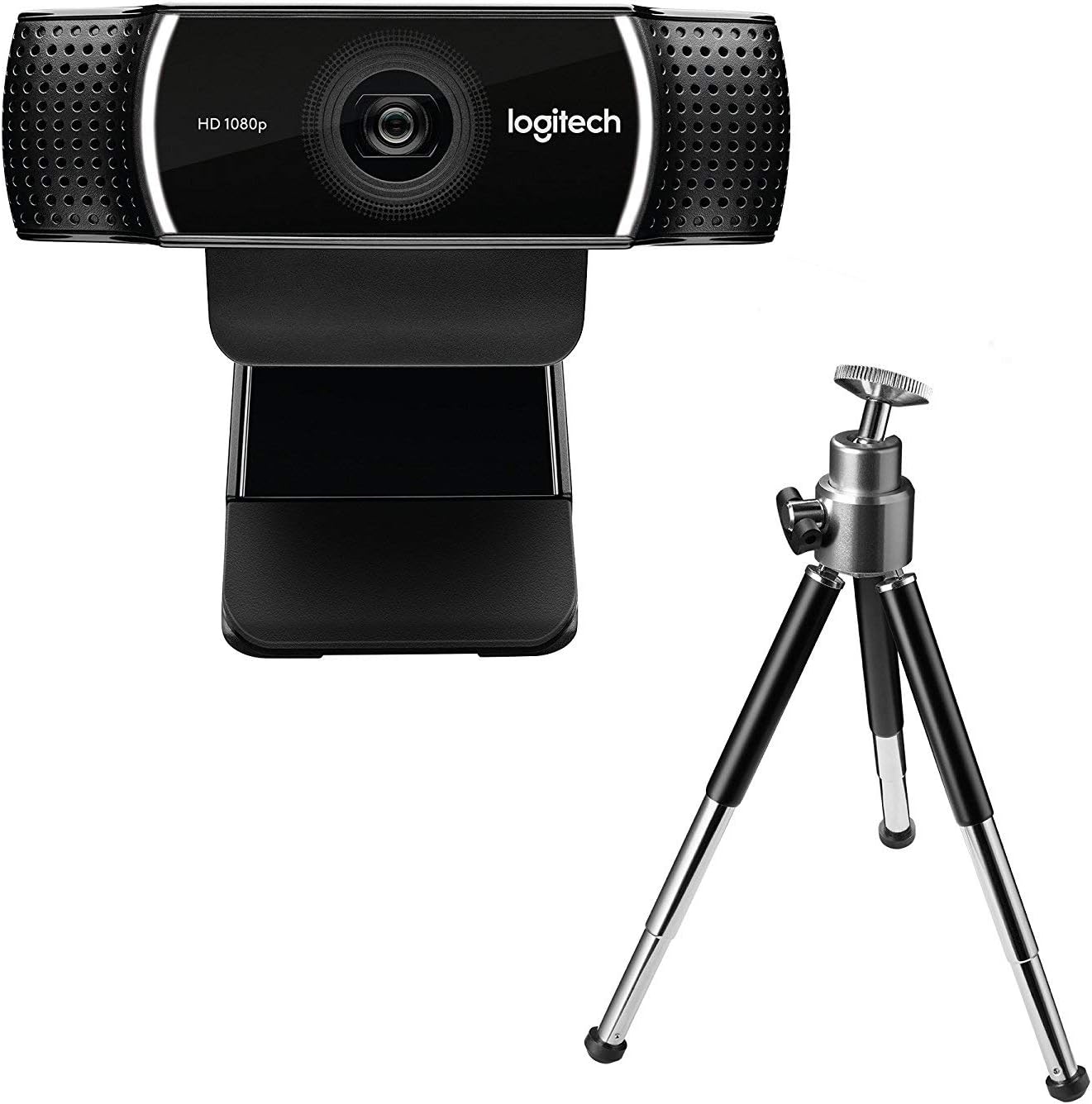
รูปที่ 3: Logitech C922 HDPro Webcam shown with its included mini-tripod, offering alternative placement options.
การตั้งค่า
ความต้องการของระบบ
- Windows 7 หรือใหม่กว่า
- macOS 10.10 หรือใหม่กว่า
- ระบบปฏิบัติการ Chrome
- พอร์ต USB 2.0
- การเชื่อมต่ออินเทอร์เน็ตสำหรับการดาวน์โหลดซอฟต์แวร์
ขั้นตอนการติดตั้ง
- แกะกล่อง Webลูกเบี้ยว: Carefully remove the C922 webcam and any accessories from its packaging.
- เชื่อมต่อกับคอมพิวเตอร์: Plug the USB cable of the C922 webcam into an available USB 2.0 or 3.0 port on your computer.
- วางตำแหน่ง Webลูกเบี้ยว:
- บนจอภาพ/แล็ปท็อป: Open the flexible clip base and place it over the top edge of your monitor or laptop screen. Adjust the front part of the clip so the webcam sits securely.
- บนขาตั้งกล้อง: If using the included tripod, screw the webcam onto the tripod mount. Place the tripod on a stable, flat surface.
- การติดตั้งซอฟต์แวร์: Your operating system should automatically detect and install basic drivers. For full functionality, including advanced settings and features, download and install the Logitech G HUB software from the official Logitech webงาน (www.logitech.com/ghub).
- ทดสอบ Webลูกเบี้ยว: Open a video conferencing application (e.g., Zoom, Skype, Google Meet) or your computer's camera application to verify the webกล้องทำงานอย่างถูกต้อง
คำแนะนำการใช้งาน
การทำงานพื้นฐาน
- Once connected and drivers are installed, the C922 webcam is ready for use with most video applications.
- Select "Logitech C922 Pro Stream Webcam" as your video device within your chosen application's settings.
- The integrated dual microphones will automatically be selected as the audio input.
Using Logitech G HUB Software
The Logitech G HUB software provides advanced control over your C922 webลูกเบี้ยว:
- ความละเอียดและอัตราเฟรม: Adjust video resolution (up to 1080p) and frame rate (up to 60fps at 720p, 30fps at 1080p).
- ทุ่งแห่ง View: ปรับแต่งฟิลด์ของ view.
- โฟกัสอัตโนมัติ: Enable or disable autofocus.
- Exposure and White Balance: Manually adjust exposure, white balance, and other image settings for optimal lighting conditions.
- ChromaCam (Background Replacement): Utilize the ChromaCam feature for virtual background replacement (requires compatible system).
- โปรfiles: สร้างและบันทึกโปรแกรมที่กำหนดเองfiles for different applications or lighting scenarios.
การซ่อมบำรุง
- การทำความสะอาดเลนส์: ใช้ผ้านุ่มไม่เป็นขุยที่ออกแบบมาเฉพาะสำหรับอุปกรณ์ออปติกเพื่อเช็ดเบาๆ webเลนส์แคม หลีกเลี่ยงวัสดุที่มีฤทธิ์กัดกร่อนหรือสารเคมีรุนแรง
- ทำความสะอาดร่างกาย: เช็ดตัวให้สะอาด webแคมที่มีความนุ่มนวลamp ผ้า. ห้ามจุ่มลงในน้ำ webใส่ลงในน้ำหรือใช้ความชื้นมากเกินไป
- พื้นที่จัดเก็บ: เมื่อไม่ใช้งาน ให้เก็บ webเก็บกล้องไว้ในที่สะอาดและแห้ง หลีกเลี่ยงอุณหภูมิที่สูงหรือต่ำเกินไป และแสงแดดโดยตรง
- การดูแลสายเคเบิล: ควรหลีกเลี่ยงการงอหรือบีบสาย USB มากเกินไปเพื่อป้องกันความเสียหาย
การแก้ไขปัญหา
| ปัญหา | สารละลาย |
|---|---|
| Webคอมพิวเตอร์ไม่ตรวจพบแคม |
|
| ไม่มีวิดีโอหรือหน้าจอสีดำ |
|
| คุณภาพวิดีโอไม่ดี (เบลอ มืด มีเม็ด) |
|
| ไม่มีเสียงหรือคุณภาพเสียงไม่ดี |
|
ข้อมูลจำเพาะ
| คุณสมบัติ | รายละเอียด |
|---|---|
| หมายเลขรุ่น | 960-001088 |
| ยี่ห้อ | โลจิเทค |
| ความละเอียดในการจับภาพวิดีโอ | 1080p (Full HD) at 30fps, 720p (HD) at 60fps |
| เทคโนโลยีเซนเซอร์ภาพ | ซีมอส |
| รูรับแสงสูงสุด | 1.8 องศาฟาเรนไฮต์ |
| ความยาวโฟกัสสูงสุด | 52 มิลลิเมตร |
| เทคโนโลยีการเชื่อมต่อ | ยูเอสบี 2.0 |
| รูปแบบเสียงที่รองรับ | เอเอซี |
| รูปแบบการจับภาพวิดีโอ | เอ็มพี 4 |
| สี | สีดำ |
| ขนาดการจัดส่ง | ขนาด 12.8 x 8.6 x 5.2 ซม. ; 162 กรัม |
| วันที่พร้อมใช้งานครั้งแรก | 11 กุมภาพันธ์ 2019 |
Note: Some specifications from the source data (e.g., "Removable Memory Type: SD", "Connectivity Technology: Wi-Fi") appear to be generic or incorrect for this specific webcam model and have been omitted or corrected for accuracy. The C922 is a wired USB webลูกเบี้ยว.
การรับประกันและการสนับสนุน
ผลิตภัณฑ์ของ Logitech โดยทั่วไปมาพร้อมกับการรับประกันฮาร์ดแวร์แบบจำกัด สำหรับรายละเอียดการรับประกัน การลงทะเบียน และการสนับสนุนทางเทคนิคโดยเฉพาะ โปรดไปที่เว็บไซต์สนับสนุนอย่างเป็นทางการของ Logitech webเว็บไซต์:
ฝ่ายสนับสนุนของ Logitech Webเว็บไซต์
You can also find FAQs, driver downloads, and community forums on their support page.


