การแนะนำ
This manual provides detailed instructions for the setup, operation, and maintenance of your VTech VT1301-3 Triple Cordless Phone system. Please read this guide thoroughly to ensure optimal performance and longevity of your device. This system features digital enhanced clarity for clear communication and includes three handsets for convenience.
1. การตั้งค่า
1.1 การแกะกล่องและส่วนประกอบ
แกะสิ่งของทั้งหมดออกจากกล่องอย่างระมัดระวัง ตรวจสอบให้แน่ใจว่ามีอุปกรณ์ครบทุกชิ้น:
- หน่วยฐานหลัก
- Three cordless handsets
- Three charging cradles
- Three power adapters
- One telephone line cord
- Rechargeable batteries (pre-installed or separate)

Image: The VTech VT1301-3 triple cordless phone system, showing the blue, red, and green handsets with their respective charging bases and power adapters.
1.2 การเชื่อมต่อหน่วยฐาน
- Connect one end of the telephone line cord to the TEL LINE jack on the back of the main base unit.
- ต่อปลายอีกด้านของสายโทรศัพท์เข้ากับเต้ารับโทรศัพท์ที่ผนัง
- Plug the power adapter into the POWER jack on the main base unit.
- เสียบปลายอีกด้านหนึ่งของอะแดปเตอร์ไฟเข้ากับเต้ารับไฟฟ้า
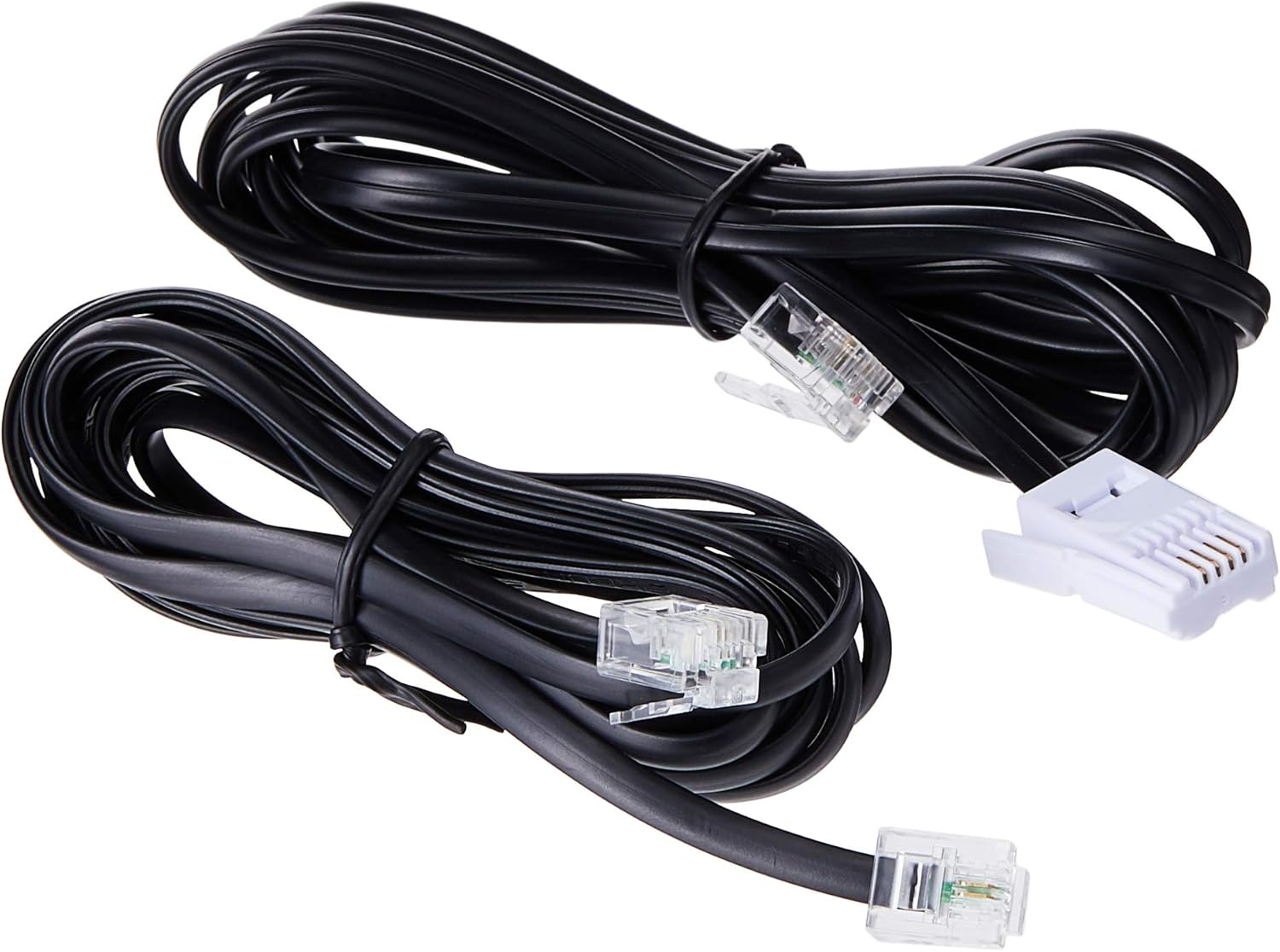
Image: Two black telephone line cords, essential for connecting the base unit to a telephone wall jack.
1.3 Charging the Handsets
Before initial use, charge each handset for at least 16 hours. Place each handset face forward in its respective charging cradle. The charge indicator on the handset or base will illuminate to confirm proper placement and charging.
- Ensure the power adapters for all charging cradles are plugged into electrical outlets.
- Place each handset securely in its cradle.
- A full charge ensures optimal battery performance.
2. คู่มือการใช้งาน
2.1 ฟังก์ชันการโทรพื้นฐาน

ภาพ: รายละเอียด view of the VTech VT1301-3 handset, highlighting its large character blue backlit LCD display and functional keypad.
- การโทร: กด พูดคุยจากนั้นกดหมายเลข หรืออีกวิธีหนึ่งคือ กดหมายเลขก่อนแล้วค่อยกด พูดคุย.
- รับสาย: เมื่อโทรศัพท์ดัง ให้กด พูดคุย หรือปุ่มโทรออกใดๆ (0-9, #, *)
- การวางสาย: กด ปิด หรือวางโทรศัพท์กลับลงในแท่นชาร์จ
- สปีกเกอร์โฟนโทรศัพท์มือถือ: ระหว่างการโทร ให้กด ลำโพงโทรศัพท์ button (often integrated with TALK or a separate icon) to activate or deactivate the speakerphone.
คุณสมบัติขั้นสูง 2.2 ประการ
- สมุดโทรศัพท์ไดเร็กทอรี: Store up to 20 names and numbers. Access via the เมนู/ตกลง button and navigate to the Phonebook option.
- หมายเลขผู้โทร: The phone displays the last 10 caller numbers. Press ตำรวจปราบปราม (Caller ID) to review รายการ
- โทรซ้ำ: กด ซ้ำ ถึง view and redial the last 5 numbers called.
- โอนสาย: ระหว่างการโทรจากภายนอก ให้กด เมนู/ตกลง, select 'Transfer', and choose the internal handset to transfer the call to.
- โทรภายใน: Make calls between handsets by pressing the อินที or เมนู/ตกลง button and selecting the desired handset.
- การประชุมทางโทรศัพท์แบบ 3 ฝ่าย: Initiate a 3-way conference call involving two internal handsets and one external line.
- Page/Handset Locator: กดปุ่ม หน้าหนังสือ button on the main base unit to locate a misplaced handset.
- เสียงเพลงประกอบการตีระฆัง: Choose from 10 ringer melodies (5 polyphonic and 5 standard) in the handset settings.
- ล็อคปุ่มกด: กดปุ่มค้างไว้ # ปุ่มสำหรับล็อก/ปลดล็อกแป้นพิมพ์
- เตือน: ตั้งนาฬิกาปลุกผ่านเมนูในโทรศัพท์มือถือ
3. การบำรุงรักษา
3.1 การทำความสะอาดโทรศัพท์ของคุณ
เพื่อให้โทรศัพท์ของคุณสะอาดอยู่เสมอ ให้เช็ดด้วยผ้าเนื้อนุ่มที่ชุบน้ำยาเล็กน้อยamp cloth. Do not use cleaning sprays or harsh chemicals as they may damage the finish or electrical components. Ensure the phone is disconnected from power before cleaning.
3.2 การดูแลแบตเตอรี่
- Always use the VTech approved rechargeable batteries provided with your phone.
- For optimal battery life, avoid placing the phone in direct sunlight or in areas with extreme temperatures.
- หากจะไม่ใช้โทรศัพท์เป็นเวลานาน ควรถอดแบตเตอรี่ออกเพื่อป้องกันการรั่วไหล
4 การแก้ไขปัญหา
If you experience any issues with your VTech VT1301-3 phone, please refer to the following common solutions:
- ไม่มีสัญญาณโทรศัพท์: Ensure the telephone line cord is securely connected to both the base unit and the wall jack. Check if the power adapter is properly connected to the base unit and an electrical outlet.
- ไม่สามารถโทรออกหรือรับสายได้: Verify that the handset batteries are charged. Check the telephone line connection. If you have a DSL service, ensure a DSL filter is installed.
- คุณภาพเสียงไม่ดี: Move closer to the base unit. Ensure there are no large metal objects or other electronic devices interfering with the signal. Check for any loose connections.
- โทรศัพท์มือถือไม่ชาร์จ: Ensure the handset is correctly seated in the charging cradle. Verify that the charging cradle's power adapter is plugged into a working electrical outlet. Clean the charging contacts on both the handset and cradle with a dry cloth.
- Handset displays "Out of Range" or "No Link": Move the handset closer to the main base unit. If the issue persists, try resetting the base unit by unplugging its power adapter for a few minutes, then plugging it back in.
5. ข้อมูลจำเพาะ
| คุณสมบัติ | คำอธิบาย |
|---|---|
| หมายเลขรุ่น | VT1301-3 |
| ประเภทโทรศัพท์ | ไร้สาย (DECT) |
| ช่วงพูดคุย | Up to 300m (outdoor)* |
| Radiation Mode | Ultra-low Radiation Mode** |
| แสดง | Large character with blue backlit LCD display |
| สมุดโทรศัพท์ | 20 Name and Number entries |
| แสดงหมายเลขผู้โทร | แสดงหมายเลขผู้โทร 10 หมายเลข |
| โทรซ้ำหมายเลขล่าสุด | 5 last number redial |
| Ringer Melodies | 10 (5 polyphonic and 5 standard) |
| การประชุมทางโทรศัพท์ | 3-Way conference call capability |
| แหล่งพลังงาน | สายไฟ |
| ยูพีซี | 735078040251 |
* The actual talk range may vary depending on environmental conditions.
** Ultra-low Radiation Mode operates with the lowest radiation.
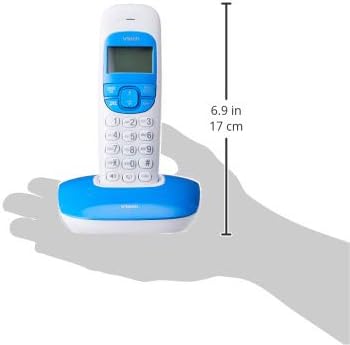
Image: Dimensions of a VTech cordless phone handset in its charging cradle, showing a height of 17 cm.
6. การรับประกันและการสนับสนุน
For specific warranty terms and conditions, please refer to the warranty card included in your product packaging. This document outlines the coverage period and conditions for service.
For technical support, frequently asked questions, or to download the latest version of this manual, please visit the official VTech webหรือติดต่อฝ่ายบริการลูกค้าโดยใช้ข้อมูลการติดต่อที่ระบุไว้ในเอกสารผลิตภัณฑ์ของคุณ


