การแนะนำ
Thank you for choosing the Koss BT232i Wireless Bluetooth Earclips. These earclips are designed to provide high-quality wireless audio with the convenience of Bluetooth connectivity, an in-line microphone, and remote controls. Their sweat-resistant design makes them ideal for active lifestyles. Please read this manual carefully to ensure proper use and maintenance of your device.

Image: The Koss BT232i Wireless Bluetooth Earclips, dark grey and black, featuring the earclip design and the in-line remote control.
มีอะไรอยู่ในกล่อง
Your Koss BT232i package should contain the following items:
- Koss BT232i Wireless Bluetooth Earclips
- Three (3) pairs of ear cushion sizes (Small, Medium, Large)
- คลิปจัดการสายเคเบิล
- USB charging cable (not explicitly listed but implied for rechargeable battery)
สินค้าเกินview
The Koss BT232i features an intuitive design for ease of use and comfort.
Earclips and Earbuds
The earclips are designed to securely fit over your ears, providing stability during movement. The earbuds are equipped with soft silicone cushions for comfortable in-ear placement and optimal sound delivery.
ภาพ: ระยะใกล้ view of the Koss BT232i earclips and earbuds, highlighting the ergonomic design.
In-Line Microphone and Remote
The in-line remote control is conveniently located on the cable, allowing easy access to various functions without needing to interact directly with your connected device.

ภาพ: รายละเอียด view of the in-line remote control on the Koss BT232i, showing the buttons for volume, play/pause, and call management.
การตั้งค่า
1. Charging the Earclips
Before first use, fully charge your BT232i earclips. A full charge provides over 6 hours of battery life.
- Locate the charging port on the in-line remote.
- Connect the provided USB charging cable to the earclips and a compatible USB power source (e.g., computer USB port, wall adapter).
- The LED indicator on the remote will show charging status (refer to LED indicator section for details, if available).
- เมื่อชาร์จเต็มแล้ว ให้ถอดสายเคเบิลออก

Image: An illustration showing the Koss BT232i earclips connected to a power source, indicating the charging process and battery icon.
2. การจับคู่บลูทู ธ
To connect your BT232i earclips to a Bluetooth-enabled device:
- Ensure the earclips are turned off.
- กดปุ่มมัลติฟังก์ชันบนรีโมทแบบอินไลน์ค้างไว้จนกว่าไฟ LED จะกะพริบเป็นสีน้ำเงินและสีแดง ซึ่งแสดงว่าอยู่ในโหมดจับคู่
- บนอุปกรณ์ของคุณ (สมาร์ทโฟน แท็บเล็ต คอมพิวเตอร์) ไปที่การตั้งค่าบลูทูธ แล้วเปิดใช้งานบลูทูธ
- ค้นหา available devices and select "Koss BT232i" from the list.
- Once paired, the LED indicator on the earclips will flash blue slowly or turn solid blue (refer to LED indicator section for specifics).
- The earclips are now ready for use.
3. Fitting the Earclips
For optimal comfort and sound quality, select the correct ear cushion size and adjust the cable.
- ฟองน้ำรองหูฟัง: Experiment with the three included ear cushion sizes (Small, Medium, Large) to find the best fit for your ears. A good seal improves bass response and noise isolation.
- Cable Management Clip: Use the cable management clip to secure any excess cable, preventing tangles and ensuring a snug fit during activities.

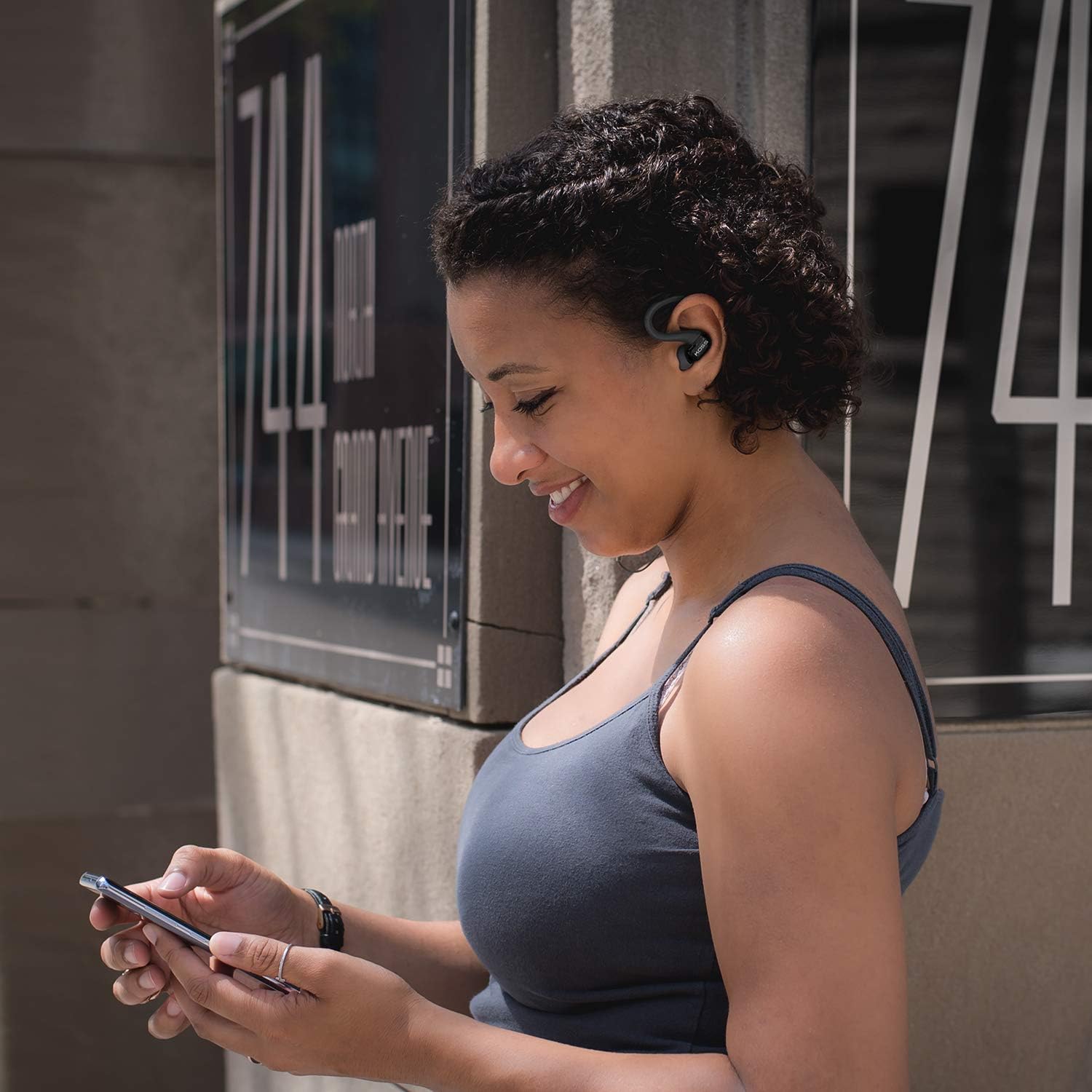
Image: A person wearing the Koss BT232i earclips, demonstrating the over-ear fit and in-ear placement.
คำแนะนำการใช้งาน
The in-line remote provides convenient control over your audio and calls.
| ปุ่ม/การดำเนินการ | การทำงาน |
|---|---|
| เปิด/ปิดเครื่อง | กดปุ่มมัลติฟังก์ชันค้างไว้ |
| เล่น/หยุดเพลง | กดปุ่มมัลติฟังก์ชั่นหนึ่งครั้ง |
| เพลงถัดไป | กดปุ่มเพิ่มระดับเสียง (+) ค้างไว้ |
| เพลงก่อนหน้า | กดปุ่มลดระดับเสียง (-) ค้างไว้ |
| เพิ่มระดับเสียง | Press the Volume Up (+) button once. |
| ลดระดับเสียง | Press the Volume Down (-) button once. |
| รับสาย/วางสาย | กดปุ่มมัลติฟังก์ชันหนึ่งครั้งในระหว่างที่มีสายเรียกเข้าหรือกำลังสนทนา |
| ปฏิเสธการรับสาย | กดปุ่มมัลติฟังก์ชันค้างไว้ขณะมีสายเรียกเข้า |
| เปิดใช้งานผู้ช่วยเสียง | Double-press the multi-function button (functionality may vary by device). |
การซ่อมบำรุง
Proper care will extend the life and performance of your Koss BT232i earclips.
- การทำความสะอาด: Gently wipe the earclips and earbuds with a soft, dry cloth. For ear cushions, remove them and clean with a mild soap solution if necessary, then rinse and dry thoroughly before reattaching. Do not use harsh chemicals or abrasive materials.
- ต้านทานเหงื่อ: The BT232i earclips are sweat resistant. After intense workouts, it is recommended to wipe them dry to prevent moisture buildup. Do not submerge the earclips in water.
- พื้นที่จัดเก็บ: When not in use, store the earclips in a clean, dry place away from extreme temperatures and direct sunlight. Avoid tangling the cable.
การแก้ไขปัญหา
If you encounter issues with your Koss BT232i earclips, try the following solutions:
| ปัญหา | วิธีแก้ปัญหาที่เป็นไปได้ |
|---|---|
| Earclips won't turn on. | Ensure the battery is charged. Connect to a power source and allow it to charge for at least 30 minutes before attempting to power on again. |
| ไม่สามารถจับคู่กับอุปกรณ์ได้ |
|
| ไม่มีเสียงหรือเสียงเบา |
|
| เสียงผิดเพี้ยนหรือขาดหาย |
|
ข้อมูลจำเพาะ
| คุณสมบัติ | รายละเอียด |
|---|---|
| ชื่อรุ่น | BT232i Bluetooth Wireless Headphones |
| หมายเลขรุ่นสินค้า | 196651 |
| เทคโนโลยีการเชื่อมต่อ | ไร้สาย |
| เทคโนโลยีการสื่อสารไร้สาย | บลูทูธ 4.2 |
| อายุการใช้งานแบตเตอรี่ | 6 ชั่วโมง |
| เวลาในการชาร์จ | 6 ชั่วโมง |
| ช่วงความถี่ | 18-20,000 เฮิรตซ์ |
| ระดับความต้านทานต่อน้ำ | กันน้ำ (กันเหงื่อ) |
| ประเภทการควบคุม | Volume Control, Touch-based In-Line Remote |
| ไมโครโฟน | ไมโครโฟนอินไลน์ |
| การวางตำแหน่งหู | ในหู |
| ฟอร์มแฟกเตอร์ | ครอบหู |
| วัสดุ | พลาสติก |
| น้ำหนักสินค้า | 1.94 ออนซ์ (0.06 กิโลกรัม) |
| ขนาดสินค้า | 0.98 x 0.98 x 0.98 นิ้ว |
การรับประกันและการสนับสนุน
ข้อมูลการรับประกัน
The Koss BT232i Wireless Bluetooth Earclips come with a รับประกันแบบจำกัดหนึ่งปี. Please retain your proof of purchase for warranty claims. For detailed warranty terms and conditions, please refer to the official Koss website or contact Koss customer support.
การสนับสนุนลูกค้า
For further assistance, technical support, or warranty inquiries, please visit the official Koss webคุณสามารถค้นหาข้อมูลเพิ่มเติมและผลิตภัณฑ์ได้ที่เว็บไซต์ หรือติดต่อฝ่ายบริการลูกค้าของพวกเขา Koss Store on Amazon.


