การแนะนำ
This manual provides comprehensive instructions for the setup, operation, and maintenance of your DBPOWER Fitness Tracker. This device is designed to help you monitor your daily activity, sleep patterns, and heart rate, supporting your fitness and wellness goals.
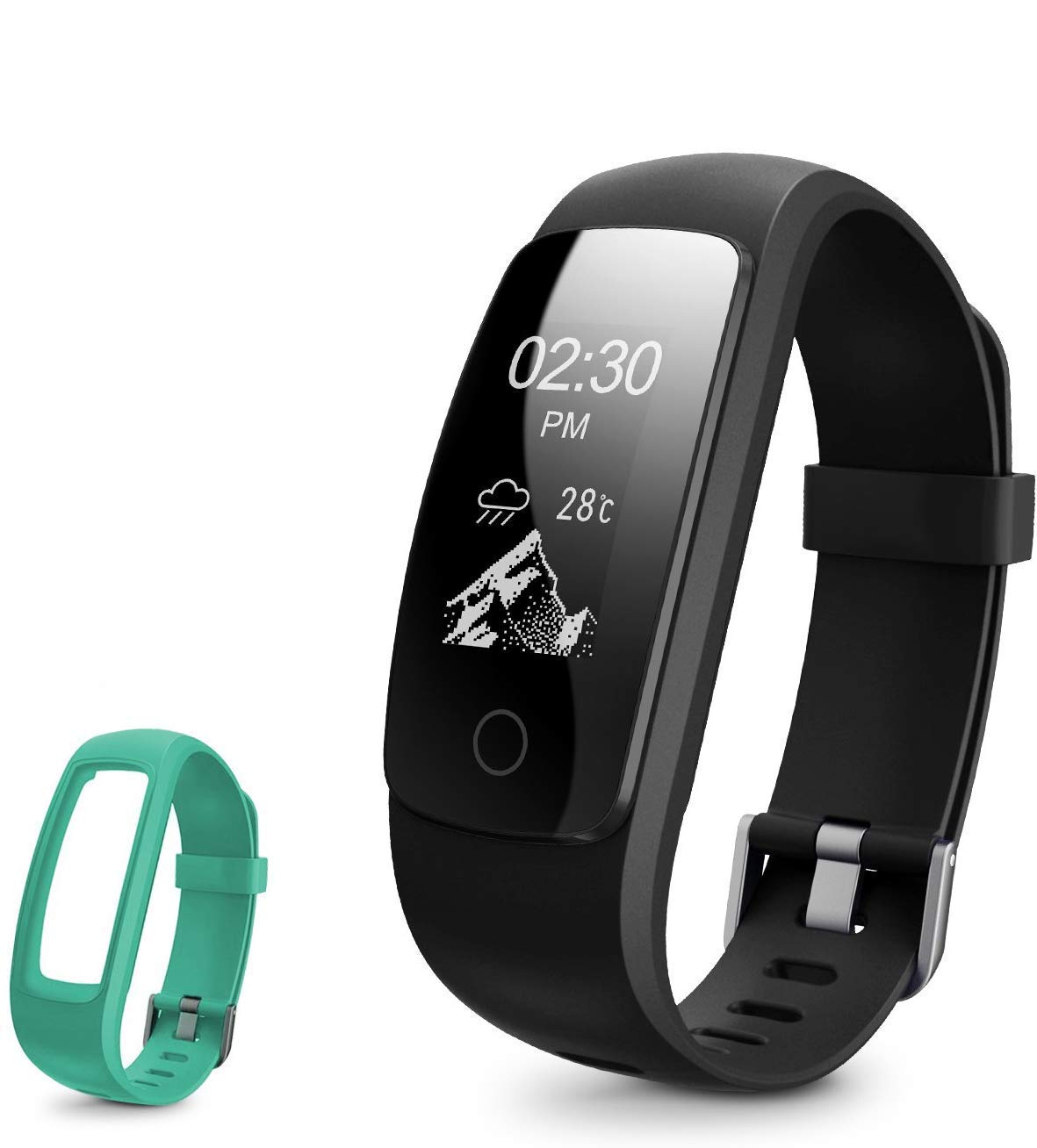
Image: The DBPOWER Fitness Tracker, featuring a black band and an additional green band, showcasing its sleek design and color options.
การตั้งค่า
1. การชาร์จอุปกรณ์
Before first use, fully charge the fitness tracker. The device features a built-in USB charging connector. Simply remove the strap from one end to reveal the USB plug and insert it into any standard USB port (e.g., computer, USB wall adapter).
- เวลาในการชาร์จ: ประมาณ 1-2 ชั่วโมง
- Standby time: Up to 5-7 days on a full charge.

Image: A four-panel illustration demonstrating how to charge the fitness tracker via USB. It shows detaching the strap, revealing the USB connector, and plugging it into a power source.
2. ดาวน์โหลดแอปและการจับคู่
To utilize all features, download the companion application on your smartphone. ค้นหา the app name (usually mentioned in the quick start guide or on the product packaging) in your device's app store (Google Play Store for Android, Apple App Store for iOS). Once installed, open the app and follow the on-screen instructions to pair your fitness tracker via Bluetooth.
- ตรวจสอบให้แน่ใจว่าได้เปิดใช้งาน Bluetooth บนสมาร์ทโฟนของคุณแล้ว
- Keep the tracker close to your phone during the pairing process.
คำแนะนำการใช้งาน
1. แสดงการนำทาง
The fitness tracker features a 0.96-inch OLED display with swipe navigation. You can interact with the device by swiping across the screen, tapping to select, and using a return gesture to go back.

Image: An illustration showing the 0.96-inch OLED display of the fitness tracker and how to navigate through its menus using swipe, tap, and return gestures.
2. การติดตามกิจกรรม
The tracker accurately records your daily activity, including steps taken, distance covered, calories burned, and active minutes. It supports 14 sports modes to track various physical activities.
- จำนวนก้าว ระยะทาง แคลอรี่: ติดตามตำแหน่งโดยอัตโนมัติตลอดทั้งวัน
- โหมดกีฬา: Select the appropriate mode in the app or on the device before starting an activity for more accurate tracking.

Image: This image highlights the message alert capabilities and various activity tracking metrics of the fitness tracker, such as calories, distance, and activity duration, along with its multi-sport modes.
3 ตรวจสอบอัตราการเต้นของหัวใจ
The device features a 24-hour continuous heart rate monitor, providing insights into your heart rate activity during different periods, including peak and cardio exercises.

Image: A visual representation of the fitness tracker's 24-hour continuous heart rate monitoring feature, showing the device on a wrist and a smartphone displaying heart rate data.
4. Sleep Tracking and Silent Alarm
The fitness tracker automatically recognizes your sleep state, monitoring your sleep progress and identifying deep and light sleep hours. This data helps you understand and improve your sleep quality. You can also set a silent alarm through the companion app, which will vibrate on your wrist to wake you up.

Image: A person sleeping with the fitness tracker on their wrist, illustrating the auto sleep tracking and silent alarm functions, with a smartphone screen showing sleep duration and quality data.
5. การแจ้งเตือนและการเตือน
Receive various alerts directly on your wrist when connected to your smartphone:
- โทรแจ้งเตือน: Notifies you of incoming calls.
- การแจ้งเตือนอยู่ประจำ: เตือนให้คุณเคลื่อนไหวหลังจากช่วงเวลาที่ไม่ได้ใช้งาน
- นาฬิกาปลุก: Vibrates for set alarms.
- Message/SNS Alert: Displays notifications from SMS, Mail, Facebook, Instagram, and up to 16 other SNS applications.
- การแจ้งเตือนการสูญหาย: Notifies you if your phone moves out of Bluetooth range.
การซ่อมบำรุง
1. ความทนทานต่อน้ำ
The DBPOWER Fitness Tracker is IP67-rated water-resistant. This means it can withstand splashes, rain, and brief immersion. It is suitable for wearing in the shower and when washing hands. However, it is not recommended for swimming or prolonged submersion.
2. การทำความสะอาด
To clean your tracker, wipe it with a soft, damp, lint-free cloth. Do not use abrasive cleaners or harsh chemicals. Ensure the charging contacts are clean and dry before charging.
3. การดูแลแบตเตอรี่
เพื่อยืดอายุการใช้งานแบตเตอรี่ ควรหลีกเลี่ยงการวางอุปกรณ์ไว้ในที่ที่มีอุณหภูมิสูงหรือต่ำเกินไป ชาร์จอุปกรณ์เป็นประจำ แม้ว่าจะไม่ได้ใช้งานตลอดเวลา เพื่อป้องกันการคายประจุจนหมด
การแก้ไขปัญหา
- อุปกรณ์ไม่เปิด: ตรวจสอบให้แน่ใจว่าอุปกรณ์ชาร์จเต็มแล้ว เสียบอุปกรณ์เข้ากับแหล่งจ่ายไฟ USB อย่างน้อย 10 นาที
- ไม่สามารถเชื่อมต่อกับโทรศัพท์ได้:
- ตรวจสอบให้แน่ใจว่าเปิดใช้งาน Bluetooth บนโทรศัพท์ของคุณแล้ว
- ตรวจสอบให้แน่ใจว่าอุปกรณ์ติดตามอยู่ในระยะบลูทูธ (โดยทั่วไปคือ 10 เมตร)
- Restart both the tracker and your phone.
- ลืมอุปกรณ์ในการตั้งค่าบลูทูธของโทรศัพท์ของคุณและลองจับคู่ผ่านแอปอีกครั้ง
- ข้อมูลกิจกรรมไม่ถูกต้อง:
- ตรวจสอบให้แน่ใจว่าได้สวมอุปกรณ์ติดตามกระชับพอดีกับข้อมือ โดยอยู่เหนือกระดูกข้อมือประมาณหนึ่งนิ้วมือ
- Calibrate the tracker through the app if an option is available.
- การแจ้งเตือนไม่ปรากฏ:
- Check app notification settings to ensure they are enabled for the desired applications.
- ตรวจสอบให้แน่ใจว่าแอปกำลังทำงานอยู่เบื้องหลังในโทรศัพท์ของคุณ
- Verify that your phone's operating system allows the app to send notifications.
ข้อมูลจำเพาะ
| คุณสมบัติ | รายละเอียด |
|---|---|
| ยี่ห้อ | DB POWER |
| แบบอย่าง | B07F8RPKJP |
| ประเภทจอภาพ | โอแอลอีดี |
| ขนาดจอแสดงผล | 0.96 นิ้ว |
| ความต้านทานต่อน้ำ | IP67 |
| อายุการใช้งานแบตเตอรี่ (สแตนด์บาย) | 5-7 วัน |
| เวลาในการชาร์จ | 1-2 ชั่วโมง |
| ระบบปฏิบัติการที่รองรับ | แอนดรอยด์, ไอโอเอส |
| น้ำหนัก | 113 กรัม |
| เครื่องตรวจวัดอัตราการเต้นของหัวใจ | 24-hour continuous |
| การติดตามกิจกรรม | Steps, Distance, Calories, Active Minutes |
| โหมดกีฬา | 14 โหมด |
| การตรวจสอบการนอนหลับ | Automatic (Deep/Light Sleep) |
| การเชื่อมต่อ | ยูเอสบี (สำหรับชาร์จ) |
การรับประกันและการสนับสนุน
ข้อมูลการรับประกัน
This DBPOWER Fitness Tracker comes with a standard manufacturer's warranty. Please refer to the product packaging or the official DBPOWER website for specific warranty terms and conditions, including coverage duration and claim procedures.
การสนับสนุนลูกค้า
For technical assistance, troubleshooting, or warranty claims, please contact DBPOWER customer support. Contact information can typically be found on the product packaging, the official DBPOWER webไซต์หรือผ่านจุดซื้อของคุณ


