การแนะนำ
This manual provides detailed instructions for the installation, operation, and maintenance of the Foxeer Predator Micro V2 FPV Camera. Please read this manual thoroughly before using the product to ensure proper functionality and safety.
สินค้าเกินview
The Foxeer Predator Micro V2 is a high-performance FPV camera designed for racing drones and other multirotors. It features Super WDR, 1000TVL resolution, and an On-Screen Display (OSD) for easy configuration.

Image: Foxeer Predator Micro V2 FPV Camera, front view.
คุณสมบัติที่สำคัญ ได้แก่:
- ความละเอียดสูง: 1000TVL for clear image quality.
- Super WDR: Excellent performance in varying light conditions.
- ความหน่วงต่ำ: Minimum to 4ms for responsive FPV flying.
- OSD: Built-in On-Screen Display for easy settings adjustment.
- ขนาดกระทัดรัด: Lightweight at 5.5g (excluding bracket) and small dimensions (18.6 x 19.0mm).
- ฉบับกว้างtagอีอินพุต: Supports 5-40V.

Image: Visual representation of the Predator Micro V2 highlighting clearer image quality, brighter dark zones, and new DSY/NIGHT, LED, and V CAL features.
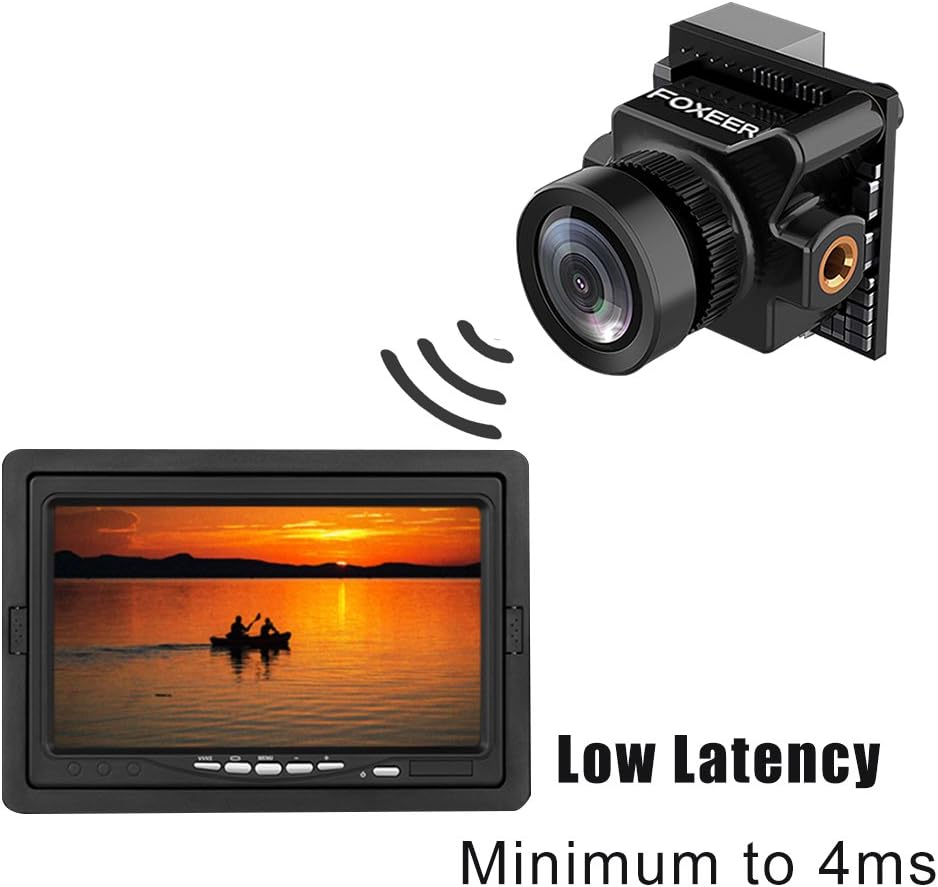
Image: Depiction of the camera's low latency, showing the camera transmitting to a monitor with minimal delay.
เนื้อหาแพ็คเกจ
ตรวจสอบว่าสินค้าทั้งหมดที่ระบุไว้ด้านล่างนี้รวมอยู่ในบรรจุภัณฑ์ของคุณแล้ว หากมีสินค้าใดสูญหายหรือเสียหาย โปรดติดต่อผู้ค้าปลีกของคุณ
- 1x Foxeer Predator Micro V2 Camera
- 1x OSD Board
- 1x Servo Cable
- 1x OSD Cable
- 1x วงเล็บ
- 4x Gasket Rings
- สกรูยึด 4x
- 2x Case Screws
- 1x คู่มือผู้ใช้

Image: All components included in the Foxeer Predator Micro V2 package, including the camera, OSD board, cables, bracket, and screws.
ข้อมูลจำเพาะ
Detailed technical specifications for the Foxeer Predator Micro V2 FPV Camera:

Image: A table summarizing the technical specifications of the Foxeer Predator Micro V2 camera.
| คุณสมบัติ | ข้อมูลจำเพาะ |
|---|---|
| แบบอย่าง | Foxeer Predator Micro V2 |
| ปณิธาน | 1000TVL |
| ระบบโทรทัศน์ | กทส. |
| ซีวีบีเอส | หน้าจอ 4:3 |
| ความหน่วงเวลา | Minimum to 4ms |
| โอเอสดี | ใช่ |
| ดับเบิ้ลยูดีอาร์ | ใช่ |
| อินพุต Voltage | 5-40โวลต์ |
| น้ำหนัก | 5.5g (excluding bracket) |
| ขนาด | 18.6 x 19.0มม. |
| V CAL | เล่มที่tage calibration, range -0.5~0.5 |
| กลางวัน/กลางคืน | AUTO and Manual |
| พลิกภาพ | Off/ H-Flip / V-Flip/ HV-Flip |
| ภาษา | English/ Deutsch/ Francais / Pyccknn / Portugues / Espanol / Chinese |
The camera features a 1.8mm lens with a FOV-D (Diagonal Field of View) of 150°.

Image: Diagram illustrating the Field of View (FOV-V, FOV-H, FOV-D) for the 1.8mm M8 lens, indicating a 150° diagonal field of view.
การตั้งค่า
การติดตั้ง
- การติดตั้ง: Use the provided bracket and screws to securely mount the Predator Micro V2 camera onto your drone frame. Ensure the camera is oriented correctly. The multi-functional bracket allows for easy switching between standard and mini sizes.
- การเดินสายไฟ: Connect the camera to your flight controller or video transmitter using the provided servo cable and OSD cable. Ensure correct polarity for power (5-40V input). Refer to your flight controller/VTX manual for specific wiring diagrams.
การเพิ่มพลังเริ่มต้น
After installation, connect power to your drone. The camera should power on and display video output.
การดำเนินงาน
เมนูที่แสดงบนหน้าจอ (OSD)
The Predator Micro V2 features an integrated OSD for easy configuration. Use the OSD board (joystick) to navigate and adjust settings.

Image: Screenshots of the OSD menu, showing options for setup (Camera ID, Picture Adjust, Day/Night, LED, V CAL, Camera Reset) and display settings (Time, Power, V CAL, LED).
การนำทาง OSD
- Connect the OSD board to the camera.
- เปิดกล้อง
- Use the joystick on the OSD board to navigate through the menu options.
- Press the center button to select an option or confirm a setting.
- Move the joystick left/right to change values.
- Select "EXIT" to save changes and exit the menu.
การตั้งค่า OSD ที่สำคัญ
- วัน/คืน: Set to AUTO for automatic switching, or MANUAL to select permanent COLOR or B/W mode.
- นำ: Adjust LED brightness (OFF/MID/DARK).
- V CAL (Voltage Calibration): ปรับปริมาตรtage reading with a range of -0.5 to 0.5.
- พลิกภาพ: Options include Off, H-Flip (horizontal), V-Flip (vertical), and HV-Flip (horizontal and vertical).
- ภาษา: Select from English, Deutsch, Francais, Pyccknn, Portugues, Espanol, or Chinese.
การซ่อมบำรุง
- การทำความสะอาด: Regularly clean the camera lens with a soft, lint-free cloth. Avoid abrasive materials or harsh chemicals.
- การตรวจสอบ: Periodically inspect all cables and connections for signs of wear or damage. Ensure the camera is securely mounted.
- พื้นที่จัดเก็บ: When not in use, store the camera in a dry, dust-free environment, away from extreme temperatures.
การแก้ไขปัญหา
| ปัญหา | สาเหตุที่เป็นไปได้ | สารละลาย |
|---|---|---|
| ไม่มีวิดีโอเอาท์พุต | Incorrect wiring; No power; Damaged cable; Incorrect TV system setting. | Check all wiring connections for correct polarity and secure fit. Ensure power is supplied within the 5-40V range. Replace damaged cables. Verify TV System (NTSC) matches your receiver. |
| Image is dark/bright | Incorrect exposure settings; DAY/NIGHT mode issue. | Adjust exposure settings via the OSD menu. Check DAY/NIGHT mode; try setting it to AUTO or manually to COLOR/B&W. |
| Image is upside down/reversed | Image Flip setting enabled. | Access the OSD menu and set "Image Flip" to "Off". |
| OSD not appearing | OSD board not connected or faulty. | Ensure the OSD board is correctly connected to the camera. Test with another OSD board if available. |
| เล่มที่tage reading inaccurate | V CAL setting needs adjustment. | Use the OSD menu to adjust the "V CAL" setting to match a known voltagอีการอ่าน |
การรับประกันและการสนับสนุน
สำหรับข้อมูลการรับประกันและการสนับสนุนทางเทคนิค โปรดดูที่เว็บไซต์อย่างเป็นทางการของ FOXEER webหรือติดต่อตัวแทนจำหน่ายในพื้นที่ของคุณ เก็บใบเสร็จรับเงินไว้เป็นหลักฐานการซื้อ
For further assistance, you may visit the FOXEER store on Amazon: FOXEER Amazon Store.


