การแนะนำ
This user manual provides comprehensive instructions for the assembly, operation, and maintenance of your Amazon Basics Single Computer Monitor Stand. This desk-mounted arm is designed to enhance your workspace ergonomics and free up valuable desk space by securely holding a single computer monitor.
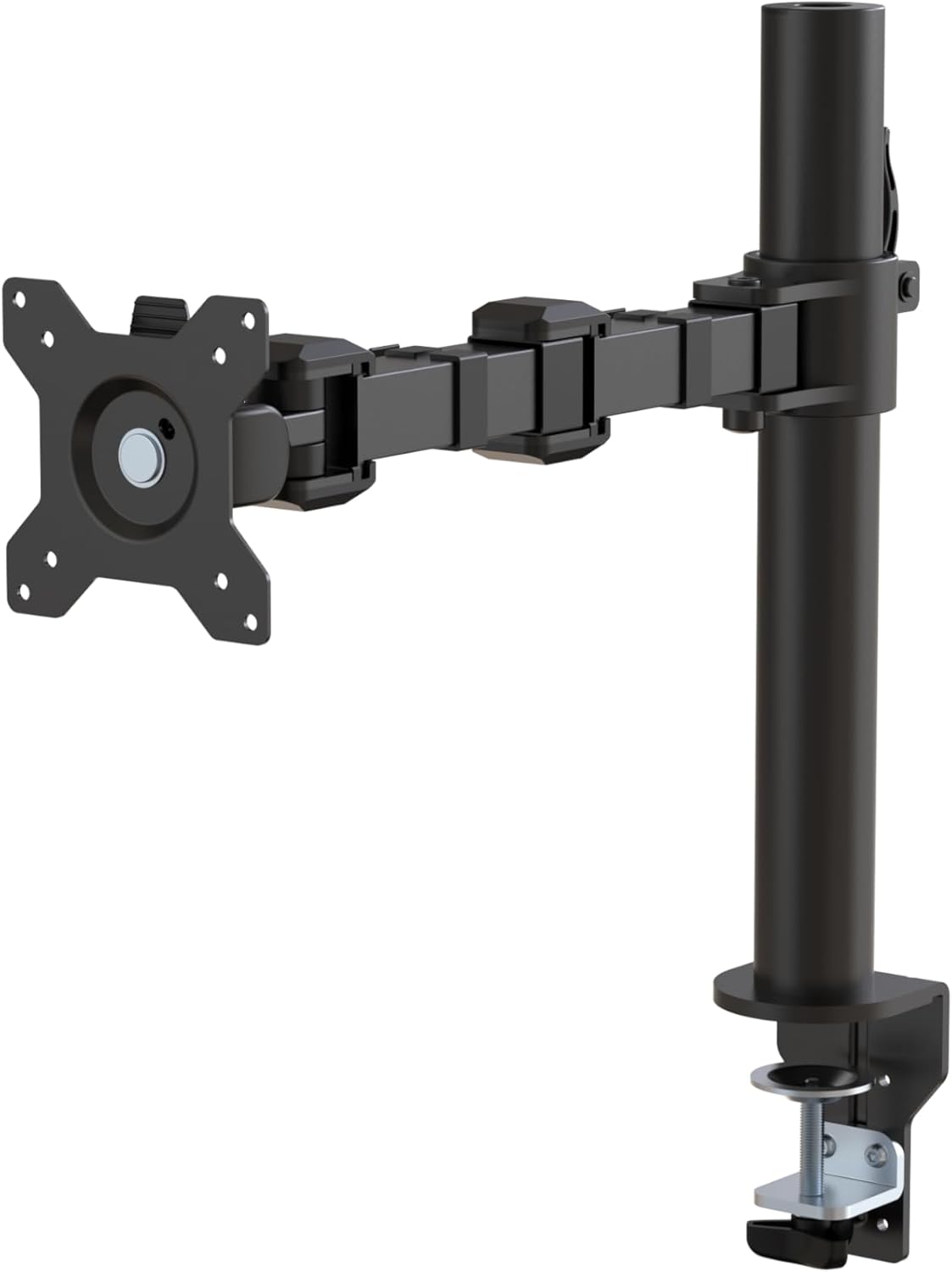
รูปที่ 1: เกินview of the Amazon Basics Single Computer Monitor Stand.
ข้อมูลด้านความปลอดภัยที่สำคัญ
- อ่านคำแนะนำทั้งหมดอย่างละเอียดก่อนประกอบและใช้งาน
- ห้ามเกินขีดจำกัดน้ำหนักสูงสุดที่สามารถรองรับได้คือ 22 ปอนด์ (10 กก.)
- Ensure your desk surface is stable and can support the combined weight of the monitor arm and your monitor.
- Verify that the desk thickness is between 0.8 to 3.9 inches (2 cm to 10 cm) for proper clamp การติดตั้ง
- Use only the provided hardware. If any parts are missing or damaged, contact customer support.
- ให้เด็กและสัตว์เลี้ยงออกห่างจากการชุมนุม
- ตรวจสอบสกรูและการเชื่อมต่อทั้งหมดเป็นระยะๆ เพื่อให้แน่ใจว่าแน่นหนาและปลอดภัย
เนื้อหาแพ็คเกจ
โปรดตรวจสอบให้แน่ใจว่ามีส่วนประกอบทั้งหมดอยู่ก่อนเริ่มประกอบ:
- Monitor Arm Assembly (Pre-assembled arm and VESA plate)
- โต๊ะ Clamp ฐาน
- เสายึด
- Hardware Kit (Screws for VESA mounting, Allen keys)
- คลิปการจัดการสายเคเบิล
- คู่มือการใช้งาน
คำแนะนำการตั้งค่า
Step 1: Attach Desk Clamp ฐาน
วางตำแหน่งโต๊ะ clamp base on your desk edge. Ensure the desk thickness is compatible (0.8 to 3.9 inches). Tighten the clamp screw securely until the base is firmly attached to the desk. Do not overtighten.

Figure 2: Securely attaching the desk clamp base to your desk.
Step 2: Install Mounting Pole
Insert the mounting pole into the hole on the desk clamp base. Secure it by tightening the set screw on the side of the clamp base using the provided Allen key.
Step 3: Attach Monitor Arm to Pole
Slide the monitor arm assembly onto the mounting pole. Adjust the height to your desired position and tighten the height adjustment screw on the arm collar to secure it.
ขั้นตอนที่ 4: ติดแผ่น VESA เข้ากับจอภาพ
The monitor arm features a detachable VESA plate. Remove the VESA plate from the arm by lifting it up. Align the VESA plate with the mounting holes on the back of your monitor (compatible with 100x100mm and 75x75mm VESA patterns). Use the appropriate screws from the hardware kit to secure the plate to your monitor. Ensure the screws are tightened firmly but do not overtighten.

Figure 3: The detachable VESA plate for easy monitor attachment.
Step 5: Mount Monitor to Arm
Carefully slide the monitor (with the attached VESA plate) onto the monitor arm. Ensure it clicks securely into place. You may need to adjust the tension screws on the arm joints to support the monitor's weight and allow for smooth movement.

Figure 4: Monitor securely mounted on the arm, viewเอ็ดจากด้านหน้า

Figure 5: Top-down perspective of the monitor mounted, showcasing desk space optimization.
ขั้นตอนที่ 6: การจัดการสายเคเบิล
Utilize the integrated cable management system to route your monitor cables (power, video, etc.) along the arm and down the pole. This helps maintain a tidy workspace and prevents cable clutter.
คำแนะนำการใช้งาน
The monitor arm offers a full range of motion to customize your viewประสบการณ์การ:
- การปรับความสูง: The horizontal arm can be adjusted from 7.9 to 14.2 inches high along the pole. Loosen the height adjustment screw on the arm collar, slide the arm to the desired height, and re-tighten.
- เอียง: Adjust the screen tilt from -15 to +85 degrees to reduce glare and optimize viewมุมการเอียง
- หมุน: Swivel the monitor left or right up to 180 degrees at various joints for collaborative viewing or screen sharing.
- การหมุน: Rotate the monitor 360 degrees to switch between landscape and portrait modes without removing the monitor.

Figure 6: Visual representation of the flexible screen adjustment capabilities: Tilt (-85/+15 degrees), Swivel (±180 degrees), and Rotation (360 degrees).
การวางตำแหน่งตามหลักสรีรศาสตร์
Proper monitor positioning is crucial for ergonomic comfort and reducing strain. Adjust the monitor arm so that the top of your monitor screen is at or slightly below eye level when you are sitting upright. Your eyes should be approximately an arm's length away from the screen. Ensure your wrists are straight and your forearms are parallel to the floor when typing.

Figure 7: Comparison of correct and incorrect sitting postures, highlighting the importance of proper monitor height.
การซ่อมบำรุง
- การทำความสะอาด: เช็ดขาตั้งจอภาพด้วยผ้าเนื้อนุ่มและแห้งamp ผ้า หลีกเลี่ยงน้ำยาทำความสะอาดที่มีฤทธิ์กัดกร่อนหรือตัวทำละลายที่อาจทำลายพื้นผิวได้
- การตรวจสอบความแน่น: Periodically check all screws and connections, especially the desk clamp and VESA plate screws, to ensure they are tight and secure. Re-tighten if necessary.
- การหล่อลื่น: ไม่จำเป็นต้องใช้สารหล่อลื่นสำหรับชิ้นส่วนที่เคลื่อนไหว
การแก้ไขปัญหา
| ปัญหา | สาเหตุที่เป็นไปได้ | สารละลาย |
|---|---|---|
| แขนของจอภาพหย่อนหรือไม่สามารถทรงตัวได้ | Tension screws are too loose. | Tighten the tension screws on the arm joints using the provided Allen key until the arm holds the monitor's weight. |
| จอภาพโยกเยกบนขาตั้ง | สกรูยึดแผ่น VESA หลวม หรือโต๊ะทำงานติดขัดamp is not secure. | Ensure the VESA plate screws attaching the monitor are tight. Re-tighten the desk clamp สกรู |
| Cannot adjust monitor height. | Height adjustment screw is too tight. | Loosen the height adjustment screw on the arm collar, adjust height, then re-tighten. |
ข้อมูลจำเพาะ
| คุณสมบัติ | รายละเอียด |
|---|---|
| หมายเลขรุ่น | DLB111-US290 |
| ขนาดสินค้า | 20 x 18.13 x 4.5 นิ้ว |
| น้ำหนักสินค้า | 5.59 ปอนด์ |
| วัสดุ | เหล็กอัลลอยด์ |
| สี | สีดำ |
| ประเภทการติดตั้ง | โต๊ะพับ Clamp ภูเขา |
| ขนาดหน้าจอที่เข้ากันได้ | 13 ถึง 30 นิ้ว |
| ความจุน้ำหนักสูงสุด | 22 ปอนด์ (10 กก.) |
| ความเข้ากันได้ของความหนาของโต๊ะ | 0.8 ถึง 3.9 นิ้ว |
| ความเข้ากันได้ของ VESA | 75x75มม., 100x100มม. |
| ช่วงการปรับความสูง | 7.9 to 14.2 inches (horizontal arm) |
| มุมเอียง | -15 ถึง + 85 องศา |
| การหมุน | 360 องศา |
การรับประกันและการสนับสนุน
This product is backed by an Amazon Basics limited 1-year warranty.
For detailed warranty information or technical support, please refer to the official documentation or contact Amazon Basics customer service.
- คู่มือผู้ใช้ (PDF): ดาวน์โหลดคู่มือการใช้งาน
- การรับประกัน (ไฟล์ PDF): ดาวน์โหลดข้อมูลการรับประกัน


