1. สินค้าหมดview
The IPEGA PG-9067 is a versatile wireless gaming controller designed for use with Android smartphones, tablets, PCs, and TV boxes. It features Bluetooth 3.0 connectivity for a stable wireless connection and an ergonomic design for comfortable extended gameplay sessions. The controller includes a built-in stretchable phone bracket, allowing for easy mobile gaming.

รูปที่ 1 : ด้านหน้า view of the IPEGA PG-9067 Wireless Gaming Controller.
2. เนื้อหาบรรจุภัณฑ์
กรุณาตรวจสอบสิ่งของภายในบรรจุภัณฑ์เมื่อแกะกล่องเพื่อให้แน่ใจว่ามีสินค้าครบทั้งหมด:
- 1 x IPEGA PG-9067 Game Controller
- สายชาร์จ USB 1 เส้น
- 1 x คู่มือผู้ใช้
3. ข้อมูลจำเพาะ
| คุณสมบัติ | รายละเอียด |
|---|---|
| แบบอย่าง | พีจี-9067 |
| มาตรฐานบีที | วี3.0 |
| ช่วงสาย | 8-10 เมตร |
| รุ่นที่รองรับ | Cellphone, Tablet, PC, TV Box |
| ระบบที่รองรับ | Android 3.2 ขึ้นไป, iOS 7 ขึ้นไป |
| แบตเตอรี่ | Built-in Lithium rechargeable 3.7V/380mAh |
| ฉบับทำงานtage | กระแสตรง3.7โวลต์ |
| กระแสไฟฟ้าทำงาน | ≤30มิลลิแอมป์ |
| กระแสไฟฟ้านิ่ง | ≤80มิลลิแอมป์ |
| ขนาดสินค้า | ขนาดประมาณ 16 x 12 x 6 เซนติเมตร (6.24 x 4.7 x 2.34 นิ้ว) |
| น้ำหนักผลิตภัณฑ์ | ประมาณ. 180 ก. (7.35 ออนซ์) |
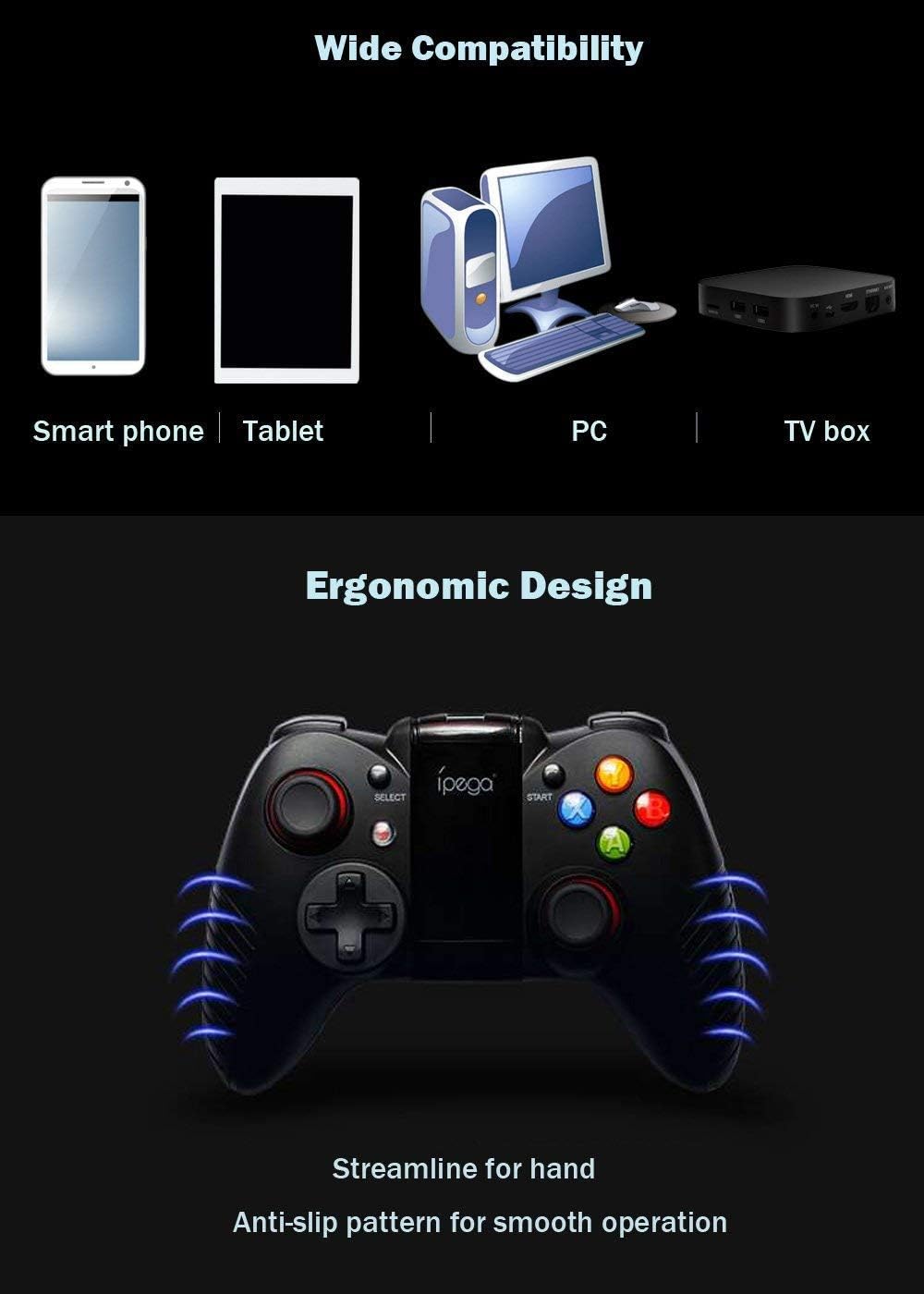
Figure 2: The PG-9067 controller highlighting wide compatibility and ergonomic design.
4. การตั้งค่าและการเชื่อมต่อ
4.1 การชาร์จคอนโทรลเลอร์
Before first use, fully charge the controller using the provided USB cable. Connect the small end of the USB cable to the charging port on the controller and the other end to a USB power source (e.g., computer USB port, USB wall adapter). The charging indicator light will show the charging status.
4.2 การจับคู่กับอุปกรณ์ Android
Follow these steps to pair your PG-9067 controller with an Android smartphone or tablet:
- กดปุ่มค้างไว้ ปุ่ม X และ ปุ่มโฮม (
 ) simultaneously for approximately 2 seconds.
 - Release both buttons when LED1 starts to flash quickly. This indicates the controller is in pairing mode.
- On your Android device, open the การตั้งค่าบลูทูธ และเปิดใช้งานบลูทูธ
- ค้นหา available devices. The controller will appear as "พีจี-9067". Select it to pair.
- Once successfully connected, LED1 on the controller will remain lit.
Figure 3: Visual guide for connecting the controller to an Android device.
บันทึก: This device supports only Bluetooth enabled PC, laptop and TV box. Not all games can be fully played with this controller.
5. คู่มือการใช้งาน
5.1 Game Compatibility and Platforms
The PG-9067 controller supports various game application platforms. For optimal compatibility, it is recommended to download games from specific game halls or platforms that support gamepad control. Some recommended platforms include:
- Micro Game Lobby
- Chicken Simulator
- KO Video Game City
- Grape Game Hall
You can download games within these game halls. After connecting the controller via Bluetooth, you can control gameplay directly.
For simulator games, you can download the Android Game Center App from http://www.xiaoji001.com/m/. This app has a vast selection of popular compatible games.
For games downloaded from Google Playstore (e.g., PUBG Mobile, Rules of Survival) that may not fully support the controller natively, you might need to download a key mapping tool like Octopus Driver. More information can be found at http://www.phoenixos.com/octopus/intro?ref=ipega or by searching for relevant operation videos on YouTube.

Figure 4: The controller with its integrated phone bracket extended.
6. การบำรุงรักษา
- ควรเก็บตัวควบคุมให้แห้ง หลีกเลี่ยงการสัมผัสกับความชื้น ฝน หรือของเหลว
- Do not store the controller in hot or cold environments.
- ทำความสะอาดคอนโทรลเลอร์ด้วยผ้านุ่มและแห้ง ห้ามใช้สารเคมีรุนแรงหรือน้ำยาทำความสะอาดที่มีฤทธิ์กัดกร่อน
- หลีกเลี่ยงการทำตกหรือให้ตัวควบคุมได้รับแรงกระแทกรุนแรง
- When not in use for extended periods, charge the controller at least once every three months to preserve battery life.
7 การแก้ไขปัญหา
| ปัญหา | สาเหตุที่เป็นไปได้ / วิธีแก้ไข |
|---|---|
| ตัวควบคุมไม่เปิดใช้งาน | Battery may be depleted. Charge the controller fully. |
| ตัวควบคุมไม่สามารถเชื่อมต่อกับอุปกรณ์ได้ |
|
| Controller connects but games do not respond. |
|
| การเชื่อมต่อไม่เสถียรหรือหลุดบ่อยครั้ง |
|
For further assistance, you may find relevant videos and troubleshooting guides on YouTube by searching for "IPEGA PG-9067 connection" or "IPEGA gamepad setup".
8. การรับประกันและการสนับสนุน
Specific warranty information for the IPEGA PG-9067 controller is not provided in this manual. Please refer to the retailer or point of purchase for details regarding warranty coverage and return policies.
For technical support or inquiries, please contact the IPEGA customer service or visit their official website if available. Always retain your proof of purchase for any warranty claims.


