การแนะนำ
This manual provides important information regarding the safe operation, installation, and maintenance of your Arctic-Pro Mini Desk Oscillating Tower Fan. Please read this manual thoroughly before using the product and retain it for future reference.
The Arctic-Pro Mini Desk Oscillating Tower Fan is designed to provide personal cooling with its compact size and quiet operation. It features two speed settings and a 75-degree oscillation function for effective air circulation in small spaces such as offices, bedrooms, and cubicles.
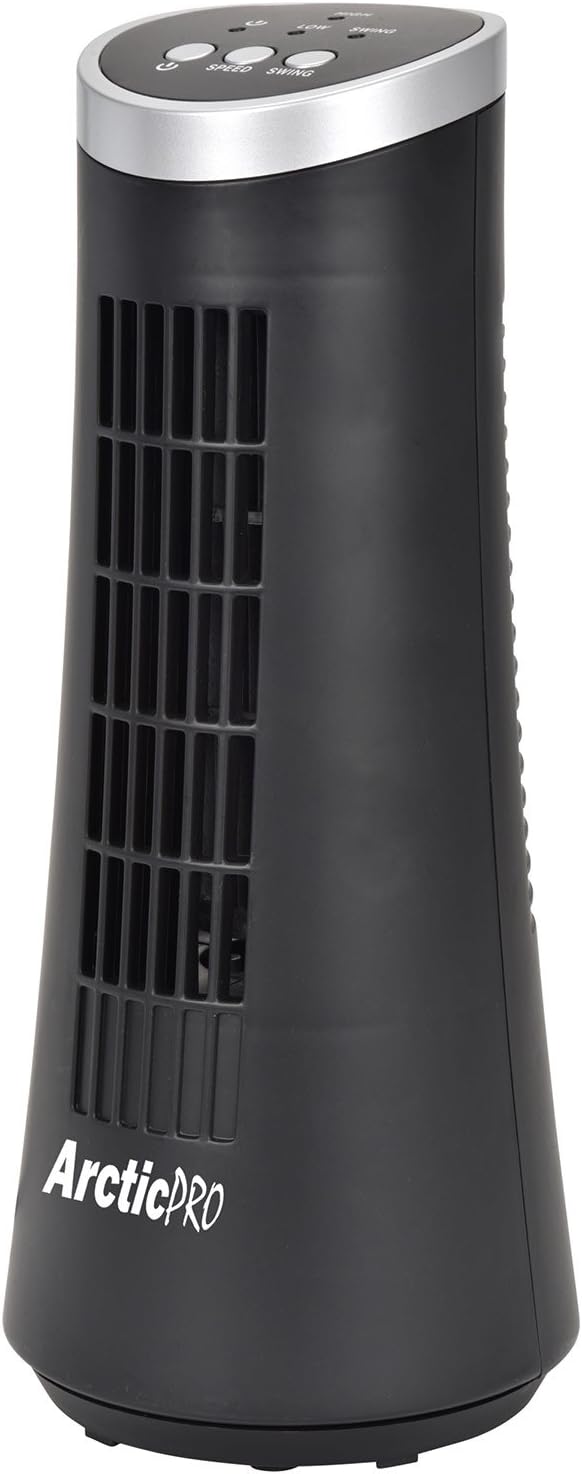
Figure 1: Arctic-Pro Mini Desk Oscillating Tower Fan, a compact black tower fan with a silver top panel.
คุณสมบัติและส่วนประกอบของผลิตภัณฑ์
Familiarize yourself with the key features and components of your fan for optimal use.
- การทำงานที่เงียบเป็นพิเศษ: Engineered to produce minimal operational noise, ensuring no distractions during work or sleep.
- การออกแบบแบบพกพาและกะทัดรัด: Features a convenient carrying handle for easy transport between rooms. Ideal for desks, nightstands, and small spaces. Dimensions: 5 x 12 inches.
- การตั้งค่าความเร็ว 2 ระดับ: Adjustable airflow from Low to High wind via electronic touch controls with LED indicators.
- การแกว่ง 75 องศา: Provides wide-angle air distribution and circulation to cool your entire area effectively.
- Electronic Touch Controls: Intuitive controls located on the top panel for power, speed, and oscillation.

รูปที่ 2: เกินview of fan components, highlighting the user controls on top, the front grill, the handle on the back, and the oscillating base.
การตั้งค่า
The Arctic-Pro Mini Desk Oscillating Tower Fan requires no assembly. Simply remove it from its packaging and place it on a stable, flat surface.
- Unpack the fan carefully from its box.
- Place the fan on a firm, level surface, ensuring adequate space around it for air circulation and oscillation.
- Plug the power cord into a standard electrical outlet (AC 120V, 60Hz).
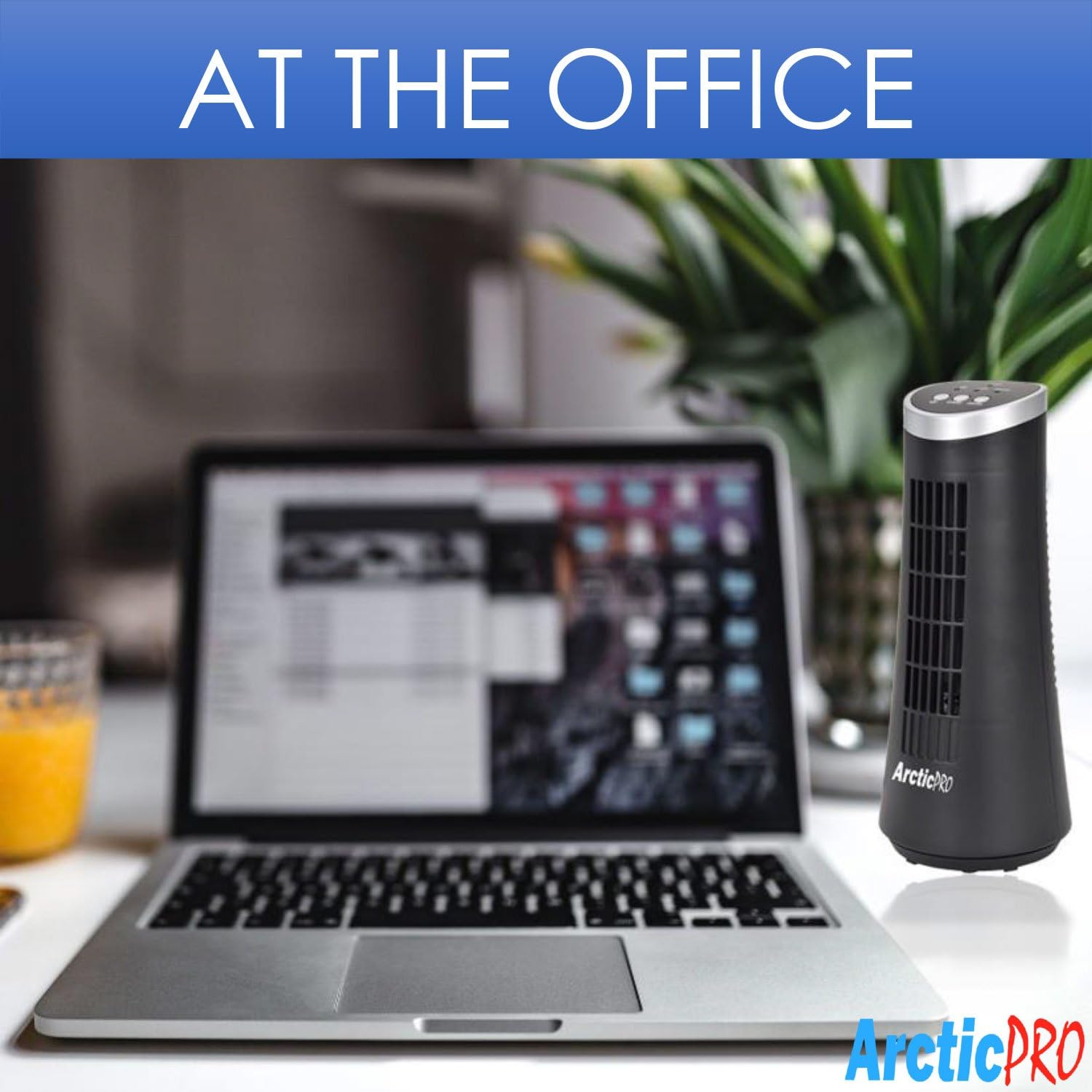
Figure 3: The product packaging, indicating the fan is ready to use out of the box.
คำแนะนำการใช้งาน
The fan is operated using the touch controls located on the top panel.

รูปที่ 4: รายละเอียด view of the fan's touch control panel, showing buttons for On/Off, Speed (Low/High), and Oscillation (Swing).
- เปิด/ปิดเครื่อง: กดปุ่ม ปุ่มเปิดปิด to turn the fan on or off. An LED indicator will illuminate when the fan is on.
- การปรับความเร็ว: กดปุ่ม ปุ่มความเร็ว to cycle between Low and High speed settings. Corresponding LED indicators will show the selected speed.
- การควบคุมการสั่น: กดปุ่ม ปุ่มแกว่ง to activate or deactivate the 75-degree oscillation function. When active, the fan will rotate from side to side to distribute air across a wider area.
การบำรุงรักษาและการดูแล
Regular cleaning and proper care will ensure the longevity and efficient operation of your fan.
- การทำความสะอาด:
- ควรถอดปลั๊กพัดลมออกจากเต้ารับไฟฟ้าทุกครั้งก่อนทำความสะอาด
- ใช้แบบนุ่มๆamp ผ้าเช็ดทำความสะอาดพื้นผิวภายนอกของพัดลม ห้ามใช้น้ำยาทำความสะอาดที่มีฤทธิ์กัดกร่อนหรือตัวทำละลาย
- To clean the fan grill, use a vacuum cleaner with a brush attachment to remove dust and debris. Do not attempt to disassemble the fan for cleaning.
- พื้นที่จัดเก็บ:
- If storing the fan for an extended period, clean it thoroughly and place it back in its original packaging or a suitable box.
- เก็บพัดลมไว้ในที่แห้งและเย็น หลีกเลี่ยงแสงแดดโดยตรงและอุณหภูมิที่สูงหรือต่ำเกินไป
Note: Do not immerse the fan in water or allow water to drip into the motor housing.
การแก้ไขปัญหา
หากคุณพบปัญหาใดๆ เกี่ยวกับพัดลม โปรดดูปัญหาและวิธีแก้ไขที่พบบ่อยต่อไปนี้:
| ปัญหา | สาเหตุที่เป็นไปได้ | สารละลาย |
|---|---|---|
| พัดลมไม่เปิด | Not plugged in; power outlet not working; fan switch off. | Ensure the power cord is securely plugged into a working electrical outlet. Press the Power button. Test the outlet with another device. |
| การไหลเวียนของอากาศอ่อนหรือไม่มีเลย | Fan speed set to low; air intake/output blocked; excessive dust buildup. | Increase the fan speed using the Speed button. Ensure nothing is obstructing the front grill or rear air intake. Clean the fan grill to remove dust. |
| พัดลมไม่หมุนส่าย | ฟังก์ชั่นการสั่นปิดอยู่ | Press the Swing button to activate the oscillation function. |
| เสียงรบกวนที่ผิดปกติระหว่างการทำงาน | Fan not on a level surface; internal obstruction. | Place the fan on a stable, level surface. Unplug the fan and check for any visible obstructions in the grill. If the noise persists, discontinue use and contact customer support. |
ข้อมูลจำเพาะ
| คุณลักษณะ | รายละเอียด |
|---|---|
| ยี่ห้อ | Arctic-Pro |
| หมายเลขรุ่น | 21599 |
| ขนาดสินค้า | ลึก 5 นิ้ว x กว้าง 5 นิ้ว x สูง 12 นิ้ว (ลึก 12.7 ซม. x กว้าง 12.7 ซม. x สูง 30.48 ซม.) |
| สี | สีดำ |
| แหล่งพลังงาน | สายไฟ |
| วิธีการควบคุม | สัมผัส |
| คุณสมบัติพิเศษ | Oscillating, Portable, Ultra-Quiet Operation |
| น้ำหนักสินค้า | 2.45 ปอนด์ (1.11 กก.) |
| ยูพีซี | 815691021599 |

Figure 5: Dimensions of the fan, indicating a height of 12.5 inches (31.75 cm) and a base width of 5 inches (12.7 cm).
ข้อมูลด้านความปลอดภัยที่สำคัญ
โปรดอ่านและปฏิบัติตามคำแนะนำด้านความปลอดภัยทั้งหมดเพื่อป้องกันการบาดเจ็บหรือความเสียหาย
- ห้ามใช้งานพัดลมที่มีสายไฟหรือปลั๊กชำรุด ทิ้งพัดลมหรือส่งกลับไปยังศูนย์บริการที่ได้รับอนุญาตเพื่อตรวจสอบและ/หรือซ่อมแซม
- ห้ามเดินสายไฟใต้พรม ห้ามคลุมสายไฟด้วยพรมเช็ดเท้า พรมยาว หรือวัสดุคลุมที่คล้ายกัน ห้ามเดินสายไฟใต้เฟอร์นิเจอร์หรือเครื่องใช้ไฟฟ้า จัดสายไฟให้ห่างจากบริเวณที่มีคนสัญจรไปมาและบริเวณที่สายไฟจะไม่สะดุดล้ม
- หากต้องการตัดการเชื่อมต่อพัดลม ให้หมุนปุ่มควบคุมไปที่ปิด จากนั้นถอดปลั๊กออกจากเต้าเสียบ
- ห้ามสอดนิ้วหรือวัตถุแปลกปลอมเข้าไปในช่องระบายอากาศหรือช่องดูดควัน เพราะอาจทำให้เกิดไฟฟ้าช็อต ไฟไหม้ หรือทำให้พัดลมเสียหายได้
- ห้ามปิดกั้นช่องรับอากาศหรือช่องระบายอากาศไม่ว่าในกรณีใดๆ ห้ามใช้บนพื้นผิวที่อ่อนนุ่ม เช่น เตียงนอน เนื่องจากช่องเปิดอาจอุดตันได้
- พัดลมนี้ไม่ได้มีไว้สำหรับใช้ในที่เปียกหรือเปียกamp สถานที่
- ควรวางพัดลมบนพื้นผิวที่มั่นคงและเรียบเสมอเมื่อใช้งานเพื่อป้องกันการพลิกคว่ำ
- จำเป็นต้องมีการดูแลอย่างใกล้ชิดเมื่อมีเด็กหรือใช้งานเครื่องใช้ไฟฟ้าใดๆ ใกล้เด็ก
การสนับสนุนลูกค้า
For any questions, concerns, or assistance with your Arctic-Pro Mini Desk Oscillating Tower Fan, please contact your retailer or the manufacturer's customer service. While specific warranty details are not provided in this manual, the product is backed by a 30-day full money-back guarantee from the point of purchase, as per product information.
โปรดเก็บใบเสร็จรับเงินไว้เป็นหลักฐานการซื้อสำหรับสอบถามข้อมูลด้านการสนับสนุนใดๆ


