การแนะนำ
This manual provides essential information for the safe and efficient use of your AOC 22P1D 21.5-inch Full HD LED Monitor. Please read these instructions carefully before operating the device and retain them for future reference.
ข้อมูลด้านความปลอดภัย
ปฏิบัติตามข้อควรระวังด้านความปลอดภัยต่อไปนี้เสมอเพื่อป้องกันความเสียหายต่อจอภาพและเพื่อความปลอดภัยส่วนบุคคล:
- ห้ามให้จอภาพโดนฝนหรือความชื้น เพื่อหลีกเลี่ยงอันตรายจากไฟไหม้หรือไฟฟ้าช็อต
- อย่าเปิดจอภาพcasinก. ไม่มีชิ้นส่วนใดที่ผู้ใช้สามารถซ่อมบำรุงเองได้ภายใน แนะนำให้ช่างผู้ชำนาญการซ่อมบำรุงนำชิ้นส่วนทั้งหมดไปซ่อม
- วางจอภาพบนพื้นผิวที่มั่นคงและเรียบเพื่อป้องกันไม่ให้ตก
- ตรวจสอบให้แน่ใจว่ามีการระบายอากาศที่เหมาะสมรอบ ๆ จอภาพ อย่าปิดกั้นช่องระบายอากาศ
- ใช้เฉพาะสายไฟและอะแดปเตอร์ที่ให้มาพร้อมกับจอภาพเท่านั้น
- ถอดปลั๊กจอภาพออกจากเต้าเสียบไฟฟ้าในระหว่างที่มีพายุฝนฟ้าคะนองหรือเมื่อไม่ได้ใช้งานเป็นเวลานาน
เนื้อหาแพ็คเกจ
ตรวจสอบว่ามีรายการทั้งหมดอยู่ในแพ็คเกจ:
- AOC 22P1D Monitor
- ขาตั้งจอมอนิเตอร์ (ฐานและคอ)
- สายไฟ
- สาย HDMI
- สายเคเบิล VGA
- สายสัญญาณเสียง (3.5มม.)
- User Manual (on CD, if applicable)
คำแนะนำการตั้งค่า
1. การประกอบขาตั้ง
Carefully remove the monitor and stand components from the packaging. Attach the stand neck to the monitor panel, then secure the base to the neck. Ensure all connections are firm.

ภาพ: ด้านหลัง view of the AOC 22P1D monitor, showing the stand assembly point.
2. การเชื่อมต่อจอภาพ
Connect the necessary cables to the monitor and your computer. The AOC 22P1D supports HDMI and VGA inputs.
- การเชื่อมต่อไฟฟ้า: เชื่อมต่อสายไฟเข้ากับแหล่งจ่ายไฟของจอภาพ จากนั้นจึงเชื่อมต่อกับเต้ารับที่ผนัง
- การเชื่อมต่อวิดีโอ (HDMI): Connect one end of the HDMI cable to the HDMI port on the monitor and the other end to the HDMI port on your computer.
- การเชื่อมต่อวิดีโอ (VGA): Alternatively, connect one end of the VGA cable to the VGA port on the monitor and the other end to the VGA port on your computer.
- การเชื่อมต่อเสียง: If using VGA or a source without audio over HDMI, connect the 3.5mm audio cable from your computer's audio output to the monitor's audio input for sound through the monitor's built-in speakers.
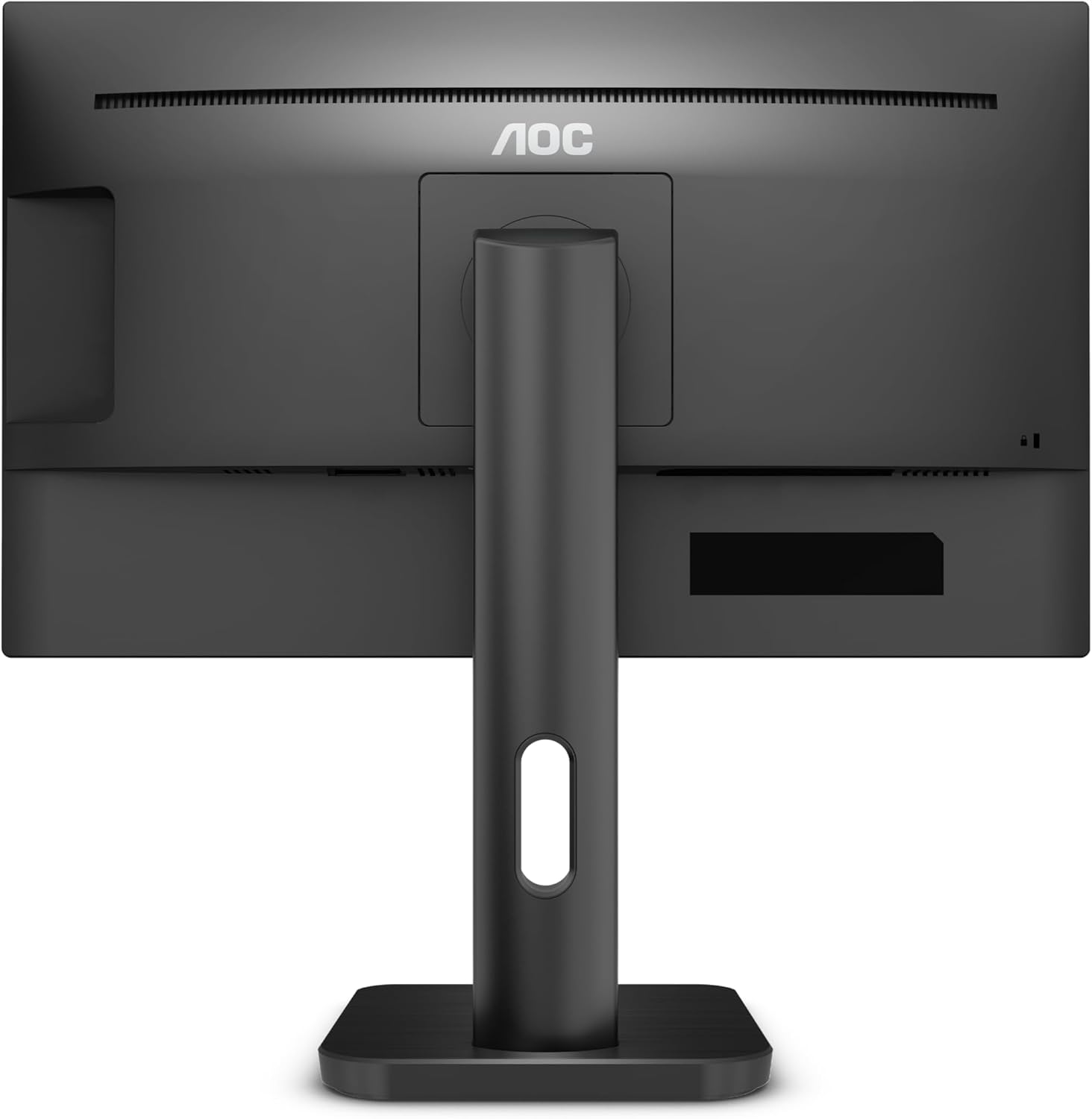
ภาพ: ด้านหลัง view of the AOC 22P1D monitor, highlighting the various input ports for connectivity.
3. เปิดเครื่องครั้งแรก
After connecting all cables, press the power button on the monitor to turn it on. The monitor will automatically detect the active input signal. If no signal is detected, ensure your computer is powered on and the correct input source is selected on the monitor.
คำแนะนำการใช้งาน
1. เปิด/ปิดเครื่อง
Press the power button located on the bottom right bezel of the monitor to turn it on or off.

ภาพ: ด้านหน้า view of the AOC 22P1D monitor, showing the power button location and key features.
2. การนำทางเมนูการแสดงผลบนหน้าจอ (OSD)
เมนู OSD ช่วยให้คุณปรับการตั้งค่าจอภาพต่างๆ ได้ ใช้ปุ่มควบคุมที่ขอบล่างขวาเพื่อนำทางเมนู
- กดปุ่ม เมนู ปุ่มสำหรับเปิดเมนู OSD
- ใช้ ขึ้น/ลง ปุ่มสำหรับเลื่อนดูตัวเลือกในเมนู
- กดปุ่ม เลือก button to enter a sub-menu or confirm a setting.
- กดปุ่ม ทางออก ปุ่มสำหรับย้อนกลับหรือปิดเมนู OSD
3. การตั้งค่ารูปภาพ
Adjust the display quality to your preference:
- ความสว่าง: ควบคุมความสว่างโดยรวมของหน้าจอ
- ตัดกัน: ปรับความแตกต่างระหว่างบริเวณสว่างและบริเวณมืด
- อุณหภูมิสี: Selects preset color modes (e.g., Warm, Cool, Normal) or custom RGB settings.
- โหมดลดแสงสีฟ้า: ลดการปล่อยแสงสีฟ้าเพื่อความสบายตา
- ปราศจากการสั่นไหว: Technology to reduce screen flickering.
4. การเลือกอินพุต
If you have multiple devices connected, use the OSD menu or a dedicated input button to switch between HDMI and VGA inputs.
5. การตั้งค่าเสียง
If using the monitor's built-in speakers, adjust the volume through the OSD menu. Ensure your computer's audio output is directed to the monitor.
การซ่อมบำรุง
การทำความสะอาดจอภาพ
เพื่อรักษาประสิทธิภาพและรูปลักษณ์ที่ดีที่สุด โปรดปฏิบัติตามคำแนะนำในการทำความสะอาดต่อไปนี้:
- ควรถอดปลั๊กจอภาพออกจากเต้ารับไฟฟ้าทุกครั้งก่อนทำความสะอาด
- ใช้ผ้านุ่มไม่เป็นขุยเช็ดเล็กน้อยampเคลือบด้วยน้ำหรือน้ำยาทำความสะอาดหน้าจอชนิดอ่อนที่ไม่กัดกร่อน
- อย่าฉีดน้ำยาลงบนหน้าจอโดยตรง ให้ฉีดลงบนผ้าก่อน
- หลีกเลี่ยงการใช้เบนซีน ทินเนอร์ น้ำยาทำความสะอาดที่มีส่วนผสมของแอมโมเนีย หรือสารทำความสะอาดที่มีฤทธิ์กัดกร่อน เนื่องจากสารเหล่านี้อาจทำให้หน้าจอหรือตัวเครื่องเสียหายได้asing.
- เช็ดหน้าจอเบาๆ เพื่อขจัดฝุ่นและคราบต่างๆ
การแก้ไขปัญหา
หากคุณพบปัญหาเกี่ยวกับจอภาพของคุณ โปรดดูปัญหาทั่วไปและวิธีแก้ไขต่อไปนี้:
| ปัญหา | สาเหตุที่เป็นไปได้ | สารละลาย |
|---|---|---|
| ไม่มีไฟฟ้า | สายไฟไม่ได้เชื่อมต่อ เต้าเสียบไฟฟ้าไม่ทำงาน | Ensure power cable is securely connected to both monitor and outlet. Test outlet with another device. |
| ไม่มีสัญญาณ | ไม่ได้เชื่อมต่อสายวิดีโอ; เลือกแหล่งสัญญาณเข้าไม่ถูกต้อง; คอมพิวเตอร์ไม่ได้เปิดเครื่อง | Check video cable connections (HDMI/VGA). Select the correct input source via the OSD menu. Ensure computer is on and outputting video. |
| คุณภาพของภาพไม่ดี | Incorrect resolution; Brightness/Contrast settings incorrect; Dirty screen. | Set display resolution to 1920x1080. Adjust brightness and contrast via OSD. Clean the screen as per maintenance instructions. |
| ไม่มีเสียง | Audio cable not connected (for VGA); Monitor volume too low; Computer audio output incorrect. | If using VGA, connect the 3.5mm audio cable. Increase monitor volume via OSD. Check computer's audio settings to ensure output is to the monitor. |
ข้อมูลจำเพาะ
Technical specifications for the AOC 22P1D monitor:
| คุณสมบัติ | ข้อมูลจำเพาะ |
|---|---|
| หมายเลขรุ่น | 22P1D |
| ขนาดหน้าจอ | 21.5 นิ้ว |
| เทคโนโลยีการแสดงผล | นำ |
| ปณิธาน | 1920 x 1080 (ฟูลเอชดี) |
| อัตราส่วนภาพ | 16:9 น. |
| อัตราการรีเฟรช | 60 เฮิรตซ์ |
| เวลาตอบสนอง | 2 มิลลิวินาที |
| อัตราส่วนคอนทราสต์ | 1000:1 น. |
| พอร์ตอินพุต | 1x HDMI, 1x วีจีเอ |
| ลำโพงในตัว | ใช่ |
| สี | สีดำ |
| ขนาดสินค้า | 50.6 x 19.8 x 50.4 ซม. |
| น้ำหนักสินค้า | 4.2 กิโลกรัม |
| การใช้พลังงาน | 22 วัตต์ (ทั่วไป) |

ภาพ: ด้านหน้า view of the AOC 22P1D monitor with approximate dimensions shown.
ข้อมูลการรับประกัน
Your AOC 22P1D monitor comes with a standard manufacturer's warranty. Please refer to the warranty card included in your product packaging or visit the official AOC webดูรายละเอียดข้อกำหนดและเงื่อนไขเกี่ยวกับการรับประกัน ระยะเวลา และขั้นตอนการบริการได้ที่เว็บไซต์นี้
การสนับสนุนลูกค้า
For further assistance, technical support, or service inquiries, please contact AOC customer support. You can find contact information and additional resources on the official AOC webเว็บไซต์:
Please have your monitor's model number (22P1D) and serial number ready when contacting support.