1. บทนำ
คู่มือนี้ให้ข้อมูลสำคัญสำหรับการติดตั้ง การใช้งาน และการบำรุงรักษา สวิตช์อีเธอร์เน็ตแบบติดตั้งบนราง Hirschmann RS20-0800T1T1SDAUHH สวิตช์อีเธอร์เน็ตความเร็วสูงแบบไม่จัดการนี้ออกแบบมาสำหรับงานอุตสาหกรรม โดยให้การเชื่อมต่อเครือข่ายที่เชื่อถือได้ด้วยพอร์ต 8 พอร์ต และความสามารถในการติดตั้งบนราง DIN โปรดอ่านคู่มือนี้อย่างละเอียดก่อนใช้งานอุปกรณ์
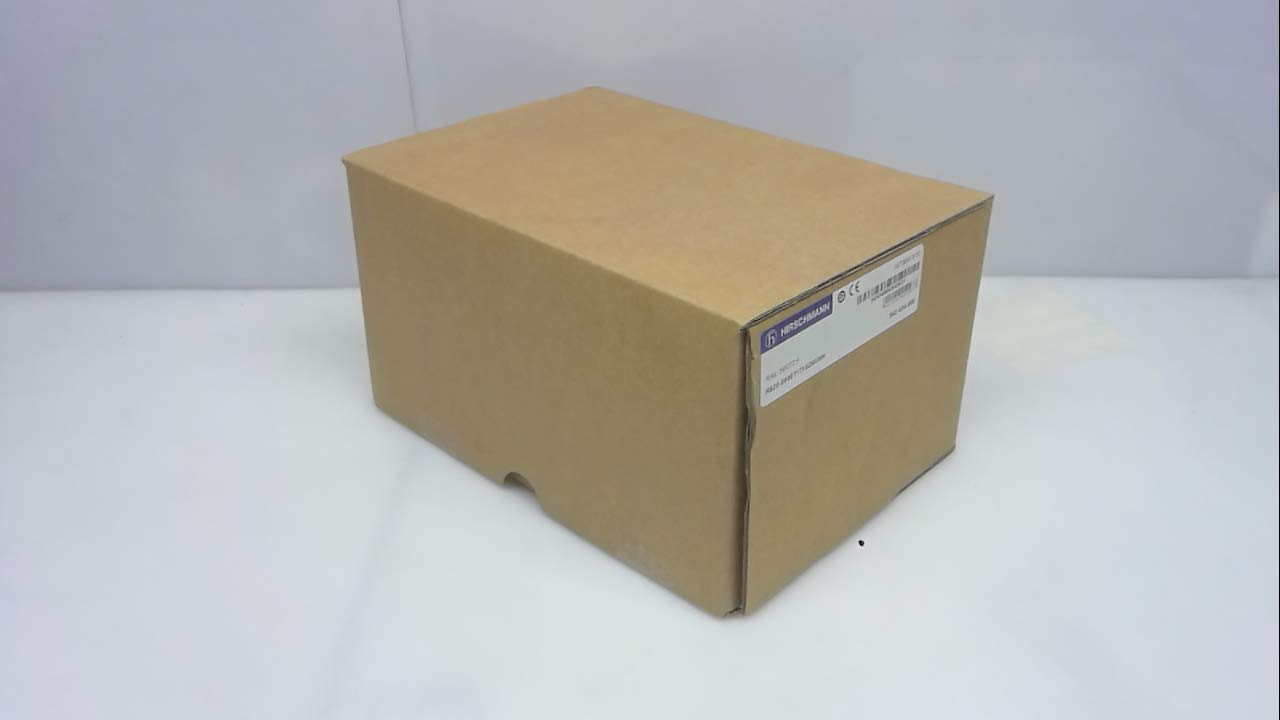
รูปที่ 1: สวิตช์ Ethernet แบบติดตั้งบนราง Hirschmann RS20-0800T1T1SDAUHH ในบรรจุภัณฑ์เดิม บรรจุภัณฑ์ระบุหมายเลขรุ่นและยี่ห้อเพื่อการตรวจสอบ
2. การตั้งค่าและการติดตั้ง
โปรดทำตามขั้นตอนเหล่านี้เพื่อติดตั้งสวิตช์ Hirschmann RS20-0800T1T1SDAUHH อย่างถูกต้อง
2.1 การแกะกล่อง
- นำสวิตช์ออกจากบรรจุภัณฑ์อย่างระมัดระวัง
- ตรวจสอบว่าชิ้นส่วนทั้งหมดครบถ้วนและไม่เสียหาย ในกล่องควรมีสวิตช์และอุปกรณ์เสริมที่มาพร้อมกันทั้งหมด
2.2 การติดตั้ง
RS20-0800T1T1SDAUHH ออกแบบมาสำหรับการติดตั้งบนราง DIN
- ติดตั้งสวิตช์เข้ากับราง DIN มาตรฐานในกล่องหุ้มอุตสาหกรรมอย่างแน่นหนา
- ตรวจสอบให้แน่ใจว่ามีการระบายอากาศเพียงพอรอบๆ อุปกรณ์เพื่อป้องกันความร้อนสูงเกินไป
2.3 การเชื่อมต่อสายไฟ
เชื่อมต่อแหล่งจ่ายไฟเข้ากับสวิตช์
- สวิตช์นี้ทำงานได้กับไฟ AC 24V หรือไฟ DC 24-48V
- ตรวจสอบให้แน่ใจว่าแหล่งจ่ายไฟตรงกับปริมาณที่ระบุtagช่วงอี
- เชื่อมต่อสายไฟเข้ากับขั้วต่อสายไฟที่กำหนดไว้บนสวิตช์
2.4 การเชื่อมต่อเครือข่าย
เชื่อมต่ออุปกรณ์อีเธอร์เน็ตเข้ากับพอร์ตของสวิตช์
- สวิตช์นี้มีพอร์ต Fast Ethernet จำนวน 8 พอร์ต
- ใช้สายอีเธอร์เน็ตมาตรฐาน (เช่น Cat5e หรือ Cat6) เพื่อเชื่อมต่ออุปกรณ์เครือข่ายของคุณ (เช่น PLC, คอมพิวเตอร์อุตสาหกรรม, เซ็นเซอร์) เข้ากับพอร์ตใดก็ได้จาก 8 พอร์ต
- สวิตช์จะตรวจจับความเร็วลิงก์และโหมดดูเพล็กซ์โดยอัตโนมัติ

รูปที่ 2: สวิตช์ Hirschmann RS20-0800T1T1SDAUHH แสดงพอร์ตอีเธอร์เน็ต 8 พอร์ต และขั้วต่อสายไฟสำหรับเชื่อมต่อ
3. คู่มือการใช้งาน
สวิตช์ Hirschmann RS20-0800T1T1SDAUHH เป็นสวิตช์แบบไม่มีการจัดการ ออกแบบมาเพื่อการใช้งานแบบเสียบปลั๊กแล้วใช้งานได้ทันที
3.1 เปิดเครื่อง
เมื่อเชื่อมต่อแหล่งจ่ายไฟแล้ว สวิตช์จะเปิดใช้งานโดยอัตโนมัติ ไม่มีปุ่มเปิด/ปิด
3.2 การเชื่อมต่อเครือข่าย
เมื่อเชื่อมต่ออุปกรณ์อีเธอร์เน็ตเข้ากับพอร์ตของสวิตช์ สวิตช์จะสร้างการเชื่อมต่อเครือข่ายโดยอัตโนมัติ การส่งข้อมูลจะเริ่มต้นโดยไม่ต้องตั้งค่าเพิ่มเติม
3.3 ไฟแสดงสถานะ LED
สังเกตไฟ LED บนสวิตช์เพื่อดูสถานะ:
- กำลังไฟ LED: แสดงสถานะการทำงานของอุปกรณ์ โดยปกติจะเป็นสีเขียวเมื่อเปิดใช้งานอยู่
- ไฟ LED แสดงสถานะการเชื่อมต่อ/การทำงาน (ต่อพอร์ต):
- สีเขียวทึบ: แสดงว่าการเชื่อมต่อเครือข่ายสำเร็จแล้ว
- ไฟกระพริบสีเขียว: ระบุกิจกรรมข้อมูลบนพอร์ต
- ปิด: ไม่พบการเชื่อมต่อ หรืออุปกรณ์ไม่ได้เชื่อมต่อ
4. การบำรุงรักษา
สวิตช์ Hirschmann RS20-0800T1T1SDAUHH ต้องการการบำรุงรักษาเพียงเล็กน้อย
4.1 การทำความสะอาด
- ตรวจสอบให้แน่ใจว่าอุปกรณ์ปิดอยู่ก่อนทำความสะอาด
- ใช้ผ้าแห้งนุ่มเช็ดทำความสะอาดด้านนอกของสวิตช์
- ห้ามใช้น้ำยาทำความสะอาดหรือตัวทำละลายที่เป็นของเหลว เนื่องจากอาจทำให้เครื่องเสียหายได้
4.2 ข้อพิจารณาด้านสิ่งแวดล้อม
สวิตช์นี้มีระดับการป้องกัน IP00 ซึ่งหมายความว่าไม่ได้รับการป้องกันจากฝุ่นหรือน้ำ ต้องติดตั้งในกล่องหรือตู้ที่เหมาะสมซึ่งสามารถป้องกันจากปัจจัยด้านสิ่งแวดล้อมได้
5 การแก้ไขปัญหา
ส่วนนี้จะนำเสนอวิธีแก้ปัญหาที่พบบ่อย
5.1 ไม่มีไฟฟ้า
- อาการ: LED เพาเวอร์ดับ
- การกระทำ:
- ตรวจสอบการเชื่อมต่อสายไฟกับสวิตช์
- ตรวจสอบว่าแหล่งจ่ายไฟทำงานอยู่และจ่ายแรงดันไฟฟ้าถูกต้องtage (24V AC / 24-48V DC)
- ตรวจสอบขั้วต่อสายไฟว่าเชื่อมต่อแน่นดีแล้วหรือไม่
5.2 ไม่มีการเชื่อมต่อเครือข่าย
- อาการ: ไฟ LED แสดงสถานะการเชื่อมต่อ/การทำงานของพอร์ตดับลง หรืออุปกรณ์ไม่สามารถสื่อสารกันได้
- การกระทำ:
- ตรวจสอบให้แน่ใจว่าได้เสียบสายอีเธอร์เน็ตเข้ากับพอร์ตของสวิตช์และอุปกรณ์ที่เชื่อมต่ออย่างแน่นหนาแล้ว
- ลองใช้สายเคเบิลอีเทอร์เน็ตอื่น
- ตรวจสอบว่าอุปกรณ์ที่เชื่อมต่อเปิดอยู่และทำงานถูกต้อง
- ลองเชื่อมต่ออุปกรณ์เข้ากับพอร์ตอื่นบนสวิตช์
6. ข้อมูลจำเพาะ
ข้อมูลจำเพาะทางเทคนิคสำหรับสวิตช์ Ethernet แบบติดตั้งบนราง Hirschmann RS20-0800T1T1SDAUHH
| คุณสมบัติ | ข้อมูลจำเพาะ |
|---|---|
| หมายเลขรุ่น | RS20-0800T1T1SDAUHH |
| ยี่ห้อ | เฮิร์ชมันน์ |
| ประเภทสวิตซ์ | สวิตช์ Fast Ethernet ที่ไม่ได้รับการจัดการ |
| จำนวนพอร์ต | 8 |
| ประเภทการติดตั้ง | ราง DIN |
| ปฏิบัติการฉบับที่tage | 24V AC / 24-48V DC |
| โปรโตคอลการเชื่อมต่อ | อีเธอร์เน็ต |
| ขนาดสินค้า (กว้าง x ยาว x สูง) | 0.31 x 0.31 x 0.28 นิ้ว |
| น้ำหนัก | 5.67 ปอนด์ |
| การให้คะแนนการคุ้มครองระหว่างประเทศ | IP00 |
| วัสดุติดต่อ | ทองแดง |
| วันที่พร้อมใช้งานครั้งแรก | 11 พฤษภาคม 2018 |

รูปที่ 3: ฉลากผลิตภัณฑ์สำหรับเครื่อง Hirschmann RS20-0800T1T1SDAUHH แสดงหมายเลขระบุตัวตนที่สำคัญ เช่น UPC 4002044252977 และ Alt ID 943 434-999
7. การรับประกันและการสนับสนุน
7.1 ข้อมูลการรับประกัน
สำหรับรายละเอียดการรับประกันเฉพาะเกี่ยวกับสวิตช์ Hirschmann RS20-0800T1T1SDAUHH ของคุณ โปรดดูเอกสารการรับประกันที่แนบมาพร้อมกับการซื้อของคุณ หรือติดต่อ Hirschmann โดยตรง โดยทั่วไปเงื่อนไขการรับประกันจะครอบคลุมข้อบกพร่องจากการผลิตเป็นระยะเวลาที่กำหนดนับจากวันที่ซื้อ
7.2 การสนับสนุนด้านเทคนิค
หากคุณพบปัญหาที่ไม่สามารถแก้ไขได้โดยใช้คู่มือการแก้ไขปัญหา หรือต้องการความช่วยเหลือทางเทคนิคเพิ่มเติม โปรดติดต่อฝ่ายสนับสนุนลูกค้าของ Hirschmann หรือตัวแทนจำหน่ายที่ได้รับอนุญาตของคุณ โปรดเตรียมหมายเลขรุ่นผลิตภัณฑ์ (RS20-0800T1T1SDAUHH) และหมายเลขซีเรียลให้พร้อมเมื่อติดต่อฝ่ายสนับสนุน


