การแนะนำ
This user manual provides detailed instructions for the operation and maintenance of your DBPOWER 11.5" Portable DVD Player. Please read this manual thoroughly before using the device to ensure proper functionality and longevity. This portable DVD player is designed for versatile entertainment on the go, featuring a swivel screen, long-lasting battery, and multi-format support.
เนื้อหาแพ็คเกจ
เมื่อเปิดบรรจุภัณฑ์ โปรดตรวจสอบว่าประกอบด้วยสิ่งของต่อไปนี้ทั้งหมด:
- เครื่องเล่นดีวีดีพกพาขนาด 9 "
- รีโมทคอนโทรล
- อะแดปเตอร์ DC
- ที่ชาร์จในรถยนต์
- สาย AV 3-in-1
- คู่มือการใช้งาน

รูปที่ 1: สิ่งของในบรรจุภัณฑ์
สินค้าเกินview และคุณสมบัติ
The DBPOWER Portable DVD Player offers a range of features designed for convenience and entertainment:
- High Capacity Built-in Battery: Equipped with a 2500 mAh rechargeable lithium battery, providing approximately 5 hours of video playback. The device supports three power supply options: built-in battery, car charger, and AC power adapter.
- การสนับสนุนด้านมัลติมีเดีย: Direct playback of various formats including CD, DVD, CD-R/RW, DVD-R/+R, DVD+RW/-RW, VCD, SVCD. It also supports USB drives and SD cards up to 32GB, with compatibility for MP3/WMA/WAV audio, JPEG images, and MPEG2/AVI/DIVX video formats. The player is region-free.

Figure 2: Multiple Media Support
- Swiveling Screen: Features a 9-inch screen with an 800x480 resolution. The screen can rotate 270 degrees and flip 180 degrees, allowing it to be used as a tablet or mounted to a car headrest.

Figure 3: Swivel Screen Functionality
- Dual Speaker & Louder Volume: Integrated with two powerful stereo speakers for clear and loud audio. A 3.5mm earphone jack is also available for private listening.
- Last Memory & Remote Control: The break-point memory function allows the player to resume playback from where it was last stopped. A remote control is included for convenient operation.
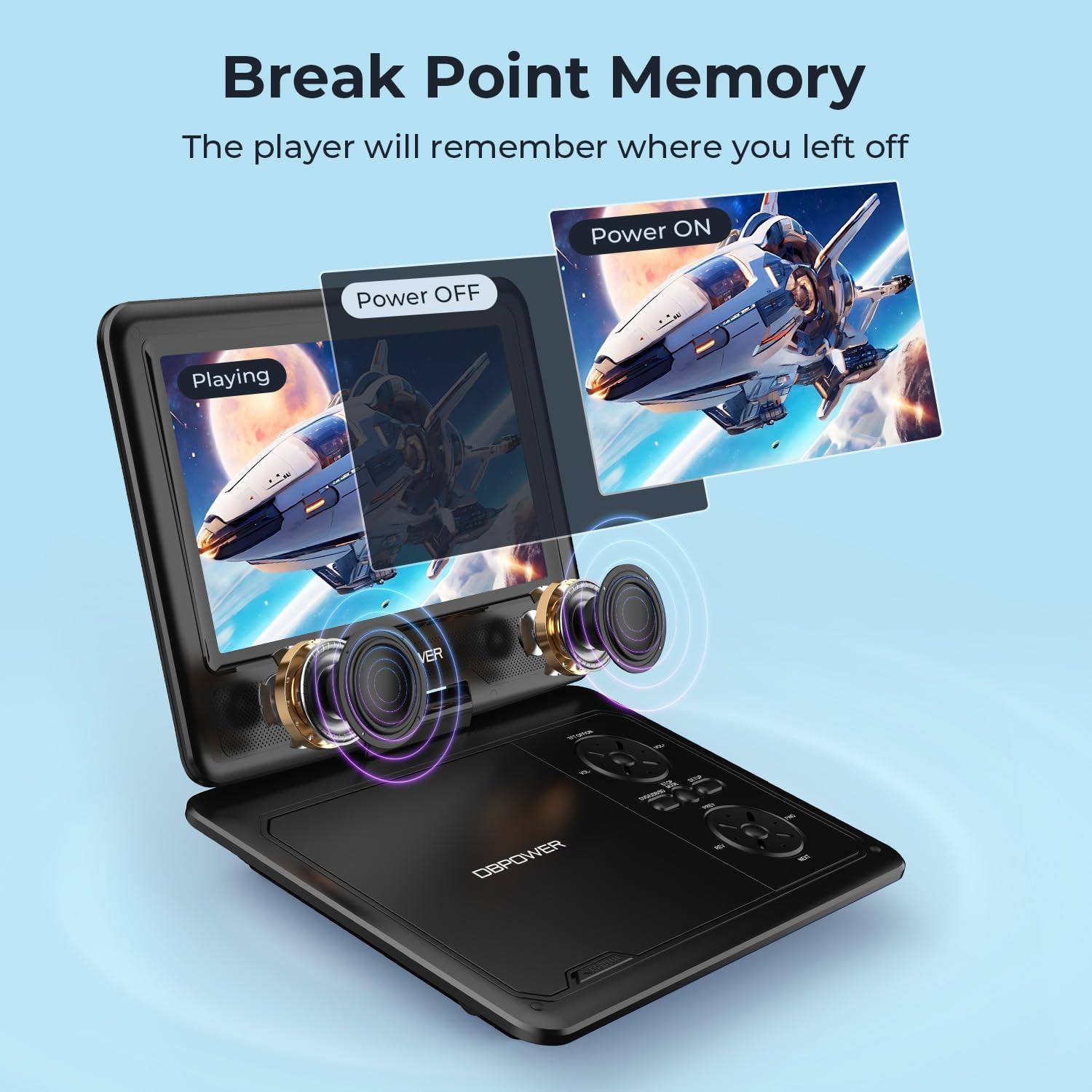
Figure 4: Last Memory Function

Figure 5: DBPOWER 11.5" Portable DVD Player
การตั้งค่า
- การชาร์จแบตเตอรี่: Before first use, fully charge the built-in 2500 mAh lithium battery using the provided AC power adapter or car charger. The charging indicator light will typically change color or turn off when fully charged.
- การใส่แผ่นดิสก์: Gently open the disc cover. Place a compatible DVD or CD onto the spindle, ensuring it clicks into place. Close the disc cover firmly.
- เปิดเครื่อง: Locate the ON/OFF switch, usually on the side or back of the unit, and slide it to the 'ON' position. The screen should power on.
- Connecting to External Devices (Optional):
- To a TV: Use the included 3-in-1 AV cable. Connect the yellow plug to the video input of your TV, and the red/white plugs to the audio inputs. Connect the other end to the AV OUT port on the DVD player. Select the corresponding AV input on your TV.

Figure 6: Connecting to a TV
- ยูเอสบี/การ์ด SD: Insert a USB flash drive into the USB port or an SD card into the SD card slot. The player will typically detect the media automatically.
- To a TV: Use the included 3-in-1 AV cable. Connect the yellow plug to the video input of your TV, and the red/white plugs to the audio inputs. Connect the other end to the AV OUT port on the DVD player. Select the corresponding AV input on your TV.
คำแนะนำการใช้งาน
- การเล่นขั้นพื้นฐาน: After inserting a disc or media, the player will usually begin playback automatically. Use the Play/Pause, Stop, Fast Forward, and Rewind buttons on the player or remote control to manage playback.
- การควบคุมระดับเสียง: ปรับระดับเสียงโดยใช้ปุ่มปรับระดับเสียงเฉพาะบนเครื่องเล่นหรือรีโมทคอนโทรล
- การปรับหน้าจอ: The 9-inch screen can be swiveled up to 270 degrees and flipped 180 degrees for optimal viewมุมการเอียง
- การนำทางเมนู: Use the directional buttons and OK/Enter button on the player or remote to navigate disc menus or media files.
- ฟังก์ชั่นหน่วยความจำล่าสุด: To enable this feature, navigate to the SETUP page in the player's menu and set "Last Memory" to "ON". This allows the player to resume from the last played position after being turned off.
- การใช้รถยนต์: The player can be mounted to a car headrest using a compatible mount (not explicitly stated as included, but implied by feature bullets). Use the car charger for continuous power during long trips.
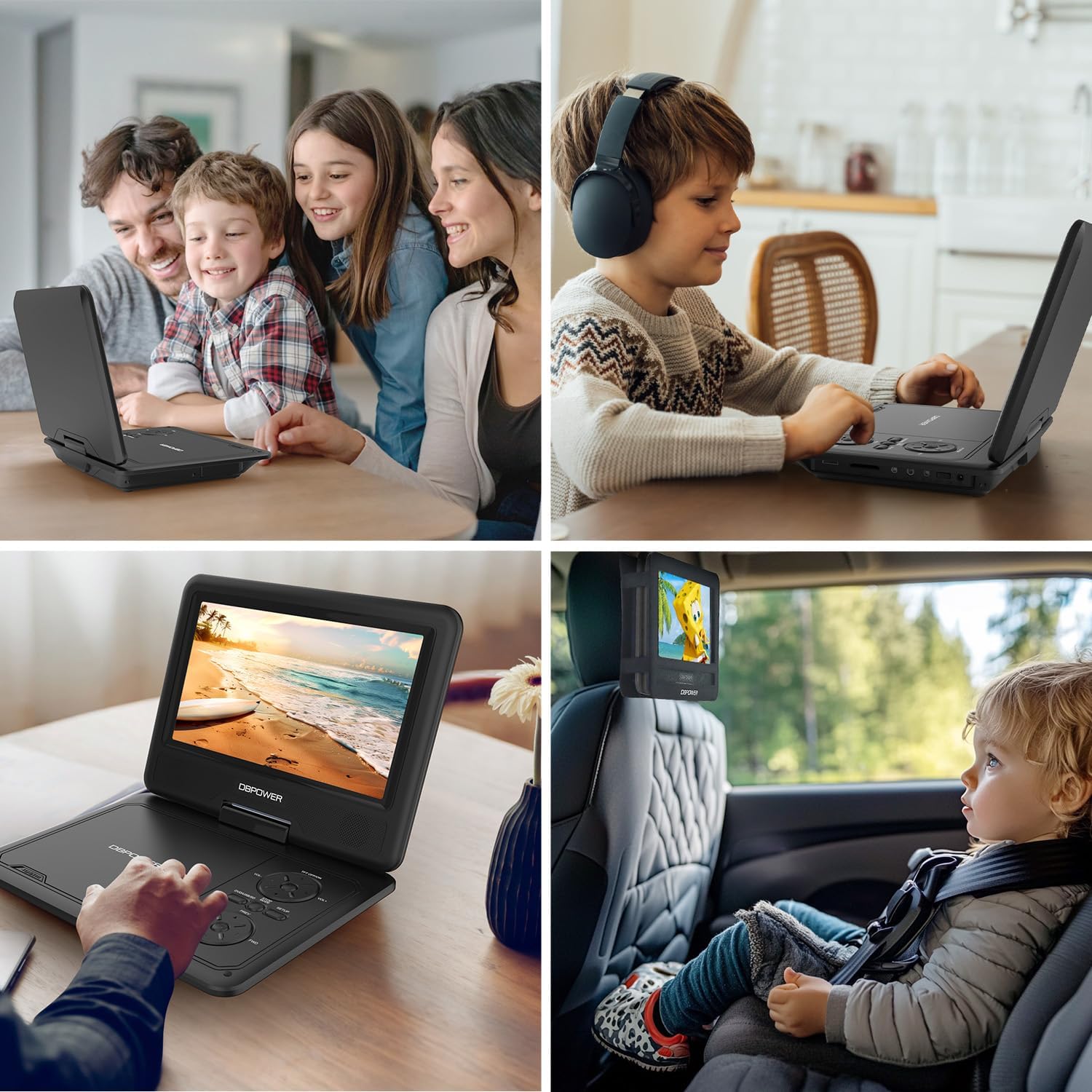
รูปที่ 7: ตัวอย่างการใช้งาน
การซ่อมบำรุง
- การทำความสะอาด: ใช้ผ้าแห้งนุ่มๆ เช็ดทำความสะอาดภายนอกเครื่องเล่น สำหรับหน้าจอ ให้ใช้น้ำยาทำความสะอาดหน้าจอโดยเฉพาะและผ้าไมโครไฟเบอร์ ห้ามใช้สารทำความสะอาดที่มีฤทธิ์กัดกร่อนหรือตัวทำละลาย
- การดูแลรักษาแผ่นดิสก์: จับแผ่นดิสก์โดยจับที่ขอบ รักษาความสะอาดและปราศจากรอยขีดข่วน เก็บแผ่นดิสก์ไว้ในกล่องเมื่อไม่ใช้งาน
- พื้นที่จัดเก็บ: When not in use for extended periods, store the player in a cool, dry place, away from direct sunlight and extreme temperatures. Ensure the screen is closed for protection.
- การดูแลแบตเตอรี่ To prolong battery life, avoid fully discharging the battery frequently. Recharge the battery regularly, even if the player is not in frequent use.
การแก้ไขปัญหา
| ปัญหา | สาเหตุที่เป็นไปได้ | สารละลาย |
|---|---|---|
| เครื่องเล่นไม่สามารถเปิดเครื่องได้ | แบตเตอรี่หมดหรืออะแดปเตอร์ไฟไม่ได้เชื่อมต่ออย่างถูกต้อง | Connect the AC adapter or car charger and allow the battery to charge. Ensure the power switch is in the 'ON' position. |
| No disc detected / "NO DVD" message. | แผ่นดิสก์สกปรก มีรอยขีดข่วน หรือเป็นรูปแบบที่ไม่เข้ากัน ใส่แผ่นดิสก์ไม่ถูกต้อง | Clean the disc with a soft cloth. Try a different disc. Ensure the disc is placed correctly on the spindle. Verify disc format compatibility (no Blu-ray). |
| ไม่มีภาพในทีวี | AV cable not connected properly or incorrect TV input selected. | Check AV cable connections on both the player and TV. Select the correct AV input channel on your TV. |
| ไม่มีเสียง. | Volume too low, mute activated, or external speakers/headphones not connected properly. | Increase volume. Check if mute is active. Ensure headphones or external speakers are properly connected to the 3.5mm jack. |
| รีโมทคอนโทรลไม่ทำงาน | Batteries are dead or remote is not aimed correctly. | Replace remote control batteries. Ensure there are no obstructions between the remote and the player's IR receiver. |
ข้อมูลจำเพาะ
- ขนาดสินค้า : 15.94 x 13.58 x 2.95 นิ้ว
- น้ำหนักสินค้า: 1.94 ปอนด์
- ผู้ผลิต: DB POWER
- หมายเลขรุ่น: พีดี928
- แบตเตอรี่: แบตเตอรี่ลิเธียมโลหะ 1 ก้อน (รวมอยู่ด้วย)
- ขนาดหน้าจอ: 9 นิ้ว
- ประเภทจอภาพ: จอแอลซีดี
- ประเภทสื่อที่รองรับ: CD, DVD, CD-R/RW, DVD-R/+R, DVD+RW/-RW, VCD, SVCD, USB, SD Card
- รูปแบบเสียงที่รองรับ: MP3/WMA/WAV
- รูปแบบวิดีโอที่รองรับ: MPEG2/AVI/DIVX
- รูปแบบรูปภาพที่รองรับ: เจพีเจ
- สี: สีดำ
การรับประกันและการสนับสนุน
DBPOWER is committed to providing excellent customer service and support for its products. For any inquiries or assistance, please refer to the following:
- บริการลูกค้า: ให้บริการตลอด 24 ชั่วโมง
- Exchange & Return: 12 Months policy.
- การสนับสนุนด้านเทคนิค: 12 Months of technical support.
Please retain your proof of purchase for warranty claims. For more detailed support or to contact customer service, please visit the official DBPOWER website or refer to the contact information provided in the included user manual.


