การแนะนำ
ขอบคุณสำหรับการซื้อasing the MAJORITY Histon Portable DAB/DAB+ Digital Radio. This manual provides essential information for setting up, operating, and maintaining your radio. Please read it thoroughly before use to ensure optimal performance and longevity of your device.
มีอะไรอยู่ในกล่อง
- MAJORITY Histon Radio
- สายไฟหลัก
- คู่มือเจ้าของ (เอกสารนี้)

Image: The contents of the product packaging, including the Histon radio, its mains power cable, and the user manual.
สินค้าเกินview
The MAJORITY Histon radio is designed for portable and mains-powered listening, offering both DAB/DAB+ and FM radio reception. It features a clear LED display, dual alarm functionality, and a sleep timer.
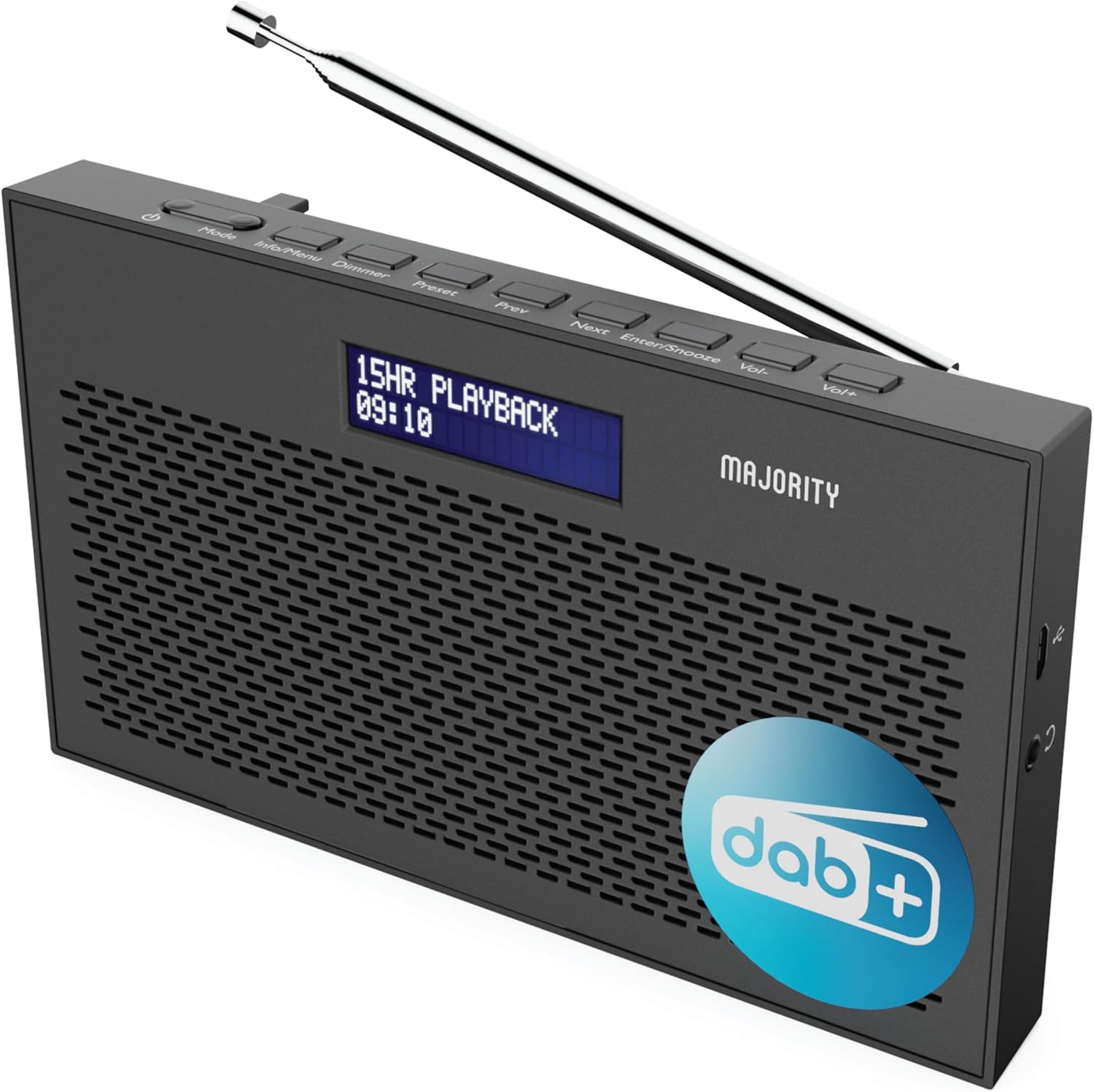
ภาพ: รายละเอียด view of the Majority Histon radio, highlighting its compact design and front speaker.
การควบคุมและการแสดงผล
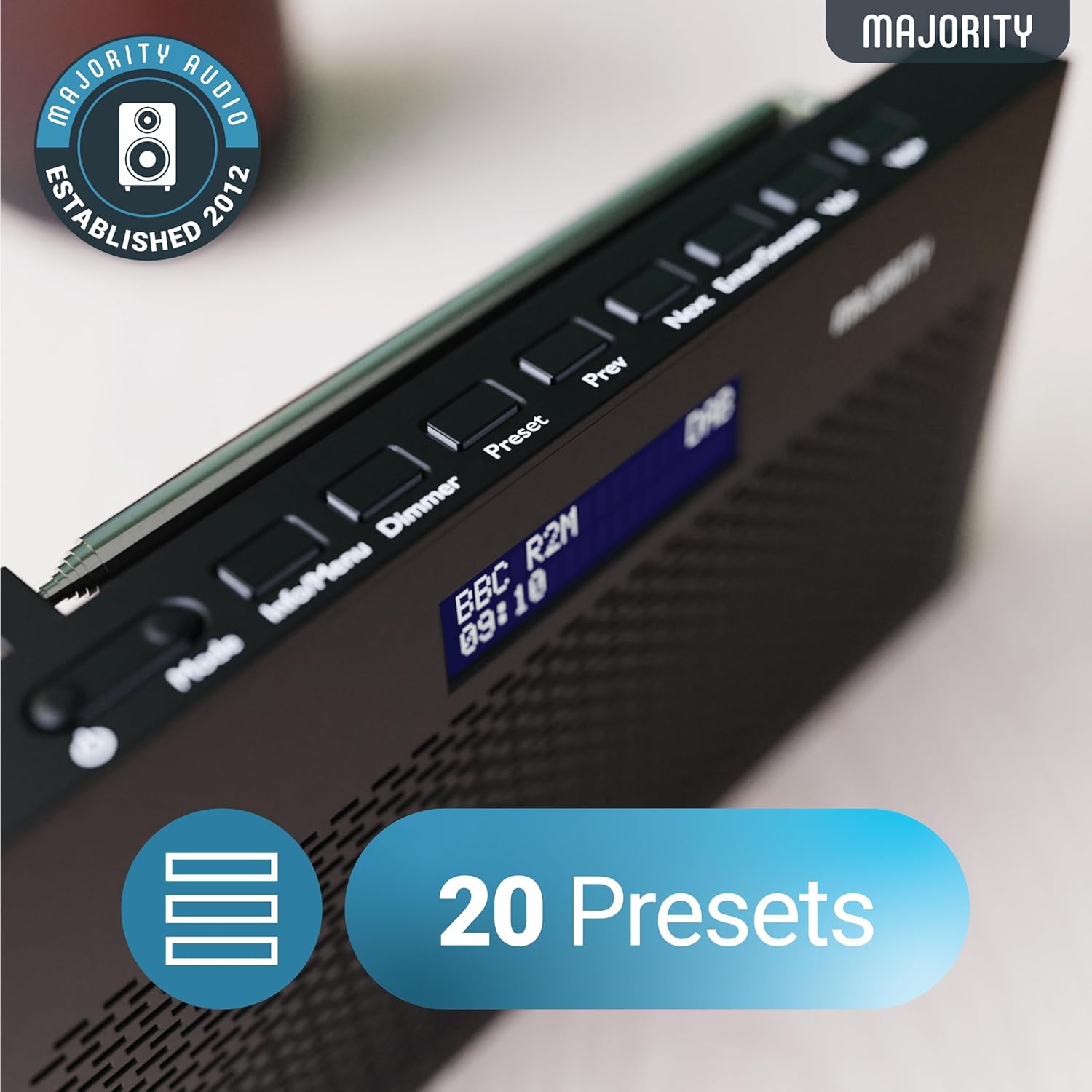
Image: A close-up of the radio's top panel, illustrating the various control buttons and the LED display showing station information.
- โหมด: Switches between DAB, FM, and other modes.
- ข้อมูล/เมนู: Displays station information or accesses menu settings.
- หรี่: ปรับความสว่างของจอแสดงผล
- ตั้งค่าล่วงหน้า: Accesses or saves preset stations.
- ก่อนหน้า/ถัดไป: นำทางไปยังสถานีต่างๆ หรือตัวเลือกเมนู
- Enter/Snooze: Confirms selections or activates snooze during an alarm.
- เล่ม-/ฉบับ+: ปรับระดับเสียง
พอร์ตและการเชื่อมต่อ
- พอร์ต DC IN: For connecting the mains power cable.
- แจ็คหูฟัง 3.5 มม.: สำหรับการฟังส่วนตัว
- ช่องใส่แบตเตอรี่: Located on the rear for 4 AA batteries (not included).
- เสาอากาศยืดไสลด์: Extendable for optimal signal reception.
การตั้งค่า
การเปิดเครื่อง
The Histon radio can be powered by either the included mains power cable or 4 x AA batteries (not supplied).
- แหล่งจ่ายไฟหลัก: Connect the mains power cable to the DC IN port on the radio and plug the adapter into a wall socket.
- พลังงานแบตเตอรี่: Open the battery compartment on the rear of the radio and insert 4 x AA batteries, ensuring correct polarity.

Image: The radio in a portable setting, emphasizing its 15-hour battery life capability.
การปรับเสาอากาศ
Extend the telescopic antenna fully for the best possible signal reception, especially for DAB/DAB+ and FM broadcasts.
Initial Scan (DAB/DAB+)
Upon first power-on, the radio will automatically perform a full scan for DAB/DAB+ stations. This process may take a few minutes. Once complete, the radio will tune to the first available station.
- If no stations are found, ensure the antenna is fully extended and reposition the radio, then perform a manual scan (see Operating Instructions).
คำแนะนำการใช้งาน
การใช้งานวิทยุ DAB/DAB+
- Selecting DAB Mode: กดปุ่ม โหมด button until "DAB" is displayed.
- การเลือกสถานี: ใช้ ก่อนหน้า or ต่อไป buttons to scroll through available DAB stations. Press เข้า เพื่อเลือกสถานี
- การสแกนเต็มรูปแบบ: To perform a full scan for new stations, press and hold the ข้อมูล/เมนู button to enter the menu, then navigate to "Full Scan" and press เข้า.
- สถานีที่ตั้งไว้ล่วงหน้า:
- การบันทึกที่ตั้งไว้ล่วงหน้า: ขณะฟังสถานีวิทยุ ให้กดปุ่มค้างไว้ พรีเซ็ต ปุ่ม. ใช้ ก่อนหน้า/ถัดไป เพื่อเลือกหมายเลขที่กำหนดไว้ล่วงหน้า (1-20) จากนั้นกด เข้า เพื่อบันทึก
- การเรียกคืนค่าที่ตั้งไว้ล่วงหน้า: กดปุ่มสั้นๆ พรีเซ็ต ปุ่ม. ใช้ ก่อนหน้า/ถัดไป to scroll through saved presets, then press เข้า to tune.
Image: The radio's control panel, highlighting the capability to store up to 20 preset radio stations.
การทำงานของวิทยุ FM
- Selecting FM Mode: กดปุ่ม โหมด กดปุ่มไปเรื่อยๆ จนกว่าจะแสดงคำว่า "FM"
- สแกนอัตโนมัติ: กดค้างไว้ เข้า เพื่อทำการค้นหาสถานีวิทยุ FM ที่ว่างอยู่ถัดไปโดยอัตโนมัติ
- การปรับด้วยตนเอง: กดสั้นๆ ก่อนหน้า or ต่อไป to fine-tune the frequency in 0.05 MHz steps.
- สถานีที่ตั้งไว้ล่วงหน้า: Saving and recalling FM presets follows the same procedure as DAB presets.
การตั้งค่าสัญญาณเตือน
The Histon radio features a dual alarm function.

Image: The radio displaying "DUAL ALARM" on its screen, illustrating its dual alarm capability.
- กดค้างไว้ ข้อมูล/เมนู เพื่อเข้าสู่เมนู
- ใช้ ก่อนหน้า/ถัดไป to navigate to "System Settings" and press เข้า.
- Navigate to "Alarm" and press เข้า.
- Select "Alarm 1" or "Alarm 2" and press เข้า.
- Configure the alarm time, duration, source (Buzzer, DAB, FM), frequency (Daily, Once, Weekends, Weekdays), and volume using ก่อนหน้า/ถัดไป และ เข้า.
- To activate/deactivate an alarm, select "On" or "Off" for the chosen alarm.
- เมื่อสัญญาณเตือนภัยดังขึ้น ให้กด เข้า/ปิดเสียงเตือนชั่วคราว to snooze for 9 minutes, or press the พลัง ปุ่มเพื่อปิดการปลุก
ตัวตั้งเวลาปิดเครื่อง
The sleep timer allows the radio to turn off automatically after a set period.
- กดค้างไว้ ข้อมูล/เมนู เพื่อเข้าสู่เมนู
- Navigate to "System Settings" and press เข้า.
- Navigate to "Sleep" and press เข้า.
- ใช้ ก่อนหน้า/ถัดไป to select the desired sleep duration (e.g., 15, 30, 45, 60, 90, 120 minutes) or "Off". Press เข้า เพื่อยืนยัน.
ความสว่างของจอภาพ
ปรับความสว่างของจอแสดงผล LED
- กดปุ่มสั้นๆ เครื่องหรี่ไฟ ปุ่มสำหรับปรับระดับความสว่าง
การใช้หูฟัง
For private listening, connect standard 3.5mm headphones to the headphone jack on the side of the radio. The internal speaker will automatically mute when headphones are connected.
การแก้ไขปัญหา
| ปัญหา | สาเหตุที่เป็นไปได้ / วิธีแก้ไข |
|---|---|
| ไม่มีไฟเลี้ยง / วิทยุไม่เปิดใช้งาน |
|
| Poor DAB/FM reception or no stations found. |
|
| เสียงมีการบิดเบือนหรือขาดหายเป็นระยะๆ |
|
| สัญญาณเตือนภัยไม่ดัง |
|
| หน้าจอว่างเปล่าหรือไม่สามารถอ่านได้ |
|
ข้อมูลจำเพาะ
- แบบอย่าง: Histon 2
- ขนาดสินค้า : 18 x 4.5 x 11 ซม. (กว้าง x ยาว x สูง)
- น้ำหนัก: 249 กรัม
- แหล่งพลังงาน: Mains (via included adapter) or 4 x AA Batteries (not included)
- รองรับแบนด์วิทยุ: ตบเบา ๆ / ตบเบา ๆ +, FM
- ค่าที่ตั้งล่วงหน้า: 20 (DAB) / 20 (FM)
- การเชื่อมต่อ: 3.5mm Headphone Jack, DC IN Port
- คุณสมบัติพิเศษ: Portable, Lightweight, Automatic and Manual Tuning, Dual Alarm Clock, Sleep Timer, LED Display, Mono/Auto Switching in FM Mode

Image: A visual representation of the radio's dimensions for reference.
การซ่อมบำรุง
- การทำความสะอาด: ใช้ผ้าแห้งนุ่มเช็ดทำความสะอาดพื้นผิววิทยุ ห้ามใช้สารทำความสะอาดที่มีฤทธิ์กัดกร่อนหรือตัวทำละลาย
- พื้นที่จัดเก็บ: หากจะเก็บวิทยุไว้เป็นเวลานาน ควรนำแบตเตอรี่ออกเพื่อป้องกันการรั่วไหล เก็บไว้ในที่แห้งและเย็น
- การสัมผัสน้ำ: วิทยุนี้ไม่กันน้ำ หลีกเลี่ยงการโดนน้ำหรือความชื้นสูง
- การดูแลเสาอากาศ: ควรจับเสาอากาศแบบยืดหดได้เบาๆ เพื่อป้องกันการงอหรือแตกหัก
การรับประกันและการสนับสนุน
The MAJORITY Histon radio comes with a รับประกัน 3 ปี. To activate your warranty and for further support, please refer to the registration instructions provided with your purchase or visit the official MAJORITY webเว็บไซต์.
For technical assistance or warranty claims, please contact MAJORITY customer support through their official channels. Keep your proof of purchase for warranty validation.

Image: A graphic highlighting the 3-year warranty provided with Majority audio products.


