การแนะนำ
Thank you for choosing the AKASO V50 Pro Action Camera. This manual provides essential information for setting up, operating, and maintaining your camera to ensure optimal performance. The AKASO V50 Pro is designed to capture high-quality 4K/30fps video and 20MP photos, featuring Electronic Image Stabilization (EIS), a touch screen, and waterproof capabilities up to 100 feet (30 meters) with its included case. It supports an external microphone and remote control, making it ideal for various sports and outdoor activities.
มีอะไรอยู่ในกล่อง
Your AKASO V50 Pro package includes the following items:
- 1x AKASO V50 Pro Action Camera
- เครื่องชาร์จแบตเตอรี่ 1x
- แบตเตอรี่ 2x 1100mAh
- กล่องกันน้ำ 1x
- 1x รีโมทคอนโทรล
- 1x ที่วางจักรยาน
- ฐานยึด 10 ชิ้น (แบบต่างๆ)
- 2x ที่ยึดหมวกนิรภัย
- ผ้าพันแผล 1x
- 5x Tethers
- 1x ประตูหลังป้องกัน
- สาย USB 1x
- ผ้าเลนส์ 1x
- 1x คู่มือเริ่มต้นใช้งานอย่างย่อ

Image: All accessories included with the AKASO V50 Pro Action Camera, neatly laid out.
กล้องโอเวอร์view
The AKASO V50 Pro features a compact design with intuitive controls and a responsive touch screen.
ส่วนประกอบหลัก:
- เลนส์: High-quality lens for 4K video and 20MP photos.
- หน้าจอด้านหน้า: For easy framing during selfies or vlogging.
- หน้าจอสัมผัส IPS ขนาด 2 นิ้ว: For intuitive navigation and settings adjustment.
- ปุ่มเปิด / ปิดโหมด: เพื่อเปิด/ปิดเครื่องและสลับโหมดการทำงาน
- ปุ่มชัตเตอร์/เลือก: เพื่อเริ่ม/หยุดการบันทึก หรือถ่ายภาพ
- พอร์ต USB-C: สำหรับการชาร์จและถ่ายโอนข้อมูล
- ช่องเสียบการ์ด Micro SD: For storage (Micro SD card not included).
- ช่องใส่แบตเตอรี่: เป็นที่อยู่ของแบตเตอรี่แบบถอดได้

ภาพ: ด้านหน้า view of the AKASO V50 Pro Action Camera, highlighting the lens and front screen.
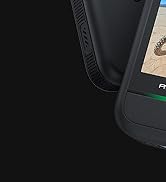
Image: A hand interacting with the 2-inch IPS touch screen of the AKASO V50 Pro, showing its responsive interface.
การตั้งค่า
1. การชาร์จแบตเตอรี่:
- Insert the 1100mAh batteries into the provided battery charger.
- Connect the charger to a USB power source using the USB cable.
- The indicator light on the charger will show charging status.
2. Inserting a Micro SD Card:
- เปิดฝาช่องใส่แบตเตอรี่
- ค้นหาช่องเสียบการ์ด Micro SD
- Insert a Class 10 or higher Micro SD card (up to 64GB recommended) with the contacts facing down until it clicks into place.
- ปิดฝาช่องใส่แบตเตอรี่
- Note: Format the Micro SD card in the camera before first use.
3. Using the Waterproof Case:
- Open the latch on the top of the waterproof case.
- Carefully place the AKASO V50 Pro camera inside the case.
- Close the latch securely to ensure a watertight seal.
- Note: The camera is waterproof up to 100 feet (30 meters) with the case.

Image: AKASO V50 Pro Action Camera securely placed inside its transparent waterproof case.
คำแนะนำการใช้งาน
1. เปิด/ปิดเครื่อง:
- กดปุ่มเปิด/ปิด/โหมดค้างไว้เพื่อเปิดหรือปิดกล้อง
2. การสลับโหมด:
- กดปุ่มเปิด/ปิด/โหมดซ้ำๆ เพื่อสลับไปมาระหว่างโหมดต่างๆ (วิดีโอ, ภาพถ่าย, การเล่น, การตั้งค่า)
- Use the touch screen to select modes and adjust settings.
3. Recording Video/Taking Photos:
- In Video mode, press the Shutter/Select button to start recording. Press again to stop.
- ในโหมดถ่ายภาพ ให้กดปุ่มชัตเตอร์/เลือกเพื่อถ่ายภาพ
4. การเชื่อมต่อ Wi-Fi:
- Download the iSmart Pro+ App on your smartphone or tablet.
- On the camera, navigate to the Wi-Fi settings and turn Wi-Fi on.
- Connect your phone/tablet to the camera's Wi-Fi network (SSID and password will be displayed on the camera screen).
- Use the app to control the camera remotely, view ฟูtage, and share to social media.
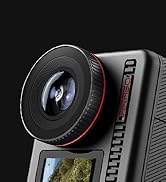
Image: A smartphone screen displaying the iSmart Pro+ app, connected to the AKASO V50 Pro for instant sharing.
5. รีโมทคอนโทรล:
- The included remote control wristband allows for convenient operation from a distance.
- Use the buttons on the remote to switch between video/photo modes and start/stop recording.
- หมายเหตุ: รีโมทคอนโทรลไม่กันน้ำ
คุณสมบัติหลัก
- คุณภาพของภาพที่ยอดเยี่ยม: Capture every detail with 4K/30fps video and 20MP images.
- ระบบป้องกันภาพสั่นไหวอิเล็กทรอนิกส์ (EIS): Built-in 6-axis gyroscope ensures stable videos even during motion or impact.
- ไม่จำเป็น View มุม: Adjust between Super Wide, Wide, Medium, and Narrow. Includes distortion calibration.
- Built-in Wi-Fi and HDMI Output: Easily share moments and connect to a TV.
- หน้าจอสัมผัส: Intuitive 2-inch IPS touch screen for easy navigation.
- กันน้ำ: Camera is waterproof up to 100 feet (30 meters) with the included case.

Image: The AKASO V50 Pro capturing sharp 4K footage of a person kitesurfing, demonstrating its superb image quality.
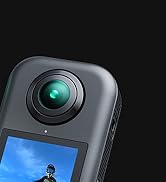
Image: A side-by-side comparison showing the effectiveness of Electronic Image Stabilization (EIS) on the AKASO V50 Pro, with one side blurred (EIS off) and the other clear (EIS on) during a cycling activity.
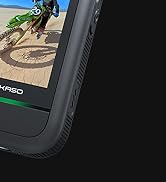
Image: The AKASO V50 Pro demonstrating its adjustable view angle lens, showing options from Super Wide to Narrow with a panoramic landscape view.
ข้อมูลจำเพาะ
| คุณสมบัติ | รายละเอียด |
|---|---|
| ความละเอียดวิดีโอ | 4K/30เฟรมต่อวินาที |
| ความละเอียดของภาพ | 20MP |
| ระบบป้องกันภาพสั่นไหว | Electronic Image Stabilization (EIS) with 6-axis gyroscope |
| View มุม | Super Wide, Wide, Medium, Narrow (with distortion calibration) |
| หน้าจอ | หน้าจอสัมผัส IPS ขนาด 2 นิ้ว |
| ความลึกของน้ำ | กันน้ำได้ลึก 100 ฟุต (30 เมตร) เมื่อใส่เคสกันน้ำ |
| การเชื่อมต่อ | ไวไฟ, HDMI |
| แบตเตอรี่ | 2x 1100mAh Lithium Polymer (included) |
| พื้นที่จัดเก็บ | Micro SD (Class 10+, up to 64GB, not included) |
| รูปแบบวิดีโอ | .MP4 |
| เทคโนโลยีโฟโต้เซนเซอร์ | ซีมอส |
| น้ำหนักสินค้า | 2.89 ออนซ์ |
| ขนาดสินค้า | 2.36 x 0.94 x 1.57 นิ้ว |
การซ่อมบำรุง
- การทำความสะอาด: Use the provided lens cloth to clean the camera lens and screen. For the waterproof case, rinse with fresh water after use in saltwater and allow to air dry.
- การดูแลแบตเตอรี่ เก็บแบตเตอรี่ไว้ในที่แห้งและเย็น หลีกเลี่ยงอุณหภูมิที่สูงหรือต่ำเกินไป
- อัพเดตเฟิร์มแวร์: Regularly check the AKASO website or the iSmart Pro+ app for firmware updates to ensure optimal performance and new features.
การแก้ไขปัญหา
กล้องไม่เปิด:
- ตรวจสอบให้แน่ใจว่าแบตเตอรี่ชาร์จเต็มและใส่เข้าไปอย่างถูกต้อง
- ลองใช้แบตเตอรี่ที่ชาร์จใหม่
Video/Photo Quality Issues:
- ตรวจสอบว่าเลนส์สะอาดและปราศจากรอยเปื้อนหรือไม่
- ให้แน่ใจว่ามีสภาพแสงสว่างเพียงพอ
- ตรวจสอบให้แน่ใจว่าได้เลือกการตั้งค่าความละเอียดและอัตราเฟรมที่ถูกต้องแล้ว
ปัญหาการเชื่อมต่อ Wi-Fi:
- Make sure Wi-Fi is enabled on the camera and your mobile device.
- Ensure your mobile device is within range of the camera's Wi-Fi signal.
- โปรดรีสตาร์ททั้งกล้องและอุปกรณ์มือถือของคุณ
การรั่วไหลของน้ำ:
- Always check the waterproof case for any damage or debris on the rubber seal before use.
- Ensure the latch is securely closed.
การรับประกันและการสนับสนุน
The AKASO V50 Pro Action Camera comes with a standard manufacturer's warranty. For detailed warranty information, product support, or service inquiries, please visit the official AKASO webหรือติดต่อฝ่ายบริการลูกค้าโดยตรง
AKASO Store: เยี่ยมชมร้านค้า AKASO บน Amazon


