1. บทนำ
Thank you for choosing the Vandlion V8 Keychain Voice Recorder. This compact and versatile device is designed for high-quality audio recording in various environments, offering ease of use and portability. It also functions as an MP3 player and a USB storage device. Please read this manual thoroughly to understand the features and proper operation of your new device.
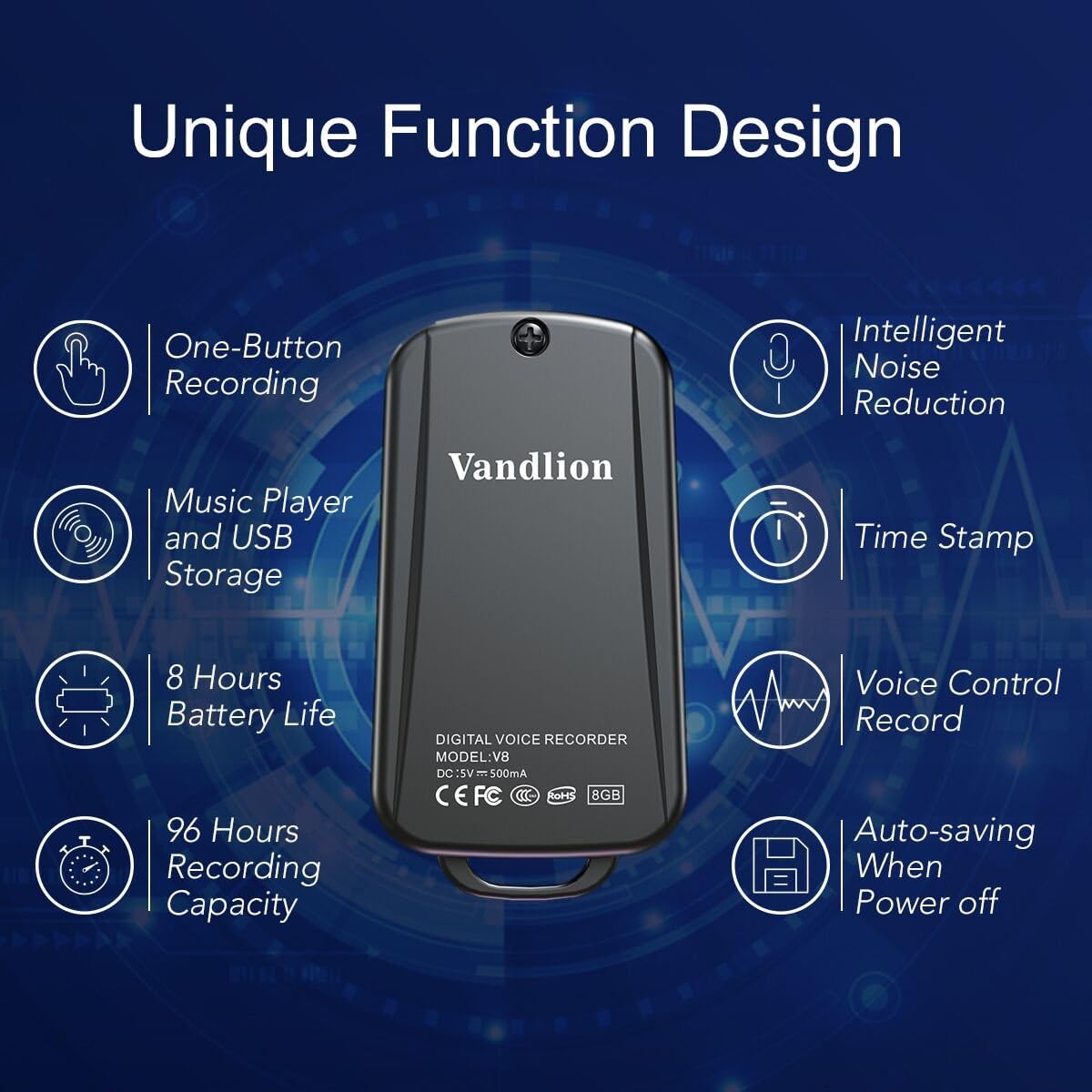
Image 1: Vandlion V8 Keychain Voice Recorder highlighting features like one-button recording, intelligent noise reduction, time stamp, voice control record, auto-saving, music player, USB storage, 8 hours battery life, and 96 hours recording capacity.
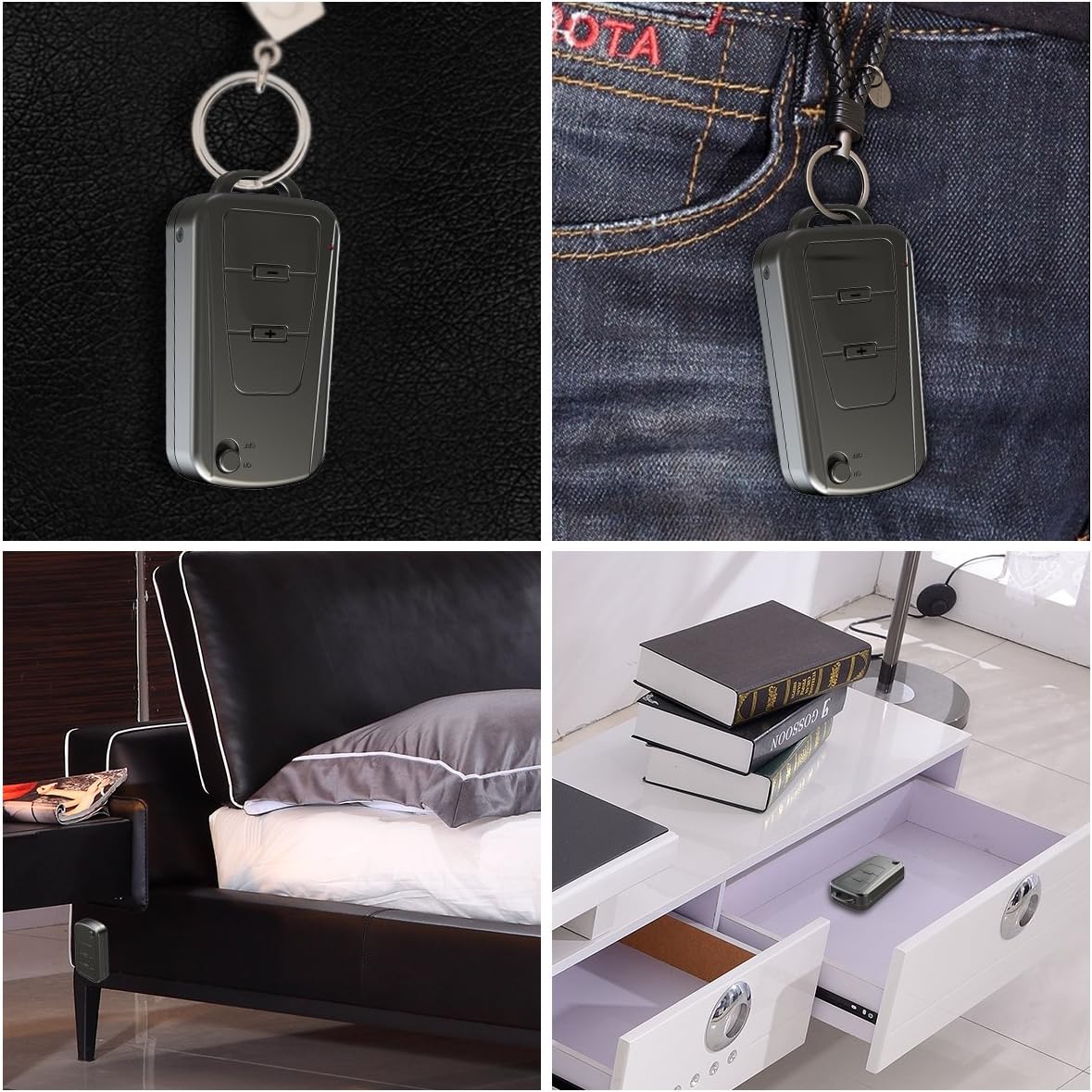
Image 2: The Vandlion V8 recorder shown in various discreet usage scenarios, including attached to a keychain, clipped to trousers, placed beside a bed, and hidden in a drawer.

Image 3: The Vandlion V8 recorder depicted in various application scenarios such as classes, meetings, speeches, concerts, interviews, and for forensic purposes.
2. เนื้อหาบรรจุภัณฑ์
- เครื่องบันทึกเสียง Vandlion V8 จำนวน 1 เครื่อง
- สาย USB 1 เส้น
- 1 x คู่มือผู้ใช้ (เอกสารนี้)
3. อุปกรณ์โอเวอร์view
ทำความคุ้นเคยกับส่วนประกอบทางกายภาพของเครื่องบันทึกเสียงของคุณ
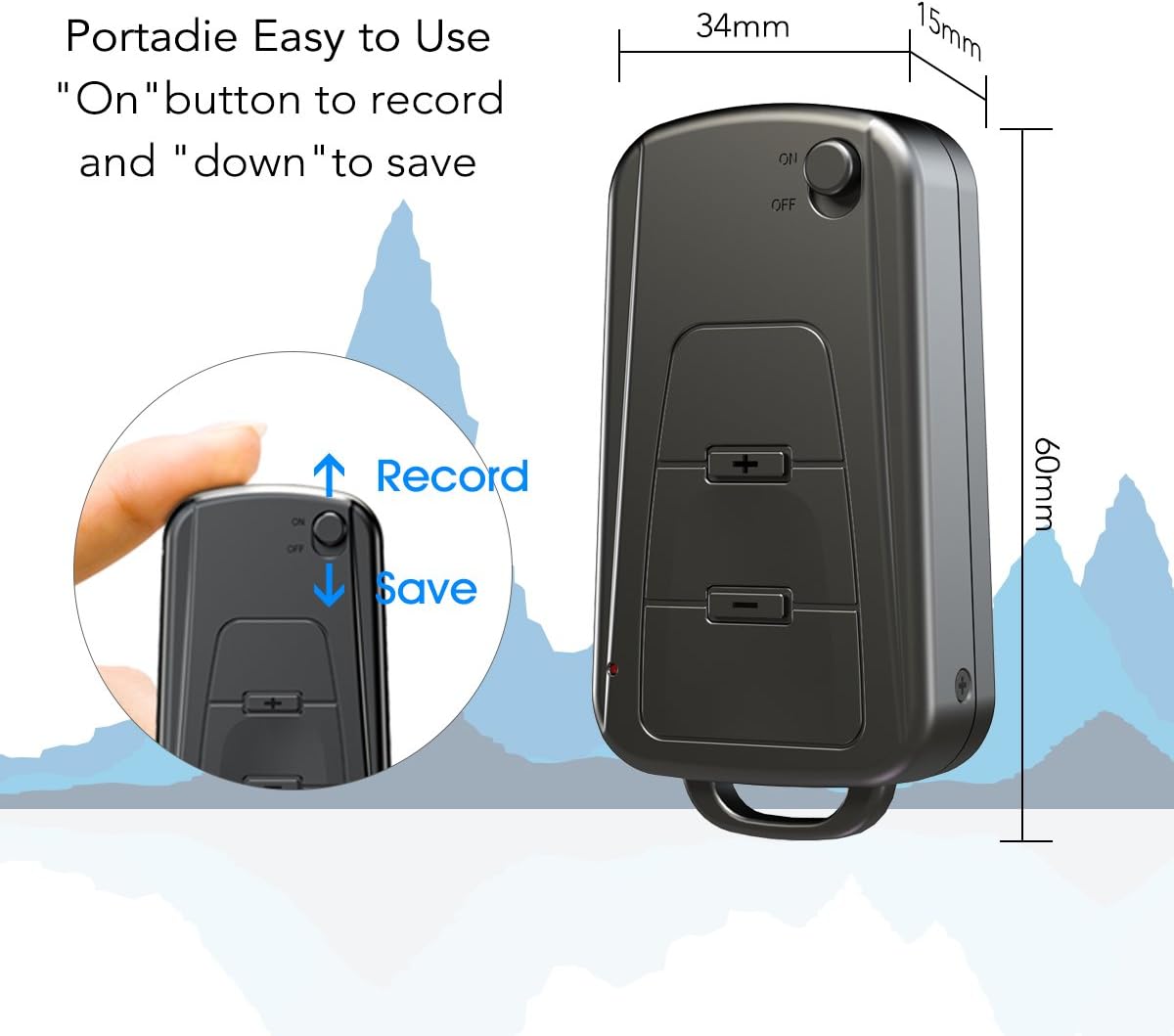
ภาพที่ 4: ด้านข้าง view of the Vandlion V8 recorder, illustrating the ON/OFF switch for recording and saving, along with volume control buttons. Dimensions are also shown: 60mm length, 34mm width, 15mm thickness.
- สวิตช์เปิด/ปิด: Used to start and stop recording, and to power the device.
- พอร์ต USB: สำหรับชาร์จไฟและเชื่อมต่อกับคอมพิวเตอร์
- แจ็คหูฟัง: สำหรับการเล่นเสียง
- ไมโครโฟน: ออกแบบมาเพื่อการบันทึกเสียงโดยเฉพาะ
- ไฟแสดงสถานะ: แสดงสถานะการทำงาน (เช่น กำลังบันทึก กำลังชาร์จ)
4. การตั้งค่า
4.1. การชาร์จอุปกรณ์
Before first use, fully charge the voice recorder. Connect the device to a computer's USB port or a USB wall adapter using the provided USB cable. The indicator light will typically show a specific color (e.g., red) during charging and change (e.g., blue or off) when fully charged. A full charge provides approximately 20 hours of operation.
4.2. เปิดเครื่องครั้งแรก
Slide the ON/OFF switch to the "ON" position to power on the device. The indicator light will briefly illuminate.
5. คู่มือการใช้งาน
5.1. การบันทึกด้วยปุ่มเดียว
- หากต้องการเริ่มบันทึก ให้เลื่อนสวิตช์เปิด/ปิดไปที่ตำแหน่ง "บน" position. The device will automatically begin recording. The indicator light will not flicker during recording to ensure discreet operation.
- To save the recording, slide the ON/OFF switch to the "ปิด" position. The device will save the current recording and power off.
Image 5: Close-up of the Vandlion V8 recorder demonstrating the simple "ON" to record and "OFF" to save operation.
5.2. ระบบบันทึกเสียงอัตโนมัติ (VOR)
The device features a smart voice-activated system. When enabled, the recorder will only record when sound is detected, conserving storage space and battery life. Refer to the full user guide (if available from manufacturer) for detailed instructions on enabling/disabling VOR, as this feature may require specific button presses or software settings not covered by the basic one-button operation.
5.3. การเล่นไฟล์บันทึกเสียง
- Connect headphones to the headphone jack on the device.
- Power on the device by sliding the ON/OFF switch to "ON".
- Use the volume buttons (if present) to navigate through recordings and adjust playback volume.
Alternatively, connect the device to a computer to play back recordings.
5.4. การโอน Fileไปที่คอมพิวเตอร์
- Ensure the recorder is powered off.
- Connect the recorder to your computer using the supplied USB cable. The device will be recognized as a removable storage drive.
- Open the drive, locate the recording files (typically in WAV format), and drag them to your computer.
- Note for Mac users: You may need to use VLC Media Player or similar software to play WAV files recorded by this device.
5.5. ใช้เป็นเครื่องเล่น MP3
The device supports WAV, WMA, and MP3 audio formats. You can transfer music files to the device's storage via USB connection, similar to transferring recordings. Once music files are on the device, connect headphones and power on the device to listen to your music.
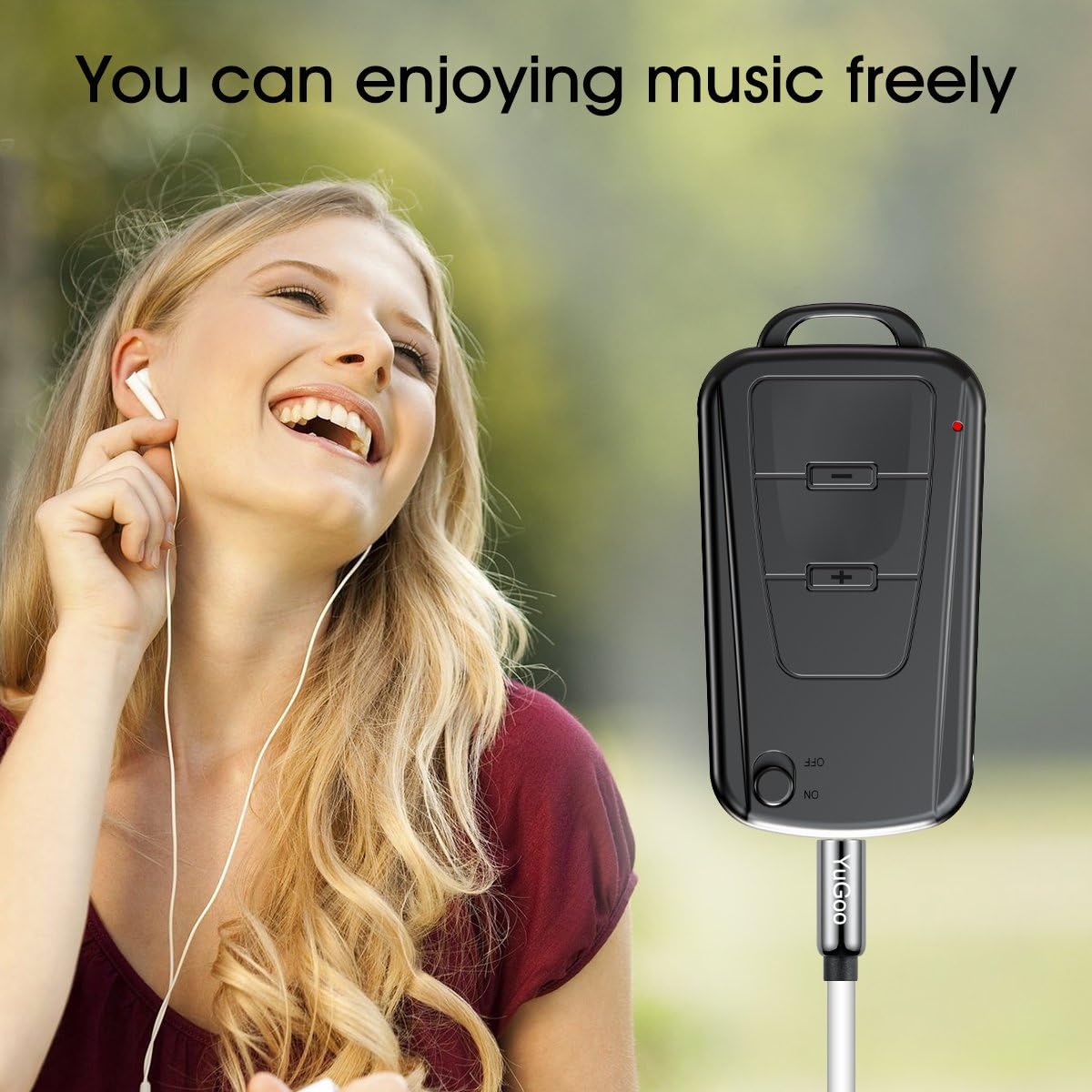
Image 6: The Vandlion V8 recorder connected to earphones, demonstrating its capability as an MP3 player for enjoying music.
6. การบำรุงรักษา
- เก็บอุปกรณ์ให้แห้ง หลีกเลี่ยงการสัมผัสกับความชื้นหรือของเหลว
- ทำความสะอาดอุปกรณ์ด้วยผ้านุ่มและแห้ง ห้ามใช้สารเคมีรุนแรงหรือน้ำยาทำความสะอาดที่มีฤทธิ์กัดกร่อน
- เก็บอุปกรณ์ไว้ในที่แห้งและเย็น หลีกเลี่ยงแสงแดดโดยตรงและอุณหภูมิที่สูงหรือต่ำเกินไป
- Charge the battery regularly, even if not in use, to maintain battery health. Avoid fully discharging the battery for extended periods.
7 การแก้ไขปัญหา
- อุปกรณ์ไม่เปิด:
- ตรวจสอบให้แน่ใจว่าแบตเตอรี่ชาร์จเต็มแล้ว เสียบปลั๊กเข้ากับแหล่งจ่ายไฟแล้วลองอีกครั้ง
- ไม่สามารถบันทึกได้:
- Check if the device has sufficient storage space. Ensure the ON/OFF switch is in the "ON" position.
- คุณภาพการบันทึกไม่ดี:
- Ensure the microphone is not obstructed. Record in a quiet environment. The device features DSP noise reduction for clear audio.
- อุปกรณ์ไม่ได้รับการรู้จักโดยคอมพิวเตอร์:
- Try a different USB port or cable. Ensure the device is powered off before connecting. Restart your computer.
- ไม่สามารถเล่นได้ files on Mac:
- Mac users are advised to use VLC Media Player for optimal playback of recorded WAV files.
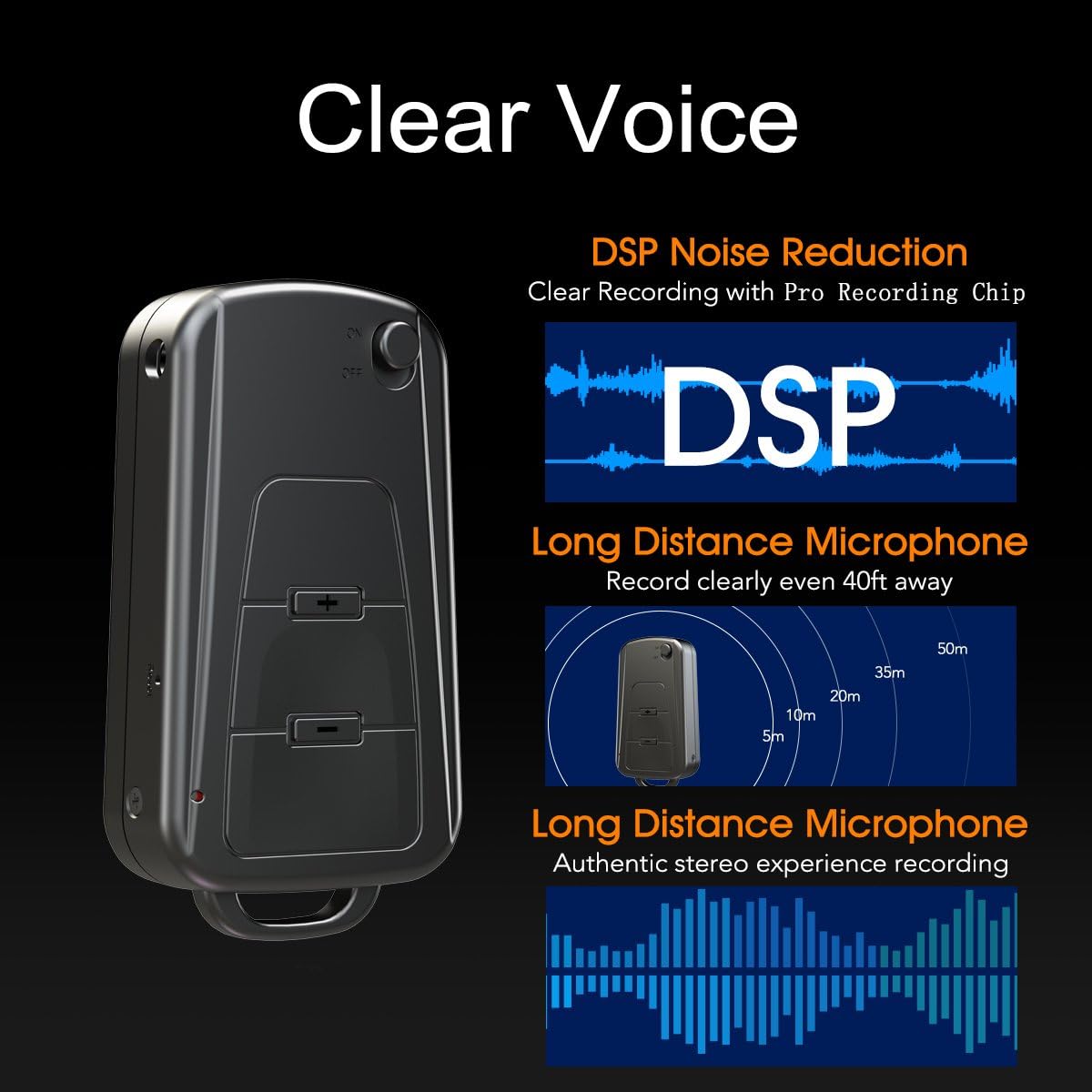
Image 7: Diagram illustrating the Vandlion V8's DSP noise reduction technology for clear recording and its long-distance microphone, capable of capturing sound clearly from up to 40 feet away, providing an authentic stereo experience.
8. ข้อมูลจำเพาะ
| คุณสมบัติ | ข้อมูลจำเพาะ |
|---|---|
| แบบอย่าง | V8 |
| ความจุในการเก็บข้อมูล | 8GB (approx. 96 hours recording capacity) |
| อายุการใช้งานแบตเตอรี่ (สำหรับการบันทึก) | ประมาณ 20 ชั่วโมง |
| รูปแบบการบันทึก | วาฟ |
| รูปแบบเพลง | WAV, WMA, MP3 |
| Sampลิงอัตรา | 192Kbps |
| ขนาด | 60 x 34 x 15 มม. (2.36 x 1.33 x 0.59 นิ้ว) |
| น้ำหนัก | 27 กรัม (1.46 ออนซ์) |
| อินเทอร์เฟซ | ยูเอสบี |
| อุปกรณ์ที่รองรับ | MP3 Player, Personal Computer |
| โหมดการทำงานของไมโครโฟน | สเตอริโอ |
9. การรับประกันและการสนับสนุน
9.1. การรับประกันของผู้ผลิต
This Vandlion V8 Keychain Voice Recorder comes with a Six Months Manufacturer's Warranty นับจากวันที่ซื้อสินค้า การรับประกันนี้ครอบคลุมถึงข้อบกพร่องในวัสดุและฝีมือการผลิตภายใต้การใช้งานปกติ ไม่ครอบคลุมถึงความเสียหายที่เกิดจากการใช้งานผิดวิธี อุบัติเหตุ การดัดแปลงโดยไม่ได้รับอนุญาต หรือการสึกหรอตามปกติ
9.2. การสนับสนุนลูกค้า
For further assistance, technical support, or warranty claims, please contact Vandlion customer service through the retailer where the product was purchased or refer to the official Vandlion website for contact information. Additional resources, such as a PDF version of the user manual and updated user guides, may be available for download from the manufacturer's support page.
10. ข้อมูลด้านความปลอดภัยที่สำคัญ
- อย่าพยายามถอดประกอบหรือดัดแปลงอุปกรณ์
- เก็บให้พ้นจากมือเด็ก
- กำจัดอุปกรณ์และแบตเตอรี่อย่างมีความรับผิดชอบตามกฎระเบียบท้องถิ่น
- หลีกเลี่ยงอุณหภูมิที่สูงเกินไปและแสงแดดโดยตรง


