1. บทนำและเรื่องอื่นๆview
The LeapFrog Learning Friends 100 Words Book is an interactive educational toy designed to introduce new vocabulary to young children. Featuring animal friends Turtle, Tiger, and Monkey, this book helps children explore over 100 age-appropriate words across various categories. It supports bilingual learning in both English and Spanish, offers fun facts, sound effects, and engaging learning songs.
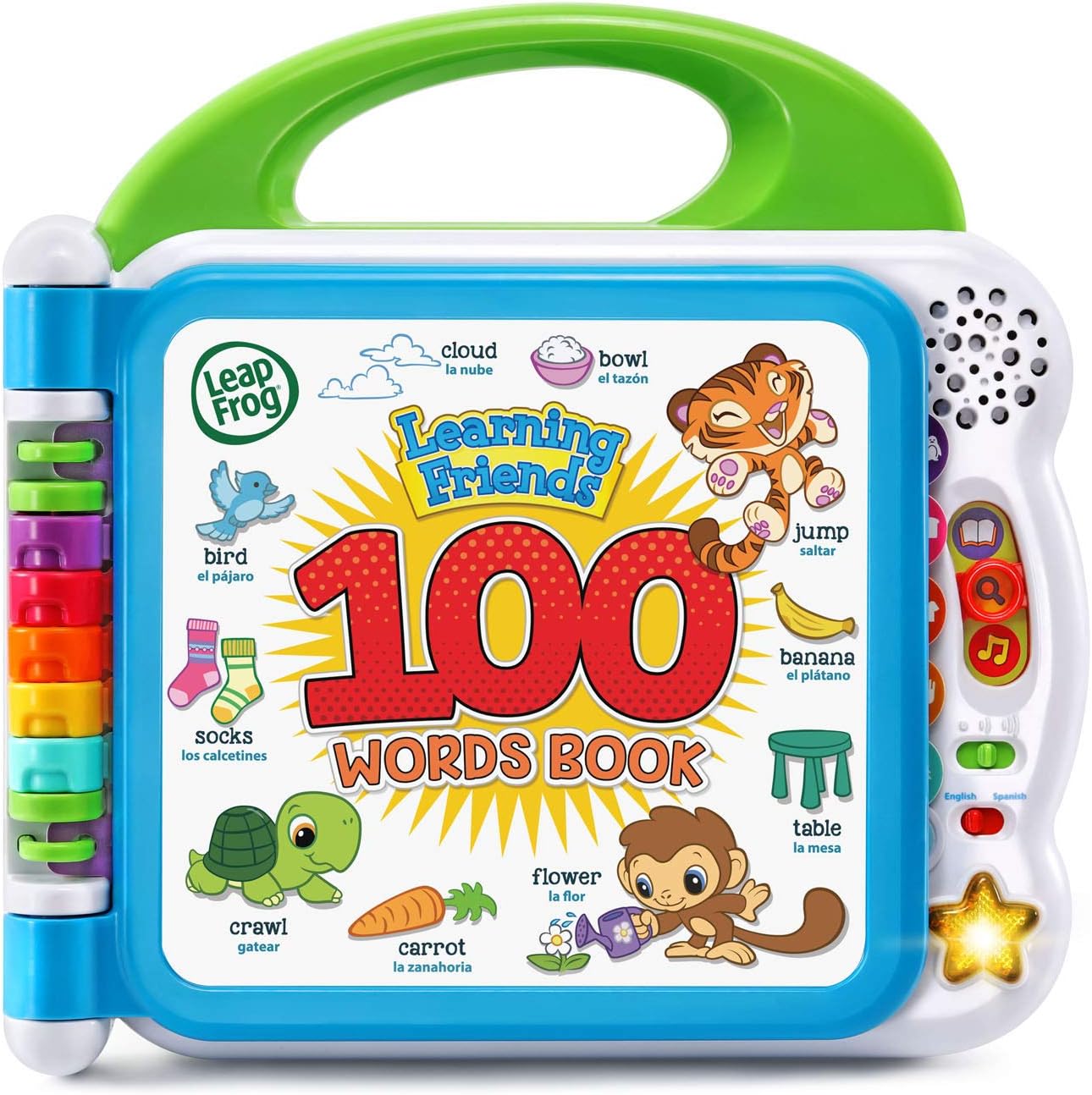
ภาพ: ด้านหน้า view of the LeapFrog Learning Friends 100 Words Book.
2. การตั้งค่า
2.1 การติดตั้งแบตเตอรี่
The Learning Friends 100 Words Book requires 2 AA batteries for operation. Batteries included are for demo purposes only; new batteries are recommended for regular use. To install or replace batteries:
- หาช่องใส่แบตเตอรี่ที่ด้านหลังของหนังสือ
- Use a Phillips head screwdriver to open the battery compartment cover.
- ใส่แบตเตอรี่ AA ใหม่ 2 ก้อน โดยตรวจสอบให้แน่ใจว่าขั้วถูกต้อง (+/-)
- ใส่ฝาครอบกลับเข้าที่แล้วขันให้แน่นด้วยสกรู

ภาพ: ด้านหลัง view of the book, highlighting the battery compartment.
2.2 เปิด/ปิดเครื่อง
To power on the device, slide the power switch located on the side of the book. To power off, slide the switch to the 'Off' position.
3. คู่มือการใช้งาน
3.1 การเลือกภาษา
The book supports both English and Spanish. Use the language switch on the side panel to select your preferred language for words, songs, and instructions.
3.2 การควบคุมระดับเสียง
Adjust the volume using the volume control switch located next to the language switch on the side panel.
การเลือกโหมด 3.3
Three interactive modes are available, selected via buttons on the right-hand side of the book:
- โหมดคำพูด: Touch any picture on the page to hear the word and its pronunciation.
- โหมดเกร็ดความรู้สนุกๆ: Touch pictures to hear interesting facts related to the image.
- Fun Sounds Mode: Touch pictures to hear silly sound effects.
3.4 Interacting with Pages
Open the book to any of the colorful pages. Each page features various categories such as pets, animals, food, mealtime, colors, activities, opposites, and outdoor scenes. Simply touch the pictures on the pages to activate the selected mode's audio responses.

Image: The book open to pages displaying various pets and animals.
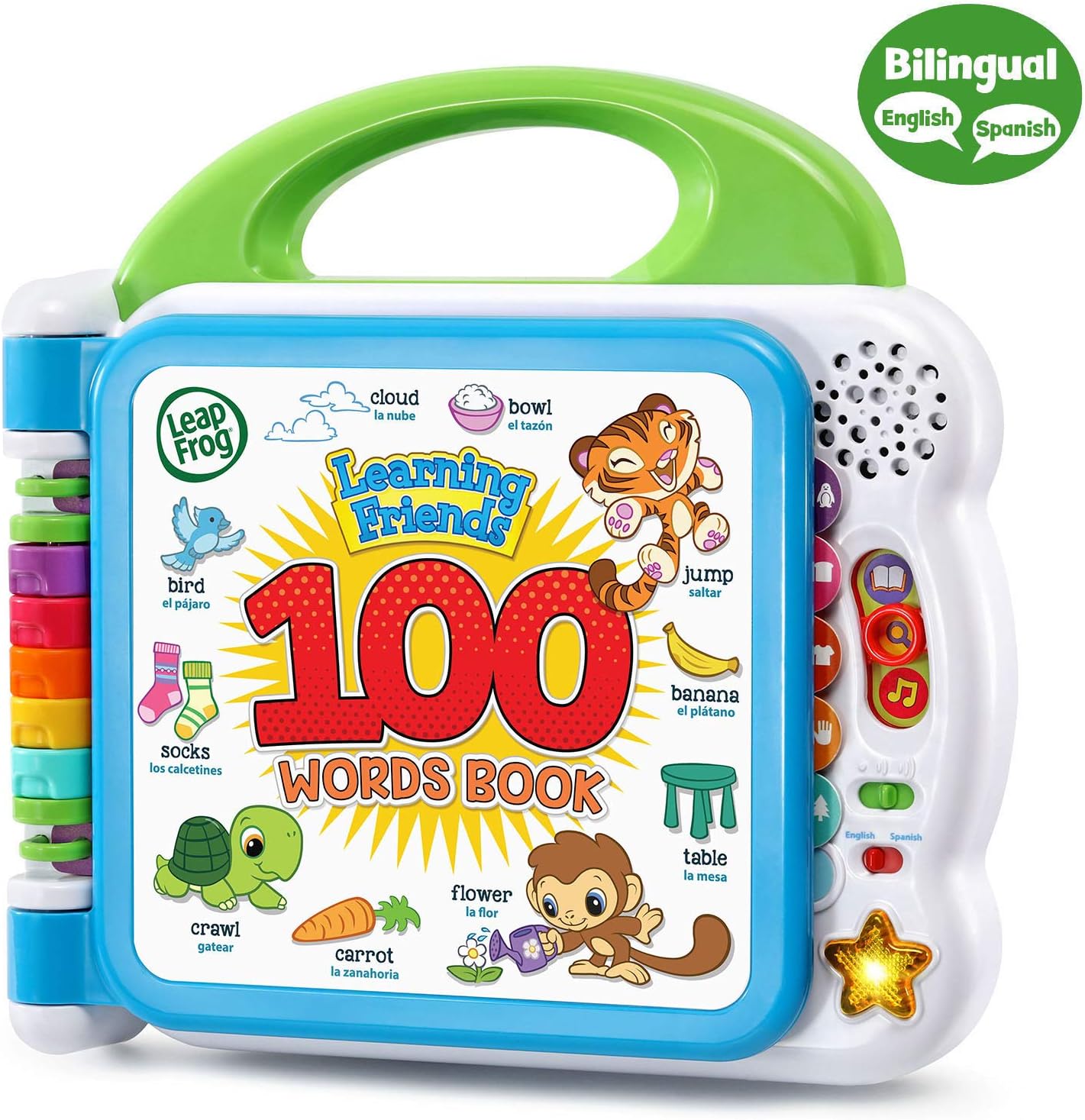
Image: The book open to pages displaying various fruits and food items.
3.5 Learning Songs
Press the light-up star button on the right side of the book to hear two engaging learning songs.
วิดีโอ: ผู้ขายรายหนึ่งview demonstrating the features and sounds of the LeapFrog Learning Friends 100 Words Book.
4. คุณสมบัติ
- การเรียนรู้แบบโต้ตอบ: Meet learning friends Turtle, Tiger and Monkey who introduce over 100 age-appropriate words chosen by learning experts.
- การสำรวจหมวดหมู่: Includes word categories such as pets, animals, food, mealtime, colors, activities, opposites, and outdoor themes.
- Sound Engagement: Touch words to hear new vocabulary, sound effects, and fun facts.
- การสนับสนุนสองภาษา: Words, songs, and instructions are available in both English and Spanish to promote language skills.
- ความสนุกสนานทางดนตรี: Press the light-up star button to hear two learning songs.
5. การบำรุงรักษา
5.1 การทำความสะอาด
To clean the book, wipe the surfaces with a soft, damp ผ้า. ห้ามแช่หนังสือในน้ำหรือใช้สารทำความสะอาดที่มีฤทธิ์กัดกร่อน
5.2 การดูแลแบตเตอรี่
ถอดแบตเตอรี่ออกหากไม่ได้ใช้งานของเล่นเป็นเวลานานเพื่อป้องกันการรั่วไหล และทิ้งแบตเตอรี่ที่ใช้แล้วอย่างถูกวิธี
6 การแก้ไขปัญหา
- ไม่มีเสียง/เสียงขาดหาย: Check if the power switch is in the 'On' position and if the volume is turned up. Replace batteries if necessary.
- คำตอบที่ไม่ถูกต้อง: Ensure the mode selector is set to the desired learning mode (Words, Fun Facts, or Fun Sounds).
- อุปกรณ์ไม่ตอบสนอง: Turn the unit off and then on again. If the issue persists, replace the batteries.
7. ข้อมูลจำเพาะ
- ขนาดสินค้า : 9.17 x 9.37 x 1.89 นิ้ว
- น้ำหนักสินค้า: 1.51 ปอนด์
- หมายเลขรุ่นสินค้า: 80-601541
- อายุที่แนะนำของผู้ผลิต: 18 เดือน - 4 ปี
- แบตเตอรี่: ต้องใช้แบตเตอรี่ AA 2 ก้อน (มีให้ในตัวอย่าง)
- วันที่วางจำหน่าย: 11 มกราคม 2018
- ผู้ผลิต: VTech
8. อะไรอยู่ในกล่อง
- LeapFrog Learning Friends 100 Words Book (Frustration Free Packaging), Green
9. การรับประกันและการสนับสนุน
สำหรับข้อมูลการรับประกันและการสนับสนุนลูกค้า โปรดดูที่เว็บไซต์อย่างเป็นทางการของผู้ผลิต webหรือติดต่อฝ่ายบริการลูกค้าโดยตรง โปรดเก็บใบเสร็จรับเงินไว้เพื่อใช้ในกรณีที่ต้องการเคลมประกัน


