คู่มือผู้ใช้เมาส์ออปติคอลไร้สาย BYTECH
Model: BYTECH Wireless Optical Mouse
การแนะนำ
This manual provides detailed instructions for the setup, operation, maintenance, and troubleshooting of your BYTECH Wireless Optical Mouse. Please read this manual thoroughly before using the device to ensure optimal performance and longevity.
สินค้าเกินview
The BYTECH Wireless Optical Mouse is designed for comfortable and efficient navigation. It features a precise optical sensor, a scroll wheel, and a DPI adjustment button for customizable sensitivity. Its ergonomic design and wireless connectivity provide a clutter-free workspace.

รูปที่ 1: จากบนลงล่าง view of the BYTECH Wireless Optical Mouse. The mouse is black with a silver stripe along its sides. A scroll wheel and a DPI button are visible on the top surface.
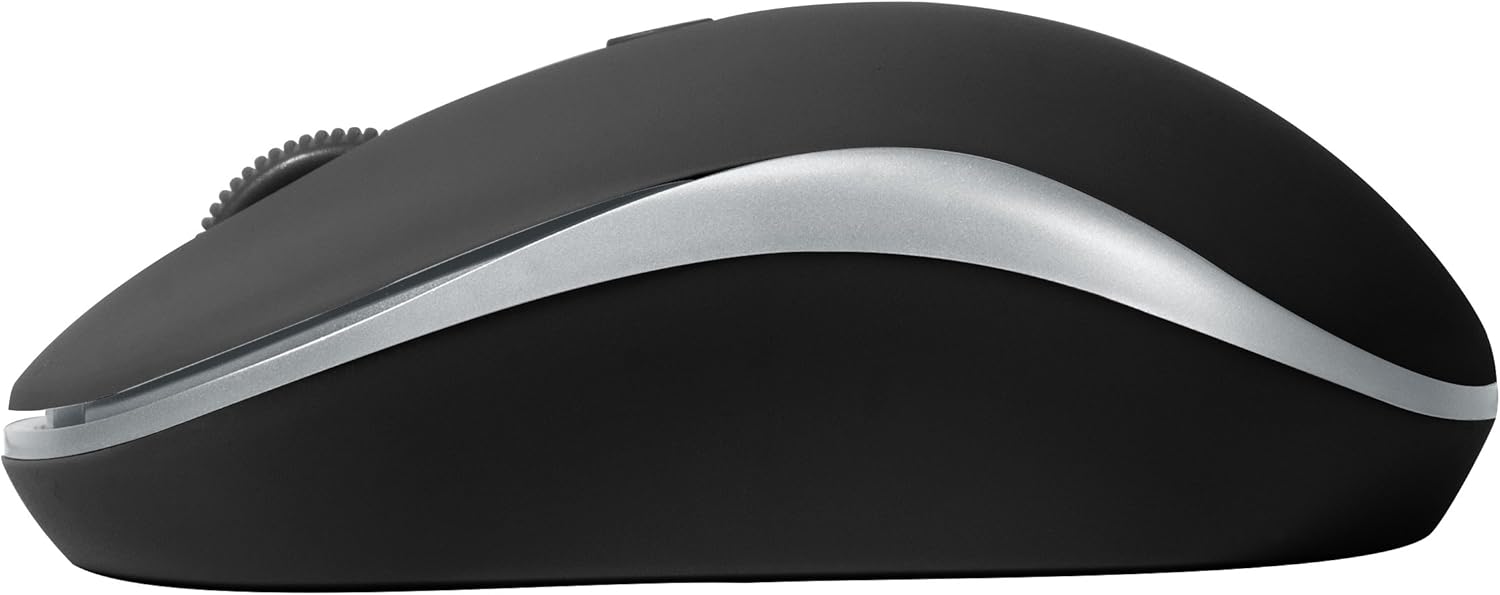
รูปที่ 2: ด้านข้าง view of the BYTECH Wireless Optical Mouse. This angle highlights the ergonomic curve and the silver accent line that runs along the side of the mouse.
การตั้งค่า
1. การติดตั้งแบตเตอรี่
- ค้นหาช่องใส่แบตเตอรี่ที่ด้านล่างของเมาส์
- เปิดฝาช่องใส่แบตเตอรี่
- Insert one AA battery (not included) into the compartment, ensuring the correct polarity (+/-) as indicated inside.
- ปิดฝาช่องใส่แบตเตอรี่ให้แน่น
2. การเชื่อมต่อตัวรับสัญญาณ USB
- Remove the USB receiver from its storage slot, usually located inside the battery compartment or near it.
- เสียบตัวรับสัญญาณ USB เข้ากับพอร์ต USB ที่มีอยู่ในคอมพิวเตอร์หรือแล็ปท็อปของคุณ
- ระบบปฏิบัติการของคุณควรตรวจจับและติดตั้งไดรเวอร์ที่จำเป็นโดยอัตโนมัติ ซึ่งอาจใช้เวลาสักครู่
3. เปิดเครื่อง
- Locate the On/Off switch on the underside of the mouse.
- Slide the switch to the "On" position. The mouse should now be ready for use.
คำแนะนำการใช้งาน
ฟังก์ชั่นพื้นฐาน
- คลิกซ้าย: Press the left button to select items, open links, or activate functions.
- คลิกขวา: กดปุ่มขวาเพื่อเปิดเมนูบริบทหรือเข้าถึงตัวเลือกเพิ่มเติม
- ล้อเลื่อน: Roll the wheel up or down to scroll through documents or web pages. Press the scroll wheel for middle-click functionality (e.g., opening links in new tabs).
การปรับ DPI
The mouse features a DPI (Dots Per Inch) button, typically located behind the scroll wheel. Press this button to cycle through different sensitivity settings. Each press will change the cursor speed, allowing you to find the optimal setting for your task.
- กดปุ่ม ปุ่ม DPI once to switch to the next sensitivity level.
- Repeat until you find your preferred cursor speed.
โหมดประหยัดพลังงาน
To conserve battery life, the BYTECH Wireless Optical Mouse is designed to automatically enter a sleep mode after a period of inactivity. To wake the mouse, simply move it or click any button.
การซ่อมบำรุง
การทำความสะอาด
- ตรวจสอบให้แน่ใจว่าปิดเมาส์แล้วก่อนทำความสะอาด
- ใช้ผ้านุ่มไม่เป็นขุยเช็ดเล็กน้อยampลงด้วยน้ำหรือน้ำยาทำความสะอาดอ่อนๆ
- Wipe the surface of the mouse gently. Avoid excessive moisture.
- สำหรับเซ็นเซอร์แสง ให้ใช้สำลีแห้งเช็ดทำความสะอาดฝุ่นหรือสิ่งสกปรกออกอย่างระมัดระวัง
- ห้ามใช้น้ำยาทำความสะอาดที่มีฤทธิ์กัดกร่อน แอลกอฮอล์ หรือตัวทำละลาย เนื่องจากอาจทำให้พื้นผิวเสียหายได้
การเปลี่ยนแบตเตอรี่
When the mouse performance degrades or the cursor becomes erratic, it may be time to replace the battery. Follow the battery installation steps outlined in the "Setup" section.
พื้นที่จัดเก็บ
When not in use for an extended period, it is recommended to turn off the mouse to conserve battery life. The USB receiver can be stored in its dedicated slot on the mouse's underside to prevent loss.
การแก้ไขปัญหา
- เมาส์ไม่ตอบสนอง:
- ตรวจสอบให้แน่ใจว่าเมาส์เปิดอยู่
- ตรวจสอบระดับแบตเตอรี่และเปลี่ยนหากจำเป็น
- ตรวจสอบว่าตัวรับสัญญาณ USB เสียบเข้ากับพอร์ต USB ที่ใช้งานได้แน่นดีแล้ว ลองใช้พอร์ต USB อื่น
- รีสตาร์ทเครื่องคอมพิวเตอร์ของคุณ
- Cursor erratic or jumping:
- ทำความสะอาดเซ็นเซอร์ออปติคัลที่อยู่ใต้เมาส์
- ตรวจสอบให้แน่ใจว่าคุณใช้เมาส์บนพื้นผิวที่เหมาะสม (ไม่สะท้อนแสง ไม่โปร่งใส) แนะนำให้ใช้แผ่นรองเมาส์
- ตรวจสอบว่ามีสัญญาณรบกวนทางแม่เหล็กไฟฟ้าจากอุปกรณ์อื่นๆ มากเกินไปหรือไม่
- ปัญหาการเชื่อมต่อ:
- ลดระยะห่างระหว่างเมาส์กับตัวรับสัญญาณ USB
- Remove any large metal objects or electronic devices that might be obstructing the wireless signal.
- If using a USB hub, try connecting the receiver directly to the computer.
ข้อมูลจำเพาะ
| คุณสมบัติ | รายละเอียด |
|---|---|
| ยี่ห้อ | บายเทค |
| แบบอย่าง | BYTECH Wireless Optical Mouse |
| เทคโนโลยีการเชื่อมต่อ | ไร้สาย (ตัวรับสัญญาณ USB) |
| เทคโนโลยีตรวจจับการเคลื่อนไหว | ออฟติคอล |
| สี | สีดำ |
| แหล่งพลังงาน | ใช้แบตเตอรี่ (1x AA, ไม่รวม) |
| ความเข้ากันได้ของระบบปฏิบัติการ | macOS, Android (and generally Windows) |
| น้ำหนักสินค้า | 3.56 ออนซ์ |
| ขนาดสินค้า (กxยxส) | ขนาด 1 x 1 x 1 นิ้ว (โดยประมาณ) |
หมายเหตุ: ข้อมูลจำเพาะอาจเปลี่ยนแปลงได้โดยไม่ต้องแจ้งให้ทราบล่วงหน้า
การรับประกันและการสนับสนุน
Bytech products are manufactured to the highest quality standards. For information regarding warranty coverage, technical support, or service, please refer to the warranty card included with your product or visit the official Bytech webไซต์ โปรดเก็บใบเสร็จรับเงินไว้เป็นหลักฐานการซื้อสำหรับการเรียกร้องการรับประกัน
For further assistance, please contact Bytech customer support through their official channels.


