สินค้าเกินview
The Logitech K600 TV is an all-in-one keyboard designed for seamless control of your smart TV, PC, and mobile devices from the comfort of your living room. It features an integrated precision touchpad and a D-pad for intuitive navigation of various interfaces.
คุณสมบัติหลัก:
- All-in-one content navigation: Integrated precision touchpad for cursor control and D-pad for grid layouts.
- 15-Meter wireless range: Reliable wireless connection for uninterrupted control.
- Easy-switch between devices: Connects to smart TV, Windows/Mac PC, Android/iOS mobile devices with one-touch switching.
- Dedicated media and navigation keys: Play, pause, control volume, adjust screen brightness, and access home/search screens.
- Wide compatibility: Supports Samsung SUHD/UHD (Tizen 2016+), LG OLED/SUHD/UHD (webOS 2016+), Sony Bravia UHD (Android TV 2016+), and Bluetooth low energy technology.

รูปที่ 1: มุม view of the Logitech K600 TV Keyboard, showcasing its full layout with integrated touchpad and D-pad.
การตั้งค่า
อะไรอยู่ในกล่อง:
- Logitech K600 TV Keyboard
- Unifying Receiver (USB dongle)
- คู่มือการใช้งาน
- แบตเตอรี่ CR1A 123 ก้อน (ติดตั้งไว้แล้ว)

รูปที่ 2: ระยะใกล้ view of the compact Logitech Unifying Receiver, which plugs into a USB port for wireless connectivity.
เชื่อมต่อคีย์บอร์ดของคุณ:
The K600 TV keyboard offers two primary connection methods: the Logitech Unifying Receiver (USB dongle) and Bluetooth Low Energy technology. The Unifying Receiver is stored in the battery compartment on the back of the keyboard.
- การใช้ตัวรับการรวม:
Remove the Unifying Receiver from the keyboard's battery compartment. Plug the receiver into an available USB port on your smart TV, PC, or compatible device. The keyboard should automatically connect. Note: Avoid pairing anything with position 1 on the keyboard if you intend to use the dongle, as this may orphan the dongle requiring software re-configuration.
- การใช้บลูทูธ:
Ensure your device has Bluetooth Low Energy support. On the K600 TV keyboard, press and hold one of the Easy-Switch keys (1, 2, or 3) until the LED indicator blinks rapidly, indicating pairing mode. On your device, go to Bluetooth settings and select "Logitech K600 TV" from the list of available devices to complete the pairing process.
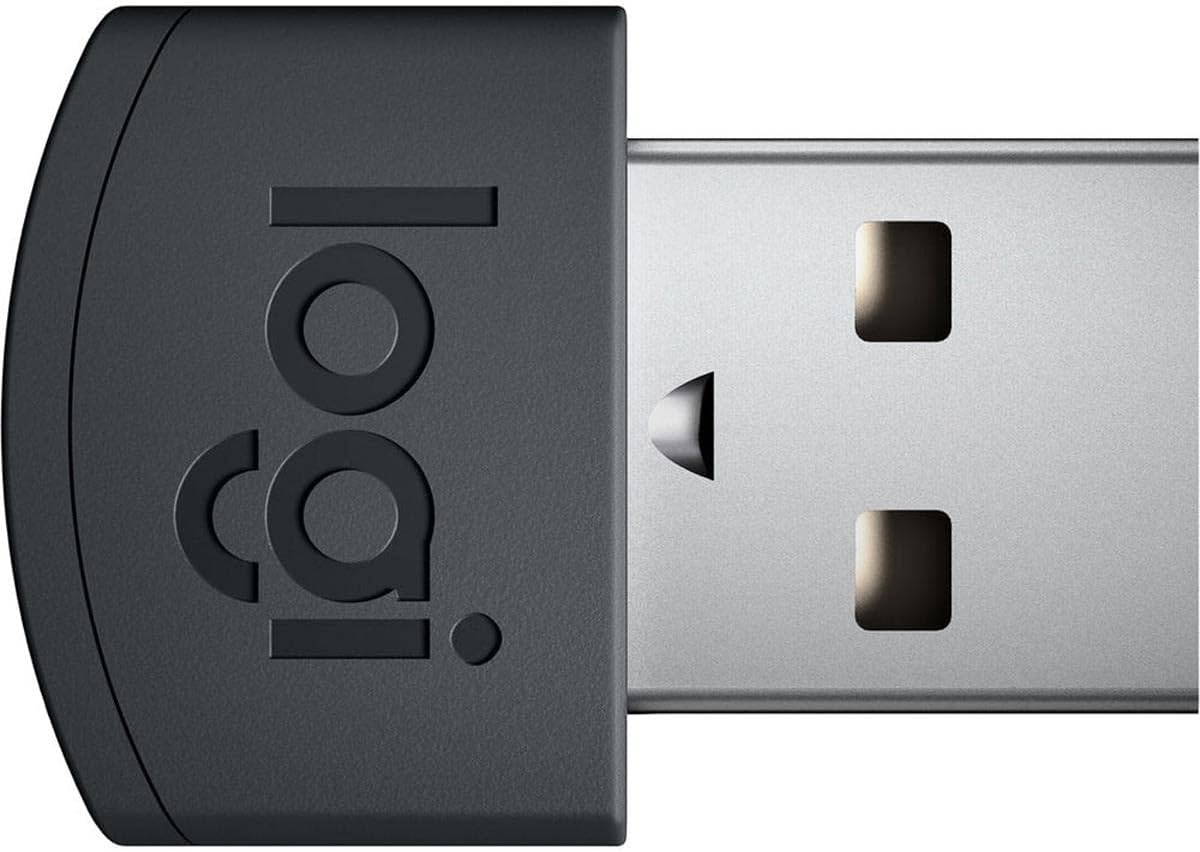
Figure 3: The underside of the K600 TV Keyboard, showing the battery compartment where the Unifying Receiver is stored.
ความเข้ากันได้ของระบบ:
The K600 TV is compatible with a range of operating systems and smart TV platforms. For optimal performance, it is recommended to check the official Logitech compatibility guide for your specific TV model and app functionality.
- Smart TVs: Samsung SUHD/UHD (Tizen 2016+), LG OLED/SUHD/UHD (webOS 2016+), Sony Bravia UHD (Android TV 2016+).
- Operating Systems: Windows 10, 11 or later, macOS 10.11 or later, Chrome OS, Android 6 or later, iOS 5 or later.
การใช้งานแป้นพิมพ์
Keyboard Layout and Functions:
The K600 TV features a full QWERTY keyboard layout with additional media and navigation keys optimized for smart TV use. The circular keys on the left side provide quick access to common functions like Home, Back, Search, and App Switch.

รูปที่ 4: จากบนลงล่าง view of the Logitech K600 TV Keyboard, highlighting the full QWERTY layout and dedicated media/navigation keys.
Integrated Touchpad and D-Pad:
The large circular area on the right is a precision touchpad for cursor control, supporting multi-finger gestures. Above it, a D-pad allows for precise navigation within grid-based interfaces common on smart TVs.
- ทัชแพด: Use one finger to move the cursor. Tap or press down on the touchpad for a left-click. Use two fingers for a right-click. Two-finger scrolling is also supported.
- ดี-แพด: Use the directional buttons for precise movement and the center button for selection.

Figure 5: Close-up of the integrated touchpad and D-pad on the Logitech K600 TV Keyboard, essential for smart TV navigation.
การสลับระหว่างอุปกรณ์:
The K600 TV allows you to pair with up to three devices and switch between them instantly using the dedicated Easy-Switch keys (1, 2, 3) located at the top left of the keyboard. This provides a seamless transition between your TV, computer, and mobile devices.

Figure 6: A user holding the Logitech K600 TV Keyboard, demonstrating its ergonomic design for comfortable use in a living room setting.
App Compatibility and Usage Tips
While the K600 TV offers broad compatibility, specific app functionalities may vary across different smart TV platforms. Some apps might fully support keyboard input and mouse cursor, while others may only allow navigation via D-pad or not support external input at all. It is advisable to consult Logitech's official app compatibility guide for detailed information.
Video 1: Official Logitech K600 TV product video demonstrating its use with a smart TV, highlighting search, browsing, and media control features.
การซ่อมบำรุง
การเปลี่ยนแบตเตอรี่:
The Logitech K600 TV Keyboard is powered by 1 CR123A battery (included). Battery life is exceptionally long, often lasting for years before replacement is needed. To replace the battery, open the battery compartment on the underside of the keyboard, remove the old battery, and insert a new one, ensuring correct polarity.
การแก้ไขปัญหา
ปัญหาการเชื่อมต่อ:
- แป้นพิมพ์ไม่ตอบสนอง: Ensure the keyboard is turned on and the battery is not depleted. Check that the Unifying Receiver is securely plugged into a USB port or that Bluetooth is enabled and paired correctly on your device.
- Unifying Receiver orphaned: If the dongle stops working after Bluetooth pairing, you may need to use the Logitech Options software on a PC to re-pair the dongle to a specific Easy-Switch position.
App Functionality Limitations:
- Limited input in certain apps: Some smart TV apps may not fully support external keyboard or mouse input. This is an app-specific limitation, not a keyboard malfunction. Refer to the app developer's support or Logitech's compatibility guide.
- Gestures not working: Ensure your device's operating system fully supports multi-touch gestures. Some gestures (e.g., pinch-to-zoom) might work on Windows but not on macOS or certain smart TV platforms.
ข้อมูลจำเพาะ
| คุณสมบัติ | รายละเอียด |
|---|---|
| ยี่ห้อ | โลจิเทค |
| หมายเลขรุ่น | 920-008822 |
| เทคโนโลยีการเชื่อมต่อ | Unifying Receiver (2.4 GHz wireless), Bluetooth Low Energy |
| ความเข้ากันได้ของระบบปฏิบัติการ | Windows 10, 11 or later, macOS 10.11 or later, Chrome OS, Android 6 or later, iOS 5 or later |
| Smart TV Compatibility | Samsung SUHD/UHD (Tizen 2016+), LG OLED/SUHD/UHD (webOS 2016+), Sony Bravia UHD (Android TV 2016+) |
| น้ำหนักสินค้า | 1.1 ปอนด์ |
| ขนาดสินค้า | 14.46 x 0.78 x 4.62 นิ้ว |
| สี | Graphite black |
| แหล่งพลังงาน | Battery Powered (1 CR123A included) |
| จำนวนคีย์ | 84 |
การรับประกันและการสนับสนุน
For detailed warranty information and further support, please refer to the official User Manual (PDF) provided with your product or visit the Logitech support website. The User Manual can also be accessed online via the following link: Logitech K600 TV User Manual.


