สินค้าเกินview
The KuWFi Long Range Outdoor WiFi Network Adapter, Model N218, is designed to provide extended wireless network access. It features a built-in high-gain 14dBi antenna for enhanced signal reception and coverage. This device supports IEEE 802.11b/g/n standards and connects via USB 2.0. It is suitable for outdoor installation to receive signals and can also function as a soft AP for sharing network access.

Image: The KuWFi Long Range Outdoor WiFi Network Adapter N218, showing its white rectangular housing and adjustable stand with a blue USB cable connected.
เนื้อหาแพ็คเกจ
- KuWFi Long Range Outdoor WiFi Network Adapter (Model N218)
- 5-meter USB 2.0 Cable (integrated)
- Installation CD (containing drivers)

Image: The KuWFi N218 adapter, its 5-meter blue USB cable, and the product packaging, indicating "Long Range" and "Indoor/Outdoor 14dBi Engineering Standard Adapter".
ข้อมูลจำเพาะ
| คุณสมบัติ | รายละเอียด |
|---|---|
| หมายเลขรุ่น | N218 |
| ประเภทเสาอากาศ | Built-in 14dBi High-Gain Internal Antenna |
| มาตรฐาน | IEEE802.11b/g/n ไร้สาย |
| อัตราการถ่ายโอนข้อมูล | สูงสุดถึง 150 Mbps |
| อินเทอร์เฟซ | ยูเอสบี 2.0 |
| ความยาวสายเคเบิล | 5 เมตร |
| ประเภทการมอดูเลชั่น | PBCC, CCK, DQPSK, DBPSK |
| โหมดการทำงาน | Ad-Hoc infrastructure, 1T1R, AP mode |
| ความปลอดภัยแบบไร้สาย | WPS, 64/128bit WEP, WPA/WPA2, WPA-PSK/WPA2-PSK (TKIP/AES) |
| ระบบปฏิบัติการที่รองรับ | Windows, Linux, MacOS (driver support may vary) |
| ขนาด | 140 x 12 x 3 ซม. (ประมาณ 11.85 x 5.35 x 2.76 นิ้ว) |
| น้ำหนัก | 365 กรัม (ประมาณ 14.1 ออนซ์) |
การติดตั้งและการตั้งค่า
Follow these steps to install and set up your KuWFi N218 adapter:
- Insert the Driver CD: Before connecting the outdoor WiFi adapter, insert the provided CD into your computer's CD/DVD drive.
- ติดตั้งไดรเวอร์: Open the "Setup.exe" file from the CD and follow the on-screen instructions to install the necessary drivers. If your computer lacks a CD drive, please obtain the drivers from the official KuWFi support webเว็บไซต์.
- เชื่อมต่ออะแดปเตอร์: Once the driver installation is complete, plug the KuWFi outdoor WiFi adapter's USB cable into an available USB 2.0 port on your computer.
- จัดวางอะแดปเตอร์ให้อยู่ในตำแหน่งที่ถูกต้อง: Position the adapter outdoors for optimal signal reception. The adjustable stand allows for 160° rotation to fine-tune the antenna direction.

ภาพ: ด้านหลัง view of the KuWFi N218 adapter, showing the USB cable connection point and the adjustable stand for positioning.
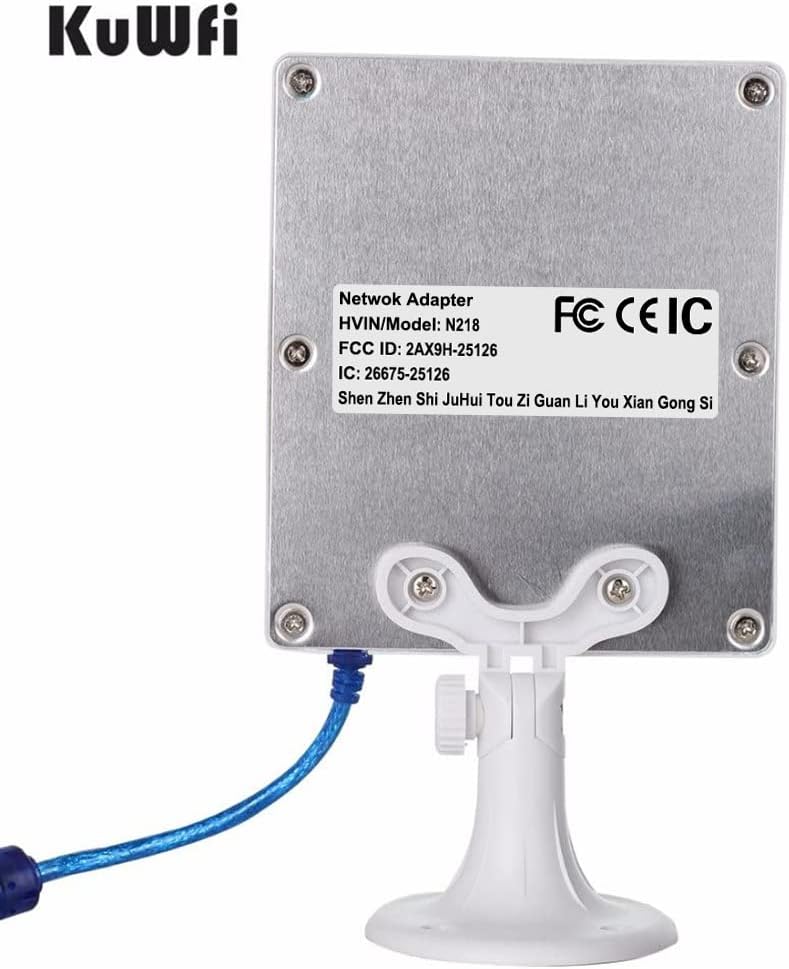
Image: Back of the KuWFi N218 adapter, displaying regulatory labels including FCC and CEIC, along with model number N218.
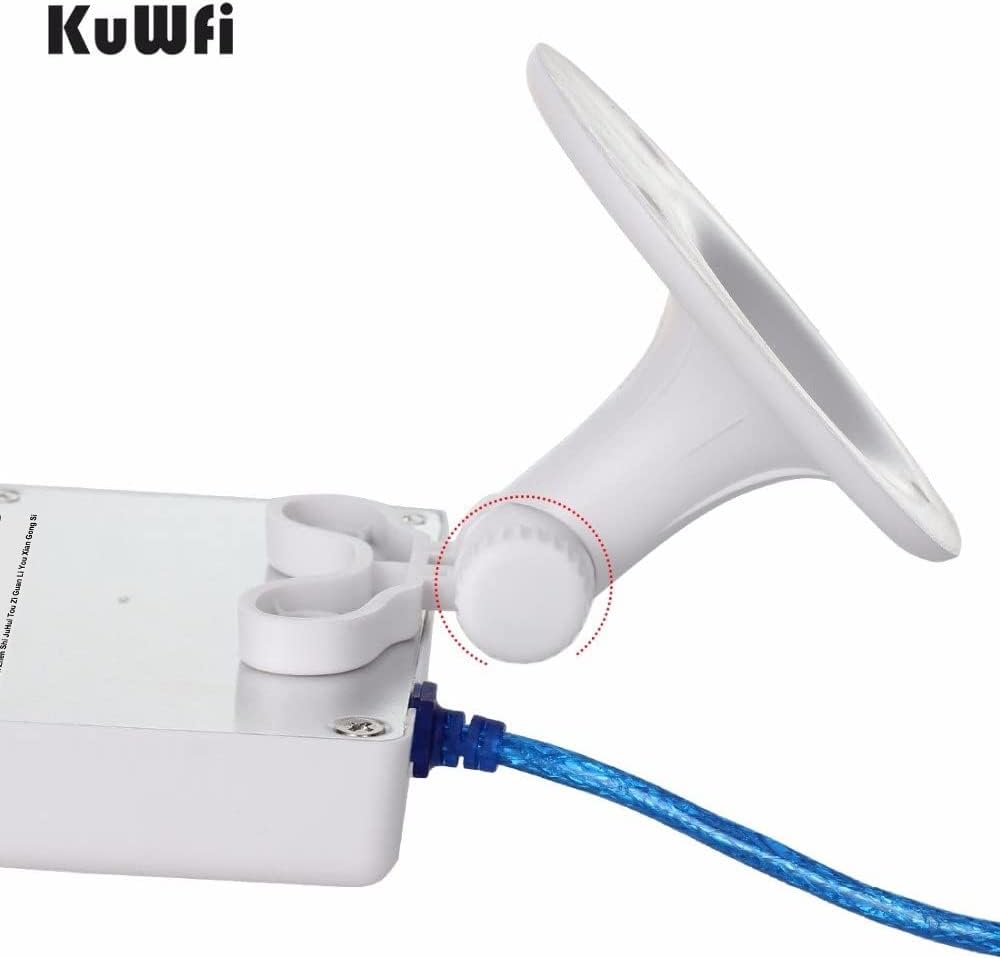
Image: Close-up of the KuWFi N218 adapter's adjustable stand, highlighting the 160° rotation capability for flexible positioning.
คำแนะนำการใช้งาน
Connecting to a Wireless Network (Client Mode)
- After successful driver installation and adapter connection, your computer should detect the new wireless adapter.
- Open your operating system's network settings or Wi-Fi utility.
- Scan for available wireless networks. The N218 adapter will help detect networks with stronger signals due to its high-gain antenna.
- เลือกเครือข่ายที่คุณต้องการและป้อนรหัสผ่านหากจำเป็น
- ยืนยันการเชื่อมต่อ
Using as a Soft AP (Access Point Mode)
The N218 adapter supports Soft AP functionality, allowing you to share your computer's internet connection with other devices like mobile phones, notebooks, or tablets.
- ตรวจสอบให้แน่ใจว่าคอมพิวเตอร์ของคุณมีการเชื่อมต่ออินเทอร์เน็ตที่ใช้งานได้ (เช่น ผ่านสาย Ethernet)
- Access the wireless utility software installed with the adapter drivers.
- Locate the "AP Mode" or "Soft AP" setting within the utility.
- Configure the network name (SSID) and security password for your new wireless hotspot.
- Activate the Soft AP mode. Other devices can now connect to the network created by your N218 adapter.
การแก้ไขปัญหา
- ไม่พบอะแดปเตอร์: Ensure the USB cable is securely connected. Try a different USB port. Verify that the drivers are correctly installed.
- No Wireless Networks Found: Check if the adapter is positioned correctly, ideally outdoors and facing the general direction of the Wi-Fi source. Ensure Wi-Fi is enabled on your computer.
- ความเร็วการเชื่อมต่อช้า: Reposition the adapter to improve signal strength. Ensure there are no major obstructions (walls, metal objects) between the adapter and the Wi-Fi source. Check for interference from other 2.4GHz devices.
- ปัญหาการติดตั้งไดรเวอร์: If the CD drive is unavailable, download the latest drivers from the official KuWFi website. Ensure compatibility with your operating system (Windows, Linux, MacOS). Some users reported issues with Windows 11 drivers; check for specific updates.
- การเชื่อมต่อไม่ต่อเนื่อง: This could be due to signal fluctuations. Try adjusting the adapter's angle. Ensure the USB cable is not damaged.
- Water Ingress (for outdoor use): While designed for outdoor use, ensure the adapter is installed in a location that minimizes direct exposure to heavy rain or consider additional weather protection if necessary. If water ingress occurs, disconnect immediately, dry thoroughly, and seal any potential entry points with silicone.
การซ่อมบำรุง
- การทำความสะอาด: Gently wipe the adapter's exterior with a soft, dry cloth. Do not use liquid cleaners or solvents.
- การตรวจสอบสายเคเบิล: Periodically check the USB cable for any signs of wear, cuts, or damage, especially if installed outdoors.
- การอัปเดตเฟิร์มแวร์/ไดรเวอร์: ตรวจสอบข้อมูลอย่างเป็นทางการจาก KuWFi webเข้าชมเว็บไซต์เพื่อตรวจสอบไดรเวอร์หรือเฟิร์มแวร์เวอร์ชั่นล่าสุด ซึ่งอาจช่วยปรับปรุงประสิทธิภาพหรือความเข้ากันได้
- การปกป้องสิ่งแวดล้อม: Although designed for outdoor use, extreme weather conditions (e.g., prolonged heavy rain, direct sunlight, extreme temperatures) can affect longevity. Consider sheltered placement where possible.
การรับประกันและการสนับสนุน
The KuWFi N218 Long Range Outdoor WiFi Network Adapter typically comes with a รับประกัน 3 ปี. For technical support, driver downloads, or warranty claims, please visit the official KuWFi webเข้าชมเว็บไซต์หรือติดต่อฝ่ายบริการลูกค้า เก็บใบเสร็จรับเงินไว้เพื่อใช้ยืนยันการรับประกัน
KuWFi aims to provide competitive wireless network devices and solutions. For further assistance, refer to the contact information provided with your product or on the KuWFi official webเว็บไซต์.
ข้อมูลด้านกฎระเบียบ
This device complies with FCC and CEIC standards. For detailed regulatory information, refer to the labels on the product or the official product documentation.
ระบบปฏิบัติการที่รองรับ
The KuWFi N218 adapter supports the following operating systems:
- หน้าต่าง
- ลินุกซ์
- MacOS (Note: Driver support for newer MacOS versions may require specific downloads or updates from the manufacturer.)

Image: Icons representing compatibility with Windows, Linux, and MacOS operating systems.


