1. สินค้าหมดview
The Microware Ezcap 230 is a standalone device designed to convert audio from cassette tapes directly to MP3 format. It allows users to digitize their analog cassette collections without the need for a computer, saving the converted audio files directly to a USB flash drive. This portable converter also functions as a cassette player.

ภาพที่ 1.1: ด้านหน้า view of the Microware Ezcap 230 Cassette to MP3 Converter, showing its compact design and controls.
2. คุณสมบัติหลัก
- การทำงานแบบสแตนด์อโลน: Converts cassette tapes to MP3 directly to a USB flash drive without requiring a computer.
- การออกแบบพกพา: Compact and lightweight for easy carrying and use anywhere.
- ฟังก์ชั่นการเล่น: Allows playback of recorded MP3 fileส่งข้อมูลโดยตรงจากอุปกรณ์
- แหล่งจ่ายไฟคู่: Can be powered by 2x AA batteries or a 5V DC adapter via USB.
- เอาต์พุตเสียง: Includes a 3.5mm audio jack for connecting headphones or external speakers.
- Automatic or Manual Track Separation: Supports automatic division of tracks during recording or manual separation by pressing the record button.

Image 2.1: Visual representation of the key features of the Ezcap 230, highlighting its portability and standalone functionality.
3. เนื้อหาบรรจุภัณฑ์
กรุณาตรวจสอบแพ็คเกจสำหรับรายการต่อไปนี้:
- Microware Ezcap 230 Cassette to MP3 Converter
- สาย USB (สำหรับจ่ายไฟ)
- หูฟัง
- คู่มือการใช้งาน
Note: AA batteries and USB flash drive are not included and must be purchased separately.

Image 3.1: The Ezcap 230 device shown with its included earphones and USB cable.
4. คู่มือการติดตั้ง
4.1 แหล่งจ่ายไฟ
The Ezcap 230 can be powered in two ways:
- พลังงาน USB: Connect the supplied USB cable to the device's USB port and plug the other end into a 5V DC USB power adapter (not included) or a computer's USB port.
- พลังงานแบตเตอรี่: Open the battery compartment on the back of the device and insert two (2) AA batteries (not included), ensuring correct polarity.

Image 4.1: Close-up of the battery compartment on the underside of the Ezcap 230, showing where to insert AA batteries.
4.2 การใส่เทปคาสเซ็ต
- เปิดฝาช่องใส่เทปคาสเซ็ต
- Insert a standard audio cassette tape into the compartment, ensuring it is properly seated.
- Close the cassette compartment cover securely.

Image 4.2: Step-by-step guide illustrating how to insert a cassette tape into the device.
4.3 Connecting USB Flash Drive and Audio Output
- Insert a USB flash drive (formatted to FAT, FAT32, or exFAT, up to 64GB) into the USB port on the side of the device. A green light will flash, indicating the drive is connected.
- Connect the supplied earphones or your own headphones/speakers to the 3.5mm audio output jack for monitoring audio during conversion or for playback.

Image 4.3: The Ezcap 230 with a USB flash drive inserted and earphones connected, ready for operation.
5. คู่มือการใช้งาน
5.1 การแปลงเทปคาสเซ็ตเป็นไฟล์ MP3
- ตรวจสอบให้แน่ใจว่าได้ใส่เทปคาสเซ็ตและเสียบแฟลชไดรฟ์ USB แล้ว
- กดปุ่ม "เล่น" button on the top of the device to start playing the cassette tape. You should hear the audio through the connected earphones.
- หากต้องการเริ่มบันทึก ให้กดปุ่ม "Record/Stop" button. The green light will illuminate steadily, indicating recording is in progress.
- Automatic Track Separation: The device can automatically detect pauses between songs and create separate MP3 files.
- Manual Track Separation: To manually separate tracks, press the "Record/Stop" button briefly during recording. A new MP3 file will be created for the subsequent audio.
- หากต้องการหยุดบันทึก ให้กด "Record/Stop" button again. The green light will turn off.
- To stop cassette playback, press the "หยุด" ปุ่ม.

Image 5.1: Diagram illustrating the steps for converting cassette audio to MP3 format using the Ezcap 230.
5.2 Playing Back Recorded MP3s
After recording, you can play back the converted MP3 files directly on the device:
- Ensure the USB flash drive containing the MP3 fileมีการแทรกตัวอักษร s เข้าไป
- กดปุ่ม "เล่น" button to start playback of the first MP3 file.
- ใช้ "Previous Track" และ "Next Track" buttons to navigate between recorded files.
- กดปุ่ม "หยุด" ปุ่มสำหรับสิ้นสุดการเล่น
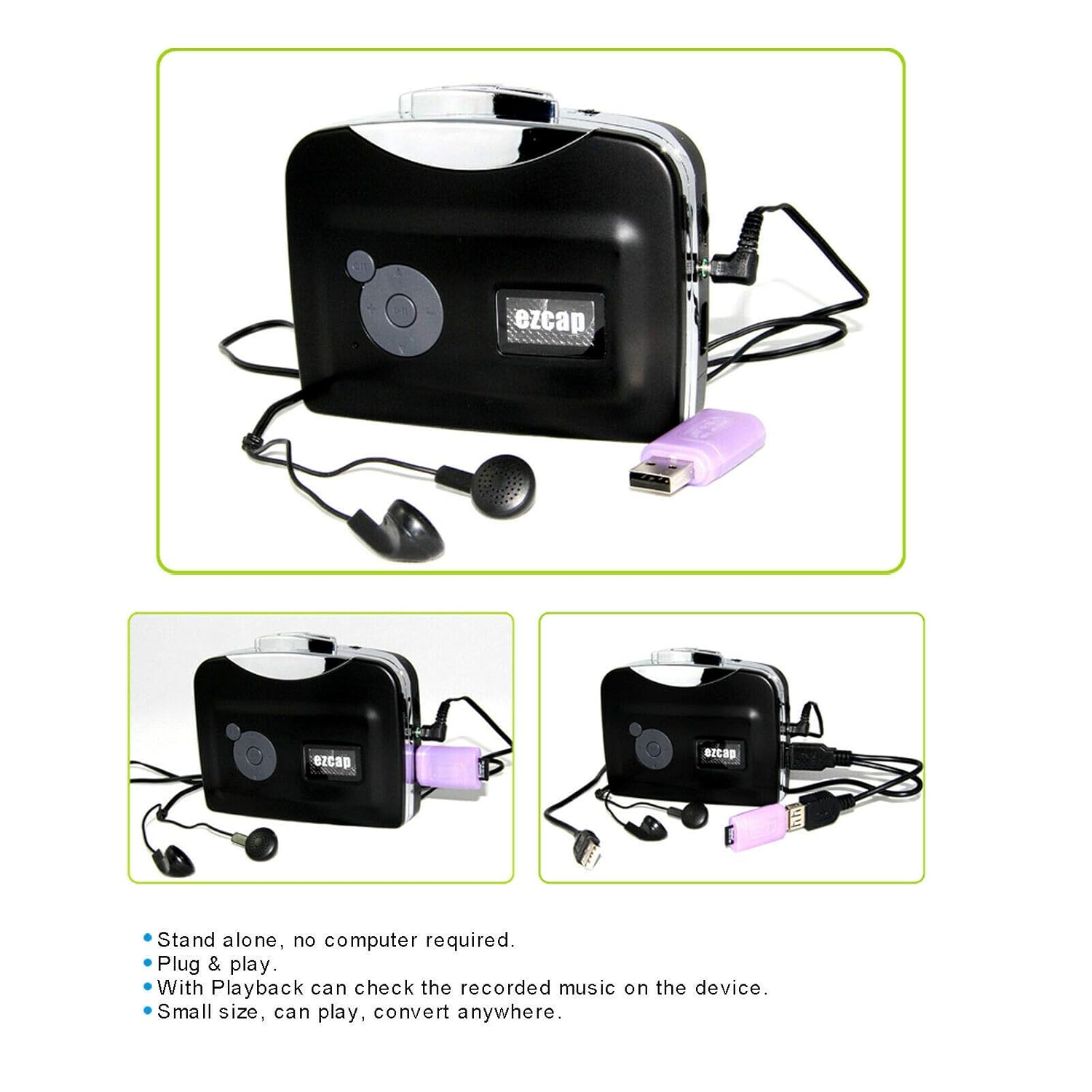
Image 5.2: Close-up of the control panel on the Ezcap 230, showing the playback and navigation buttons.
6. การบำรุงรักษาและการดูแล
- รักษาความสะอาดของอุปกรณ์ด้วยการเช็ดด้วยผ้านุ่มและแห้ง ห้ามใช้น้ำยาทำความสะอาดหรือตัวทำละลาย
- หลีกเลี่ยงการวางอุปกรณ์ไว้ในอุณหภูมิที่สูงเกินไป แสงแดดโดยตรง หรือมีความชื้นสูง
- เมื่อไม่ได้ใช้งานเป็นเวลานาน ควรถอดแบตเตอรี่ออกเพื่อป้องกันการรั่วไหล
- Handle cassette tapes carefully to prevent damage to the tape or the device's playback mechanism.
- Regularly check the cassette compartment for dust or debris and clean gently if necessary.
7 การแก้ไขปัญหา
| ปัญหา | สาเหตุที่เป็นไปได้ | สารละลาย |
|---|---|---|
| อุปกรณ์ไม่เปิดเครื่อง | No power supply; batteries drained or incorrectly inserted; USB cable not connected properly. | Ensure fresh AA batteries are inserted correctly or USB cable is securely connected to a working power source. |
| No audio during playback or recording. | Earphones/speakers not connected; volume too low; cassette tape damaged; device in wrong mode. | Check earphone connection; adjust volume; try a different cassette tape; ensure device is in playback or record mode. |
| Recording not saving to USB drive. | USB drive not inserted or recognized; USB drive full; incorrect format; drive damaged. | Ensure USB drive is fully inserted; check available space; format drive to FAT, FAT32, or exFAT; try a different USB drive. |
| Cassette tape is "eating" or tangling. | Damaged cassette tape; dirty playback heads; worn out pinch roller. | Try a different cassette tape. If problem persists, the device may require professional servicing. |
8. ข้อมูลจำเพาะผลิตภัณฑ์
| แบบอย่าง | Ezcap 230 |
| การทำงาน | Cassette Tape to MP3 Converter, Cassette Player |
| รูปแบบการบันทึก | เอ็มพี 3 |
| แหล่งจ่ายไฟ | 2 x AA Batteries or 5V DC USB Power |
| ช่องสัญญาณเสียง | สเตอริโอ L/R |
| อินเทอร์เฟซ USB | Standard USB 2.0 |
| Compatible USB Drive Formats | FAT, FAT32, exFAT (up to 64GB). NTFS format not supported. |
| ขนาด | ขนาดประมาณ 15.3 x 11.5 x 6.3 ซม |
| น้ำหนัก | 154 กรัม |
| สี | สีดำ |
9. การรับประกันและการสนับสนุน
For warranty information and technical support, please refer to the official MICROWARE website or contact their customer service. Details can typically be found on the product packaging or the manufacturer's official online resources.
ผู้ผลิต: เอซแคป
ยี่ห้อ: ไมโครเวฟ
บริการลูกค้า: กรุณาเข้าเยี่ยมชม MICROWARE Store on Amazon for further assistance or contact information.


