การแนะนำ
Welcome to the VTech KidiZoom Touch 5.0 Pink digital camera user manual. This guide provides comprehensive instructions for setting up, operating, and maintaining your new camera. Designed for children aged 5-12 years, the KidiZoom Touch 5.0 offers a robust and interactive experience with its touch display, dual cameras, and a variety of creative features.
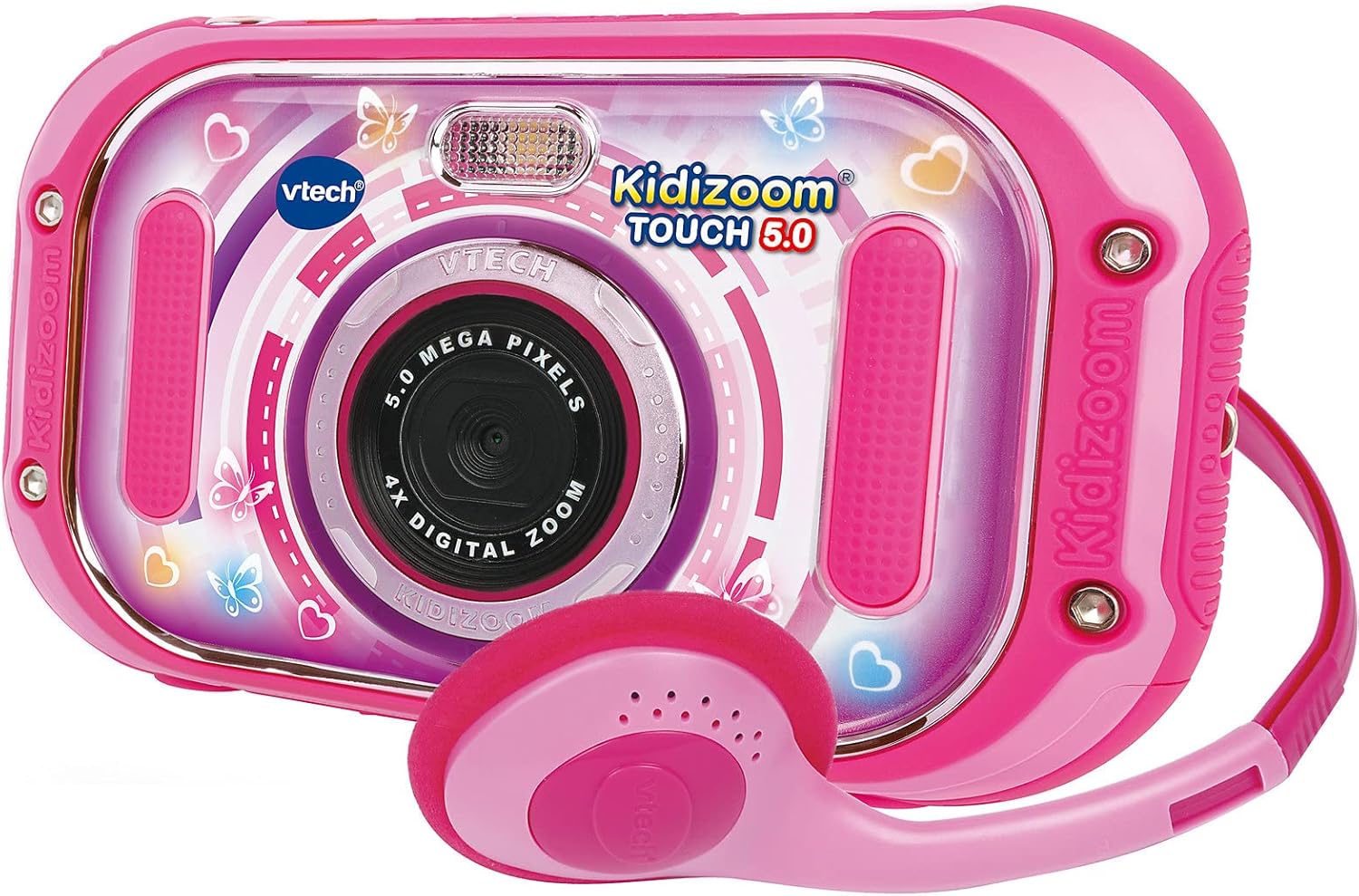
Figure 1: The VTech KidiZoom Touch 5.0 Pink camera shown with its accompanying pink headphones.
เนื้อหาแพ็คเกจ
โปรดตรวจสอบให้แน่ใจว่าสิ่งของทั้งหมดที่ระบุไว้ด้านล่างนี้มีอยู่ในพัสดุของคุณ:
- 1 x VTech KidiZoom Touch 5.0 Pink Digital Camera
- สาย USB 1 เส้น
- 1 x หูฟัง
- 4 x AA Demo Batteries (pre-installed)
- สายคล้องข้อมือ 1 x

Figure 2: The included headphones and wrist strap, essential accessories for the KidiZoom Touch 5.0.
การตั้งค่า
การติดตั้งแบตเตอรี่
The camera comes with 4 AA demo batteries pre-installed. For optimal performance and extended use, it is recommended to replace these with new, high-quality alkaline batteries or rechargeable AA batteries. Ensure correct polarity when inserting batteries.
- หาช่องใส่แบตเตอรี่ที่ด้านหลังของกล้อง
- ใช้ไขควงขนาดเล็กงัดฝาช่องใส่แบตเตอรี่ออก
- Remove the old batteries (if any) and insert 4 new AA batteries, matching the +/- indicators.
- เปลี่ยนฝาครอบและขันสกรูให้แน่น
Memory Card (Optional)
The KidiZoom Touch 5.0 has an internal memory for approximately 100 photos (5.0 MP) or 10 minutes of video (640x480 px). To expand storage for more photos, videos, or MP3 files, an external microSD card (not included) is required.
- Locate the microSD card slot on the side of the camera.
- Insert a microSD card (up to 32GB, Class 10 recommended) into the slot until it clicks into place.
- ในการถอด ให้ดันการ์ดเข้าไปเบาๆ จนกระทั่งการ์ดเด้งออกมา
Product Features and Controls
Familiarize yourself with the camera's interface and controls for a seamless experience.

Figure 3: The camera's 3.5-inch LCD color touch display showing the main menu with icons for photos, video recorder, music player, games, playback, panorama, 'You and Me' mode, and animation studio.
- 3.5" LCD Colour Touch Display: Capacitive touch panel for easy navigation and personalized backgrounds.
- กล้องหน้า: 5.0 Megapixels for high-resolution photos and videos.
- กล้องหลัง: 2.0 Megapixels for selfies and dual-camera mode.
- ซูมดิจิตอล 4 เท่า: Magnify your subjects.
- Automatic Flash: For improved lighting in low-light conditions.
- พอร์ต USB: For connecting to a PC to transfer files.
- แจ็คหูฟัง: For private listening of music or audio.
คำแนะนำการใช้งาน
การถ่ายภาพ
ในการจับภาพนิ่ง:
- เปิดกล้องโดยใช้ปุ่มเปิดปิด
- Tap the "Photos" icon on the touch screen.
- Aim the camera at your subject. Use the front camera for regular photos or the rear camera for selfies.
- Press the shutter button or tap the screen to take a picture.
- Explore various photo effects and filters available before or after taking a photo.

Figure 4: Children demonstrating the ease of taking a selfie with the KidiZoom Touch 5.0's rear camera.
การบันทึกวิดีโอ
To record moving footage:
- From the main menu, tap the "Video Recorder" icon.
- Press the record button on the screen to start recording.
- กดปุ่มอีกครั้งเพื่อหยุดการบันทึก
- Utilize the dual camera mode to record simultaneously with both front and rear cameras.
การเล่นเกม
The camera includes 6 interactive touchscreen games for entertainment.
- Tap the "Games" icon on the main menu.
- Select your desired game from the list.
- Follow the on-screen instructions to play.
เครื่องเล่นเพลง
Listen to your favorite MP3s on the go. An external microSD card is required to store MP3 files.
- Ensure an external microSD card with MP3 fileมีการแทรกตัวอักษร s เข้าไป
- Tap the "Music Player" icon.
- Browse and select songs to play.
- Connect the included headphones for private listening.
Editing Photos and Videos
Unleash your creativity with the built-in editing tools.
- Photo Effects: Apply over 60 different effects, filters, and stamps to your photos.
- Crazy Painting Studio: Draw and paint on your images.
- สตูดิโอแอนิเมชัน: Create stop-motion videos from individual pictures with music and voice.
- Voice Distortion: Record your voice and apply fun effects.
การซ่อมบำรุง
Proper care will extend the life of your KidiZoom Touch 5.0.
- การทำความสะอาด: Wipe the camera and screen with a soft, slightly damp ผ้า. อย่าใช้สารเคมีที่รุนแรงหรือน้ำยาทำความสะอาดที่มีฤทธิ์กัดกร่อน
- พื้นที่จัดเก็บ: Store the camera in a cool, dry place away from direct sunlight and extreme temperatures. If storing for an extended period, remove the batteries.
- การสัมผัสน้ำ: The camera is not waterproof. Avoid contact with water or other liquids.
- ผลกระทบ: While robust, avoid dropping the camera or subjecting it to strong impacts.
การแก้ไขปัญหา
หากคุณพบปัญหา โปรดดูตารางต่อไปนี้เพื่อดูปัญหาทั่วไปและวิธีแก้ไข
| ปัญหา | สารละลาย |
|---|---|
| กล้องไม่สามารถเปิดได้ | Check battery installation and replace with new batteries if necessary. Ensure the power button is pressed firmly. |
| หน้าจอไม่ตอบสนอง | Restart the camera. If the issue persists, ensure the screen is clean and free of debris. |
| ไม่สามารถบันทึกรูปภาพ/วิดีโอได้ | Check if the internal memory or inserted microSD card is full. Delete unnecessary files or insert a new microSD card. Ensure the microSD card is properly inserted. |
| คุณภาพของภาพไม่ดี | Ensure the camera lens is clean. Check lighting conditions; use flash if needed. |
| กล้องค้างหรือหยุดทำงาน | Remove and reinsert batteries to perform a hard reset. If using a microSD card, try removing it and see if the issue resolves. |
ข้อมูลจำเพาะ
| คุณสมบัติ | รายละเอียด |
|---|---|
| หมายเลขรุ่น | 80-163554 |
| แสดง | 3.5" LCD Colour Touch Display (Capacitive) |
| ความละเอียดของกล้องหน้า | 5.0 ล้านพิกเซล |
| ความละเอียดกล้องหลัง | 2.0 ล้านพิกเซล |
| หน่วยความจำภายใน | Approx. 100 photos (5.0 MB) or 10 min video (640x480 px) |
| หน่วยความจำภายนอก | ช่องเสียบการ์ด microSD (ไม่รวมการ์ด) |
| ซูมดิจิตอล | 4x |
| แหล่งพลังงาน | 4 x AA Batteries (included for demo) |
| การเชื่อมต่อ | USB port, Headphone jack |
| ขนาด | 3.1 x 15 x 8.6 ซม. |
| น้ำหนัก | 100 กรัม |
การรับประกันและการสนับสนุน
สำหรับข้อมูลการรับประกันและการสนับสนุนทางเทคนิค โปรดดูที่เว็บไซต์อย่างเป็นทางการของ VTech webเข้าชมเว็บไซต์หรือติดต่อฝ่ายบริการลูกค้าของ VTech โดยตรง เก็บใบเสร็จรับเงินไว้เป็นหลักฐานการซื้อ
ฝ่ายบริการลูกค้า VTech: www.vtechkids.com/support


