การแนะนำ
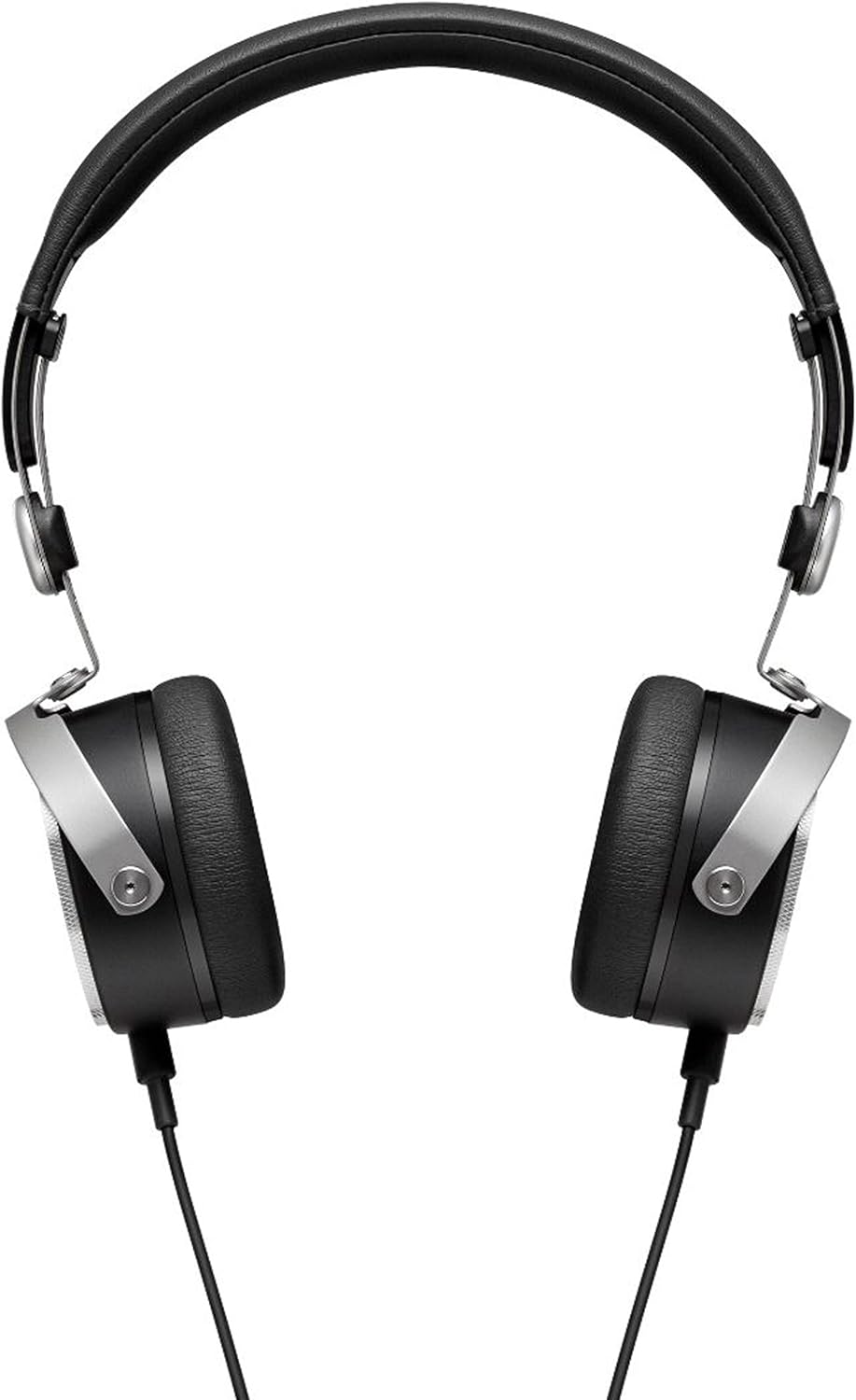
The beyerdynamic Aventho Wired headphones are designed to deliver an exceptional audio experience, allowing users to perceive every detail and nuance in their music. Featuring advanced Tesla technology, these high-end mobile headphones combine superior sound quality with practical design for on-the-go use.

คุณสมบัติหลัก
- Tesla Technology: Ensures optimum sound quality and unique richness of detail.
- Three-Button Remote Control: Provides flexible control of media playback and calls.
- High-Quality Hands-Free Microphone: Integrated into the detachable cable for clear communication.
- การออกแบบกะทัดรัดและพกพาสะดวก: Features swiveling ear cups and soft ear pads, ideal for mobile use.
- Premium Materials and Craftsmanship: Stylish design with high-quality materials, made in Germany.
- การตอบสนองความถี่กว้าง: Covers 20 - 25,000 Hz for a full audio spectrum.

วิดีโอแสดงผลิตภัณฑ์อย่างเป็นทางการasing the beyerdynamic Aventho Wired Headphones and their key features.
เนื้อหาแพ็คเกจ
Upon unboxing your beyerdynamic Aventho Wired headphones, you should find the following items:
- beyerdynamic Aventho Wired Headphones
- Detachable Audio Cable with Remote and Microphone
- กระเป๋าพกพาแบบนุ่ม
การตั้งค่า
การเชื่อมต่อหูฟัง
- Locate the 3.5 mm audio jack on your audio source (e.g., smartphone, tablet, computer).
- Insert the 3.5 mm plug of the detachable audio cable into the audio source's jack.
- Connect the other end of the cable to the input port on the left ear cup of the headphones. Ensure a secure connection.
การสวมหูฟัง
- Gently extend the headband to fit comfortably over your head.
- Position the ear cups so that they fully cover your ears, ensuring the soft ear pads rest comfortably.
- Adjust the headband length on both sides until the headphones fit securely without excessive pressure.
คำแนะนำการใช้งาน
การเล่นเสียง
Once connected, your headphones will play audio from your source device. Adjust the volume directly on your device or using the in-line remote control.
การใช้รีโมทคอนโทรล
The three-button remote control on the cable allows for convenient management of media and calls:
- ปุ่มกลาง: Press once to play/pause music or answer/end calls. Press twice to skip to the next track. Press three times to go to the previous track.
- ปุ่ม '+': กดเพื่อเพิ่มระดับเสียง
- '-' ปุ่ม: กดเพื่อลดระดับเสียง
การซ่อมบำรุง
การทำความสะอาด
เพื่อรักษาสภาพของหูฟังของคุณ:
- Wipe the ear cups and headband with a soft, dry cloth.
- สำหรับสิ่งสกปรกฝังแน่น ให้เช็ดออกเล็กน้อยampชุบผ้าด้วยน้ำ หลีกเลี่ยงการใช้สารเคมีรุนแรงหรือน้ำยาทำความสะอาดที่มีฤทธิ์กัดกร่อน
- Do not immerse the headphones in water or any liquid.
พื้นที่จัดเก็บ
When not in use, store your headphones in the provided soft carry bag. The swiveling ear cups allow for a more compact storage, protecting them from dust and damage.
การแก้ไขปัญหา
ไม่มีเสียง
- ตรวจสอบให้แน่ใจว่าสายสัญญาณเสียงเชื่อมต่อกับหูฟังและแหล่งกำเนิดเสียงอย่างแน่นหนาแล้ว
- Check the volume level on your audio source and on the headphone's remote control.
- ทดสอบหูฟังกับแหล่งเสียงอื่นเพื่อตัดปัญหาที่เกิดจากตัวอุปกรณ์ออกไป
ไมโครโฟนไม่ทำงาน
- Verify the cable is fully inserted into the headphone jack.
- Check your device's audio input settings to ensure the correct microphone is selected.
- Ensure the microphone is not muted on your device or application.
ข้อมูลจำเพาะ
| คุณสมบัติ | ค่า |
|---|---|
| ยี่ห้อ | BEYERDYNAMIC |
| ชื่อรุ่น | beyerdynamic Aventho wired mobile Tesla high-end headphones - Black |
| เทคโนโลยีการเชื่อมต่อ | มีสาย |
| แจ็คหูฟัง | แจ็ค 3.5 มม. |
| การตอบสนองความถี่ | 20 - 25,000 เฮิรตซ์ |
| อิมพีแดนซ์ | 32 โอห์ม |
| น้ำหนักสินค้า | 7.04 ออนซ์ (ประมาณ 199.6 กรัม) |
| ขนาดสินค้า | 5.7 x 2.75 x 7.1 นิ้ว |
| วัสดุ | Cotton (for carry bag) |
| ประเภทการควบคุม | ระยะไกล |
| การวางตำแหน่งหู | บนหู |
| ประเภทไดร์เวอร์เสียง | ไดร์เวอร์แม่เหล็กระนาบ |
การรับประกันและการสนับสนุน
Your beyerdynamic Aventho Wired headphones are covered by the manufacturer's warranty. For detailed warranty information, product registration, or technical support, please refer to the official beyerdynamic webหรือติดต่อฝ่ายบริการลูกค้าโดยตรง โปรดเก็บหลักฐานการซื้อไว้เพื่อใช้ในการเคลมประกัน


