1. บทนำ
Welcome to the Bloody B930 TKL Tenkeyless Optical Switch Gaming Keyboard. This manual provides essential information for setting up, operating, maintaining, and troubleshooting your new keyboard. Please read thoroughly to ensure optimal performance and longevity of your device.

Figure 1: Bloody B930 TKL Tenkeyless Optical Switch Gaming Keyboard
2. ข้อมูลด้านความปลอดภัย
คำแนะนำด้านความปลอดภัยทั่วไป
- เก็บแป้นพิมพ์ให้ห่างจากของเหลวและความชื้นที่มากเกินไป
- หลีกเลี่ยงอุณหภูมิที่สูงหรือต่ำเกินไป
- ห้ามพยายามถอดประกอบหรือปรับเปลี่ยนแป้นพิมพ์
- ใช้เฉพาะสาย USB ที่ให้มาเพื่อเชื่อมต่อ
3. เนื้อหาบรรจุภัณฑ์
มีอะไรอยู่ในกล่อง
- Bloody B930 TKL Tenkeyless Optical Switch Gaming Keyboard
- สาย USB
4. การตั้งค่า
การเชื่อมต่อคีย์บอร์ดของคุณ
- Connect the provided USB cable to an available USB-A port on your computer.
- Connect the other end of the USB cable to the corresponding port on the Bloody B930 keyboard.
- ระบบปฏิบัติการของคุณควรตรวจจับและติดตั้งไดรเวอร์ที่จำเป็นโดยอัตโนมัติ
- For advanced customization, download the exclusive software from the official Bloody webเว็บไซต์.
การกำหนดค่าเริ่มต้น
The keyboard features plug-and-play functionality. Upon initial connection, the default RGB LED backlighting animation will activate.
5. คู่มือการใช้งาน
คุณสมบัติหลัก
- Optical Switches: Experience lightning-fast response times with optical detection technology, offering a 0.2ms response.
- Tenkeyless Design: The compact form factor provides an ergonomic setup, reducing shoulder strain and optimizing mouse positioning.
- ความทนทาน: Constructed with weapons-grade anodized aluminum and engineered to withstand over 100 million keystrokes per switch.
- ความต้านทานน้ำ: Features nanocoating and drainage channels to protect against accidental spills and corrosion.
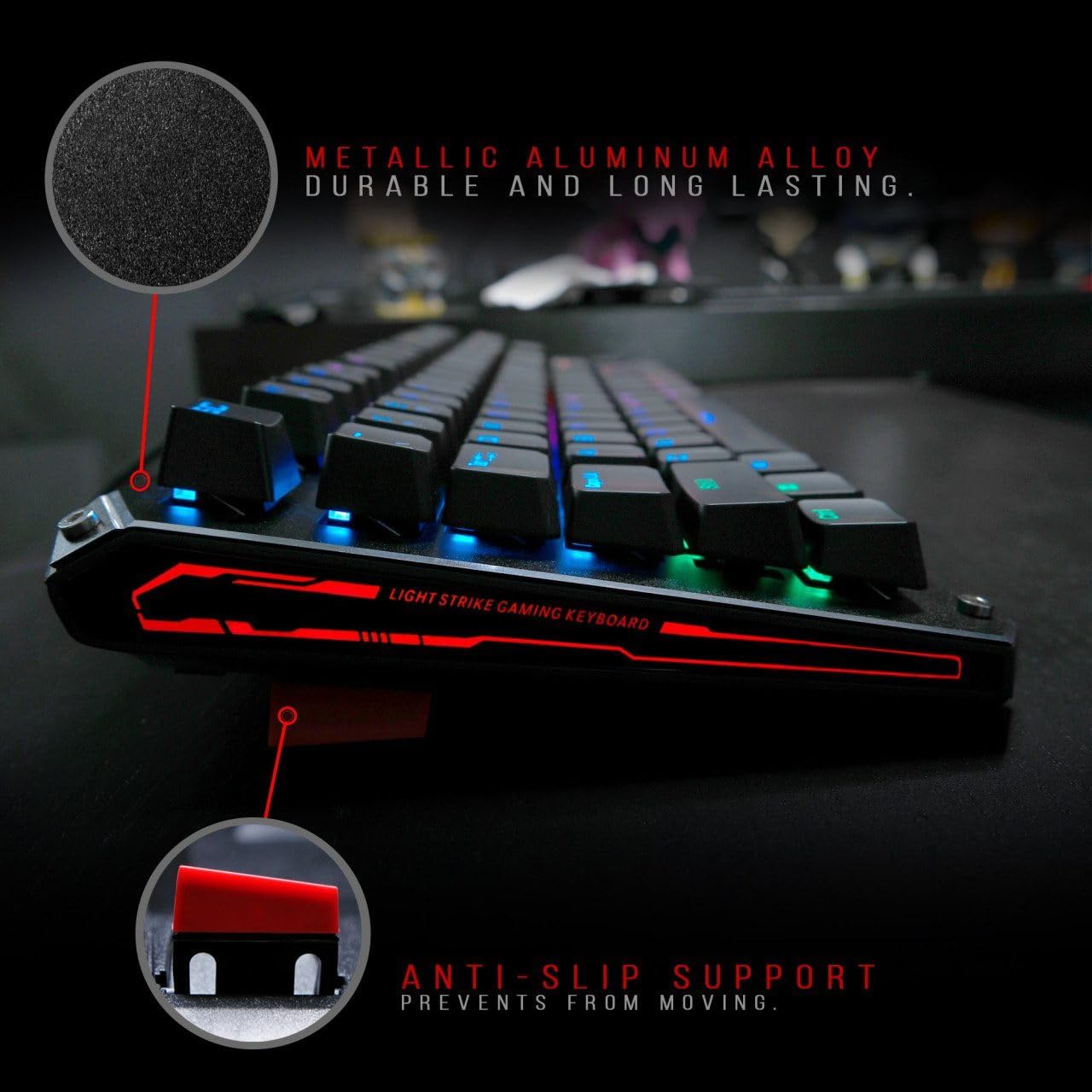
Figure 2: Metallic aluminum alloy construction with anti-slip support.
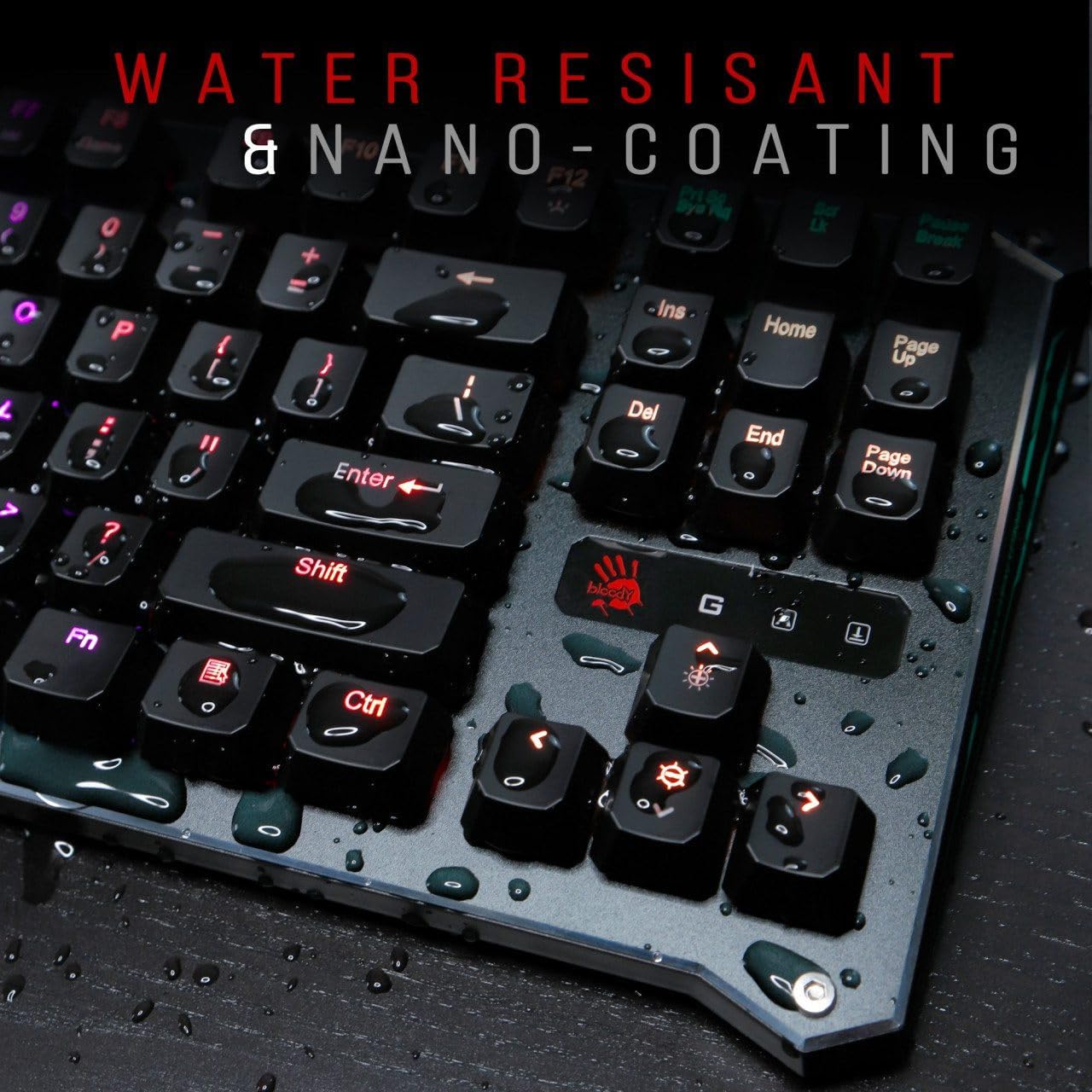
Figure 3: Water resistant and nano-coating features.
การควบคุมไฟแบ็คไลท์ RGB
The Bloody B930 offers customizable RGB backlighting.
- Default Animations: Switch between 6 pre-programmed RGB LED backlighting animations.
- การปรับแต่ง: Utilize the exclusive software to access 16.8 million customizable color options and schemes.
- การปรับความสว่าง: Adjust the brightness levels to suit your environment.

Figure 4: Dynamic RGB LED backlighting.
การเขียนโปรแกรมแมโคร
The keyboard supports macro programming for enhanced functionality. Refer to the exclusive software for detailed instructions on creating and assigning macros.
วิดีโอผลิตภัณฑ์view
วิดีโอ 1: วิดีโอแสดงผลิตภัณฑ์อย่างเป็นทางการasing the Bloody B930 TKL "Tournament Edition" keyboard features and design.
6. การบำรุงรักษา
การทำความสะอาด
- ถอดแป้นพิมพ์ออกจากคอมพิวเตอร์ของคุณก่อนทำความสะอาด
- Use a soft, dry cloth to wipe down the surface of the keyboard.
- สำหรับฝุ่นละอองและเศษต่างๆ ระหว่างคีย์ ให้ใช้ลมอัด
- หลีกเลี่ยงการใช้สารเคมีรุนแรงหรือวัสดุที่มีฤทธิ์กัดกร่อน
พื้นที่จัดเก็บ
เก็บแป้นพิมพ์ไว้ในที่แห้งและเย็น หลีกเลี่ยงแสงแดดโดยตรงและอุณหภูมิที่สูงหรือต่ำเกินไป
7 การแก้ไขปัญหา
ปัญหาทั่วไปและแนวทางแก้ไข
- แป้นพิมพ์ไม่ตอบสนอง: ตรวจสอบให้แน่ใจว่าสาย USB เชื่อมต่อกับทั้งคีย์บอร์ดและคอมพิวเตอร์อย่างแน่นหนา ลองใช้พอร์ต USB อื่น
- ไฟแบ็คไลท์ไม่ทำงาน: Check the brightness settings. Ensure the software is correctly installed and configured if using custom profiles.
- กุญแจไม่ลงทะเบียน: Clean around the affected keys. If the issue persists, contact customer support.
8. ข้อมูลจำเพาะ
รายละเอียดทางเทคนิค
| คุณสมบัติ | รายละเอียด |
|---|---|
| ขนาดสินค้า | 25.2 x 25.2 x 7.6 นิ้ว |
| น้ำหนักสินค้า | 2.2 ปอนด์ |
| ผู้ผลิต | A4Tech |
| หมายเลขรุ่น | B930 |
| ยี่ห้อ | เลือดสาด |
| อุปกรณ์ที่รองรับ | คอนโซลเกม |
| เทคโนโลยีการเชื่อมต่อ | ยูเอสบี-เอ |
| คำอธิบายแป้นพิมพ์ | การเล่นเกม |
| การใช้ที่แนะนำ | การเล่นเกม |
| คุณสมบัติพิเศษ | น้ำหนักเบา |
| สี | B930 - Orange Switch (Tactile & Clicky) |
| สไตล์ | ทันสมัย |
| วัสดุ | อลูมิเนียม, โลหะ |
9. การรับประกันและการสนับสนุน
การรับประกันสินค้า
For warranty information and customer support, please refer to the official Bloody webไซต์หรือติดต่อผู้ค้าปลีกในพื้นที่ของคุณ
ข้อมูลติดต่อ
Visit the official Bloody website for the latest drivers, software, and support resources.


