1. บทนำ
This manual provides detailed instructions for the installation, operation, and maintenance of your FVTLED WiFi RGB Low Voltage LED Deck Lights Kit. This kit is designed to provide versatile and customizable lighting for both indoor and outdoor environments, featuring RGB color options, smart control via WiFi, and compatibility with voice assistants.
2. ข้อมูลด้านความปลอดภัย
โปรดอ่านและทำความเข้าใจคำแนะนำด้านความปลอดภัยทั้งหมดก่อนติดตั้งหรือใช้งานผลิตภัณฑ์นี้ การไม่ปฏิบัติตามคำแนะนำเหล่านี้อาจส่งผลให้เกิดไฟฟ้าช็อต ไฟไหม้ หรืออันตรายอื่นๆ
- ตรวจสอบให้แน่ใจว่าได้ถอดแหล่งจ่ายไฟออกก่อนการติดตั้งหรือการบำรุงรักษา
- This product operates on DC12V low voltage. Do not connect directly to AC power without the provided power supply.
- All lights and cables are IP67 waterproof, suitable for outdoor use. However, ensure all connections are securely tightened to maintain water resistance.
- Do not modify the product or its components. Any modifications may void the warranty and create safety risks.
- Keep the power supply unit in a dry, protected area, away from direct water exposure.
- ปรึกษาช่างไฟฟ้าที่มีคุณสมบัติหากคุณไม่แน่ใจเกี่ยวกับส่วนใดส่วนหนึ่งของกระบวนการติดตั้ง
3. เนื้อหาบรรจุภัณฑ์
ตรวจสอบว่าส่วนประกอบทั้งหมดอยู่ครบและไม่เสียหายเมื่อเปิดบรรจุภัณฑ์:
- 10 x LED Inground Lights (Model D45)
- 1 x 12W LED Power Supply
- 1 x LED WiFi Controller
- 1 x 24-Key IR Remote Controller

Image 3.1: Contents of the FVTLED Deck Lights Kit, including 10 LED lights, power supply, WiFi controller, and remote control.
4. การตั้งค่าและการติดตั้ง
Follow these steps for proper installation of your FVTLED deck lights:
- การวางแผน: Determine the desired layout for your lights. The distance between each light is approximately 1 meter (3.28 ft). Ensure the total length of connected lights does not exceed the capacity of the power supply.
- การเจาะรู: Drill mounting holes of approximately Φ1.38 inches (35mm) in diameter. The light fixture itself has a diameter of Φ1.77 inches (45mm) and a height of 1.02 inches (26mm).
- ใส่ไฟ: Carefully insert each LED deck light into the drilled holes. The spring clips on the sides will secure the light in place.
- เชื่อมต่อไฟ: Connect the lights in series using the male and female waterproof connectors. Ensure each connection is firmly pushed together and the screw cap is tightened to maintain the IP67 waterproof rating.
- เชื่อมต่อกับตัวควบคุม: Connect the string of lights to the LED WiFi Controller.
- เชื่อมต่อพาวเวอร์ซัพพลาย: Connect the LED WiFi Controller to the 12W LED Power Supply.
- เปิดเครื่อง: เสียบปลั๊กแหล่งจ่ายไฟเข้ากับเต้ารับไฟฟ้ามาตรฐาน

Image 4.1: Detailed dimensions for drilling and a diagram illustrating the series connection of the LED deck lights to the driver.
บันทึก: The distance between the light and the controller should be less than 3 meters for optimal performance.
5. คู่มือการใช้งาน
5.1. การทำงานของรีโมทคอนโทรล
รีโมทคอนโทรลอินฟราเรด 24 ปุ่มที่ให้มาด้วย ช่วยให้สามารถใช้งานฟังก์ชันพื้นฐานได้:
- เปิด/ปิด: เปิดหรือปิดไฟ
- การเลือกสี: Choose from various preset colors.
- การปรับความสว่าง: เพิ่มหรือลดความเข้มของแสง
- การเลือกโหมด: Cycle through different dynamic lighting modes.
The remote control has an effective range of up to 15 meters.
5.2. WiFi / Smart App Control
For advanced features and smart home integration, use the dedicated mobile application.
- ดาวน์โหลดแอป: ค้นหา the companion app (e.g., 'Magic Home' or similar, as indicated in the product packaging or quick start guide) on your smartphone's app store (iOS or Android).
- เชื่อมต่อกับ WiFi: Follow the in-app instructions to connect your LED WiFi Controller to your home WiFi network. This typically involves turning the lights on and off a few times to enter pairing mode, then selecting the controller from the app and entering your WiFi credentials.
- การเลือกสี: Use the app's color wheel to select from 16 million colors.
- การปรับความสว่าง: Precisely adjust the brightness level from 1% to 100%.
- ฟังก์ชันไดนามิก: Explore various lighting modes such as gradual changes, cross fades, and strobe effects. You can also adjust the speed of these functions.
- โหมดเพลง: Synchronize the lights with music played from your device or through the app's microphone sensitivity feature.
- Camera Color Capture: Use your phone's camera to capture a color from your surroundings, and the lights will replicate it.
- ฟังก์ชั่นจับเวลา: Set schedules for the lights to automatically turn on/off, change colors, or activate specific functions at designated times.
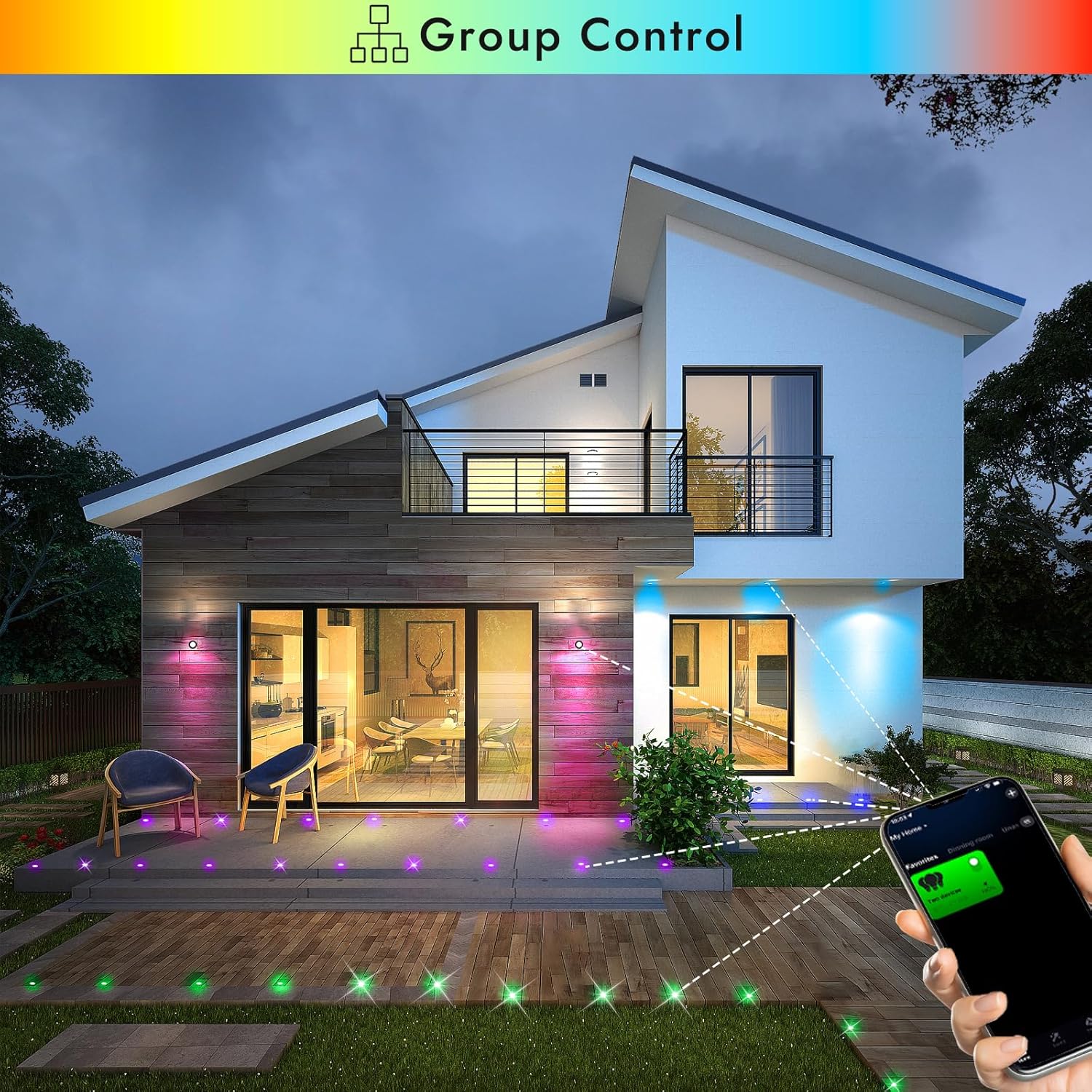
Image 5.1: Smartphone app demonstrating group control of multiple FVTLED deck lights.

Image 5.2: The app interface displaying the music mode feature, allowing lights to react to sound.

Image 5.3: The app interface demonstrating the timer function for scheduling light operations.
5.3. การควบคุมด้วยเสียง (Alexa และ Google Home)
The FVTLED WiFi RGB Deck Lights are compatible with Amazon Alexa and Google Home for convenient voice control.
- เปิดใช้งานทักษะ/การกระทำ: In your Alexa or Google Home app, search for and enable the corresponding skill or action for your FVTLED lights (e.g., 'Magic Home' or similar).
- เชื่อมโยงบัญชี: Link your FVTLED app account with your Alexa or Google Home account.
- ค้นพบอุปกรณ์: สอบถาม Alexa หรือ Google Home เพื่อค้นหาอุปกรณ์ใหม่ ๆ
- คำสั่งเสียง: You can now control your lights using voice commands such as:
"Alexa, turn on the deck lights."
"Hey Google, change deck lights to blue."
"Alexa, dim the deck lights to 50%."
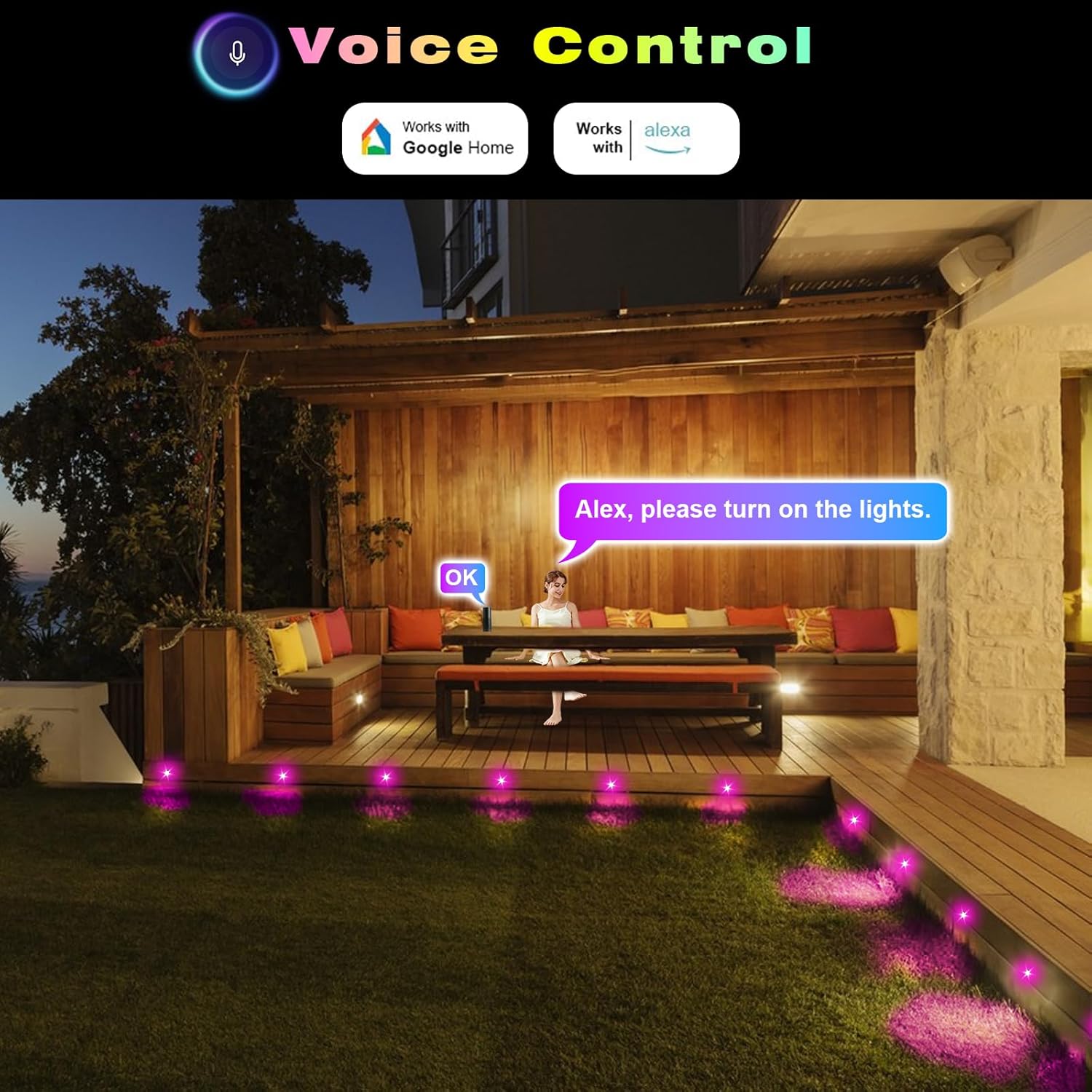
ภาพที่ 5.4: อดีตample of using voice commands with Alexa to control the FVTLED deck lights in an outdoor setting.
5.4. Video Demonstration: WiFi Controller and App Features
Video 5.5: A comprehensive demonstration of the FVTLED WiFi Controller and its features, including app connectivity, color selection, dynamic modes, and timer settings.
6. การบำรุงรักษา
To ensure the longevity and optimal performance of your FVTLED deck lights, follow these maintenance guidelines:
- การทำความสะอาด: Periodically clean the surface of the lights with a soft, damp cloth to remove dirt and debris. Avoid abrasive cleaners or solvents.
- ตรวจสอบการเชื่อมต่อ: Annually inspect all cable connections to ensure they remain tight and free from corrosion. Re-tighten waterproof caps if necessary.
- การตรวจสอบสายเคเบิล: Check cables for any signs of damage, cuts, or fraying. Replace damaged cables immediately to prevent electrical hazards.
- แหล่งจ่ายไฟ: Ensure the power supply unit is kept in a well-ventilated area and is not covered, to prevent overheating.
7 การแก้ไขปัญหา
If you encounter issues with your FVTLED deck lights, refer to the following common problems and solutions:
- ไฟไม่เปิด:
- Check if the power supply is properly plugged into a working outlet.
- Verify all cable connections are secure and tightened.
- Ensure the remote control or app is sending the 'ON' command.
- Test the power supply with another compatible device if possible.
- ปัญหาการเชื่อมต่อ WiFi:
- Ensure your smartphone is connected to a 2.4GHz WiFi network (5GHz networks are often not supported by smart devices).
- Confirm the WiFi controller is within range of your router.
- Try resetting the WiFi controller (refer to app instructions for specific reset procedures, often involves cycling power).
- Verify that location services are enabled on your phone and allowed for the app during setup.
- รีโมทคอนโทรลไม่ทำงาน:
- Check the battery in the remote control (1 CR2 battery required, included).
- Ensure there are no obstructions between the remote and the WiFi controller.
- Confirm the remote is pointed directly at the IR receiver on the controller.
- สี/ความสว่างของแสงไม่สม่ำเสมอ:
- This can sometimes occur with long cable runs due to voltage drop. Ensure your setup adheres to recommended cable lengths.
- Check for any loose connections that might be affecting power delivery to individual lights.
8. ข้อมูลจำเพาะ
| คุณสมบัติ | ข้อมูลจำเพาะ |
|---|---|
| ยี่ห้อ | FVTLED |
| ชื่อรุ่น | WIFI RGB Low Voltage LED Deck Lights Kit |
| หมายเลขรุ่นสินค้า | WIFI-10*D45-RGB |
| แบบฟอร์มการติดตั้งไฟ | เว้าเข้าไป |
| วัสดุ | สแตนเลส โพลีคาร์บอเนต |
| สี | RGB (หลายสี) |
| เล่มที่tage | กระแสตรง 12 โวลต์ |
| วัดtage | 0.5 Watts (Multi-color) / 0.2W (Single-color) |
| เอาท์พุตของลูเมน | 12 LM (per light) |
| มุมลำแสง | 120° |
| ระดับการป้องกันน้ำและฝุ่น (IP) | IP67 (Lights and Cables) |
| ขนาดสินค้า | Φ1.77"L x 1.77"W x 1.02"H (Φ45*H26mm) |
| Mount Hole Size | Φ1.38" (Φ35mm) |
| Cable Length (Per Light) | 1.64 ft (Double 0.5M) |
| ระยะห่างระหว่างไฟ | 3.28 ฟุต (1M) |
| วิธีการควบคุม | Remote, Amazon Alexa, Google Home, Wi-Fi App |
| แบตเตอรี่ | ต้องใช้แบตเตอรี่ CR2 1 ก้อน (มีให้ในรีโมท) |
| จำเป็นต้องประกอบ | ใช่ |
9. การรับประกันและการสนับสนุน
This FVTLED product comes with a Limited Warranty. For specific warranty details, claims, or technical support, please refer to the warranty card included in your package or contact FVTLED customer service directly through their official webไซต์หรือผู้ค้าปลีกที่ซื้อผลิตภัณฑ์


