1. บทนำ
This manual provides detailed instructions for the setup, operation, and maintenance of your Polk Audio Command Sound Bar. This sound bar system integrates Amazon Alexa voice control, offering a hands-free experience for controlling your home theater audio. It features 4K HDMI compatibility, multi-room music capabilities, and Polk's patented Voice Adjust technology for clear dialogue.
2. อะไรอยู่ในกล่อง
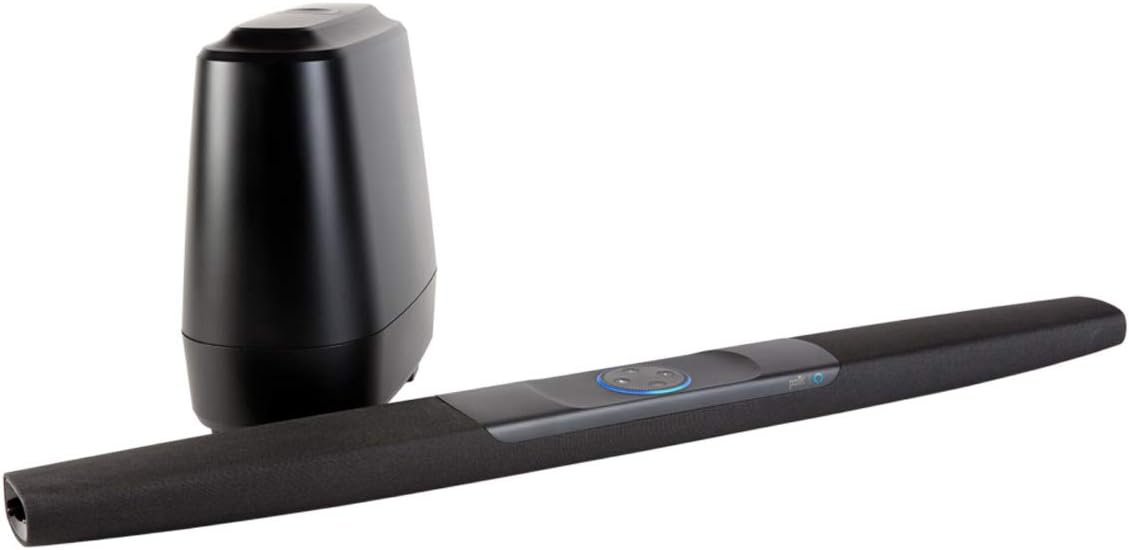
Upon unboxing your Polk Audio Command Sound Bar, ensure all components are present:
- Command Bar sound bar
- ซับวูฟเฟอร์ไร้สาย
- AAA Alkaline batteries (2)
- Sound bar power adapter with 6.5’ (2m) power cord
- สายไฟซับวูฟเฟอร์
- 6.5’ (2m) high-speed HDMI cable (4K compatible)
- สายเคเบิลออปติคอล 6 ฟุต (1.8 ม.)
- Sound bar wall-mount template
- คู่มือเริ่มต้นอย่างรวดเร็ว
3. การตั้งค่า
3.1 แกะกล่อง
To safely unbox your Command Bar, lay the product box on its side. Release the tabs and slide out the contents. All necessary components for setup are included within the packaging.

3.2 การเชื่อมต่อกับทีวีของคุณ
The Command Bar can be connected to your television using either an HDMI cable (recommended) or an Optical cable.
- การเชื่อมต่อ HDMI ARC (แนะนำ): Locate an HDMI input on your TV labeled "ARC" (Audio Return Channel). Connect one end of the provided HDMI cable to this port on your TV and the other end to the "TV (ARC) HDMI OUT" port on the Command Bar. HDMI ARC allows for high-quality multi-channel audio and enables control of the sound bar using your TV's remote via CEC (Consumer Electronics Control).
- การเชื่อมต่อด้วยแสง: If your TV does not have an HDMI ARC port, connect one end of the provided Optical cable to your TV's optical audio output and the other end to the "TV OPTICAL" input on the Command Bar.

For detailed information on your TV's HDMI ARC or CEC compatibility, consult your television's owner's manual.
3.3 Power Connection and Subwoofer Pairing
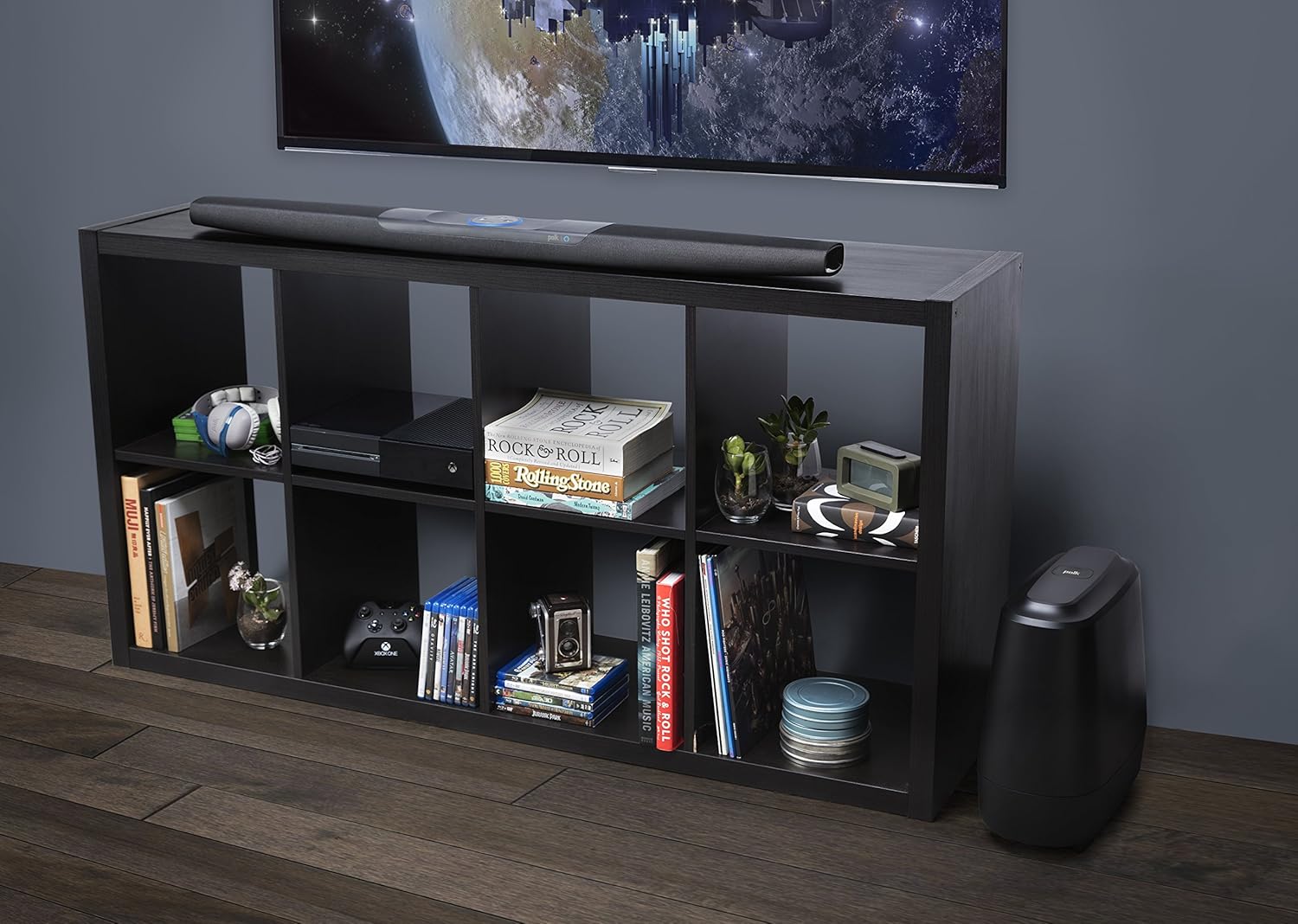
- Position the Command Bar and connect its power adapter to an AC outlet.
- Position the wireless subwoofer and connect its power cord to an AC outlet.
- Once both units are plugged in and powered on, the Command Bar and subwoofer should automatically pair within approximately 30 seconds.
- To verify successful pairing, check for a solid green "BAR SYNC" light on the back of the subwoofer. If the light is not solid green, refer to the Troubleshooting section or the Quick Start Guide for pairing instructions.


4. คู่มือการใช้งาน
4.1 การควบคุมด้วยเสียง Amazon Alexa
The Polk Command Bar has Amazon Alexa built-in, allowing for hands-free control of various functions. To activate Alexa, simply say "Alexa" followed by your command. The light ring on the sound bar will illuminate to indicate Alexa is listening.
- การควบคุมระดับเสียง: "Alexa, turn up the volume," or "Alexa, set volume to 5."
- การเล่นเพลง: "Alexa, play music," "Alexa, play [song/artist] on Amazon Music."
- การสลับอินพุต: "Alexa, switch to HDMI 1," or "Alexa, switch to TV optical."
- การควบคุมบ้านอัจฉริยะ: Control compatible smart home devices by linking them through the Alexa app.
Ensure your Command Bar is connected to your Wi-Fi network and linked to your Amazon account via the Alexa app for full functionality.
Video 4.1: An official Polk Audio video demonstrating the unboxing and setup process for the Command Sound Bar, including connecting to a TV and pairing the subwoofer.
4.2 เทคโนโลยีปรับเสียง
Polk's patented Voice Adjust technology allows you to customize voice levels to reproduce clear, crisp dialogue. This feature ensures you hear every word, even during action-packed scenes. Use the remote control or Alexa voice commands to adjust the Voice Adjust settings.
4.3 Multi-Room Music
With Amazon Multi-Room Music, you can play and control your music across multiple Amazon devices, including your Polk Command Bar. Group compatible devices in the Alexa app to enjoy synchronized audio throughout your home.
4.4 HDMI CEC Functionality
If connected via HDMI ARC, the Command Bar supports CEC (Consumer Electronics Control). This feature allows your TV remote to control basic functions of the sound bar, such as volume and mute. It also disables your TV's internal speakers and provides an on-screen volume graphic when adjusting the sound bar's volume.
5 การแก้ไขปัญหา
| ปัญหา | สาเหตุที่เป็นไปได้ | สารละลาย |
|---|---|---|
| ไม่มีเสียงจากซาวด์บาร์ | เลือกอินพุตไม่ถูกต้อง ระดับเสียงต่ำเกินไป และสายเคเบิลไม่ได้เชื่อมต่ออย่างถูกต้อง |
|
| Subwoofer not pairing. | Subwoofer not powered on, out of range, pairing issue. |
|
| Alexa not responding or connecting to Wi-Fi. | No internet connection, incorrect Alexa setup, microphone muted. |
|
| คุณภาพเสียงไม่ดีหรือผิดเพี้ยน | Incorrect audio settings, speaker placement, source quality. |
|
Video 5.1: An official Polk Audio "How-to" video providing guidance on various functions and troubleshooting tips for the Polk Command Bar.
6. ข้อมูลจำเพาะ
| คุณสมบัติ | รายละเอียด |
|---|---|
| ชื่อรุ่น | เอเอ็ม9640 |
| ยี่ห้อ | Polk-Audio |
| ประเภทลำโพง | ล้อมรอบ |
| คุณสมบัติพิเศษ | ซับวูฟเฟอร์ |
| การใช้ที่แนะนำ | เพลง, โฮมเธียเตอร์ |
| อุปกรณ์ที่รองรับ | โทรทัศน์ |
| เส้นผ่านศูนย์กลางซับวูฟเฟอร์ | 6 นิ้ว |
| การกำหนดค่าช่องเสียงรอบทิศทาง | 2.1 |
| สี | สีดำ |
| ขนาดสินค้า | ลึก 4 นิ้ว x กว้าง 43.3 นิ้ว x สูง 2.1 นิ้ว |
| น้ำหนักสินค้า | 4.95 ปอนด์ |
| วิธีการควบคุม | เสียง |
| เทคโนโลยีการสื่อสารไร้สาย | บลูทูธ |
| แหล่งพลังงาน | สายไฟ |
| กำลังขับสูงสุดของลำโพง | 260 วัตต์ |
| การตอบสนองความถี่ | 22000 เฮิรตซ์ |
| เทคโนโลยีการเชื่อมต่อ | HDMI, ออปติคัล |
| ยูพีซี | 747192129606 |

7. การรับประกันและการสนับสนุน
The Polk Audio Command Sound Bar comes with a Limited Warranty. For specific warranty terms, conditions, and duration, please refer to the warranty card included in your product packaging or visit the official Polk Audio webเว็บไซต์.
หากต้องการความช่วยเหลือด้านเทคนิค การลงทะเบียนผลิตภัณฑ์ หรือความช่วยเหลือเพิ่มเติม โปรดไปที่ [ที่อยู่เว็บไซต์/เว็บไซต์] ร้านจำหน่ายอุปกรณ์เครื่องเสียง Polk บน Amazon หรืออย่างเป็นทางการของพวกเขา webเว็บไซต์.


