สินค้าเกินview
The Amazon Basics Full Size Ergonomic Wireless Mouse is designed for comfort and seamless functionality, ideal for right-hand use. This black wireless mouse provides reliable performance for both laptops and PCs, enhancing your computing experience with its advanced features.
Key features include fast-scrolling capabilities, a clickable scroll wheel, and convenient forward/back thumb buttons for streamlined navigation. It connects via a compact USB receiver, allowing for a tidy workspace without occupying additional ports. The optical sensor offers a 1600 DPI resolution for smooth and accurate tracking on most surfaces. An integrated on/off switch helps extend battery life, making it a dependable choice for continuous use. The mouse operates on a stable 2.4 GHz non-Bluetooth wireless connection and comes with 2 AA batteries and a battery LED light for user convenience.
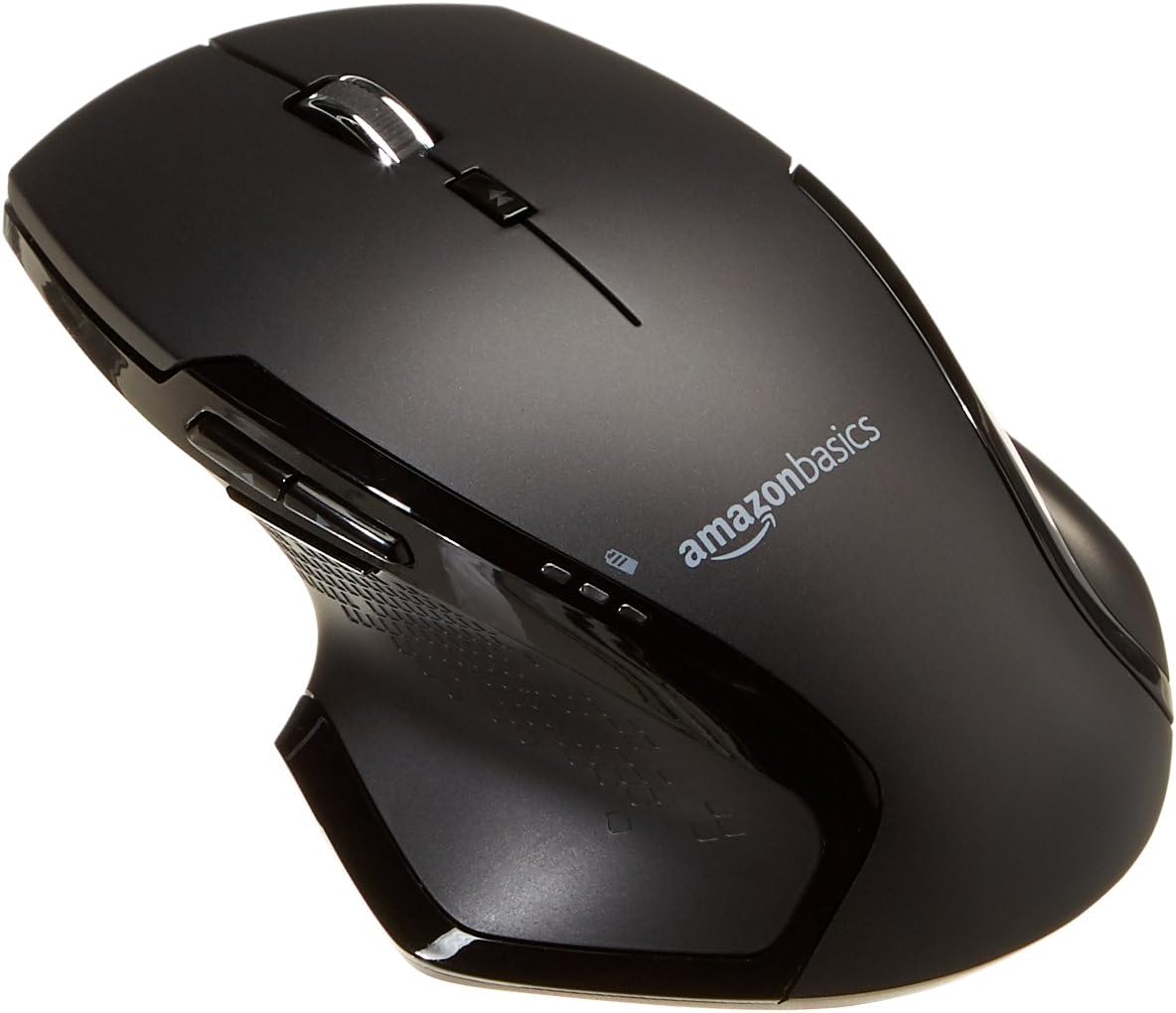
ภาพ: ด้านบน view of the Amazon Basics Full Size Ergonomic Wireless Mouse, showcasinด้วยพื้นผิวสีดำและการออกแบบตามหลักสรีรศาสตร์
เนื้อหาแพ็คเกจ
ตรวจสอบให้แน่ใจว่ามีรายการทั้งหมดอยู่ก่อนดำเนินการตั้งค่า:
- เมาส์ไร้สาย
- แบตเตอรี่ AA 2 ก้อน
- ตัวรับสัญญาณ USB
การตั้งค่า
1. การติดตั้งแบตเตอรี่
- พลิกเมาส์คว่ำลง
- ค้นหาฝาปิดช่องใส่แบตเตอรี่ที่ด้านล่างของเมาส์
- เลื่อนฝาเปิดออก
- ใส่แบตเตอรี่ AA สอง (2) ก้อน โดยตรวจสอบให้แน่ใจว่าขั้วถูกต้อง (+/-) ตามที่ระบุไว้ภายในช่องใส่แบตเตอรี่
- ปิดฝาช่องใส่แบตเตอรี่ให้แน่น

Image: Underside of the mouse with the battery compartment open, showing the slots for two AA batteries and the stored USB receiver.
2. การเชื่อมต่อตัวรับสัญญาณ USB
- Remove the USB receiver from its storage slot within the battery compartment of the mouse.
- Plug the USB receiver into an available USB port on your computer (PC or Mac).
- หมุนเมาส์ ON using the on/off switch located on the underside of the mouse.
- คอมพิวเตอร์ของคุณจะตรวจจับและติดตั้งไดรเวอร์ที่จำเป็นโดยอัตโนมัติ ซึ่งอาจใช้เวลาสักครู่

Image: The Amazon Basics wireless mouse positioned next to a laptop, illustrating a typical setup.
The mouse is plug-and-play and does not require additional software installation. For pointer speed adjustments, refer to your operating system's system settings.
คำแนะนำการใช้งาน
ฟังก์ชั่นพื้นฐาน
- คลิกซ้าย: ปุ่มหลักสำหรับเลือกรายการ เปิด fileและปฏิสัมพันธ์กับซอฟต์แวร์
- คลิกขวา: ปุ่มรองสำหรับเข้าถึงเมนูบริบทและตัวเลือกเพิ่มเติม
- ล้อเลื่อน: เลื่อนขึ้นหรือลงผ่านเอกสารและ web pages. The wheel is also clickable for middle-click functions.

ภาพ: ด้านข้าง view of the Amazon Basics wireless mouse, highlighting its ergonomic contours and side buttons.
Advanced Functions (Thumb Buttons)
- ปุ่มไปข้างหน้า: นำทางไปข้างหน้าใน web เบราว์เซอร์หรือ file นักสำรวจ
- ปุ่มย้อนกลับ: นำทางย้อนกลับใน web เบราว์เซอร์หรือ file นักสำรวจ

Image: A hand demonstrating the ergonomic grip on the Amazon Basics wireless mouse, showing natural placement of fingers and thumb on the buttons.
การซ่อมบำรุง
- การทำความสะอาด: ใช้ผ้านุ่มและแห้งเช็ดทำความสะอาดเมาส์ สำหรับคราบฝังแน่น ให้เช็ดเบาๆamp สามารถใช้ผ้าได้ แต่ต้องแน่ใจว่าไม่มีความชื้นเข้าไปในส่วนประกอบภายใน
- การเปลี่ยนแบตเตอรี่: When the battery LED light indicates low power, replace both AA batteries promptly to ensure optimal performance.
- พื้นที่จัดเก็บ: When not in use for extended periods, turn off the mouse using the on/off switch to conserve battery life. The USB receiver can be stored inside the battery compartment for safekeeping.
การแก้ไขปัญหา
| ปัญหา | สาเหตุที่เป็นไปได้ | สารละลาย |
|---|---|---|
| เมาส์ไม่ตอบสนอง |
|
|
| การเคลื่อนไหวของเคอร์เซอร์ไม่แน่นอนหรือกระตุก |
|
|
| Forward/Back buttons not working on Mac. |
|
|
ข้อมูลจำเพาะ
| คุณสมบัติ | รายละเอียด |
|---|---|
| ยี่ห้อ | พื้นฐานของ Amazon |
| หมายเลขรุ่น | GP8-BK |
| เทคโนโลยีการเชื่อมต่อ | 2.4 GHz ไร้สาย (ตัวรับสัญญาณ USB) |
| เทคโนโลยีตรวจจับการเคลื่อนไหว | ออฟติคอล |
| DPI ความละเอียด | 1600 จุดต่อนิ้ว |
| แหล่งพลังงาน | 2 x AA แบตเตอรี่ (รวมอยู่ด้วย) |
| สี | สีดำ |
| น้ำหนักสินค้า | 8 ออนซ์ (ประมาณ 227 กรัม) |
| ขนาดสินค้า (กxยxส) | 4.96 x 1.77 x 3.24 นิ้ว (ประมาณ 12.6 x 4.5 x 8.2 ซม.) |
| ระบบปฏิบัติการที่รองรับ | PC (Windows 7 and above), Mac, Laptop, Chromebook |
การรับประกันและการสนับสนุน
สำหรับข้อมูลการรับประกันและการบริการลูกค้า โปรดดูที่เว็บไซต์อย่างเป็นทางการของ Amazon Basics website or the documentation included with your product. You can also find additional resources and contact information via the following links:
หากต้องการความช่วยเหลือเพิ่มเติม โปรดติดต่อฝ่ายบริการลูกค้าของ Amazon Basics


