ข้อมูลด้านความปลอดภัยที่สำคัญ
โปรดอ่านคำแนะนำทั้งหมดอย่างละเอียดก่อนประกอบและใช้งาน เก็บคู่มือนี้ไว้เพื่อใช้อ้างอิงในอนาคต
- ความจุน้ำหนัก: Do not exceed the maximum weight capacity of 42.5 kilograms (93.7 lbs) for the entire stand. Distribute weight evenly across shelves.
- จุดบีบคั้น: Use caution when adjusting the shelves to avoid pinch points.
- ความเสถียร: Always ensure the TV stand is stable and level before placing a television or any components on it.
- การจัดวาง: Place the stand on a flat, stable surface. Avoid placing it in high-traffic areas where it could be easily bumped.
- เด็ก: Keep children away from the stand during assembly. Do not allow children to climb on or play with the stand.
สินค้าเกินview
The Insignia TV Stand (Model B077SNBPFH) is designed to support most televisions up to 48 inches. It features a durable alloy steel frame and safety-tempered glass shelves, providing a secure and organized space for your entertainment components. The open frame design facilitates easy cable management.

Figure 1: Insignia TV Stand with a television and various media devices on its shelves, showcasing การออกแบบและความจุของมัน
การติดตั้งและการประกอบ
This Insignia TV stand is designed for freestanding installation and does not require assembly. It comes pre-assembled for your convenience.
การแกะบรรจุภัณฑ์และการตรวจสอบ
- Carefully remove the TV stand from its packaging.
- Inspect all components for any signs of damage. If any parts are damaged or missing, do not proceed with setup. Contact customer support immediately.
- Ensure all packing materials are removed before placement.
การจัดวาง
- Choose a flat, level, and stable surface for the TV stand.
- Ensure there is adequate space around the stand for ventilation of electronic devices and easy access to cables.
- Verify that the chosen location can support the combined weight of the stand, your television, and all components.
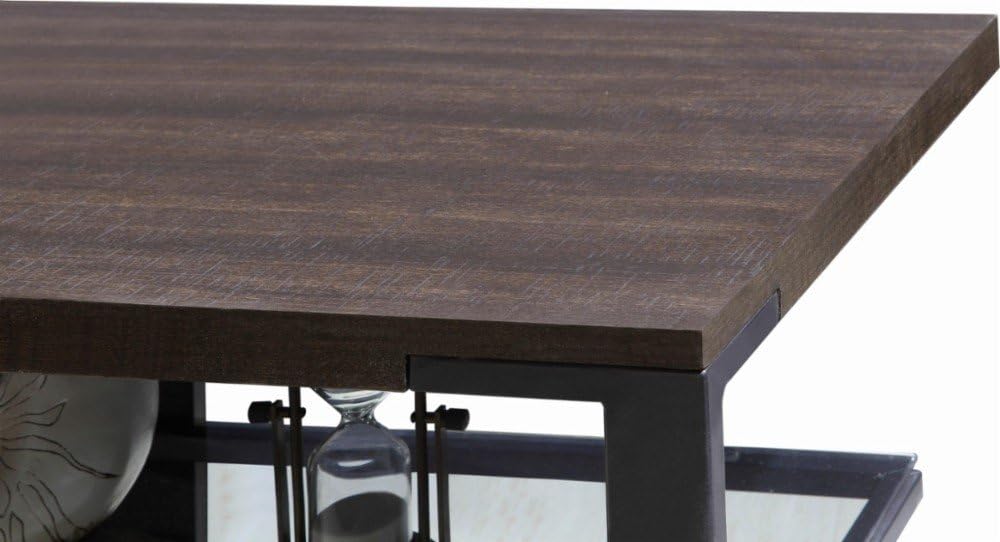
Figure 2: Detail of the top shelf and frame connection, highlighting the sturdy construction.
คำแนะนำการใช้งาน
Placing Your Television
- Carefully lift your television and center it on the top surface of the TV stand.
- Ensure the television's base is fully supported by the stand's top surface.
- Do not place a television larger than 48 inches or exceeding the stand's weight capacity (42.5 kg / 93.7 lbs).
Arranging Components
The stand features two safety-tempered glass shelves for organizing your media devices, such as DVD players, gaming consoles, soundbars, and cable boxes.
- Distribute the weight of your components evenly across the shelves.
- Ensure adequate airflow around electronic devices to prevent overheating.
การจัดการสายเคเบิล
The open frame design and integrated cable management holes (as shown in Figure 3) allow for neat routing of power cords and signal cables.
- Route cables through the designated holes at the back of the stand.
- Use cable ties or wraps (not included) to bundle cables together for a tidy appearance and to prevent tangling.
- ตรวจสอบให้แน่ใจว่าสายเคเบิลไม่ถูกหนีบหรือตึงเกินไป

รูปที่ 3: View of the stand's shelves and the circular cutouts designed for cable routing.
การซ่อมบำรุง
การทำความสะอาด
- ชั้นวางกระจก: Use a soft, lint-free cloth and a non-abrasive glass cleaner. Spray cleaner onto the cloth, not directly onto the glass, to avoid streaks and potential damage to other materials.
- Frame and Wood Surfaces: เช็ดด้วยผ้านุ่มๆamp ใช้ผ้าเช็ดทำความสะอาด สำหรับคราบฝังแน่น ให้ใช้ผลิตภัณฑ์ทำความสะอาดที่ไม่กัดกร่อนและอ่อนโยน เช็ดให้แห้งทันทีด้วยผ้าสะอาด
- หลีกเลี่ยงการใช้สารเคมีรุนแรง น้ำยาทำความสะอาดที่มีฤทธิ์กัดกร่อน หรือแผ่นขัดถู เพราะอาจทำให้พื้นผิวเสียหายได้
การตรวจสอบเป็นประจำ
- Periodically check the stand for stability. Ensure it remains level and all connections are secure.
- Inspect glass shelves for any chips or cracks. If damage is found, discontinue use and contact customer support.
การแก้ไขปัญหา
This section addresses common issues you might encounter with your TV stand.
Stand is Unstable/Wobbly
- ตรวจสอบพื้นผิว: Ensure the stand is placed on a completely flat and level surface. Uneven flooring can cause instability.
- การกระจายน้ำหนัก: Verify that the weight of your television and components is evenly distributed. Overloading one side can affect stability.
- Inspect Frame: Check the alloy steel frame for any signs of bending or damage.
Glass Shelf Damage
- If a glass shelf is chipped, cracked, or broken, discontinue use immediately to prevent injury.
- Contact Insignia customer support for replacement options. Do not attempt to repair damaged glass yourself.
Cables are Tangled/Messy
- Utilize the cable management holes at the back of the stand.
- Bundle cables together using cable ties or Velcro straps to keep them organized and out of sight.
ข้อมูลจำเพาะ
| ยี่ห้อ | INSIGNIA |
| หมายเลขรุ่น | B077SNBPFH |
| สี | เอสเพรสโซ/เกรย์ |
| ขนาดทีวีที่แนะนำ | สูงถึง 48 นิ้ว |
| จำกัด น้ำหนัก | 42.5 กิโลกรัม (93.7 ปอนด์) |
| วัสดุ | Alloy Steel (Frame), Tempered Glass (Shelves) |
| จำนวนชั้นวาง | 2 |
| ประเภทการติดตั้ง | อิสระ |
| จำเป็นต้องประกอบ | เลขที่ |
| ยูพีซี | 600603212314 |
ข้อมูลการรับประกัน
Specific warranty details for the Insignia TV Stand (Model B077SNBPFH) are typically provided with the product packaging or can be found on the official Insignia webไซต์ โปรดดูแหล่งข้อมูลเหล่านี้เพื่อดูข้อกำหนดและเงื่อนไขการรับประกันที่ถูกต้องและเป็นปัจจุบันที่สุด
Generally, warranties cover manufacturing defects under normal use. Keep your proof of purchase for any warranty claims.
การสนับสนุนลูกค้า
If you have any questions, require assistance with your Insignia TV stand, or need to report a damaged part, please contact Insignia customer support.
- การสนับสนุนทางออนไลน์: Visit the official Insignia website for FAQs, support documents, and contact options.
- การสนับสนุนผู้ค้าปลีก: For purchase-related inquiries, you may also contact the retailer from whom you purchased the product.


