การแนะนำ
Thank you for choosing Symphonized Wireless Sport Earbuds. These headphones are designed to provide a high-fidelity audio experience with the convenience of wireless connectivity, ideal for sports, exercise, and daily use. This manual will guide you through the setup, operation, maintenance, and troubleshooting of your new earbuds.
เนื้อหาแพ็คเกจ
โปรดตรวจสอบว่าสินค้าทั้งหมดมีอยู่ในแพ็คเกจของคุณ:
- Symphonized Wireless Sport Earbuds
- Additional Ear Tips (S/M/L)
- สายชาร์จ (USB)
- คู่มือการใช้งาน
สินค้าเกินview


ส่วนประกอบหลัก:
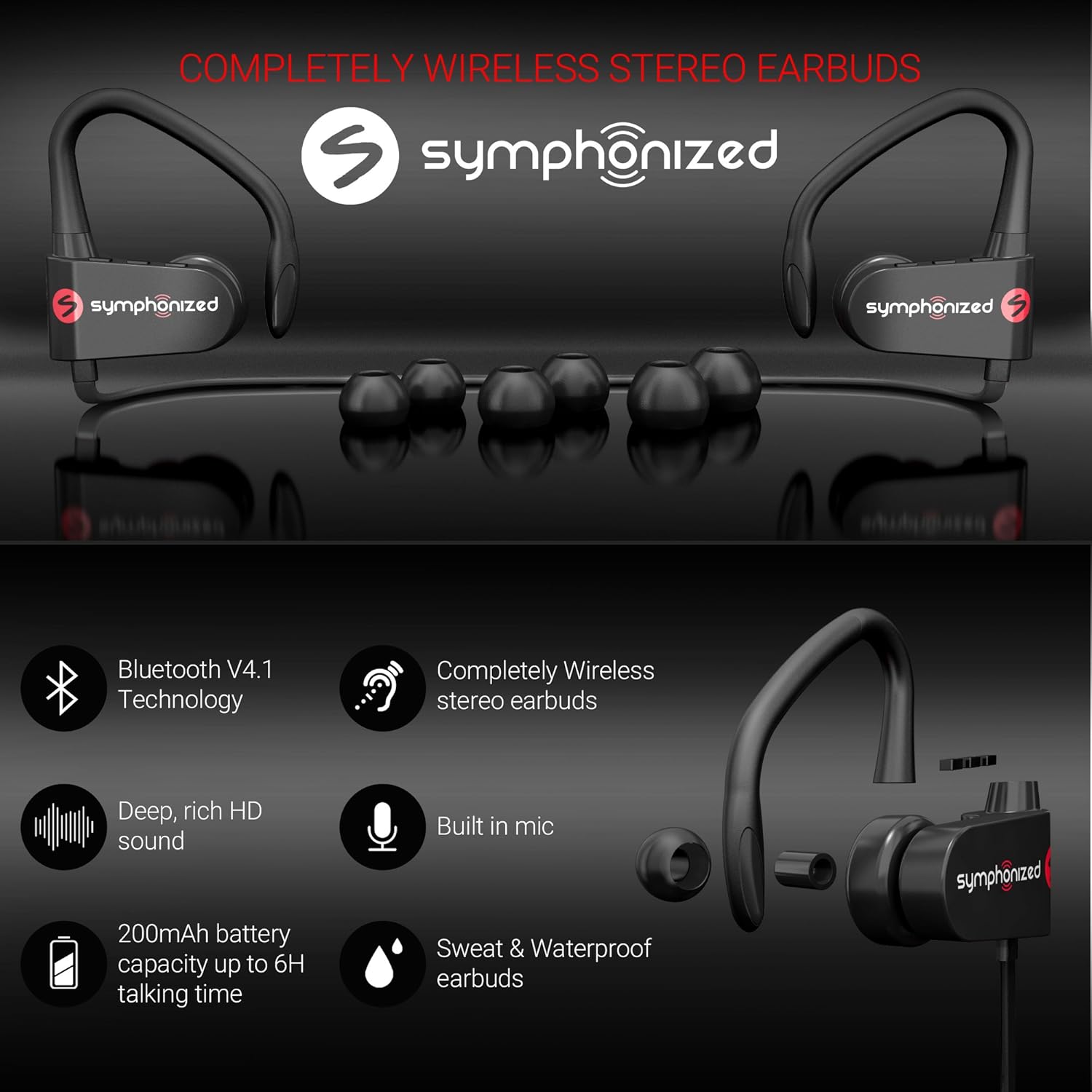
- หูฟัง: Left and right earpieces with integrated ear hooks.
- Neckband Cable: Connects the two earbuds and houses the battery and main controls.
- แผงควบคุม: Located on one of the earbuds, typically includes Power/Multi-function button, Volume Up/Next Track, Volume Down/Previous Track.
- ไมโครโฟน: สร้างขึ้นเพื่อการโทรแบบแฮนด์ฟรี
- พอร์ตชาร์จ: พอร์ต Micro USB สำหรับชาร์จไฟ
การตั้งค่า
1. การชาร์จหูฟังเอียร์บัด
Before first use, fully charge your earbuds. Connect the provided USB charging cable to the charging port on the earbuds and the other end to a USB power source (e.g., computer USB port, wall adapter). The charging time is approximately 2 ชั่วโมง เพื่อการชาร์จเต็ม
An indicator light will typically show red during charging and turn blue or off when fully charged.
2. การจับคู่บลูทู ธ
วิธีเชื่อมต่อหูฟังของคุณกับอุปกรณ์:
- Ensure the earbuds are turned off.
- Press and hold the Multi-function button (usually the power button) for approximately 5-7 seconds until the indicator light flashes red and blue alternately. This indicates pairing mode.
- บนอุปกรณ์ของคุณ (สมาร์ทโฟน แท็บเล็ต แล็ปท็อป) เปิดใช้งาน Bluetooth และค้นหาอุปกรณ์ใหม่
- Select "Symphonized PWR" or a similar name from the list of available devices.
- Once connected, the indicator light on the earbuds will typically flash blue slowly or turn off. You will also hear an audible confirmation.
The earbuds use Bluetooth V4.1 technology and have a wireless range of up to 10 เมตร (33 ฟุต) in an open environment.

3. การสวมหูฟัง
For optimal sound quality and comfort, choose the correct size ear tips from the included options (S/M/L). The ear hooks are designed to provide a secure fit, especially during physical activity.
- Select the ear tips that create a comfortable seal in your ear canal.
- Place the earbud into your ear, ensuring the ear hook goes over the top of your ear.
- Adjust the earbud and hook until it feels secure and comfortable.

คำแนะนำการใช้งาน
เปิด/ปิดเครื่อง
- เปิดเครื่อง: Press and hold the Multi-function button for approximately 3 seconds until the indicator light flashes blue and you hear a power-on prompt.
- หมดแรง: Press and hold the Multi-function button for approximately 3-5 seconds until the indicator light flashes red and you hear a power-off prompt.
การเล่นเพลง
- เล่น/หยุดชั่วคราว: กดปุ่มมัลติฟังก์ชั่นสั้นๆ
- ปรับระดับเสียงขึ้น: กดปุ่ม "+" สั้นๆ
- ลดเสียงลง: กดปุ่ม "-" สั้นๆ
- เพลงถัดไป: กดปุ่ม "+" ค้างไว้
- แทร็กก่อนหน้า: กดปุ่ม "-" ค้างไว้
การจัดการการโทร
- รับ/วางสาย: กดปุ่มมัลติฟังก์ชั่นสั้นๆ
- ปฏิเสธสาย: Long press the Multi-function button.
- โทรซ้ำหมายเลขล่าสุด: กดปุ่มมัลติฟังก์ชั่นสองครั้ง
ผู้ช่วยเสียง (Siri/Google Assistant)
If supported by your device, a quick triple-press of the Multi-function button may activate your device's voice assistant.
การบำรุงรักษาและการดูแล
- การทำความสะอาด: Use a soft, dry cloth to clean the earbuds. Do not use harsh chemicals or abrasive materials. Regularly clean ear tips to prevent wax buildup.
- พื้นที่จัดเก็บ: Store the earbuds in a cool, dry place away from extreme temperatures and direct sunlight.
- ความต้านทานน้ำ: หูฟังแบบเอียร์บัดเป็น ทนน้ำ, making them suitable for workouts and light rain. Do not submerge them in water or expose them to heavy downpours. Ensure the charging port cover is securely closed when not charging.
- การดูแลแบตเตอรี่ To prolong battery life, avoid fully discharging the battery frequently. Charge the earbuds regularly, even if not in use for extended periods.
การแก้ไขปัญหา
| ปัญหา | สาเหตุที่เป็นไปได้ | สารละลาย |
|---|---|---|
| หูฟังเปิดไม่ติด | แบตเตอรี่อ่อน | ชาร์จหูฟังให้เต็ม |
| ไม่สามารถจับคู่กับอุปกรณ์ได้ | หูฟังไม่ได้อยู่ในโหมดจับคู่, บลูทูธบนอุปกรณ์ปิดอยู่, อุปกรณ์อยู่ไกลเกินไป | Ensure earbuds are in pairing mode (flashing red/blue). Turn on Bluetooth on your device. Move device closer to earbuds (within 10m). Forget previous pairings on your device and try again. |
| ไม่มีเสียงหรือเสียงเบา | Volume too low on earbuds or device; earbuds not connected. | Increase volume on both earbuds and your device. Reconnect the earbuds to your device. |
| การเชื่อมต่อไม่ต่อเนื่อง | Interference; device too far; obstacles. | Move closer to your device. Avoid environments with strong Wi-Fi or other Bluetooth signals. Remove obstacles between earbuds and device. |
ข้อมูลจำเพาะ
| คุณสมบัติ | รายละเอียด |
|---|---|
| ชื่อรุ่น | pwr_black |
| เทคโนโลยีการเชื่อมต่อ | ไร้สาย (Bluetooth) |
| เวอร์ชันบลูทูธ | 4.1 |
| ช่วงบลูทูธ | 10 เมตร |
| อายุการใช้งานแบตเตอรี่ | เล่นได้นานสูงสุด 6 ชั่วโมง |
| เวลาในการชาร์จ | 2 ชั่วโมง |
| ช่วงความถี่ | 18เฮิรตซ์-22กิโลเฮิรตซ์ |
| ระดับความต้านทานต่อน้ำ | ทนน้ำ |
| ประเภทการควบคุม | การควบคุมระดับเสียง, ระบบสัมผัส |
| รูปทรงของหูฟัง | In-Ear with Ear Hooks |
| วัสดุ | โลหะ, ซิลิโคน |
| น้ำหนักสินค้า | 3.2 ออนซ์ |
| ยูพีซี | 700600921889 |
การรับประกันและการสนับสนุน
Symphonized products are designed for durability and performance. For information regarding product warranty, please refer to the documentation included with your purchase or visit the official Symphonized website. For customer support, troubleshooting assistance, or to inquire about returns, please contact Symphonized directly through their official channels.
You can visit the Symphonized brand store on Amazon for more information: Symphonized Store
หมายเหตุสำคัญ
ไม่มีวิดีโอผลิตภัณฑ์อย่างเป็นทางการจากผู้ขายที่สามารถฝังได้ตามข้อมูลที่ให้มา


