1. บทนำ
Thank you for choosing the Back Bay Audio American EQ 40 2-in-1 Wireless & Wired Bluetooth Earbuds. These earbuds offer versatile audio experiences, allowing you to switch between wireless Bluetooth and wired connections. Designed for active lifestyles, they feature sweatproof construction, multiple sound modes, and a built-in microphone for hands-free calls.

Image 1: Back Bay Audio American EQ 40 Earbuds, showcasinด้วยการออกแบบที่เพรียวบาง
2. การตั้งค่า
2.1 กำลังชาร์จหูฟังเอียร์บัด
Before first use, fully charge your earbuds. Connect the micro USB charging cable to the charging port on the inline control module and the other end to a USB power source. The LED indicator will show charging status.
2.2 Wireless Bluetooth Pairing
- โปรดตรวจสอบให้แน่ใจว่าหูฟังปิดอยู่แล้ว
- Press and hold the middle button on the inline control module until the LED indicator flashes blue and red, indicating pairing mode.
- บนอุปกรณ์ของคุณ (สมาร์ทโฟน แท็บเล็ต คอมพิวเตอร์) เปิดใช้งาน Bluetooth และค้นหาอุปกรณ์ที่มีอยู่
- Select "Back Bay American EQ 40" from the list.
- เมื่อเชื่อมต่อแล้ว ไฟ LED จะกะพริบเป็นสีน้ำเงินเป็นระยะ
2.3 การเชื่อมต่อแบบมีสาย
To use the earbuds in wired mode, connect the provided AUX cable to the micro USB port on the inline control module and the 3.5mm jack to your audio device. Wired mode functions without battery power, making it ideal if your earbuds are uncharged or for devices without Bluetooth.

Image 2: Comparison of wireless and wired modes, highlighting battery life differences.
3. คู่มือการใช้งาน
3.1 Inline Control Module
The inline control module features three buttons for managing your audio and calls:
- ปุ่มกลาง: Power On/Off (long press), Play/Pause (single press), Answer/End Call (single press), Activate Voice Assistant (long press), Switch EQ Mode (double press).
- เพิ่มระดับเสียง (+): Increase volume (single press), Next Track (long press).
- ลดเสียงลง (-): Decrease volume (single press), Previous Track (long press).
3.2 โหมดปรับเสียง EQ
The American EQ 40 earbuds offer 5 distinct sound modes. Double-press the middle button to cycle through them. You will hear a beep when the EQ changes. The earbuds start in Mode #1 when paired to a new phone. To reset to Mode #1, "forget" the earbuds in your phone's Bluetooth settings.
- 1. Back Bay Signature: The classic American Hi-fi sound. Strong bass, natural vocals, and crisp highs.
- 2. Atlanta Bass: เสียงเบสที่ดังกระหึ่มที่จะยกระดับเพลงแร็พหรือ EDM ขึ้นไปอีกระดับ
- 3. Stadium Rock: Tighter and punchier, this setting captures that great 80's concert sound.
- 4. Pure Podcast: Loud and clear vocals with all the boomy and harsh noise stripped out.
- 5. Clean Classical: ความชัดเจนที่เปิดกว้างและโปร่งสบายพร้อมโทนเสียงที่สมบูรณ์และสมบูรณ์

Image 3: Visual representation of the 5 distinct EQ sound modes.
3.3 Hands-Free Phone Calls
The earbuds feature an in-line microphone with CVC noise cancellation for clear calls in wireless mode. Use the middle button to answer or end calls. The microphone only functions in wireless mode.
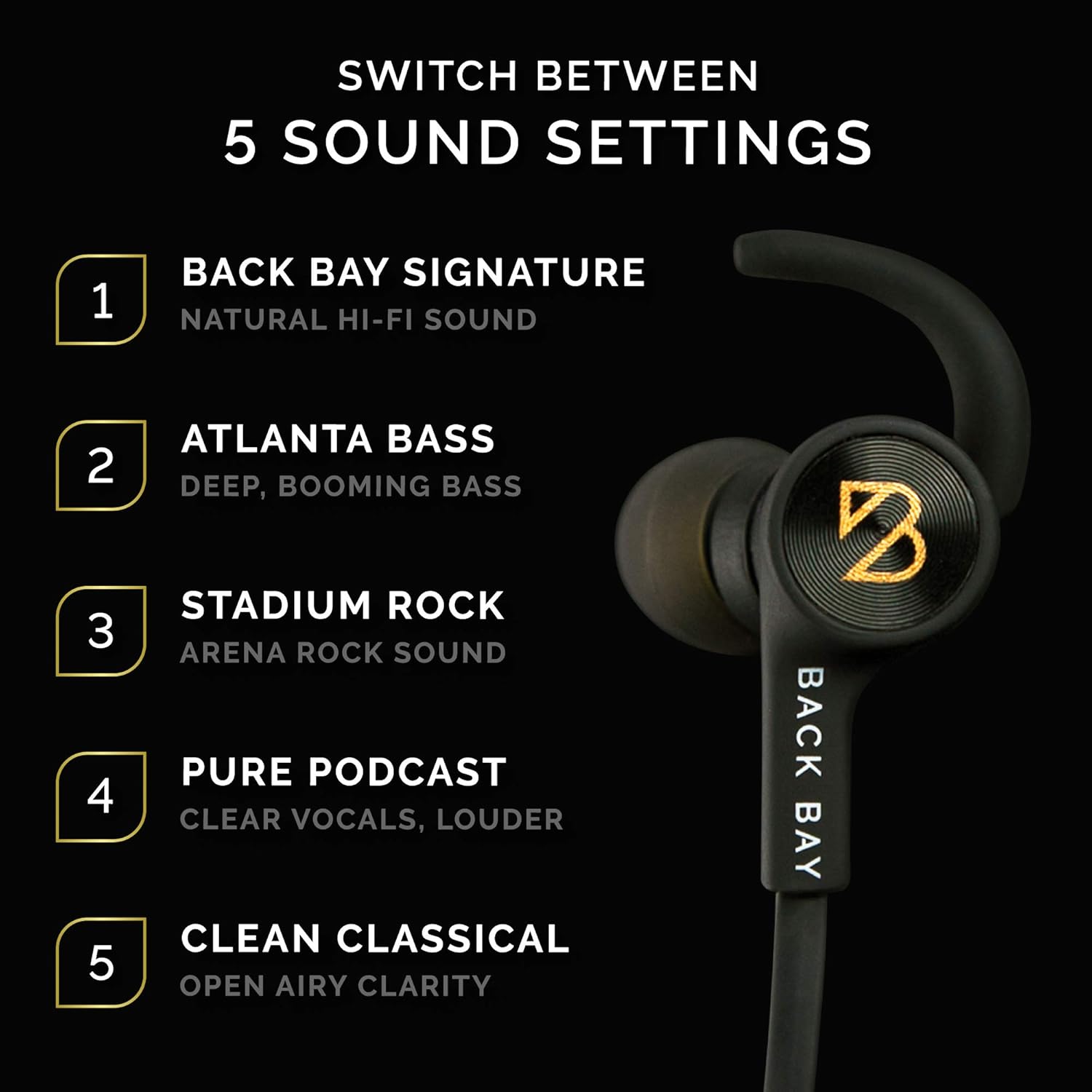
Image 4: User demonstrating wireless phone calls with the built-in microphone.
4. ความสบายและการสวมใส่
The American EQ 40 earbuds come with various accessories to ensure a secure and comfortable fit, especially during physical activity.
- Stabilizer "Wings": These removable wings fit into the outer ear to prevent the earbuds from falling out during vigorous movement.
- เคล็ดลับหู: A selection of isolation tips (to block outside noise) and open ear tips (to stay aware of surroundings) are included to customize your listening experience and fit.
- Collar Clips: Use these clips to secure the cable to your clothing, preventing it from bouncing while you run or exercise.
- Cable Adjuster: Slide the adjuster to shorten the cable length for a more snug fit around your neck.
- ตัวล็อกแม่เหล็ก: The earbud housings feature magnetic clasps, allowing them to connect around your neck when not in use, preventing loss.

Image 5: Various running accessories including collar clips, cable adjuster, stabilizer wings, and ear tips.

Image 6: Close-up of the removable stabilizer and magnetic clasp features.
5. คุณภาพเสียง
The American EQ 40 earbuds are tuned in Boston, MA, to deliver a rich, balanced sound profile with strong bass, natural midrange, and crisp highs. They are powered by Qualcomm Apt-X technology for high-fidelity wireless audio.

Image 7: Earbud showcasing "Back Bay's Signature Sound" and "Apt-X Audio" branding.
The earbuds offer impressive volume levels, ensuring your music is clear even in noisy environments. While wireless mode provides excellent sound, the wired connection can offer a slightly cleaner audio experience by eliminating potential digital noise or distortion.
วิดีโอ 1: การประชุมอย่างเป็นทางการview of the Back Bay Audio Wired + Wireless Hybrid Earbuds, demonstrating their features and functionality.
6. การบำรุงรักษา
6.1 Sweatproof Design
The earbuds feature an IPX-5 water resistance rating, meaning they are completely unaffected by sweat or rain. An internal nano-coating protects the electronics, making them suitable for outdoor runs or intense gym workouts.

Image 8: An athlete using the sweatproof earbuds during a workout.
6.2 อายุการใช้งานแบตเตอรี่
The earbuds provide approximately 6.5 hours of wireless playtime and up to 180 hours of standby time. In wired mode, playtime is unlimited as it does not draw battery power.
7 การแก้ไขปัญหา
- ไม่มีเสียง/ปัญหาการเชื่อมต่อ: Ensure earbuds are charged and in pairing mode (flashing blue/red). Check your device's Bluetooth settings to ensure it's connected to "Back Bay American EQ 40." If using wired mode, ensure the AUX cable is securely connected to both the earbuds and your audio device.
- Unclear EQ Mode: The earbuds provide an audible beep when switching EQ modes, but no visual indicator. Familiarize yourself with the sound profiles to identify your current mode.
- ไมโครโฟนไม่ทำงาน: The in-line microphone only functions in wireless Bluetooth mode. Ensure your earbuds are wirelessly connected for hands-free calls.
- หูฟังหลุด: Experiment with different sizes of ear tips and stabilizer wings provided to find the most secure and comfortable fit for your ears. Use the collar clips and cable adjuster for added stability during activity.
8. ข้อมูลจำเพาะ
| คุณสมบัติ | ข้อมูลจำเพาะ |
|---|---|
| ชื่อรุ่น | Bluetooth Hearphone (American EQ 40) |
| เทคโนโลยีการเชื่อมต่อ | บลูทูธ,แบบมีสาย |
| เทคโนโลยีการสื่อสารไร้สาย | บลูทูธ 5.0 |
| ช่วงบลูทูธ | 10 เมตร |
| แจ็คหูฟัง | 3.5 mm Jack (via AUX cable) |
| อายุการใช้งานแบตเตอรี่ (แบบไร้สาย) | 6.5 Hours (Playtime) / 180 Hours (Standby) |
| ระดับความต้านทานต่อน้ำ | IPX-5 (กันเหงื่อ) |
| ประเภทการควบคุม | การควบคุมสื่อ (ปุ่มต่างๆ) |
| คุณสมบัติพิเศษ | Microphone Included, Noise Cancellation (CVC), PC Calling, Stereo, Wind Noise Reduction, 5 EQ Sound Settings |
| น้ำหนักสินค้า | 0.64 ออนซ์ |
| ขนาดสินค้า | 3.5 x 1.4 x 3.9 นิ้ว |
| ยูพีซี | 822415648345 |
9. การรับประกันและการสนับสนุน
ผลิตภัณฑ์นี้มาพร้อมกับ รับประกัน 1 ปี. To receive your free 1-year warranty, please register your headphones at backbayaudio.com/warranty.
หากมีคำถามหรือต้องการความช่วยเหลือ โปรดส่งอีเมล support@backbayaudio.com.


