1. สูงกว่าview
The Talking Products Voice Pad Voice Recorder (Model VP3-40-BLU) is a versatile digital voice recorder designed for capturing and playing back up to 40 seconds of audio. It serves as an excellent resource for communication, educational activities like phonics and speaking practice, and creating personalized audio messages. Its user-friendly design makes it suitable for various applications, including sensory learning and independent living aids.
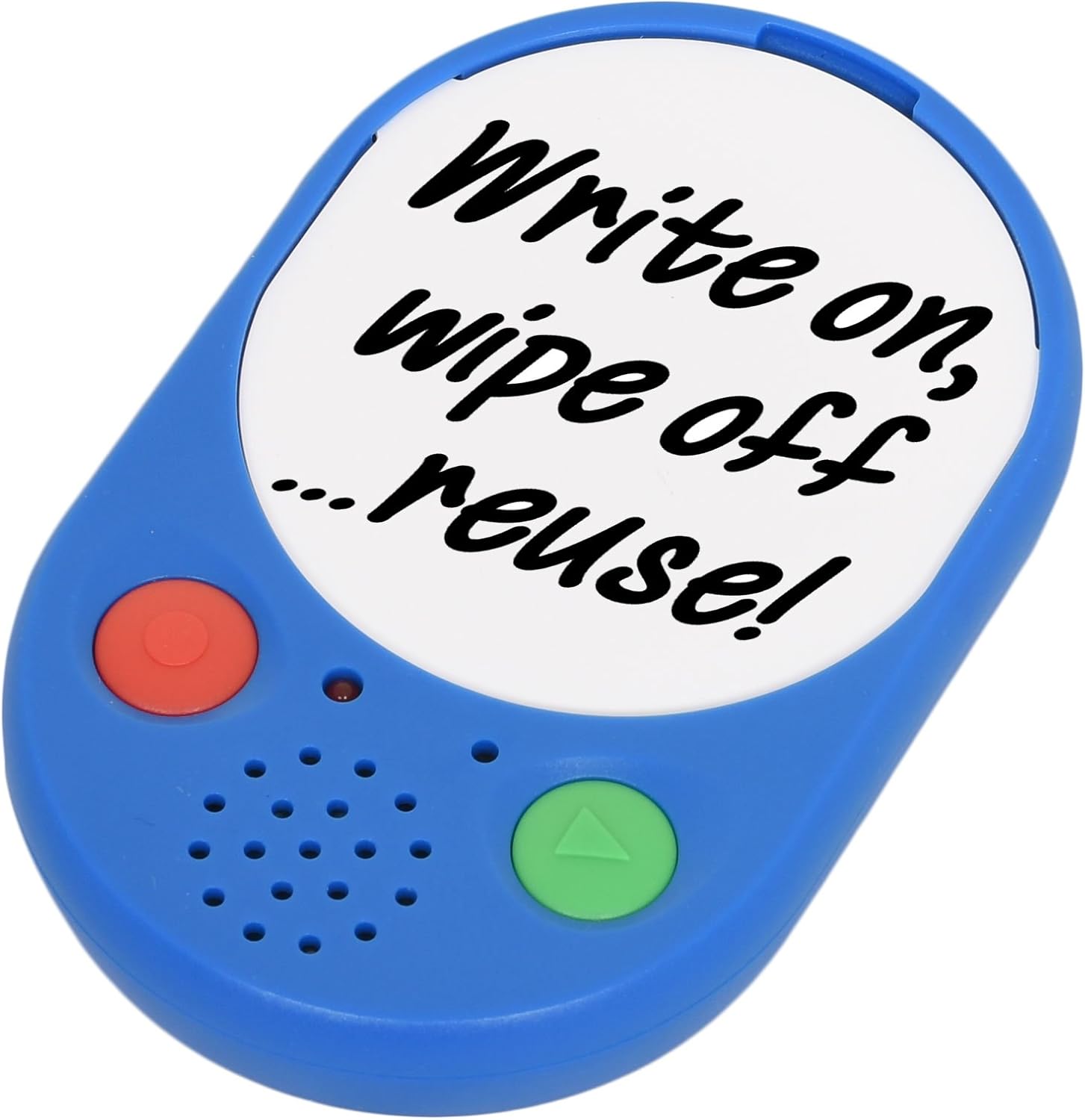
Image 1: The Voice Pad Voice Recorder, highlighting its reusability for custom messages.
2. คุณสมบัติ
- 40-Second Recording: Record and playback up to 40 seconds of speech, music, or sound effects.
- Re-recordable: Messages can be re-recorded as many times as desired, overwriting previous content.
- การแสดงผลที่ปรับแต่งได้: Includes a removable clear cover, allowing you to insert photographs or pictures to match your recordings.
- ตำแหน่งที่หลากหลาย: Features a wall mounting hole, built-in magnets, and a kickstand for flexible positioning.
- เป็นมิตรกับผู้ใช้: Equipped with large, tactile buttons for easy operation.
- ใช้แบตเตอรี่: Requires replaceable AAA batteries for power.

ภาพที่ 2: รายละเอียดด้านหน้า view of the Voice Pad, highlighting its key components.

ภาพที่ 3: รายละเอียดด้านหลัง view of the Voice Pad, illustrating its mounting and control features.
3. เนื้อหาบรรจุภัณฑ์
โปรดตรวจสอบให้แน่ใจว่ามีสินค้าทั้งหมดอยู่ในแพ็คเกจของคุณ:
- 1 x Voice Pad Voice Recorder Unit
- 1 x Removable Clear Cover
- 1 x Dry Wipe Insert
หมายเหตุ: ต้องใช้แบตเตอรี่ AAA 3 ก้อน ซึ่งไม่ได้รวมอยู่ในแพ็คเกจ
4. การตั้งค่า
- การติดตั้งแบตเตอรี่:
- Locate the battery compartment on the rear side of the Voice Pad.
- Carefully open the battery door.
- ใส่แบตเตอรี่ AAA จำนวน 3 ก้อน โดยตรวจสอบให้แน่ใจว่าขั้วถูกต้อง (+/-)
- ปิดฝาแบตเตอรี่ให้แน่น
- เปิด/ปิดเครื่อง:
- เลื่อน สวิตซ์เปิด/ปิด on the rear of the device to the 'ON' position to power it on.
- Slide to 'OFF' to power down.
- การควบคุมระดับเสียง:
- ปรับระดับเสียงการเล่นโดยใช้ LOW/HIGH Switch located on the rear side.
- Message Protection Lock:
- To prevent accidental erasure of your recorded message, slide the สวิตช์ล็อค on the rear to the 'ON' position after recording.
- การปรับแต่งการแสดงผล:
- Gently remove the clear cover from the front of the Voice Pad.
- Insert a photograph, picture, or use the provided dry wipe insert to write a message.
- Replace the clear cover securely.
5. คู่มือการใช้งาน
5.1 การบันทึกข้อความ
- Ensure the Voice Pad is powered on (ON/OFF switch to 'ON').
- ตรวจสอบให้แน่ใจว่า Message Protection LOCK Switch on the rear is in the 'OFF' position.
- กดปุ่มค้างไว้ red 'REC' button ที่ด้านหน้าของอุปกรณ์
- Speak clearly into the built-in microphone. The device will record for up to 40 seconds.
- Release the 'REC' button to stop recording. The new recording will automatically overwrite any previous message.
5.2 การเล่นข้อความ
- Ensure the Voice Pad is powered on.
- กดปุ่ม green 'PLAY' button on the front of the device once to play your recorded message.
- Press the 'PLAY' button again to pause playback.
5.3 Protecting Your Message
To prevent accidental erasure of your recorded message:
- After recording, slide the Message Protection LOCK Switch on the rear of the device to the 'ON' position. This will disable the recording function until switched back to 'OFF'.

Image 4: Voice Pads used for phonics programs, demonstrating the customizable inserts.
Video 1: An official product video from Talking Products Limited demonstrating the Voice Pad's use for creating talking photo frames and fridge magnets, showcasing its recording and customization features.
6. การดูแลรักษา
- การทำความสะอาด: Wipe the Voice Pad with a soft, dry cloth. Avoid using abrasive cleaners, solvents, or harsh chemicals, as these may damage the device.
- การดูแลแบตเตอรี่ If the device will not be used for an extended period, remove the batteries to prevent potential leakage and damage.
- พื้นที่จัดเก็บ: Store the Voice Pad in a cool, dry place, away from direct sunlight, extreme temperatures, and excessive moisture.
- การจัดการ: Handle the device with care to avoid dropping or subjecting it to strong impacts, which could damage internal components.
7 การแก้ไขปัญหา
- No Sound or Low Sound During Playback:
- ตรวจสอบให้แน่ใจว่าอุปกรณ์เปิดอยู่
- ตรวจสอบ LOW/HIGH Switch on the rear and set it to 'HIGH' for maximum volume.
- Verify that the batteries are correctly installed and have sufficient power. Replace with fresh AAA batteries if necessary.
- Cannot Record a Message:
- ให้แน่ใจว่า Message Protection LOCK Switch on the rear is in the 'OFF' position.
- Confirm that the batteries have sufficient power. Low battery levels can prevent recording.
- Recorded Message is Unclear or Distorted:
- Ensure you are speaking clearly and directly into the microphone during recording.
- หลีกเลี่ยงการบันทึกเสียงในสภาพแวดล้อมที่มีเสียงดังมากเกินไป
- Try re-recording the message.
- อุปกรณ์ไม่เปิดใช้งาน:
- Check battery installation and ensure polarity is correct.
- เปลี่ยนแบตเตอรี่ใหม่
- ให้แน่ใจว่า สวิตซ์เปิด/ปิด is firmly in the 'ON' position.
8. ข้อมูลจำเพาะ
| คุณสมบัติ | รายละเอียด |
|---|---|
| เวลาในการบันทึก | 40 วินาที |
| แหล่งพลังงาน | แบตเตอรี่ AAA 3 ก้อน (ไม่รวม) |
| ขนาดสินค้า | 4.92 x 3.15 x 0.79 นิ้ว |
| น้ำหนักสินค้า | 2.82 ออนซ์ |
| หมายเลขรุ่น | VP3-40-BLU |
| ผู้ผลิต | ทอล์คกิ้ง โปรดักส์ บจก |
9. การรับประกันและการสนับสนุน
This product is subject to a 30-day return policy for refund or replacement, as per standard retail terms.
For any product inquiries, technical support, or further assistance, please contact Talking Products Ltd directly. Refer to the product packaging or the official Talking Products webเว็บไซต์สำหรับข้อมูลการติดต่อล่าสุด


