1. บทนำ
This manual provides essential information for the safe and efficient operation of your AUNA Pro Streetstar 12 Portable PA System. Please read these instructions thoroughly before use and retain them for future reference.
2. ข้อมูลด้านความปลอดภัยที่สำคัญ
- ตรวจสอบให้แน่ใจว่าแหล่งจ่ายไฟตรงกับปริมาตรtagความต้องการของอุปกรณ์
- อย่าให้เครื่องโดนฝนหรือความชื้นเพื่อป้องกันไฟไหม้หรือไฟฟ้าช็อต
- หลีกเลี่ยงการวางเครื่องไว้ใกล้แหล่งความร้อนหรือโดนแสงแดดโดยตรง
- อย่าปิดกั้นช่องระบายอากาศ
- ใช้เฉพาะอุปกรณ์เสริม/สิ่งที่แนบตามที่ผู้ผลิตกำหนดเท่านั้น
- ถอดสายไฟออกในระหว่างที่เกิดพายุฝนฟ้าคะนองหรือเมื่อไม่ได้ใช้งานเป็นเวลานาน
- ส่งต่อการบริการทั้งหมดไปยังบุคลากรบริการที่มีคุณสมบัติเหมาะสม
3. เนื้อหาบรรจุภัณฑ์
ตรวจสอบว่ารายการทั้งหมดที่ระบุไว้ด้านล่างนี้รวมอยู่ในแพ็คเกจของคุณ:
- 1 x PA System Unit
- สายไฟ 1 เส้น
- ไมโครโฟนไร้สาย UHF 2 ตัว
- 1 x รีโมทคอนโทรล
- User Manual (English/German)
4. สินค้าหมดview และคุณสมบัติ
The AUNA Pro Streetstar 12 is a versatile portable PA system designed for various events, offering robust sound and convenient features.
คุณสมบัติหลัก:
- การเชื่อมต่อ: Bluetooth for wireless streaming, USB port, SD card slot, 3.5mm AUX jack, 6.3mm jack input, RCA Line input.
- ความสามารถในการพกพา: Equipped with an extendable 100 cm trolley handle and robust ABS housing for easy transport.
- ไมโครโฟนไร้สาย: Two UHF wireless microphones with stable radio frequency and high range (up to 100m) for clear vocal transmission.
- อายุการใช้งานแบตเตอรี่: Powerful 7.2 Ah battery provides approximately 7 hours of continuous operation, with a charge status display. Can also be powered via mains.
- คุณภาพเสียง: Bass reflex construction for enhanced bass, 12-inch subwoofer, and 2.5-inch tweeter for full sound spectrum.
- ควบคุม: Large 4-line LED display for ID3 tags (MP3 info), full-function remote control, 2-band equalizer, mute function.
- เพิ่มเติม: Exchangeable wire antenna, Line-Out for connecting another active speaker.
ผลิตภัณฑ์ Views:
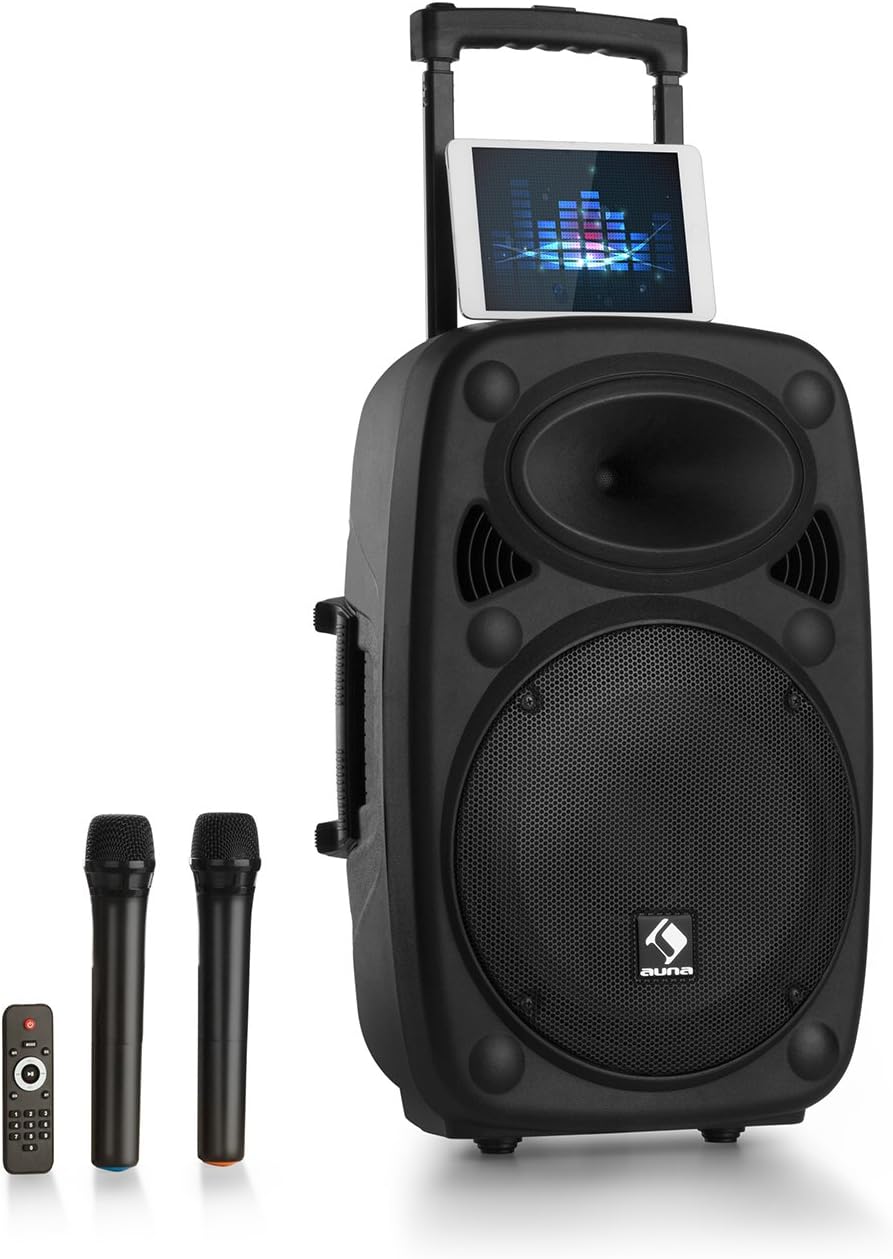
Figure 1: AUNA Pro Streetstar 12 Portable PA System with included wireless microphones and remote control.

รูปที่ 2: รายละเอียด view of the control panel, showing various inputs and adjustment knobs.
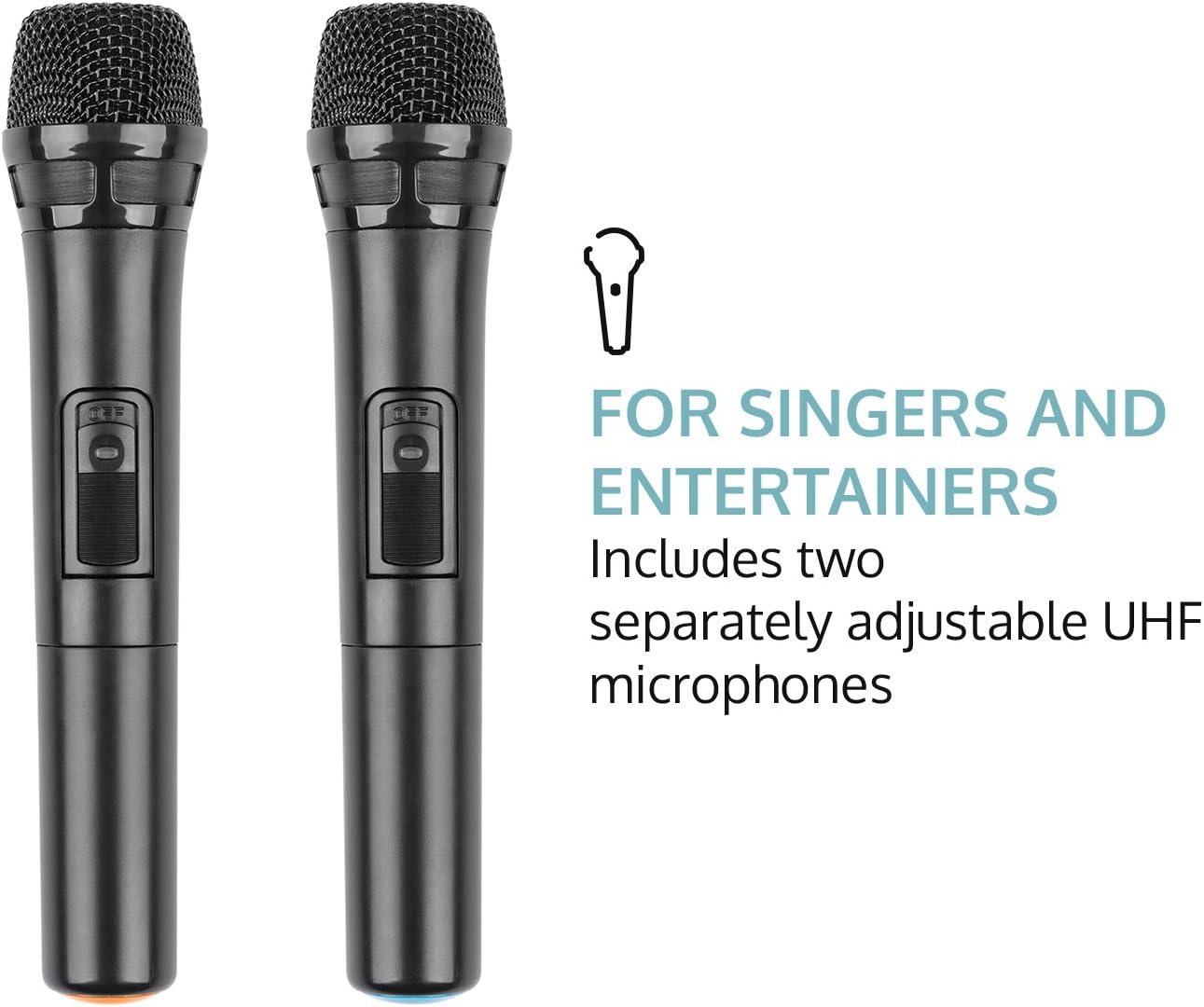
Figure 3: The two UHF wireless microphones included with the system.
5. การตั้งค่า
- การแกะกล่อง: นำส่วนประกอบทั้งหมดออกจากบรรจุภัณฑ์อย่างระมัดระวัง เก็บบรรจุภัณฑ์ไว้สำหรับการขนส่งหรือจัดเก็บในอนาคต
- การเชื่อมต่อไฟฟ้า: Connect the PA system to a suitable power outlet using the provided power cable. Ensure the voltage ตรงตามข้อกำหนดของอุปกรณ์
- ค่าใช้จ่ายเริ่มต้น: For optimal battery life, fully charge the unit before its first use. The battery status indicator will show charging progress.
- การตั้งค่าไมโครโฟน: Insert batteries into the wireless microphones (2 x AAA batteries per microphone, not included). Power on the microphones.
- เสาอากาศ: Extend the telescopic antenna for improved wireless microphone reception.
6. คู่มือการใช้งาน
6.1. เปิด/ปิดเครื่อง
Locate the power switch on the control panel. Flip the switch to the "ON" position to power on the unit. Flip to "OFF" to power down.
6.2. การเชื่อมต่อบลูทู ธ
- Power on the AUNA Pro Streetstar 12. The unit will automatically enter Bluetooth pairing mode, indicated on the LED display.
- บนสมาร์ทโฟน แท็บเล็ต หรืออุปกรณ์อื่นๆ ที่เปิดใช้งาน Bluetooth ของคุณ ให้ไปที่การตั้งค่า Bluetooth
- ค้นหา available devices and select "AUNA Streetstar 12" (or similar name).
- Once connected, a confirmation sound will be heard from the PA system.
- ตอนนี้คุณสามารถสตรีมเสียงแบบไร้สายจากอุปกรณ์ของคุณได้แล้ว
6.3. การเล่นไฟล์ผ่าน USB/การ์ด SD
- Insert a USB drive or SD card containing MP3 audio files into the respective slot on the control panel.
- ระบบจะตรวจจับสื่อและเริ่มเล่นโดยอัตโนมัติ
- Use the "PREV", "NEXT", "PLAY/PAUSE" buttons on the control panel or remote control to manage playback.
- The LED display will show ID3 tag information for compatible MP3 files.
6.4. AUX/Line Input
- Connect external audio sources (e.g., CD player, Hi-Fi system) to the 3.5mm AUX jack or RCA Line input using appropriate cables.
- Select the corresponding input mode on the PA system (usually by pressing a "MODE" button if available, or it may auto-detect).
6.5. UHF Wireless Microphones
- Ensure batteries are correctly inserted into both wireless microphones.
- Power on each microphone using its dedicated switch. They should automatically connect to the PA system.
- Adjust the microphone volume using the "MIC VOL" knob on the control panel.
- Use the "ECHO" knob to add echo effects to the microphone output.
- The system also features a 6.3mm jack input for an additional wired microphone or instrument.
6.6. การปรับเสียง
- ปริมาณหลัก: Use the large "MASTER" knob to control the overall output volume.
- Equalizer: Adjust the "BASS" and "TREBLE" knobs to fine-tune the audio output to your preference.
- ปิดเสียง: The remote control includes a mute function to instantly silence the audio.
6.7. เอฟเฟกต์แสง
The PA system features integrated LED lighting. Use the "LED" switch on the control panel to turn the lights on or off.
7. การชาร์จแบตเตอรี่
- Connect the power cable to the PA system and a mains outlet.
- The battery status indicator on the control panel will show the charging status.
- A full charge provides approximately 7 hours of operation.
- It is recommended to fully charge the battery before each extended use.
8. การบำรุงรักษา
- การทำความสะอาด: ใช้ผ้านุ่มและแห้งเช็ดทำความสะอาดภายนอกตัวเครื่อง ห้ามใช้น้ำยาทำความสะอาดที่มีฤทธิ์กัดกร่อนหรือตัวทำละลาย
- พื้นที่จัดเก็บ: When not in use, store the PA system in a cool, dry place, away from direct sunlight and extreme temperatures.
- การดูแลแบตเตอรี่ หากเก็บรักษาเป็นเวลานาน ควรชาร์จแบตเตอรี่ทุกๆ 3-6 เดือน เพื่อรักษาประสิทธิภาพการใช้งาน
9 การแก้ไขปัญหา
| ปัญหา | สาเหตุที่เป็นไปได้ | สารละลาย |
|---|---|---|
| ไม่มีไฟฟ้า | Power cable not connected; Battery depleted; Power switch off. | ตรวจสอบการเชื่อมต่อสายไฟ ชาร์จแบตเตอรี่ ตรวจสอบให้แน่ใจว่าสวิตช์ไฟเปิดอยู่ |
| ไม่มีเสียงออก | Volume too low; Incorrect input mode selected; Device not connected via Bluetooth/AUX. | Increase master volume; Select correct input mode; Re-establish Bluetooth/AUX connection. |
| ไมโครโฟนไม่ทำงาน | Microphone batteries depleted; Microphone not powered on; Microphone volume too low. | Replace microphone batteries; Power on microphone; Increase MIC VOL. |
| การจับคู่บลูทูธล้มเหลว | Device too far; Interference; PA system not in pairing mode. | Move device closer; Reduce interference; Restart PA system to enter pairing mode. |
10. ข้อมูลจำเพาะทางเทคนิค
- ยี่ห้อ: อาน่า
- หมายเลขรุ่น: PAS4-Streetstar 12
- พลัง: 200 วัตต์ (RMS) / 800 วัตต์ (สูงสุด)
- ประเภทลำโพง: Tweeter, 12-inch Subwoofer
- SPL: 112 เดซิเบล
- เทคโนโลยีการเชื่อมต่อ: AUX, Bluetooth, RCA, USB
- การเชื่อมต่อ: 1 x USB port, 1 x SD card slot, 1 x 3.5mm AUX jack, 1 x 6.3mm jack, 1 x RCA Line input
- ประเภทไมโครโฟน: UHF Wireless (2 included)
- แบตเตอรี่: 7.2Ah/12V
- ระยะเวลาใช้งานแบตเตอรี่: ประมาณ 7 ชั่วโมง
- แหล่งจ่ายไฟ: 220-240 V~ | 50/60 Hz (mains) or 7.2 Ah / 12 V battery
- ขนาด (LxHxD): ประมาณ 37.5 x 59.5 x 37 ซม.
- น้ำหนัก: ประมาณ 13.5 กก.
- สี: สีดำ
- คุณสมบัติพิเศษ: Easy to use, extendable trolley handle, robust ABS housing, bass reflex construction.
11. การรับประกันและการสนับสนุน
For warranty information, technical support, or service inquiries, please refer to the documentation provided at the time of purchase or contact AUNA customer service directly. Keep your proof of purchase for any warranty claims.


